KPI – Company Efficiency
เพิ่มฟังก์ชันและคุณสมบัติใหม่ ๆ ให้กับบัญชี Bitrix24 ของคุณ ติดตั้งแอปที่พร้อมใช้งานจาก Marketplace


Evaluate detailed reports on key indicators over selected periods. Statistics for all the goals and the current results of the employee's performance are displayed on an interactive progress bar with bonus marks. These gamification techniques affect positively on your employees, motivate them and can make results easier to retain.
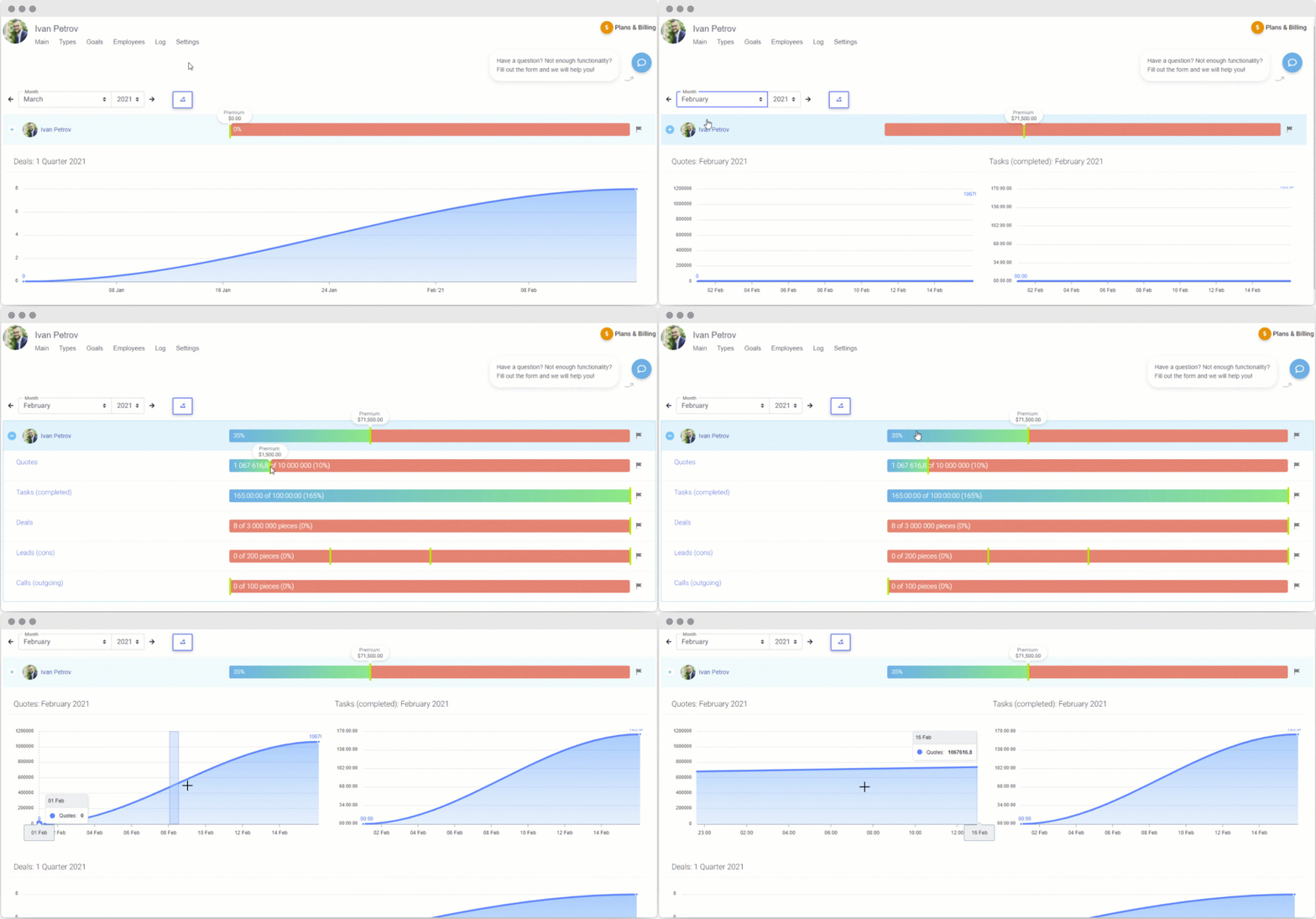
Display charts on the main dashboard that allows to track your employees’ activity and productivity by minutes.
Export dataYou can export the KPI statistics report to a XLS file.
Types to succeed in performance and work for better
Set the object parameters filter within entities, statuses, products, responsible persons, payers, etc. The more parameters you set, the more difficult it will be to achieve the goals.
Result types are based on the main Bitrix24 entities: tasks, leads, deals, invoices, quotes, activities and calls. Entity percentage is an outstanding parameter that helps to compare key indicators within two entities.
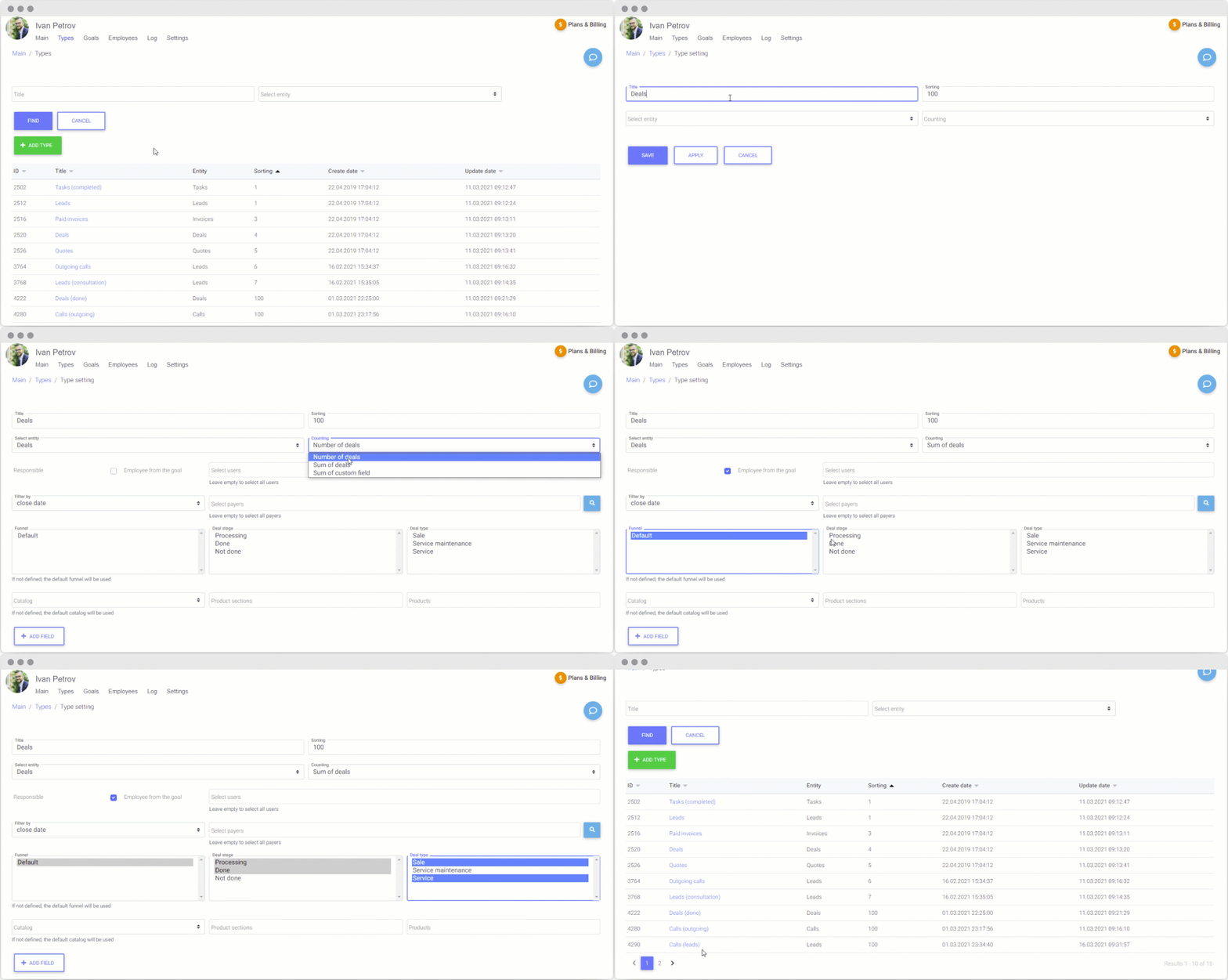
You can set individual parameters — user fields — in order to achieve the right objectives and fulfill the needs of your company.
Integrated approach to goal-setting
Set goals for your employees within result types. Set a target indicator that the responsible should strive for. A goal can be short- and long-term. Use the copy function to reduce your time costs when creating new goals.
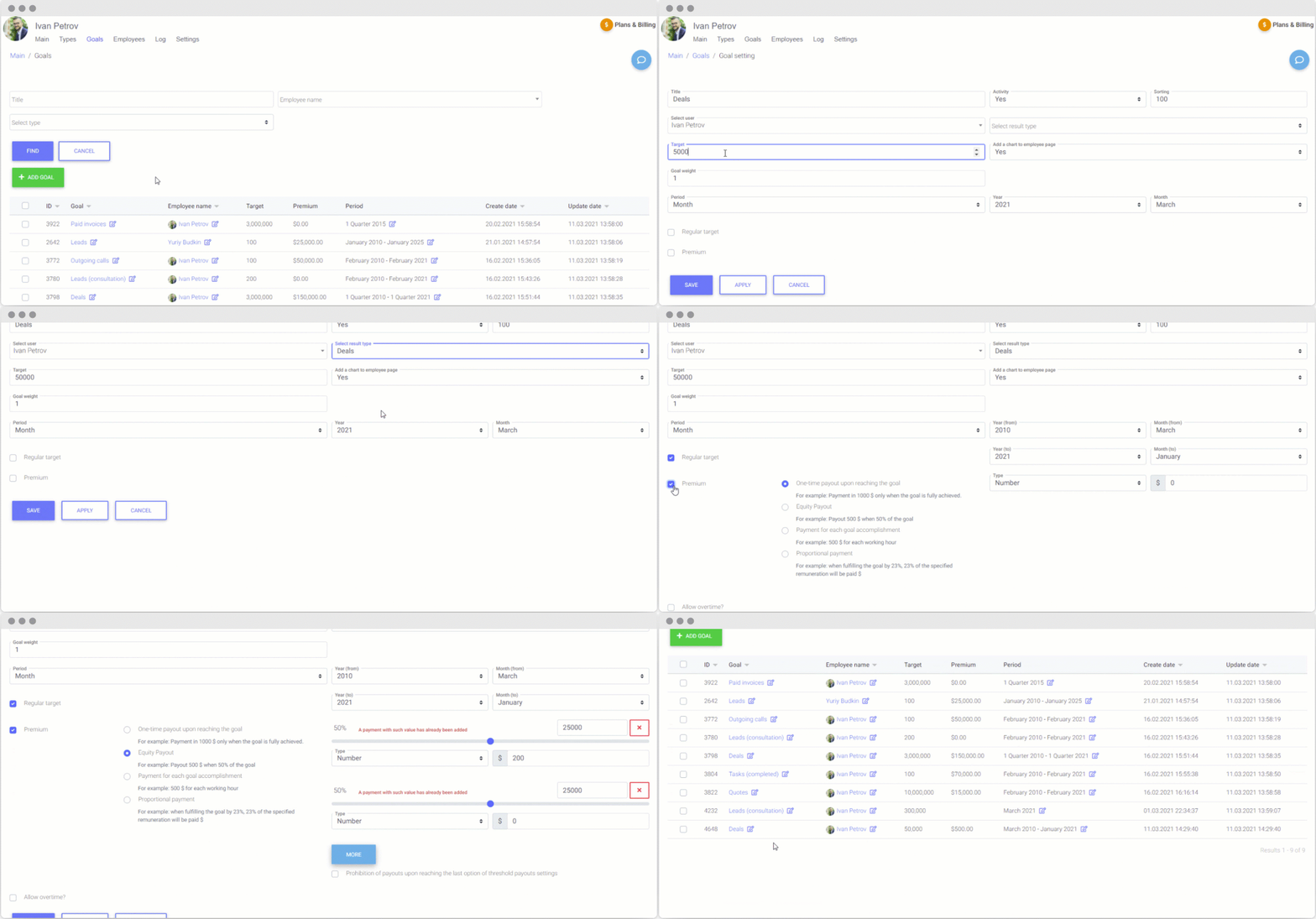
Set short- and long-term goals. A month, quarter or a year — set any period you want to automatically repeat them on a regular basis.
BonusesReward your employees for good work and goals achievement. Set one-time, partial, proportional bonuses or payments for each goal accomplishment.
Measure and track tasks executionEvaluate tasks execution by your IT-department. Set type results and goals within the Tasks entity. Count them by total number of executed tasks, spent or planned hours, projects and responsible employees, etc.
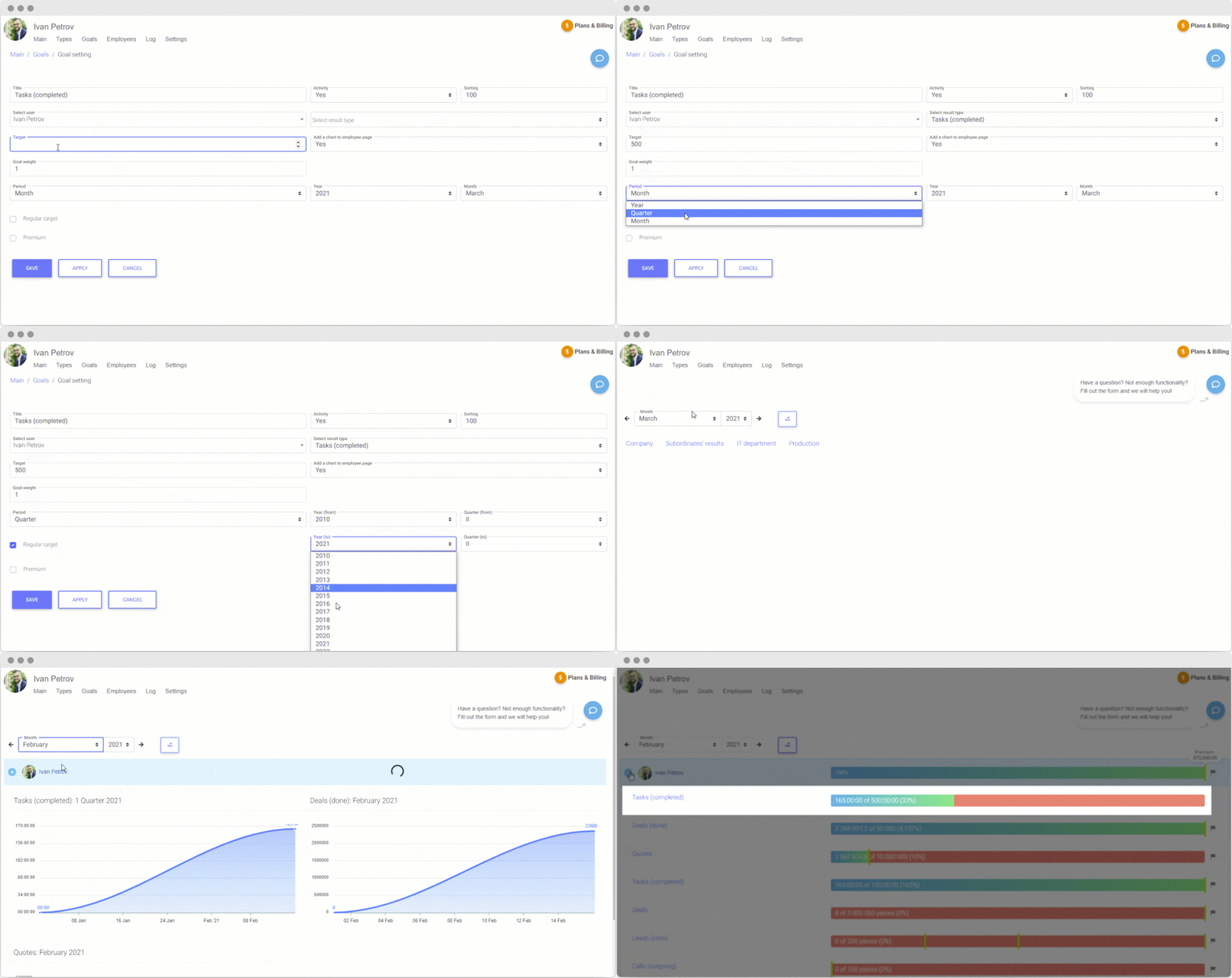
It's very important to provide your clients with ready solutions on time. With the help of our App you can measure how employees meet deadlines.
Unleash the potential of the employees who perform the efficient results when achieving the goals.
Motivate sales managers
Find professionals among the specialists of your sales department. Set ambitious goals but not unrealistic ones within the Deals, Invoices and Quotes entities.
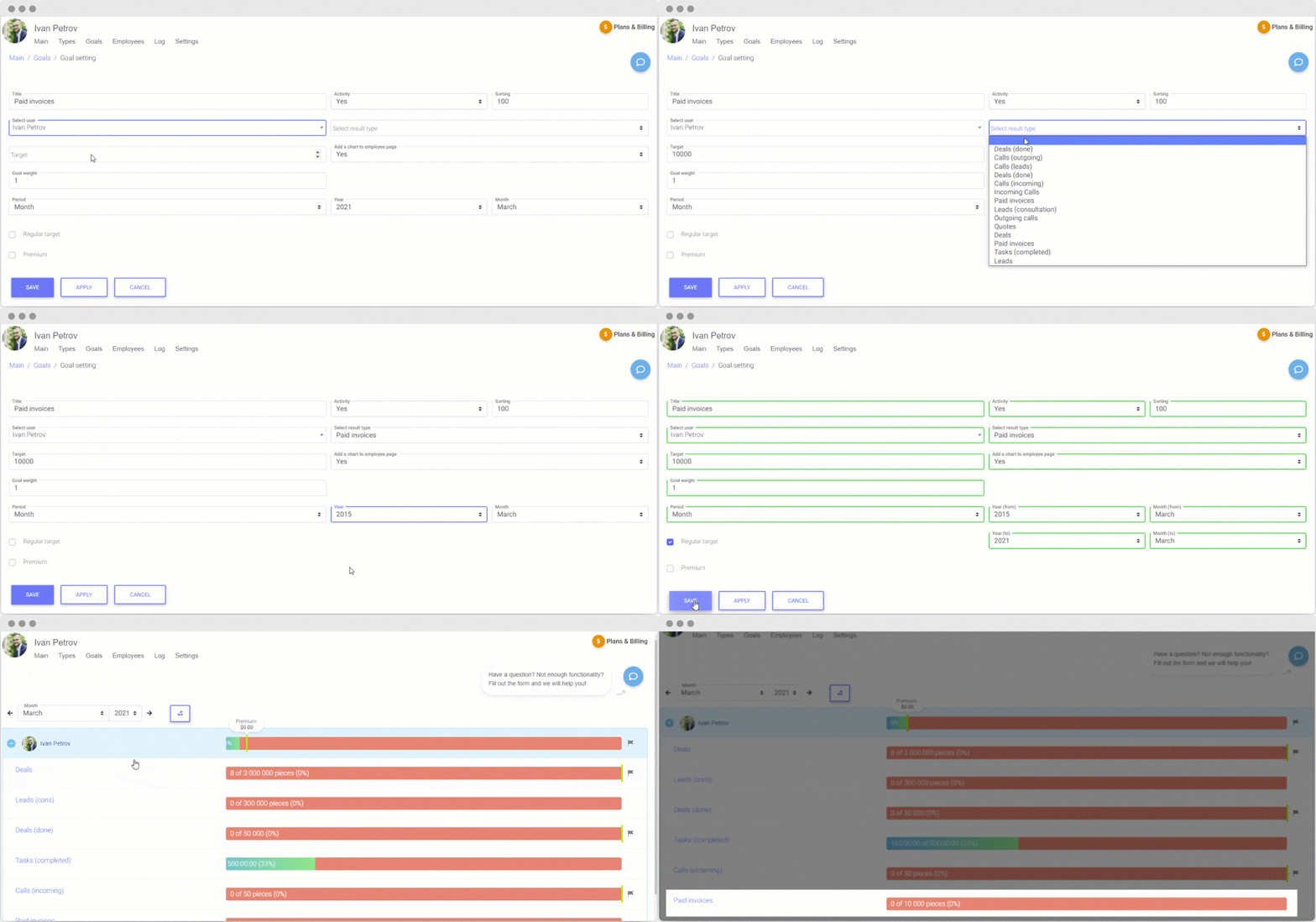
The most valuable employee would attempt to convince a customer to take some very special offer or raise the amount of a transaction.
Analyze the high bounce rate of your managers and look for one who would need some additional Customer Negotiation Tactics and Relationships training.
How does your call-center workOperators of your call center can contribute to the success of your company moving prospective clients towards being customers. In order to evaluate the efficiency set goals for them within the Calls or Leads entities.
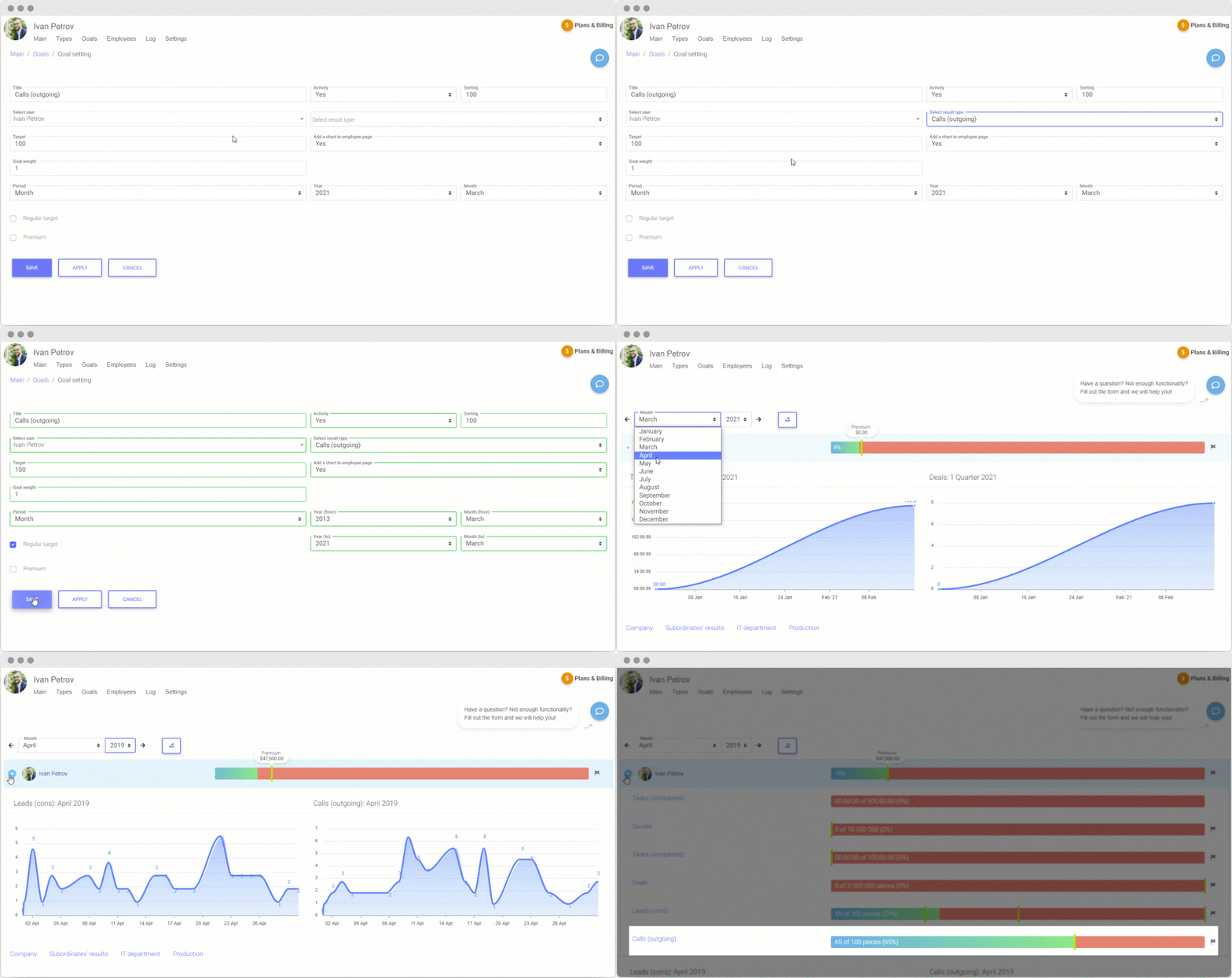
Configure the conditions for goal setting: outcoming and incoming calls, lead generation channels, performance in the negotiations, etc.
Set the call duration condition to find out how an operator can keep clients engaged in the conversation.
Payment settings and access rulesAdd users fr om the basic Employees platform and set payment options by periods. Administrator of the app can configure and set the employee permissions to the achievements of the colleagues, and also specify edit and view rules for the head of the company.
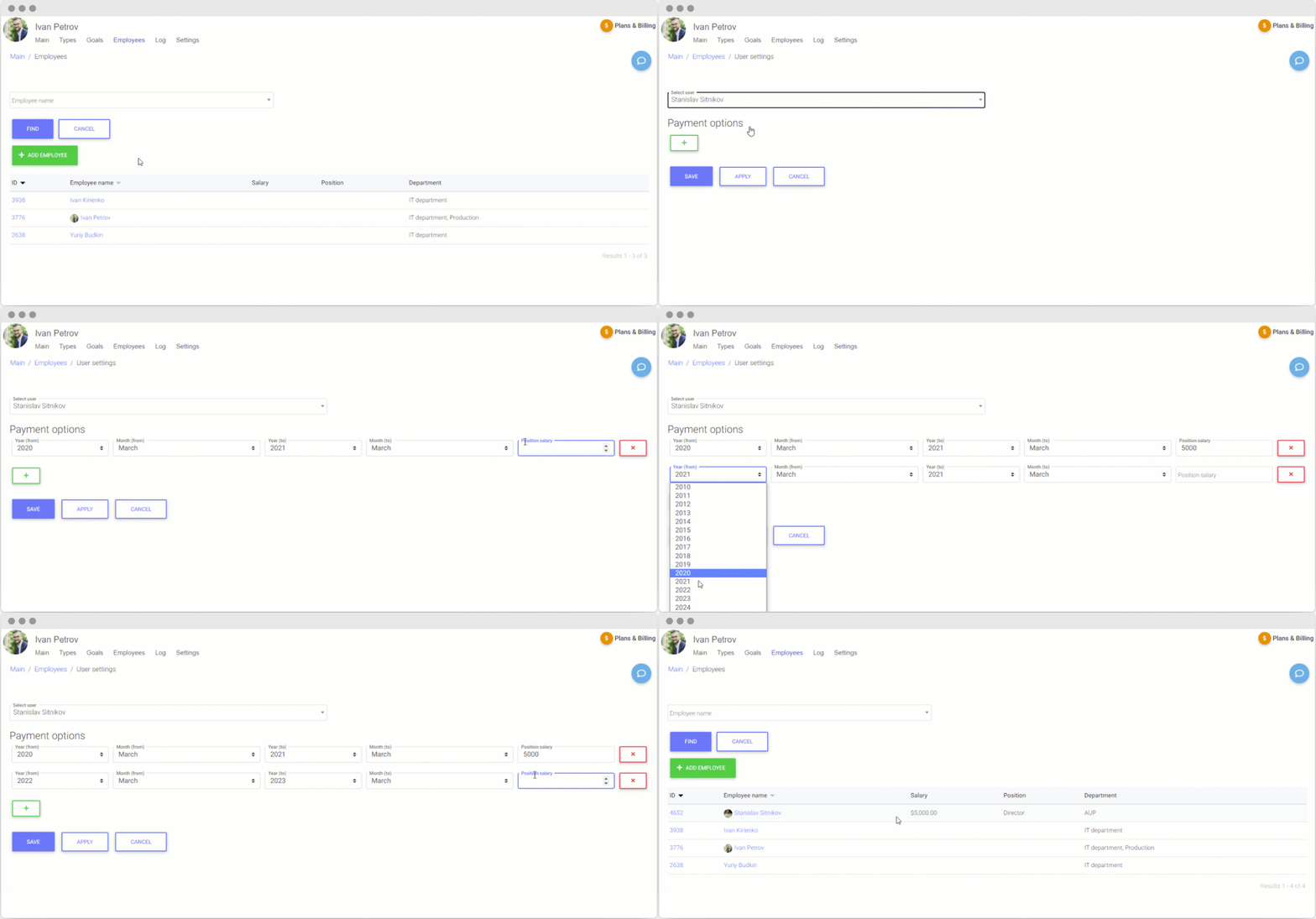
KPI — Company Performance App for Bitrix24 is an automated performance management solution that helps you achieve key objectives and demonstrate the effectiveness of your employees.
---
The app is available for free with no time limit, but with a limit of 5 users with active or archival goals.
The link provides information on tariffs for a larger number of employees.
รุ่น 3
- Added functionality for working with Smart processes.
- Added functionality for specifying a fractional value in the "Planned Indicator" field of the Goal.
- Added functionality for displaying the difference between actual and planned indicators.
- An additional option has been added to select the method for calculating uniqueness to the "Unique calls only" field in the "Calls" Type settings.
- Added a filter by department to the "Goals" page.
- Added a standard "Source" field to the page with Type settings for the "Transaction" entity.
- Added setting for automatic calculation of employee goals.
รุ่น 2
Added functionality for working with call detailing in telephony
รุ่น 1
The KPI application helps to plan key performance indicators, observe the situation regarding implementation of the plan in real time, calculate bonuses e.t.c.!
Technical support address:
support@apik-it.com
Working hours:
10.00 am - 7.00 pm Moscow time.
Response time – 48 hours.
Days off: Saturday and Sunday.
Standard app installation at Bitrix24.Market.
Application customization
After the installation you must configure the result types. Five basic types are available. You can edit the current type or create new ones.
The "Tasks" type has the default characteristics:
counting: “Number of hours spent”;
responsible: “Employee from the goal”, whose tasks will be considered in the goal;
filter by: “Completion Date”.
If we need to calculate the total number of tasks that the employee has set with the deadline in the current month, we should change:
counting: “Number of tasks”;
remove the check mark against the responsible and put it against the tasksetter;
status: select all the values;
filter by: “Deadline”;
Save.
Next, you need to fill in the goals.
Let's fill in the goal: “employee 'XXX' should set 100 tasks with a deadline in the current month in order to complete the plan at 100%. It should be a monthly goal”. You should fill in:
- Name: it can be any you like; it will be displayed on the main page of the employee for whom the goal is being set.
Activity - “Yes”: if you remove the activity, the goal will not be displayed and calculated;
User: you should select the employee for whom the goal is being set.
Result type: you should select the created result type, in our case it is “Tasks”.
Goal: you should specify how many tasks need to be set in order to complete the plan at 100%. In our case, you should specify 100.
Add a diagram to the employee page: select "Yes" if you want to display a goal diagram on the main page of the application (for an employee, director).
Period: select the “Month” period, click on the checkbox “Regular goal”, and select the year and month of the beginning and the end of the plan.
If the implementation of a plan indicator is encouraged by a bonus payment, there are three options to calculate it:
"One-off payment when reaching the goal" – only when the goal is fully completed.
"Co-payment" – payments when a certain percentage of the goal is reached. You can set several co-payments, but they are not summarized for one goal. So, if it is stated there is a 1,400 payment at 50%, and 3,000 at 75%, in this case, if the plan is completed at 100%, bonus payment will be 3,000.
"Payment for each step of the goal achievement" – payment for each goal unit. In case of the tasks, it can be the payment for each task hour according to the settings. In case of the leads, it can be the payment for each lead.
Also, tasks have additional functionality “Allow partial payments” for payments by the time. It allows to pay for work on a per-minute basis.
Save.
Now you can see the information about the employee's current goal and the bonus level on his page now.
The information display for directors about their subordinates can be set up on the setting page.