AI Web Search in Alaio Vibecode for Bitrix24: Get Answers with Sources

Researching a company, checking a fact, or preparing for a client conversation often means opening multiple websites and collecting the information manually. This process can take time and make it harder to keep research connected to the work already managed in Bitrix24.
AI Web Search in Alaio Vibecode, a platform available within Bitrix24 on eligible plans, helps apps and AI agents find information online, analyze relevant pages, and return a ready-to-use answer with source links.
How AI Web Search Works in Alaio Vibecode
AI Web Search offers two modes for different research needs. Standard search is designed for quick answers. It checks key sources and generates a short response in seconds. Use it to verify a fact, find basic company information, or create a brief summary.
Deep research is designed for more complex questions. The AI agent refines the request, reviews multiple sources, compares details, and prepares a more detailed answer. It is useful for market overviews, competitor research, topic analysis, or tracking changes to a product or service over the past month.
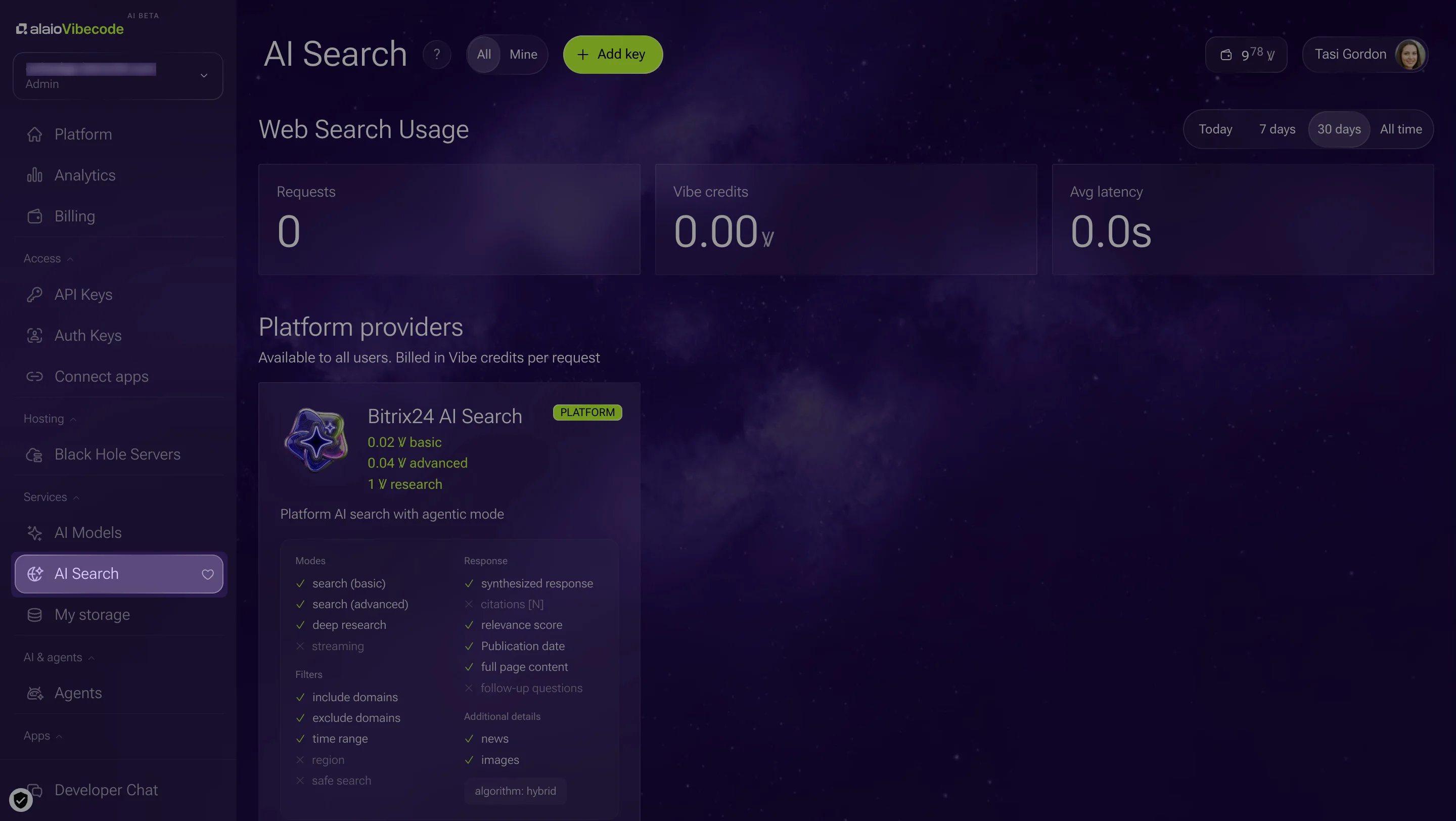
Alaio Vibecode includes Bitrix AI search as a built-in search service. You can also connect external providers through the BYOK, or “Bring Your Own Key,” model. Available services include Tavily, Brave, Exa, You.com, Linkup, Perplexity, Jina, and Z.AI. Learn more about AI models in Alaio Vibecode.
Why AI Web Search Is Useful for Business Teams
AI Web Search gives teams more than a list of search results. It returns a structured answer with source links, so employees can review the information and use it in their next task. Standard search supports quick fact-checking, while deep research helps with questions that require several sources and a comparison of details.
Every new Bitrix24 account includes 10 welcome Vibe credits, which eligible users can try with Bitrix AI search without connecting an external key. External services connected through BYOK are free on the Bitrix24 side, although the provider may charge its own fees.
For example, before a sales call, a team can ask an AI agent to prepare a contractor summary from public sources. The agent can collect information about the company, find relevant mentions, compare details from several pages, and return a concise answer with links to the sources. An employee can then review the findings before the call instead of opening dozens of websites and creating the summary manually.
AI Web Search can also help teams check information before sending a proposal, find public mentions of a product, or collect material for a presentation. Read the full Helpdesk guide to AI Web Search and see how Alaio Vibecode can add source-based web research to your Bitrix24 workflow.
Ready to turn your Web Research into Business Insight?
With Alaio Vibecode, you can create AI-powered apps, chatbots, integrations, and assistants designed to solve your specific business challenges.
Put AI to Work