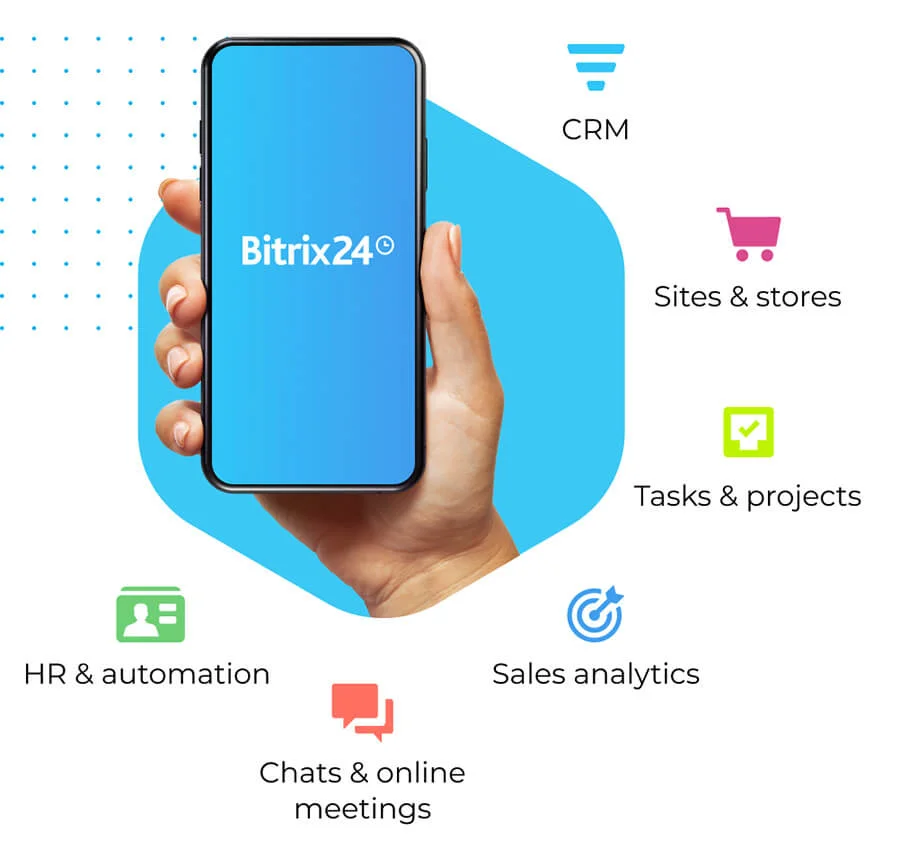
Management blunders, missed deadlines, out-of-sync tasks - project management is never easy, as you’ve probably learned by now. Some setbacks are simply impossible to predict, but as long as you’re equipped with effective tools, you can solve any problem along the way. For everything you have to define, structure, and assign, Bitrix24 is there to help. Enhancing productivity and managing the workflow has never been easier, and neither has completing projects. Enjoy what you love about your job the most, and put the rest on autopilot.
Bitrix24 Features
Workload Management
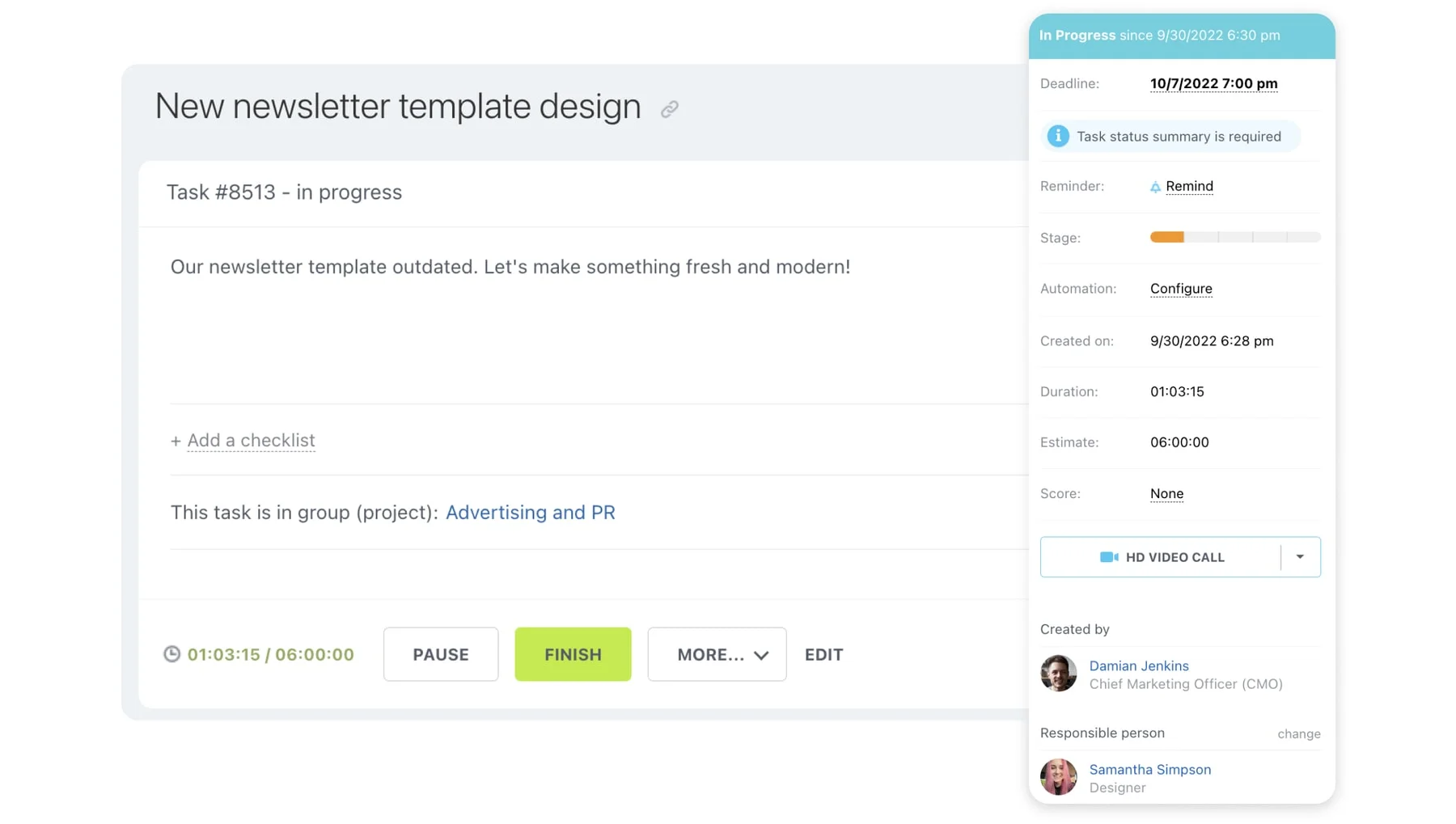
For those who assign tasks, a project management tool makes it easier. For tasks that repeat, use the automated settings to set daily, weekly, monthly, or customized tasks. Communicate in the tasks to ask for progress when checking in or use the chat feature to discuss workloads. Project managers can view individual team members’ workload and assign or take away tasks as needed.
File Sharing & Storage
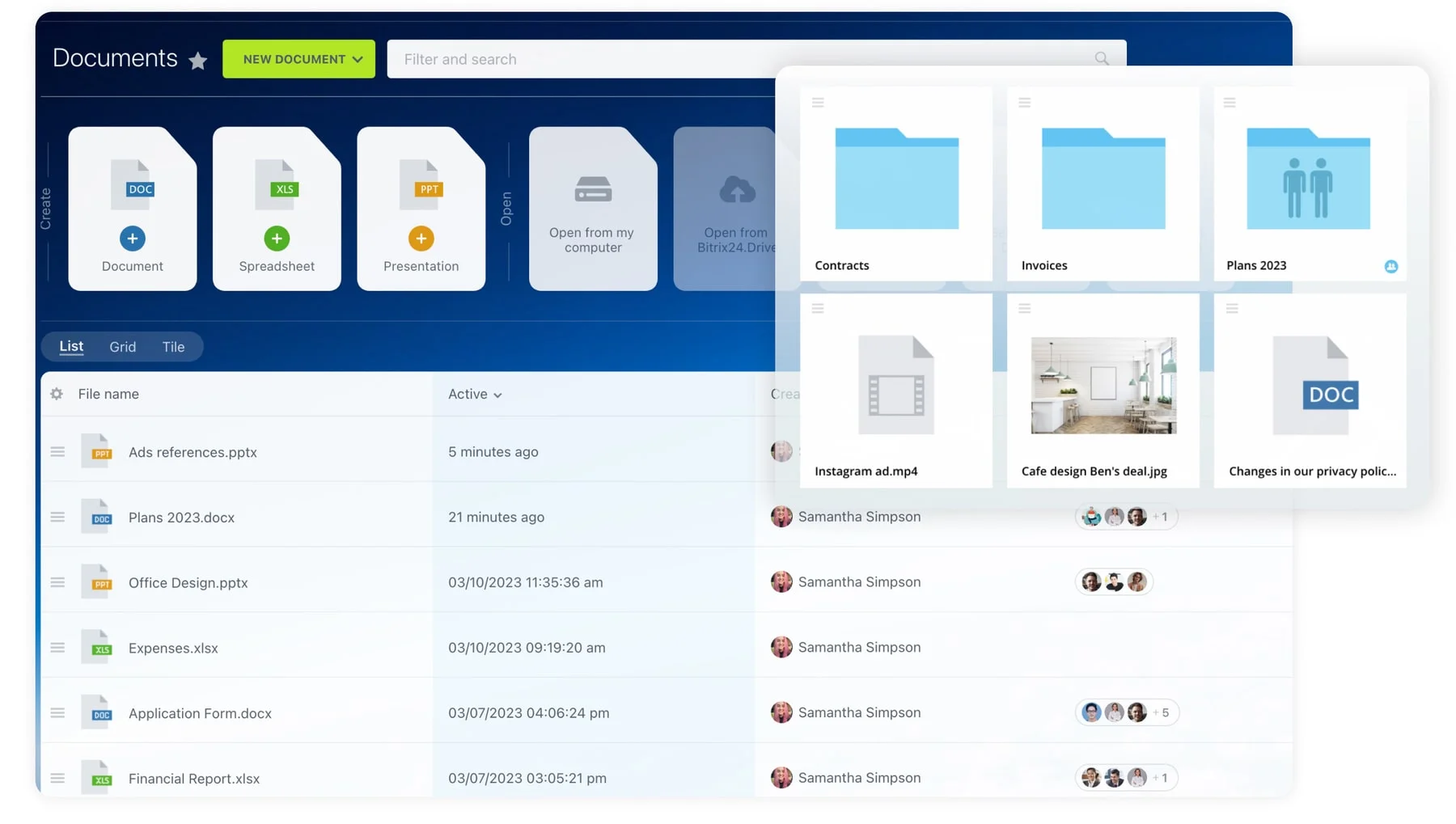
Keep all your company files together in one location. With customizable access permissions, your company can be more organized. Label all your files and find what you need faster with the digital search. With the cloud storage option of Bitrix24, you can access these files from any location, even in client meetings. Another benefit of file sharing and storage is that you can cut down on paper costs and filing space. Companies can also provide limited access to clients to share specific files too, creating less inbox clutter and streamlining some processes.
Time Management & Calendars
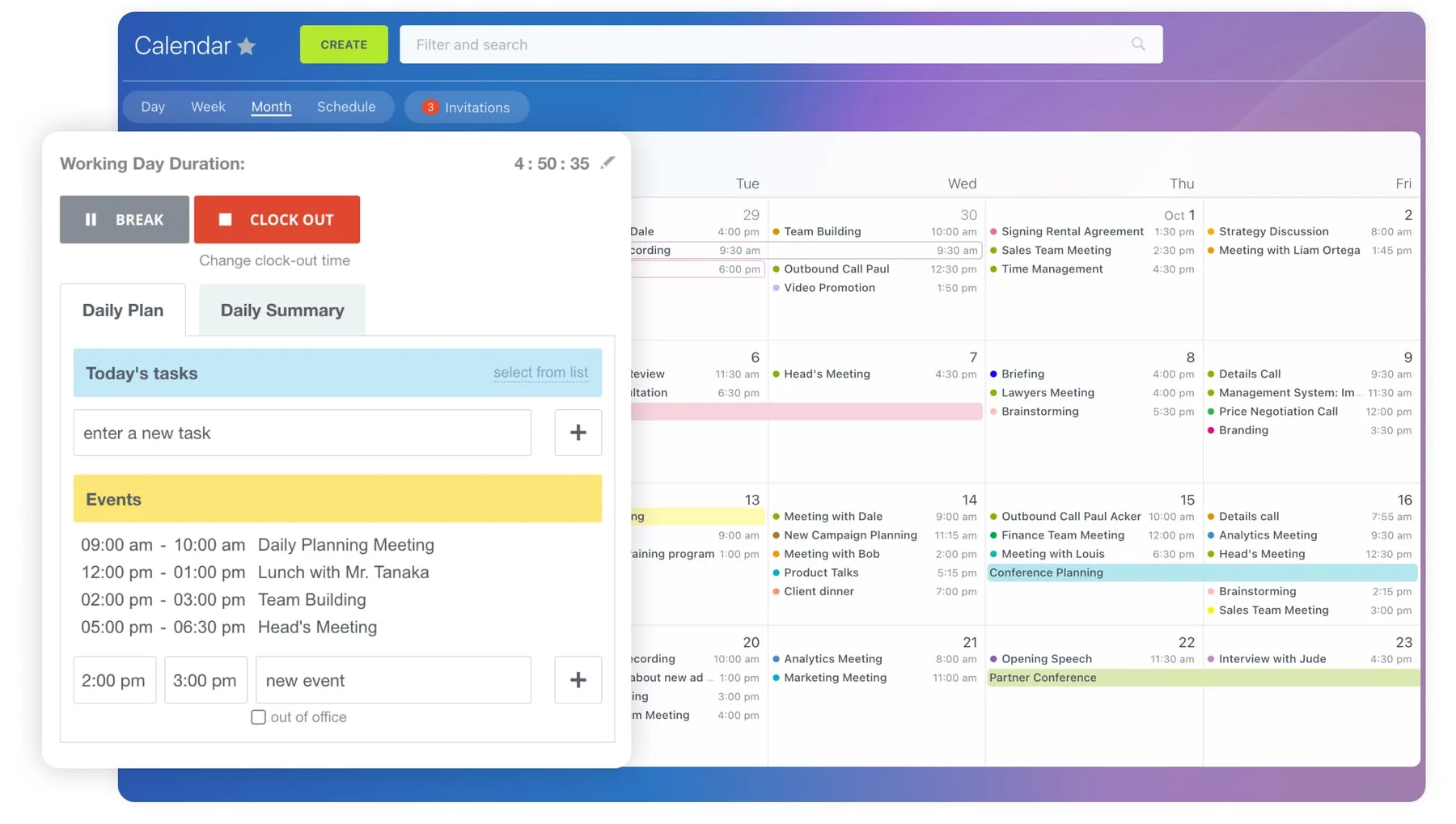
Create multiple calendars to manage time better. Teams can communicate within the calendars making collaboration easier. All time management and calendar functions are available in the Bitrix24 mobile app so no one ever misses a meeting. Keep multiple calendars to keep track of all your deadlines and obligations.
Recurring Tasks Automation
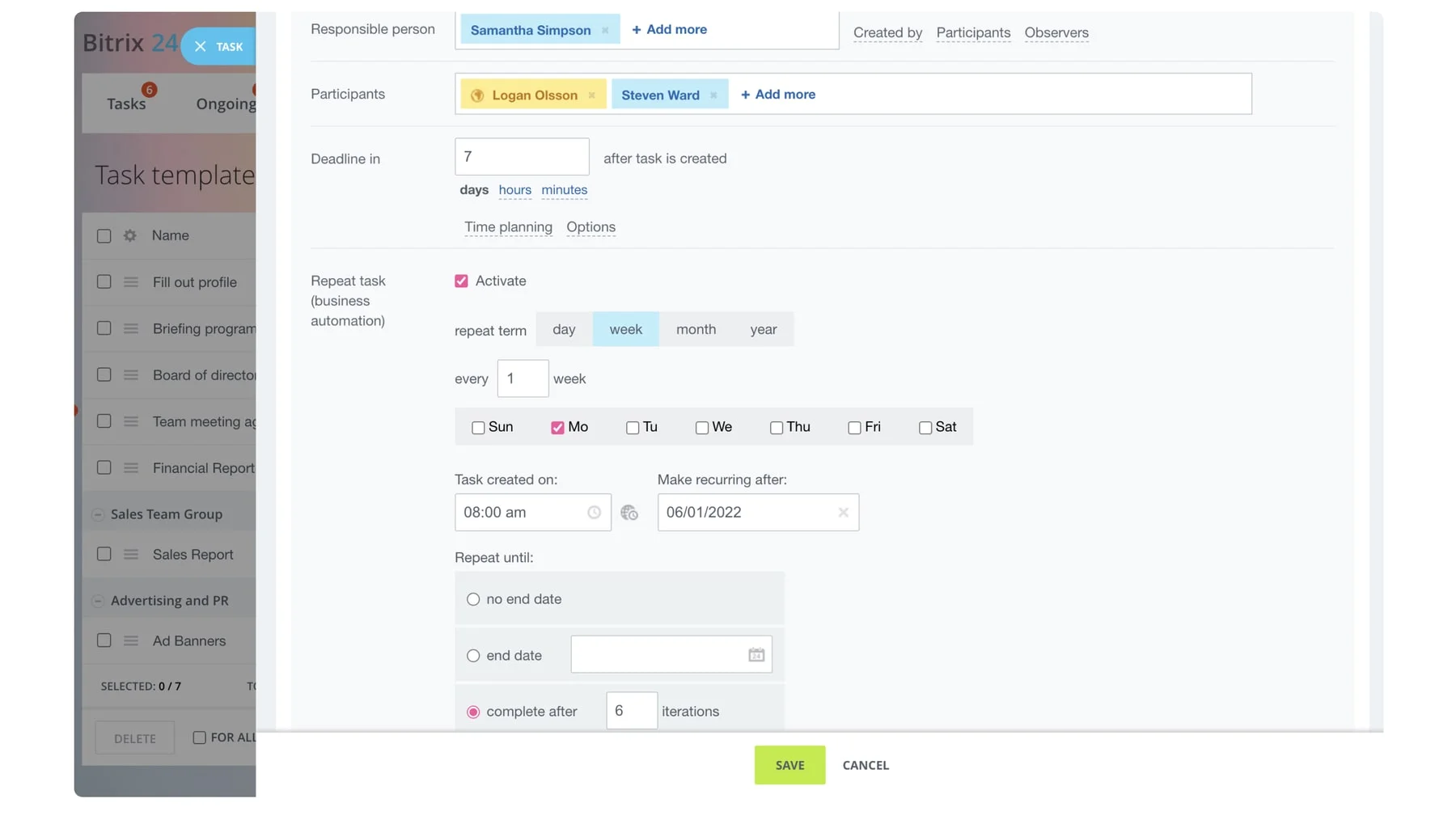
No matter where you are currently at in the world, teams can collaborate effectively to get the job done. Make jobs easier with process automation so tasks recur as needed.
To-Do Lists & Task Dependencies
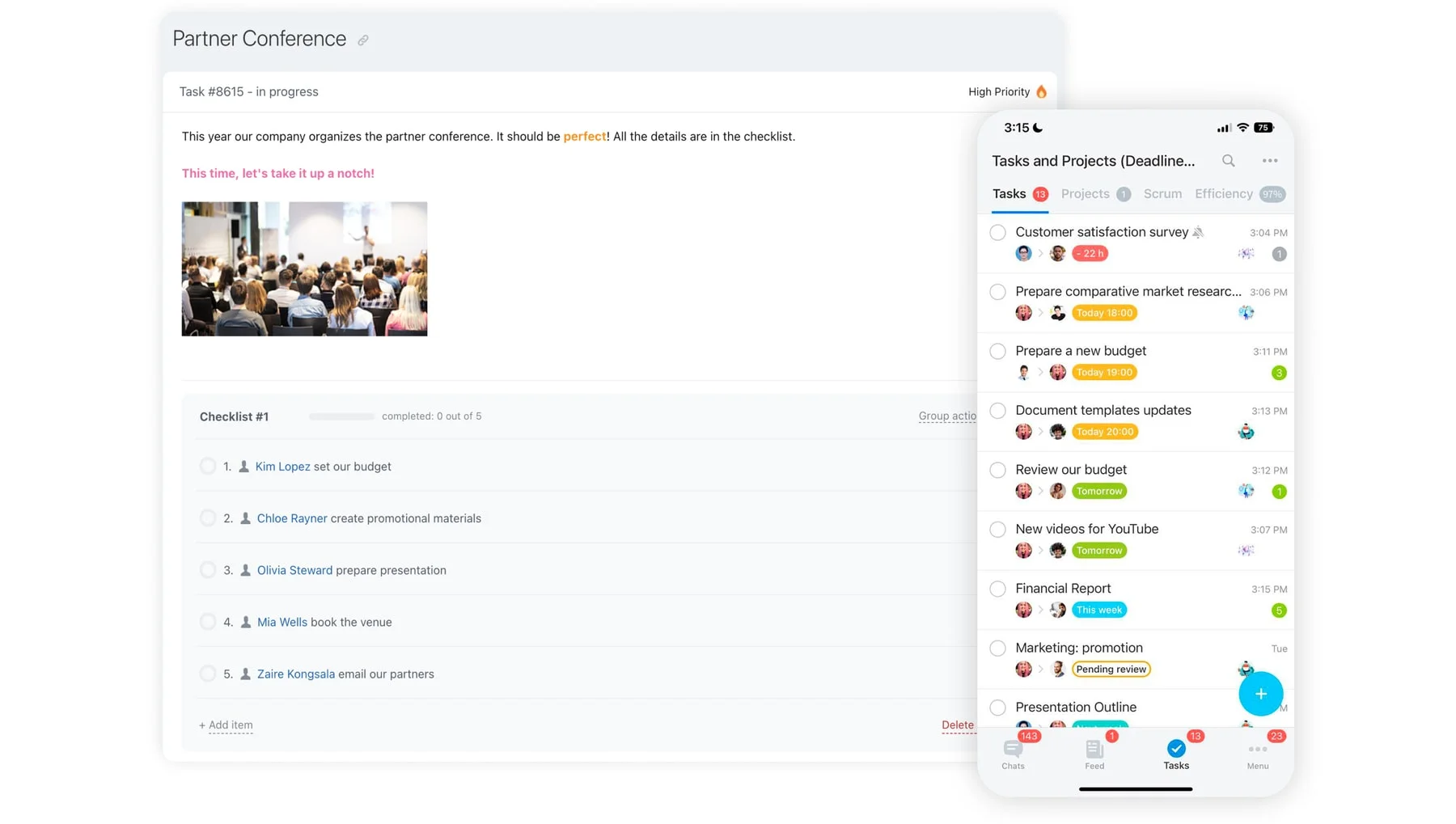
Create a to-do list to stay on task and break down projects. You can also link tasks together so if you change one, it adjusts the others.
Gantt Chart
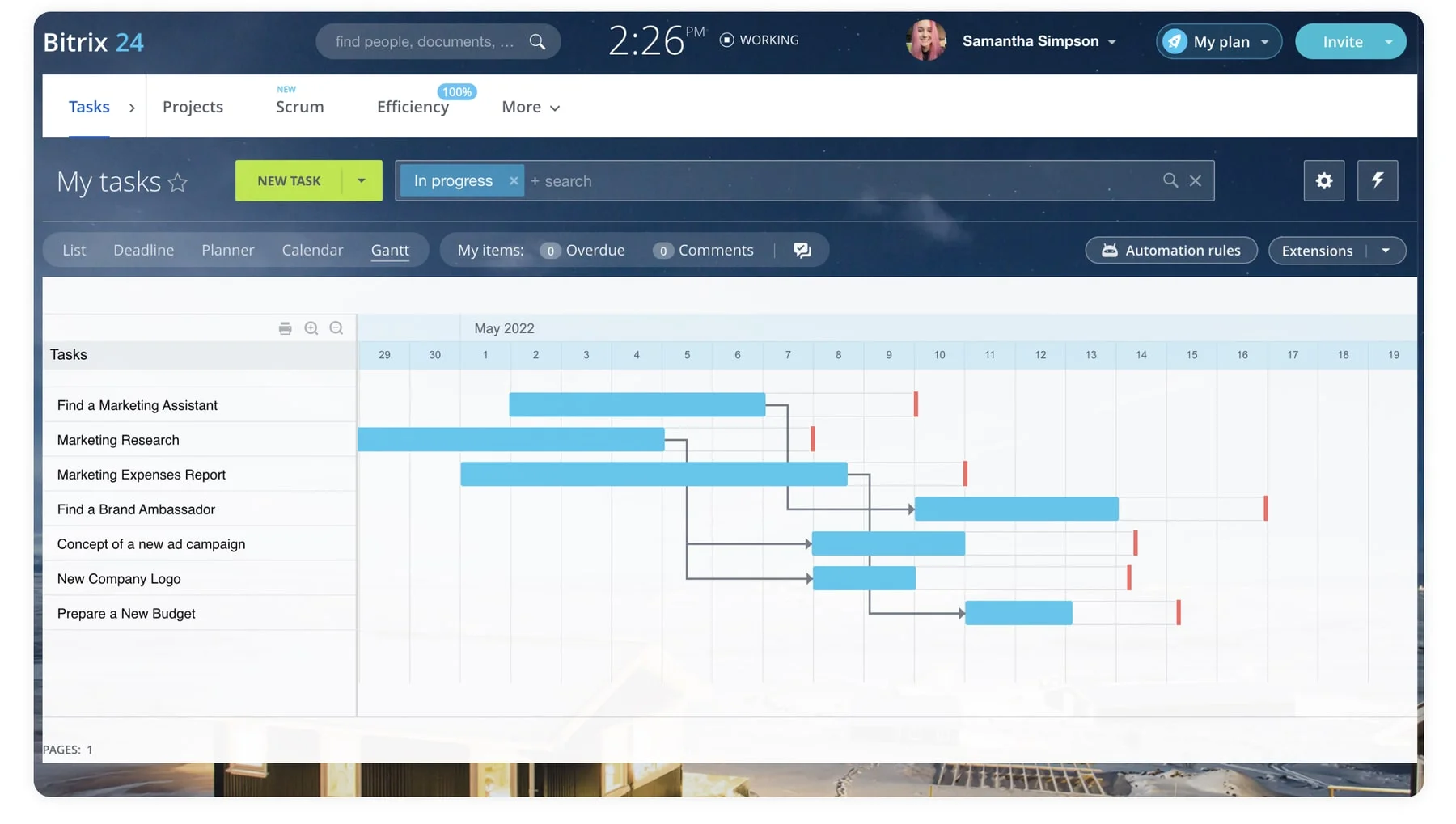
Gantt charts are a valuable project management tool. This is a tool that helps you visualize and organize every task and resource into one place. Teams can work together on the collaborative online platform to reach milestones, hit goals, and collaborate to get the job done. Everyone can work together better with this visual tool that creates a dynamic chart.
Kanban Boards
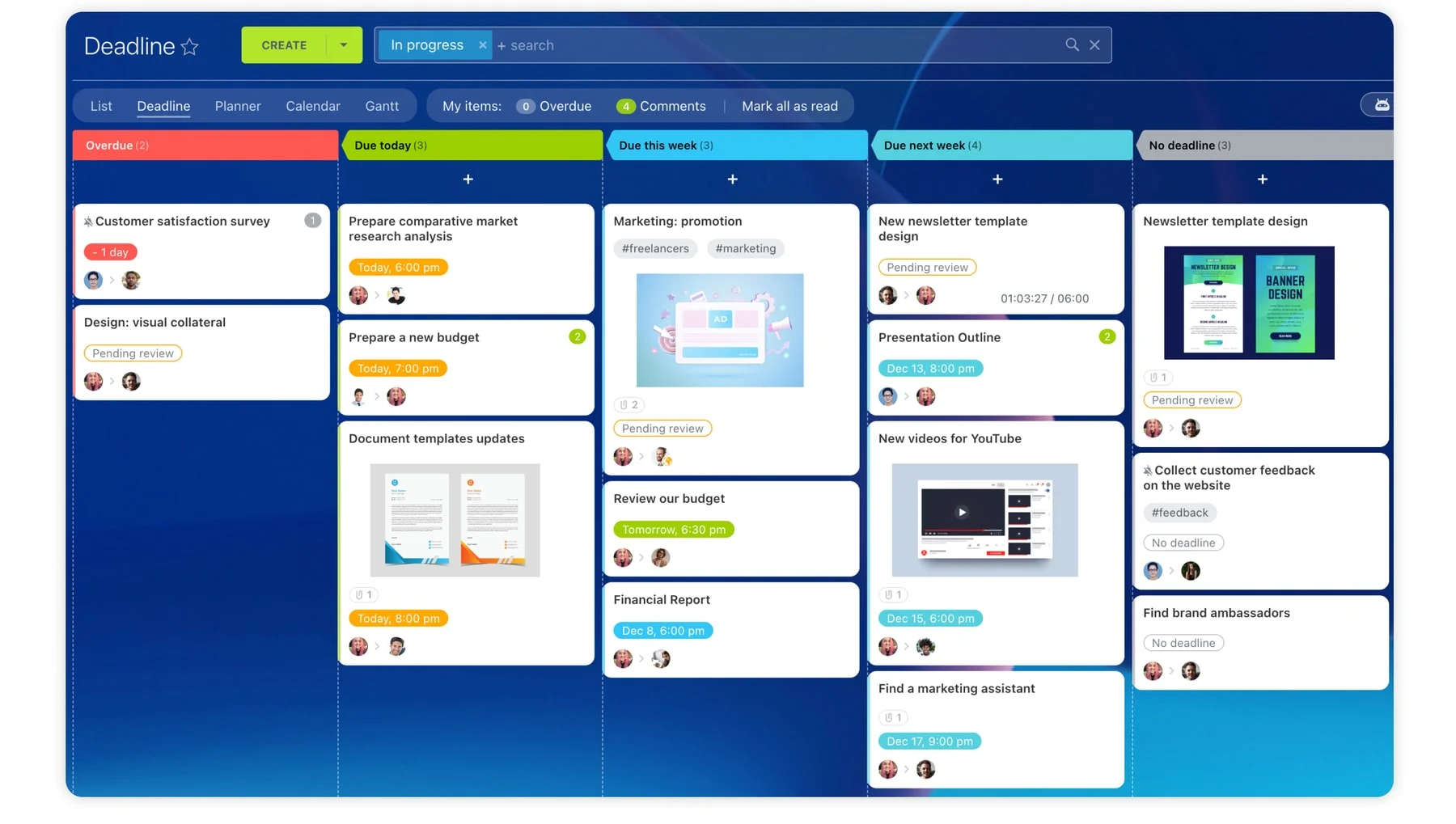
Kanban is a visual task management tool for those who work better with visual boards. This software allows real-time communication and a fully transparent view of work so task management is easy to handle. All pieces of a project are laid out in a way that allows team members and project managers to see the progress of every portion of an assignment at any time. It is easy to increase productivity with Kanban.
Real-Time Collaboration
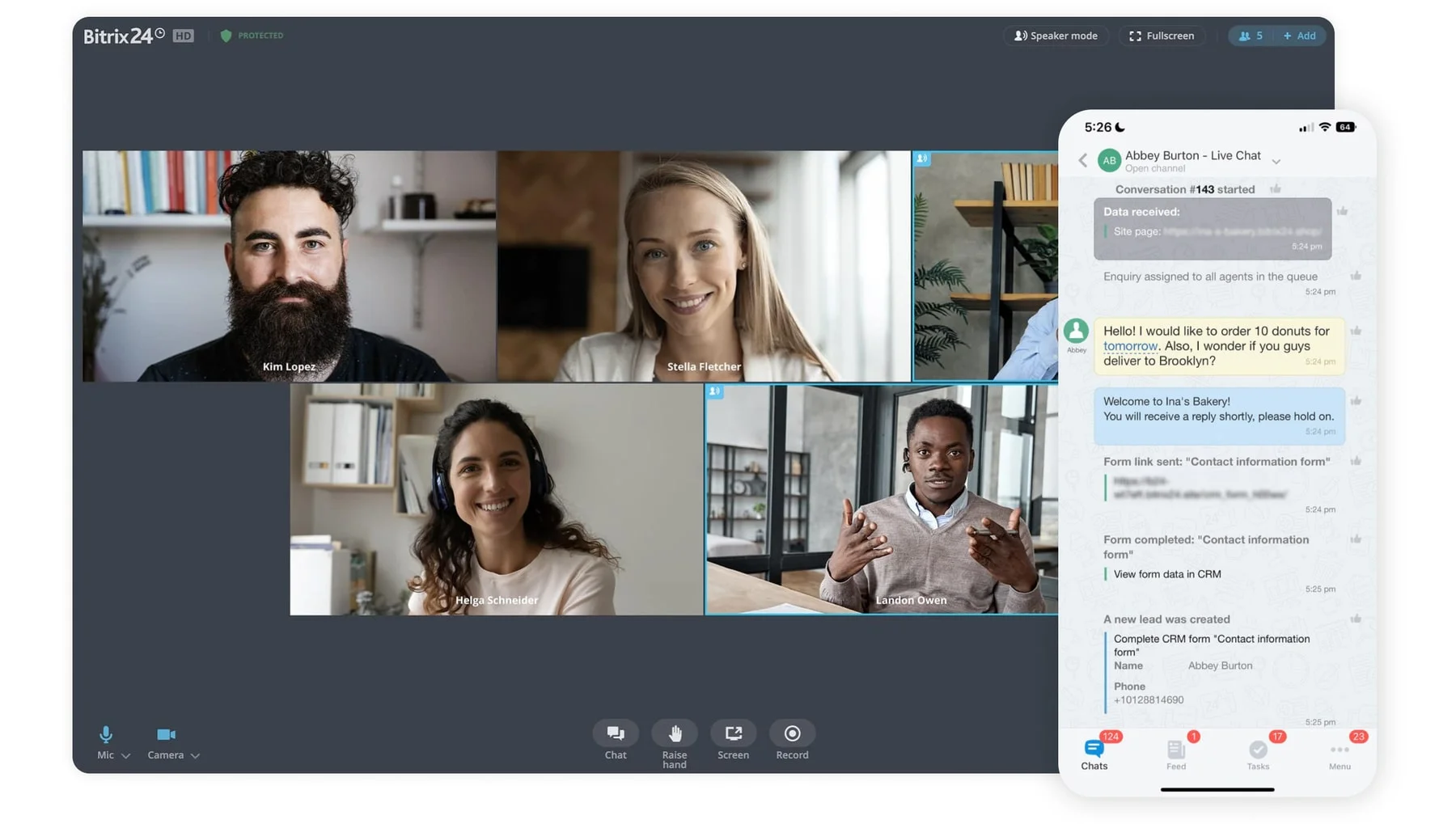
View all tasks being done in real-time. Teams can work together and watch the progress as it happens. Managers can get real-time reports on the work completed, client management updates, or work on other projections. Teams can also communicate in real time to stay up to date on everything they are working on without being right next to each other. Having real-time collaboration capabilities helps teams to be more productive as they stay in contact and work together.
Mobile app

Take Bitrix24 on the go. With our easy-to-use mobile app, you can have access to everything Bitrix24 offers on the desktop from your phone. Be more flexible with your location and schedule by utilizing the app. If your company depends on employees being in multiple locations or on the go, having access to the full mobile app is a fantastic benefit.
-
Workload Management
-
File Sharing & Storage
-
Time Management & Calendars
-
Recurring Tasks Automation
-
To-Do Lists & Task Dependencies
-
Gantt Chart
-
Kanban Boards
-
Real-Time Collaboration
-
Mobile app


“Bitrix24 provides a way for your team members to connect and collaborate quickly and easily.”
The Huffington Post
Benefits of Bitrix24
-
Track progress and introduce transparency with Gantt Charts
-
Visualise goals and stay agile with Kanban framework
-
Manage and automate workload to dodge scope creeps
-
Encourage collective brainstorming, in real time
-
Keep everyone in sync, regardless of where they are
See why customers love Bitrix24





Bitrix24 FAQ
What is Bitrix24?


Bitrix24 is an online workspace designed to be used by a group of people for sales, marketing, project management, and other activities. It features CRM, tasks, chats, online meetings, and 30+ more tools.
How do I get started with Bitrix24?
To create an account, all you need to do is enter your email address, confirm it, and that’s it! Your Bitrix24 account is ready to use.
How much is Bitrix24?
Bitrix24 has 5 membership plans:
- FREE. Unlimited users, free forever, limited functionality.
- BASIC. Up to 5 users, US$ 69/mo, great for small businesses and sales teams (this plan is not available in some regions).
- STANDARD. Up to 50 users, US$ 144/mo, perfect collaboration for your entire company.
- PROFESSIONAL. Up to 100 users, US$ 289/mo, maximum sales and business process automation.
- ENTERPRISE. Up to 10,000 users, starting from US$ 579/mo, digital transformation tools for large businesses and enterprises
Please note that all of our plans are flat-rate, which means you can keep adding more and more users within your plan limit and still pay the same amount of money per month.
What devices can I use Bitrix24 on?
You can use Bitrix24 in any browser, as a desktop app (for Windows or Mac), or as a mobile app (for iOS or Android).
Will my data be safe with Bitrix24?
As safe as can be. Bitrix24 stores data in 9 data centers and 600 servers in North America and Europe, depending on the country you are in. All of our data collecting and handling procedures are fully GDPR-compliant.
What are the access levels in Bitrix24?
Here they are:
- Employee/user. All new invited users are granted the “employee” position by default, if not set differently by the administrator.
- Head of a department. These will have extended access permissions to the account. For example, such users will see their subordinate's tasks work reports.
- Administrator: the user who has been granted administrative access to the account.
- Extranet user: marked with the Extranet icon and have limited access to your account.
What makes Bitrix24 better than 99% of other solutions on the market?
- Replaces all your current SaaS solutions
- Free forever for unlimited users
- Easy to migrate your data from other systems
- Integrated with all your favorite services and apps
- Used, loved, and trusted by 15,000,000+ organizations worldwide
- 100% flat fee: predictable costs, no per-user pricing

Enhance your Bitrix24 experience
Go beyond the standard functionality and migrate your data easily using apps, add-ons, and extensions from the Bitrix24 Market.
- 1 Integrations with WhatsApp, telephony, etc.
- 2 One-click data migration to Bitrix24.
- 3 550+ apps and solutions in the catalog











See why 15 million companies rely on Bitrix24