Bitrix24 Helpdesk Update: Find Answers Faster With AI Search


Some of the most useful software discoveries begin with a simple question. Can I automate this recurring assignment? Is there a way to notify my team when a deal changes status? How do I organize project access for different employees?
The latest Bitrix24 Helpdesk update introduces a redesigned interface and conversational AI search, so you can find answers faster and access relevant product information as you work.
There's no need to know the official name of a feature. Describe what you're trying to accomplish as you would to a coworker, and AI search will provide an answer, links to relevant articles, and additional search results. You can also ask follow-up questions, since your conversation history is saved.
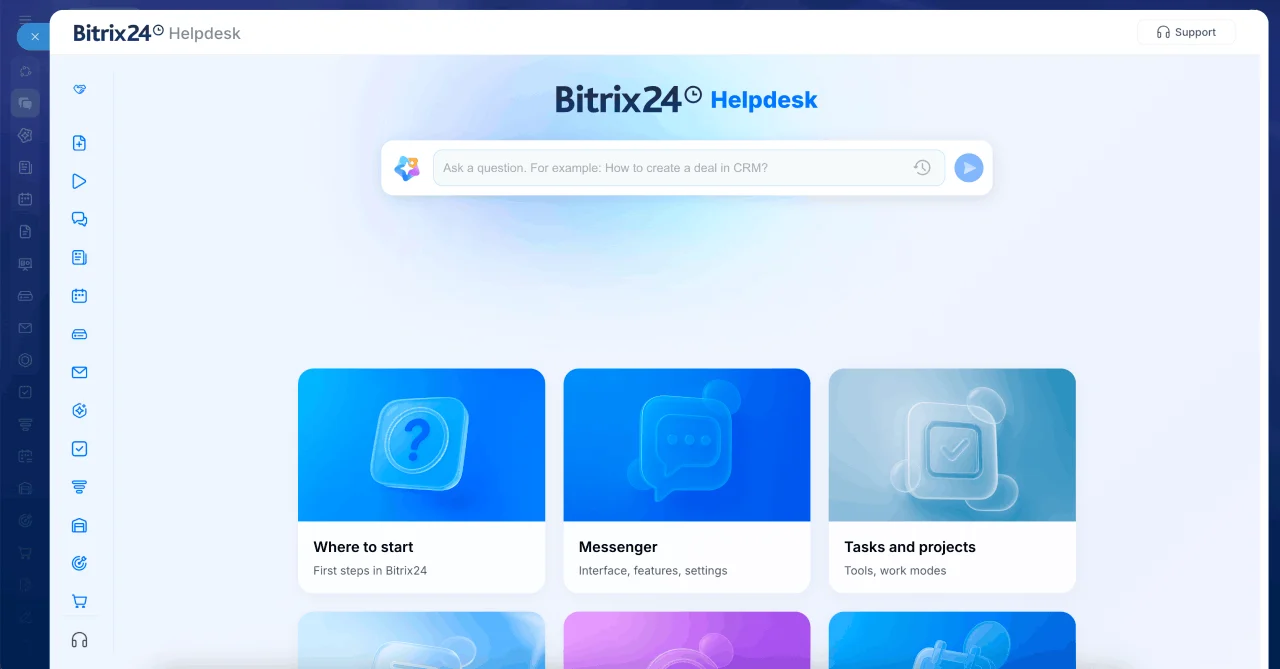
How Bitrix24 Helpdesk supports your daily work
When you open the Helpdesk, you'll see an article related to the Bitrix24 tool you're currently using. Say you're preparing a project for a new client in Tasks and Projects. As you organize assignments, you might ask AI about recurring tasks, explore the recommended articles, and share useful instructions with a teammate.
The Helpdesk menu follows the structure of your Bitrix24 workspace, so switching between topics feels familiar. Longer articles also feature a table of contents that takes you straight to the section you need.
This flexibility is particularly valuable when employees are learning new procedures or taking on unfamiliar responsibilities. They can work through questions at their own pace, potentially reducing the number of routine inquiries for managers and experienced colleagues.
If you need further assistance, you can access the Support section from any Helpdesk page to check the Bitrix24 service status and explore available support options.
Curious about what else you can do in Bitrix24?
Explore the redesigned Helpdesk, ask AI in your own words, and discover new ways to use your everyday tools.
Learn More