What Your Business Software Actually Costs: A Six-Number Stack Audit


TL;DR (Quick Summary)
The price on the invoice is the smallest part of what a business tool costs you. Unused seats, overlapping tools, integration upkeep, admin work, and duplicate data handling all sit off the bill, and the real question isn't which app to cut but what each tool costs to own and run.
- How to scope the audit without it collapsing → One owner, evidence over hearsay
- What to capture for every paid tool → Inventory first, decide later
- The three numbers you can see: licenses, seats, overlap → Where the obvious waste hides
- The three numbers you can't: upkeep, admin, duplicate data → The cost that never reaches an invoice
- Turning six numbers into one comparable sheet → Price the labor, then compare
- Keep, fix, downgrade, or consolidate → Cost and importance don't track each other
Takeaway: Don't start by asking which app should go. Measure what each tool costs to own and operate first. Once those six numbers are visible, the better decision is usually much easier to see.
The subscription fee is the number everyone argues about, but it's actually the one that matters least. What a tool really costs you is mostly off the bill: seats nobody uses, two tools doing one job, a sync somebody repairs every Monday, a record your team reconciles by hand because no one ever decided which system wins.
Most stack reviews stall for the same reason. They try to map the stack and fix it in one motion, then argue about cuts before anyone has measured what a tool costs to keep.
This article gives you a six-number method that surfaces the true cost of every tool in an afternoon, so you can defend or cut any line on the bill with evidence (including the tools that look cheapest on the invoice and quietly cost the most to run).
Start with one afternoon, one owner, and a complete list of paid tools
Keep the first pass tight. Audit every recurring business tool, or pick one function: sales, support, finance, operations. What sinks these reviews is trying to inventory the stack and redesign it at the same time. That's two projects. And the second one quietly eats the first.
Give one person ownership
Put one person in charge. An operations lead, a finance manager, an IT admin, anyone who can get straight answers out of other teams fast. They don't need to know every tool inside out. Their job is narrower: collect the evidence, chase down what's missing, hold the definitions steady, and keep one version of the audit that everyone works from.
Ownership matters because the truth is scattered. The finance manager knows what renews. The person running the process knows whether anyone still opens the thing. Neither of them has the whole picture, and if nobody stitches the two together, the audit turns into hearsay.
Agree on trusted sources
Decide where each fact comes from before you calculate anything.
Billing comes from invoices, card records, expense systems, or the vendor's subscription dashboard. Usage comes from admin panels, login records, product activity reports, or license-management screens. Ownership comes from department heads, sysadmins, or procurement. And how a tool actually gets used comes from the people who use it, not from whoever bought it three years ago.
Old purchase requests are context, not evidence.
Then pull the raw material together:
- Invoices and recurring billing records
- Vendor admin dashboards and plan details
- User lists and seat counts
- Renewal dates and contract terms
- Integration maps or automation lists
- The core workflows each tool supports
A tool's marketed purpose and its real job drift apart over time. The project platform quietly became your approval system. The form builder is now the front door for every sales lead. Kill either one because a shinier product lists the same feature, and you break more than you expected.
Pro Tip: Set an evidence rule before you begin. If billing shows 45 licenses and a manager says "about 30," record 45 and investigate the gap separately. Don't blend estimates with verified numbers.
SaaS Spend Cleanup Kit: Cut Costs in 30 Days
Enter your email address to get a comprehensive, step-by-step guide

Map every tool to its owner, monthly cost, and job in the stack
Build a simple inventory. A spreadsheet does the job. You want every recurring software expense in one place, with who owns it and which process it feeds.
|
Column |
What to capture |
|---|---|
|
Vendor and plan |
Software provider and current subscription level |
|
Billed amount |
Monthly equivalent of recurring spend |
|
Renewal date |
When the contract or plan renews |
|
Owner |
Person accountable for the tool |
|
User count |
Paid seats or provisioned accounts |
|
Supported process |
The actual workflow the tool supports |
|
Business dependency |
Critical, useful, or nice-to-have |
Two details keep this inventory honest. Normalize everything to a monthly figure, so an annual invoice divided by twelve sits cleanly beside a monthly subscription. And record the contract terms right next to the renewal date, not just the date: does it auto-renew, and how much notice do you owe to change or cancel?
A renewal date tells you nothing on its own. The last day you can act on it tells you everything.
Tag tools by what they actually do
Give each tool a plain-language category:
- CRM
- Project management
- Reporting
- E-signature
- Internal communication
- Scheduling
- Form capture
- Invoicing
- Document storage
- Customer support
The tags don't tell you what to remove. They make overlap easy to spot later.
Add a business-dependency check
Ask one blunt question of each tool: if it vanished overnight, what breaks? Does revenue stop coming in? Do customer requests go unanswered? Does a compliance requirement fail, or a core workflow stall? Or do a few people just lose a convenience they'd replace by lunchtime?
That question guards against the classic mistake: cutting a cheap tool that quietly runs something critical while leaving an expensive one that barely earns its seat. Cost and importance don't track each other, and the invoice won't tell you which is which.
You're mapping here, not deciding. Skip the map and every later review collapses into "I think someone still uses that…"

Calculate the first three numbers: active licenses, unused seats, and duplicated functionality
The first three numbers catch the waste you can see.
1. Active licenses
Compare paid seats against the people who actually use the product. "Active" has to match the tool's natural rhythm, so set the window by type:
- Daily-use tools (chat, CRM, project management): 30 days of silence is a fair flag
- Monthly or cyclical tools (finance, close, billing): stretch to 60 days so you don't catch the quiet half of the cycle
- Quarterly, compliance, or seasonal tools: 90 days, sometimes more
For each, record the paid or provisioned licenses, the users with real recent activity, and the cost per active user where it helps.
Watch the false positives. A finance system used mainly at month-end close looks dead in the second week of the month. A compliance tool goes quiet between reviews and means nothing by it. Judge usage against the job the tool does, which is the whole reason the window shifts by type instead of defaulting to 30 days for everything.
2. Unused seats
Unused seats hide in predictable places:
- Former employees still holding licenses
- Contractors whose work ended
- Extra seats bought for a hire that never happened
- Admins with a duplicate paid account they don't need
- Premium features assigned to people who never touch them
Zylo's 2026 SaaS Management Index reports that organizations leave an average of 36% of SaaS licenses unused when measured against recommended utilization levels.
The pattern writes itself. A sales team buys 25 seats ahead of a hiring push, 18 people actually join, and unless someone lines billing up against active users, those seven seats renew forever. This is the single most common thing a first audit turns up, because no one owns the gap between the seats you bought and the people who showed up.
Total the monthly cost of the idle seats. And don't let a dormant account get reclassified as "future capacity" unless someone can name who needs it and when.
3. Duplicated functionality
This number takes judgment, and it's where audits most often go wrong.
Compare tools by the work people do in them, not by the vendor category on the invoice:
- A CRM and an outbound sales platform both running email sequences
- A project tool and a chat app both used to assign work
- A reporting platform and a spreadsheet producing the same weekly dashboard
- Two form tools both feeding the same sales pipeline
- Several products each offering calendars, document storage, or light automation
Flag every case where two or more tools carry the same core task.
Then resist the obvious move. Overlap on a feature page is not duplication in the work. The reflex, once you spot two tools that "do the same thing," is to cut one. But more often than not, that reflex is premature. The specialist tool serves one team better, or clears a compliance bar the general platform can't, or handles a step the big suite does badly.
One illustrative example makes the risk concrete.
A company consolidating its stack cancels a standalone form builder because the CRM "also has forms." The form builder was the front door for every inbound lead, wired into routing and notifications the CRM version couldn't match. Leads kept arriving and quietly went nowhere. Sales noticed before IT did, which is the worst possible order to find out in. On the feature page, it looked like a duplicate. In the work, it was load-bearing.
You're marking overlap worth testing, not a duplicate to delete on sight.
Pro Tip: Don't call two tools duplicates because their feature pages rhyme. Ask someone to walk you through the task they do in each. Five minutes of watching reveals differences no comparison chart will.

Surface the hidden operating costs: integration upkeep, admin hours, and duplicate data handling
Subscription fees tell you what the vendor charges. The next three numbers tell you what the tool costs your team to run.
BetterCloud's 2025 State of SaaS report found 60% of IT teams say manual work is crowding out the strategic projects they should be doing instead. That effort belongs in the cost of the software even though it never lands on an invoice.
One method covers all three. List the recurring tasks a tool creates, put an average number of minutes on each, and multiply by how often it happens in a month. Twenty minutes every weekday is about seven hours a month. The same twenty minutes twice a year is a rounding error.
4. Integration upkeep
List every connection between systems:
- Native integrations
- Middleware automations
- Custom API connections
- Webhooks and scripts
- Scheduled exports and imports
- Manual bridge steps someone performs each week
For each one, note who maintains it, how often it needs attention, and how much time goes into checking or repairing it.
Some connections run untouched for months. Others fail the moment a field name changes, a credential expires, or a permission gets tightened, and they fail silently. You learn about it when a record doesn't arrive, not when the sync dies.
Picture a sales flow where web leads land in the CRM through one automation tool, qualified deals move to a project system through a second, and status changes get hand-copied back into the CRM. Each hop looks cheap alone. Stacked together, they're a standing maintenance job with no owner's name on it.
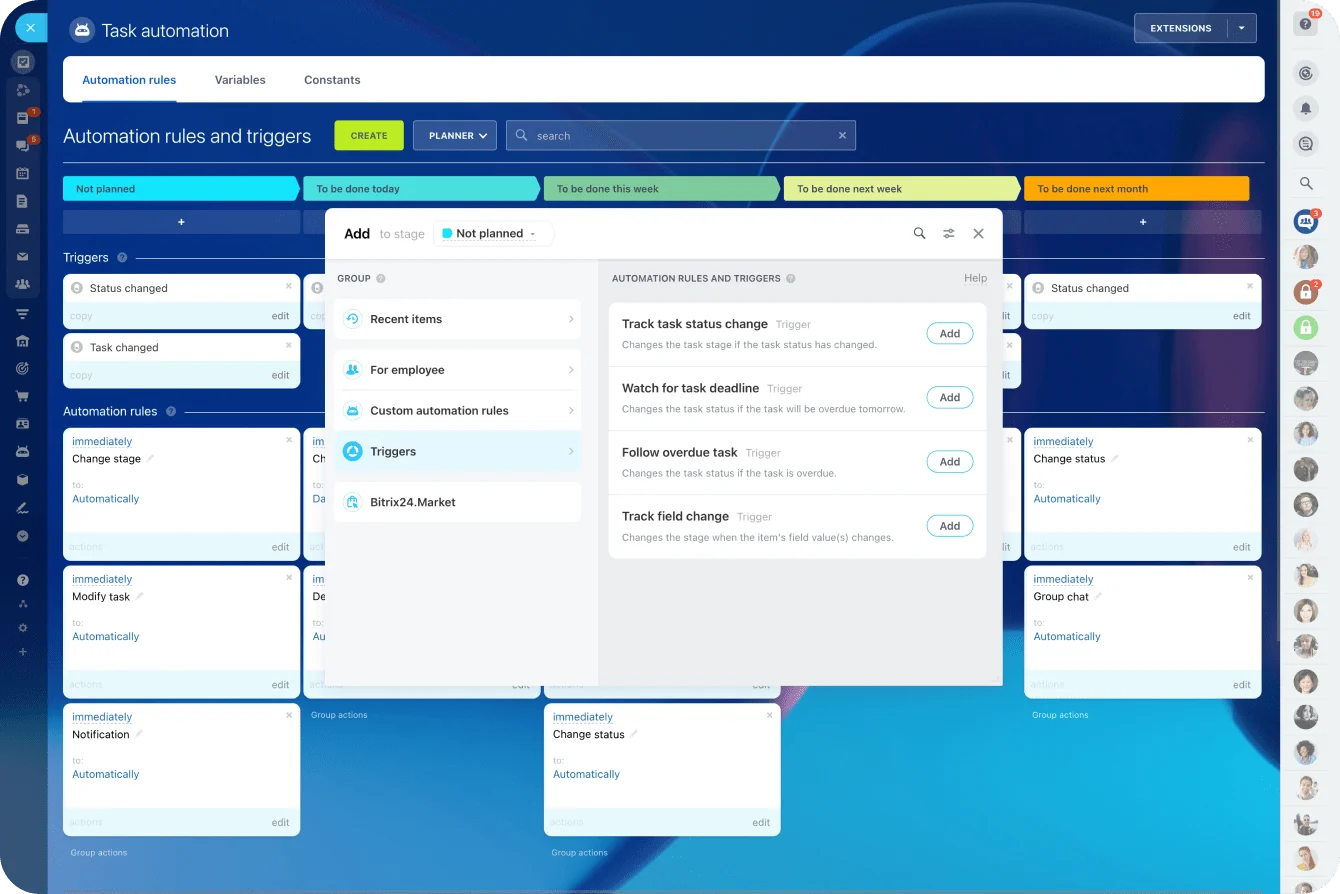
If you run Bitrix24, review its available integrations as part of the audit. Some are still pulling their weight. Others duplicate work the platform already does natively.
5. Admin hours
Now price the recurring work each tool generates:
- Adding and removing users
- Changing permissions
- Reviewing billing
- Training new hires
- Building regular reports
- Troubleshooting
- Managing templates and settings
- Exporting and importing data
- Answering the same user questions over and over
Don't ask "how much admin time does this take?" Nobody can answer that, and the guesses are worthless. Ask instead:
"What work exists only because we have this tool?"
People can't estimate hours, but they can list tasks all day. Get the tasks, then apply the minutes-times-frequency method above. A twenty-minute permissions job twice a year barely registers. A twenty-minute manual reconciliation every morning is roughly seven hours a month, every month (and it'll outlast three of the people who complained about it!).
6. Duplicate data handling
Look for the same information living in several systems where someone has to compare or reconcile it:
- Customer records
- Pricing
- Project status
- Contracts
- Inventory
- Financial details
A support rep updates an account status in one platform while sales keeps its own version in the CRM. Before anyone calls the customer, someone checks both to work out which one's current. That reconciliation is a real cost, even though no vendor bills for it.
For each duplication point, record where the records live, which system is supposed to be authoritative, who resolves the conflicts, how often, and what happens when the two disagree. When you keep hearing "which system is right?", you've found the hidden cost.
Turn the six numbers into an audit sheet your team can compare tool by tool
Put it all in one worksheet, one row per paid product. If it carries a recurring charge, it goes in, even the amounts small enough to ignore.
|
Tool |
Subscription cost |
Active licenses |
Unused seats |
Duplicated functionality |
Integration upkeep |
Admin hours |
Duplicate data handling |
Business dependency |
Notes |
|
Example CRM |
Monthly billed amount |
Paid vs. active users |
Cost of idle seats |
Overlap with other sales tools |
Time or cost to maintain syncs |
Time or cost to administer |
Time or cost to reconcile records |
Critical / useful / nice-to-have |
Decision context |
Convert time into money
Pick one internal hourly rate and use it everywhere. You're not building a compensation model, you're making tools comparable. One formula does it:
Total monthly cost = Subscription + ((Integration hrs + Admin hrs + Duplicate-data hrs) × hourly rate)
Here's a worked example at a $50 rate. The numbers are illustrative, made up to show the math, not benchmarks:
|
Tool |
Subscription |
Integration hrs/mo |
Admin hrs/mo |
Duplicate-data hrs/mo |
Labor cost (hrs × $50) |
Total monthly cost |
|
Tool A |
$200 |
2 |
3 |
3 |
$400 |
$600 |
|
Tool B |
$500 |
0 |
0.5 |
0 |
$25 |
$525 |
On the invoice, Tool A looks less than half the price of Tool B. Once you price the work around it, Tool A is the more expensive tool to keep. That flip is the entire point of the audit, and it stays invisible until you turn hours into dollars.
Compare tools and workflows
Read the sheet two ways. The by-tool view is what you want for renewals, seat changes, and vendor conversations. The by-workflow view earns its keep when several apps prop up one process, like lead intake, sales handoff, onboarding, or support.
The workflow view surfaces costs the per-tool view misses. A single process might lean on separate apps for task management, CRM, communication, and documents. When handoffs exist only because the systems are separate, that friction is a cost of the workflow, not of any one tool.
Quick check: If your sheet has subscription fees but no estimate of the work around them, the audit isn't finished.
Use the results to decide what to keep, fix, downgrade, or consolidate
With the six numbers in front of you, each problem sorts into one of four buckets.
Remove unused seats
Start with the accounts nobody will miss: former employees, wrapped-up contractors, dead accounts, duplicate logins, premium add-ons no one uses. Check the contract first. An annual commitment can hold the bill flat until renewal, which is fine as long as you knew that going in and aren't counting savings that won't land for eight months.
Reduce plan levels
Some tools are useful but overbought. A handful of people use the premium reporting tier everyone's paying for. A team dropped an advanced automation feature months ago and never touched the plan. Match the tier you pay for to the features people actually use.
Repair workflow or data problems
Some findings point at bad setup, not a bad product: a tool with no owner, permissions configured wrong, a sync rule that's been broken for weeks, duplicate fields, manual steps that could've been automated long ago, a "temporary" spreadsheet workaround now in its third year.
Fixing these is usually cheaper and less disruptive than ripping the tool out. Replace a badly configured product and you just move the bad configuration to a new vendor.
Evaluate consolidation
Consolidation earns a hard look when overlap and operating effort are both high. Say customer data lives in one CRM, delivery work in a project tool, conversations in a third app, and documents in a fourth, with people copying between them all day.
Before you replace anything, run one real end-to-end workflow in the platform you're considering. Bitrix24, for instance, holds CRM, project management, and communication tools in one workspace, so a lead can move from capture to delivery without crossing a tool boundary or spawning a second copy of the same record.
Feature parity on a pricing page proves nothing. The proof is whether that workflow now moves with fewer handoffs, fewer integrations, and fewer duplicate records than it does today.
Before you commit, work through:
- Switching and migration effort
- Risk to existing processes
- Team-specific requirements
- Compliance requirements
- Renewal timing
- Training requirements
- Data migration risk
- Whether the replacement genuinely supports the current workflow
Two things drive the timing. Line the change up with the renewal windows you already recorded, so you're not paying out a contract on a tool you've stopped using. And keep the one-time switching costs (migration, retraining, running both tools in parallel for a stretch) apart from the ongoing monthly totals. A move that saves $300 a month but costs 40 hours to pull off is still worth doing. You just want both numbers on the table, not mashed into one.
A platform can technically hold a feature and still make the process slower. If people invent new workarounds after you consolidate, part of the software cost didn't disappear. It moved into labor.
Pro Tip: Sort your proposed actions by renewal date. A $300-a-month tool renewing next week beats a $700-a-month one locked in for another ten months.
And if the audit turns up little waste and the workflows are steady, keeping the stack as-is is a real answer. You're deciding on evidence, not cutting to look busy.
Cut hidden software costs with Bitrix24
Bring CRM, projects, communication, and automations into one workspace to reduce overlap, manual upkeep, and duplicate data.
Get Started NowThe bottom line: you can't cut what you can't cost
Every tool in your stack is a decision that got made once and then renewed on autopilot. The audit's whole job is to make those decisions visible again.
Do it right and you can say, for every line on the bill, what it costs to own, what it costs to run, why you still pay for it, and where the savings sit.
Skip it and the quiet costs keep compounding: the seats for people who left, the sync someone babysits every morning, the two systems your team reconciles by hand because nobody decided which one wins.
Keep the final artifact plain: one inventory, the six cost measures, a recommended action per tool.
|
Tool |
Owner |
Function |
Monthly subscription |
Active licenses |
Unused seat cost |
Duplicated functionality |
Integration upkeep cost |
Admin cost |
Duplicate data cost |
Total estimated cost |
Business dependency |
Recommended action |
|
Keep / Fix / Downgrade / Consolidate |
To spin up your own copy, paste this header row into any spreadsheet as comma-separated values (in Google Sheets or Excel: Paste special → paste as CSV, or File → Import):
Tool,Owner,Function,Monthly subscription,Active licenses,Unused seat cost,Duplicated functionality,Integration upkeep cost,Admin cost,Duplicate data cost,Total estimated cost,Business dependency,Recommended action
Set the Total estimated cost column to: Subscription + ((Integration hrs + Admin hrs + Duplicate-data hrs) × your hourly rate).
Then give yourself two checkpoints across the next 30 days so the work doesn't stall after the easy part.
The first checkpoint clears the changes that need no workflow redesign: cancel or reassign idle seats, strip out former employees and contractors, downgrade the obviously overbought plans, hand every unowned tool an owner, log the upcoming renewals, drop the clear duplicate subscriptions. That's where the fastest money is.
The second checkpoint takes the harder work that needs testing, planning, or several teams in a room: integration cleanup, duplicate-data fixes, workflow redesign, migration planning, consolidation tests, contract changes, replacement evaluations.
Treat it as a progress review, not a finish line. The big fixes rarely close in one cycle, and pretending they will is exactly how they get quietly abandoned.