CRM + Project Management: How to Keep Customer Context Alive After the Sale


TL;DR (Quick Summary)
- Customer context often breaks at the handoff from sale to delivery. Scope assumptions stay in the CRM, approvals scatter across email and chat, and project teams start without a reliable record of what was promised.
- The fix is a controlled connection between the commercial record and the delivery plan. Scope, hours, client inputs, approvals, dependencies, and exceptions need clear owners and review gates.
- Get that connection right and you protect both the customer outcome and the margin priced into the deal.
Takeaway: Get the CRM-to-project connection right, and you protect both the customer outcome and the margin priced into the deal — the goal is a plan delivery can trace straight back to the deal, not one it has to reconstruct from emails and call recordings.
A small promise made during a sales call can become expensive once delivery starts. “We can probably include an executive workshop” may sound harmless, but if it never reaches the signed scope or project brief, the PM later has to choose between absorbing unplanned work and challenging a promise the client remembers…
That gap is exactly why CRM and project management need to work as one operating process.
As Solutions Review argues, sales data and project execution work better when they stay connected instead of being split by a manual handoff between systems.
This article shows you how to make that connection operational: what information needs to move from CRM into the project workflow, who should own each handoff, and which review points catch scope, timing, and margin problems while they’re still cheap to fix.
Why Service Projects Break After the Sale
In service businesses, the work is often sold before every delivery detail is known. The proposal may define the outcome and fee, but the real effort still depends on stakeholder availability, client inputs, approval cycles, revision limits, specialist capacity, and assumptions made during discovery.
Commercial promises become delivery work
A promise such as “one more concept should be fine” can involve a strategist, writer, designer, reviewer, and account manager. Unless that promise is translated into scope, hours, ownership, and a decision on whether to include it, delivery inherits the ambiguity.
Post-Sale Handoff Pack: Templates to Preserve Context
Enter your email address to get a comprehensive, step-by-step guide

Customer context disappears at the handoff
The CRM may contain months of useful context: stakeholder concerns, timeline constraints, objections, verbal concessions, decision-makers, and client-side approval requirements. If delivery receives only a signed PDF and kickoff date, that context is effectively lost.
A consulting team can start an engagement with no idea that the client’s legal department needs five business days to approve anything. The plan then treats a predictable dependency as a surprise, and the first schedule slip is already baked in.
Salesforce’s CRM project management guide argues for keeping customer information and project status available together so teams can share the same client context.
That principle matters most at the point where a won deal becomes active work.
Margin problems show up too late
If a project‘s consumed 75% of its planned hours but completed only half of its milestones, the problem is already expensive. The team may have to cut effort, move the date, absorb the overrun, or ask for additional budget.
Project management should surface that mismatch while there are still reasonable recovery options.

What Must Move From CRM Into the Project System
Your CRM should remain the primary commercial record. The project workspace should own execution: tasks, milestones, approvals, dependencies, files, revision history, and current status. The important point is that delivery can trace its plan back to the deal without reconstructing it from emails and call recordings.
This is also the practical logic behind combining CRM and project management. Stackby’s guide to using CRM and project management together emphasizes alignment between departments and a shared view of customer and project information.
For most service projects, the minimum handoff record should include:
- Signed scope and exclusions.
- Planned revenue, hours, or effort assumptions.
- Target start date and any fixed deadline.
- Named client owner and final approver.
- Required client inputs, access, and dependencies.
- Revision allowance and acceptance criteria.
- Billing terms or invoice trigger.
- Known concessions, verbal promises, and unresolved risks.
Treat these fields as a handoff data contract. If a mandatory field is missing, the project should not quietly move into production. It should create an exception for someone to resolve.
In Bitrix24, customer details and communication history can remain in the CRM while execution runs through the project management tools.
Pro tip: Add an “assumptions and exclusions” field to the delivery brief. Translate contractual language into operating rules the team can actually use, such as “two consolidated revision rounds” or “client supplies approved product data before drafting begins.”
A Stage-Gate Workflow From Closed Won to Closeout
Stage gates stop projects moving forward simply because everyone feels ready. Each stage has required inputs and an exit condition.
|
Stage |
Purpose |
Required inputs |
Exit condition |
|---|---|---|---|
|
Sales handoff |
Turn sold work into a delivery-ready plan |
Scope, assumptions, contacts, budget, timeline |
Owners, baseline hours, risks and dependencies recorded |
|
Production |
Create deliverables within planned effort |
Approved brief, inputs, staffed resources |
Output ready for internal QA |
|
Client review |
Collect bounded, authorized feedback |
Deliverable, approver, deadline, revision allowance |
Approved, revised, or moved to change control |
|
Closeout |
Secure acceptance and learn from delivery |
Final output, time records, delay and revision history |
Approval recorded and lessons fed back into future scoping |

Make dependencies explicit
“Waiting for the client” is too vague. Record what is required, who owns it, when it is due, which work it blocks, and what happens if it arrives late. “Client marketing lead to provide approved product specifications by May 12” gives the PM something concrete to follow up on and escalate.
Pro tip: Don’t assume a three-day client delay creates only a three-day schedule delay. If the assigned specialist has already been moved onto another project, the next available production slot may be a week later.
Control revision rounds
If the contract allows two rounds, define what counts as a round. One useful rule is that a round starts when the client submits one consolidated set of comments and ends when the revised deliverable is returned. Otherwise Monday, Wednesday, and Friday comments can quietly become three separate cycles of reopened work.
Review budget burn before the options disappear
A simple internal control is enough: compare effort used with milestone completion around the halfway point, escalate when budget consumption runs materially ahead of progress, and decide on recovery before the remaining hours become insufficient. These are internal control points, not industry benchmarks.
Take a two-week campaign with 20% of its hours reserved for strategy and 50% for production. If strategy has already consumed 40% of the total budget before production begins, the team has a decision to make now. Waiting until closeout only confirms an overrun that was visible days earlier.
Make Ownership Explicit Across Sales, PM, Delivery, and the Client
Monday.com’s sales project management guidance recommends treating sales work as a structured process with defined stages, milestones, decision points, and explicit handoffs. The same discipline should continue after the deal closes.
For service delivery, ownership can stay simple:
- Sales owns promise accuracy: scope, exclusions, pricing assumptions, client inputs, timeline commitments, concessions, and discovery risks.
- The PM owns workflow control: stage gates, dependencies, approvals, schedule changes, scope warnings, and escalation.
- Delivery leads own feasibility and output quality: whether the sold effort, timeline, staffing, and technical assumptions are realistic.
- The client owns timely inputs and approvals, ideally through one named person who consolidates stakeholder feedback.
Use a small responsibility matrix
|
Decision |
Responsible |
Accountable |
|
Sales-to-delivery handoff |
Sales owner |
Commercial owner |
|
Delivery setup |
PM |
PM |
|
Client approval |
Client approver |
Named client owner |
|
Scope, budget, or date exception |
PM |
Named commercial approver |
Job titles can vary. The useful rule is that the accountable person is named before the decision is needed.
Automate the Handoff, Not the Ambiguity
Automation is useful once the manual process is clear. A simple example is: when Deal Stage = Closed Won and Service Type = Implementation, create a project from the matching implementation template.
Before project creation, require the minimum handoff fields. Once the deal clears that gate, automation can:
- Create the correct project template.
- Assign the PM and core delivery roles.
- Copy scope, client contacts, assumptions, and key dates.
- Create milestones and initial tasks.
- Notify finance of the invoice trigger.
- Create an exception task if required information is missing.
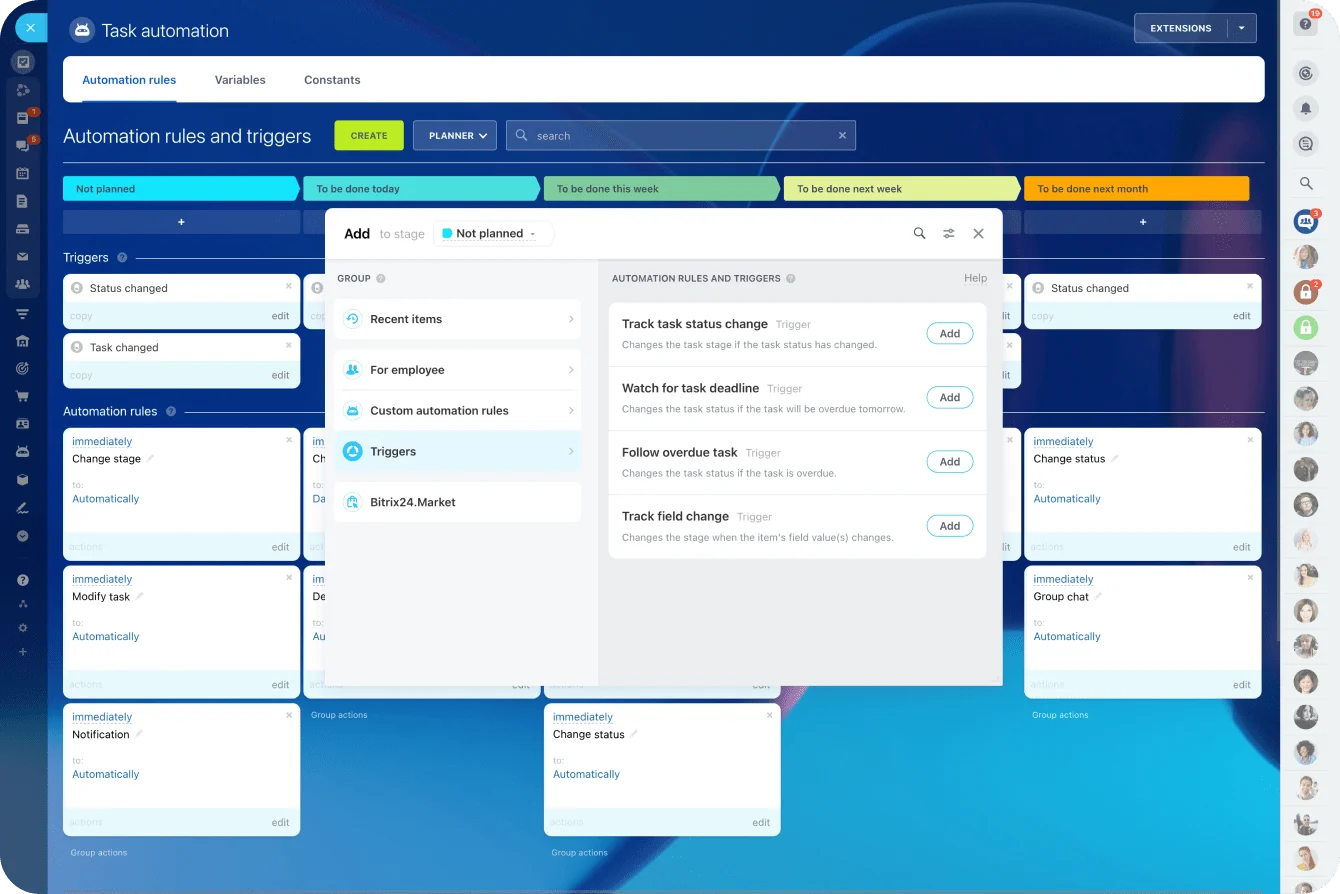
Bitrix24 task automation tools can create tasks, send notifications, and run actions when CRM records or tasks reach defined stages. The project still needs a human intake check before production starts. Automation can reproduce bad input as quickly as good input.
Build alerts around decisions
Useful triggers are the ones that force a next action: overdue client approvals, budget burn running ahead of milestone completion, revision limits being reached, missing prerequisites, or project dates changing without a recorded reason.
A trigger should create a follow-up, escalation, or scope review, not another general notification people learn to ignore.
Common Failure Points
Informal scope changes
A strategist says “no problem” to keep momentum with the client. The request goes straight into production without an impact check. Even if the firm chooses not to charge extra, the exception should be recorded so it can see how often these favors consume margin and capacity.
A lightweight commitments register solves much of this. Record the promise or exception, who made or approved it, the expected hours or schedule impact, and whether it is included, excluded, or still awaiting a decision.
Scattered feedback
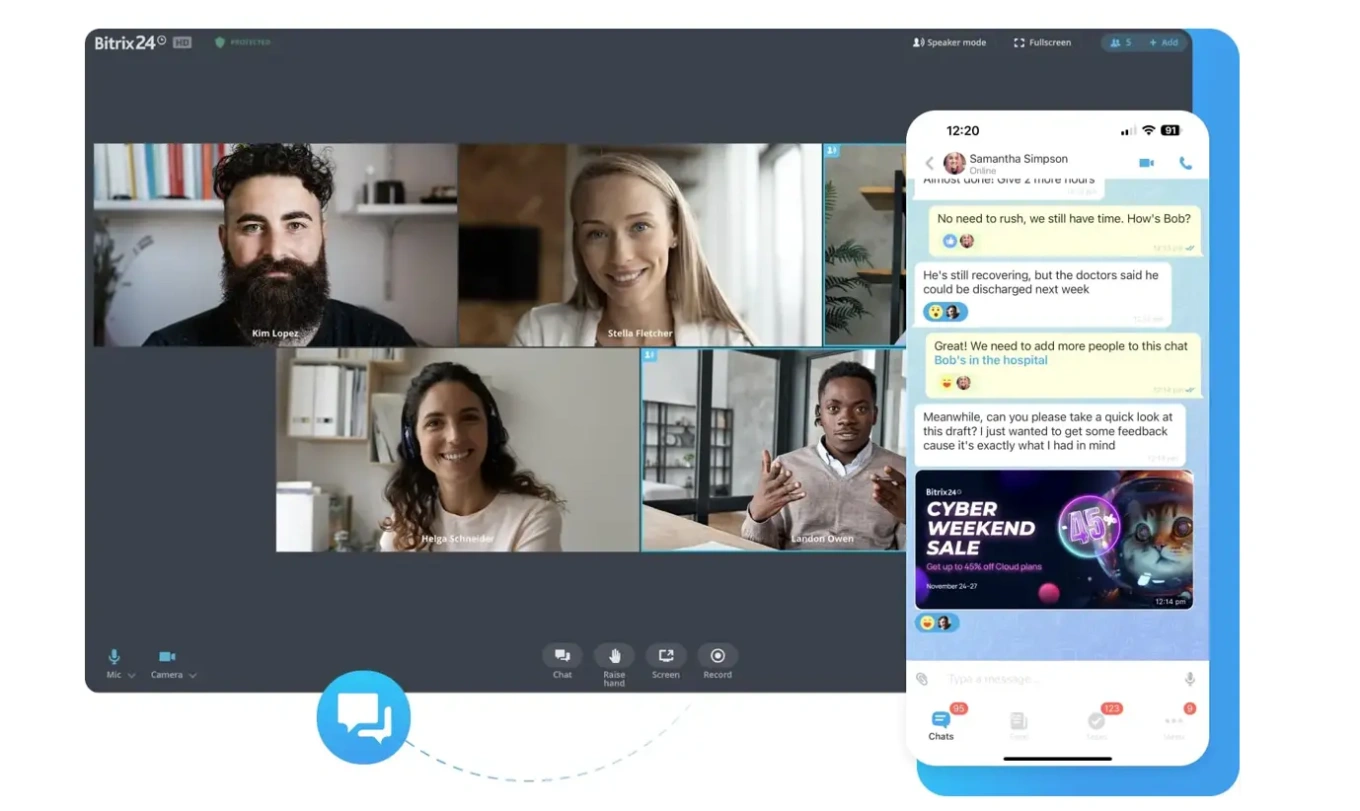
Clients may use email, chat, document comments, video calls, or their own collaboration tools. That is manageable as long as the approved decision returns to the project record. The team should be able to see what was approved, by whom, and when without reconstructing the conversation.
The failure mode is painfully ordinary: a designer works from Monday’s document comments while legal’s Wednesday email quietly superseded them. The team completes the wrong revision even though every individual message was technically “available.”
Client delays recorded as delivery failures
Missing access, assets, decisions, feedback, and stakeholder availability should be logged as dependency delays rather than simply “project late.” That keeps the cause visible and gives the business better data at closeout.
Automating an unclear process
Automation will not fix vague scope, missing decision rights, inconsistent project stages, or unclear escalation rules. Map the manual process first, remove steps that add no control or useful information, then automate the stable parts.
Scale the System Without Losing Margin
Standardize by service type
Templates should vary with the service. A client onboarding project might require a service tier, target go-live date, client owner, system access, migration requirements, training needs, billing terms, and acceptance criteria. A website project may need page count, content ownership, CMS access, migration scope, revision allowance, launch constraints, and analytics or SEO requirements.
The goal is a minimum viable handoff for each service line, not the same governance for every engagement.
Pro tip: Review templates quarterly for fast-changing services and about twice a year for steadier ones. If teams repeatedly delete the same tasks or keep adding the same missing checklist, the template has drifted away from the way the work is actually delivered.
Capacity is where this becomes visible. A website project that slips four days may not simply finish four days later: the developer or senior reviewer booked for the next phase may already be committed elsewhere. The PM then has to resequence work, find replacement capacity, or move the client date.
That’s why templates need dependency and staffing assumptions, not just a list of tasks.
Use delivery data to improve future deals
Post-project review should change future scoping and pricing. If discovery overruns whenever stakeholder count is unclear, add stakeholder complexity to the scoping model. If copy projects stall because source material arrives late, make content readiness a kickoff gate. If senior review consistently takes twice the planned hours, fix the estimate instead of treating the overrun as a performance problem.
Keep operating knowledge current
A shared knowledge base can hold scoping rules, handoff checklists, service templates, risk definitions, approval policies, and lessons from completed projects. Give each document an owner and review date so people do not end up working from conflicting versions.
FAQs
Who should own scope changes when the client asks a specialist directly?
The PM should own the workflow. The specialist can clarify the request, but work should not start until someone assesses its effect on hours, dates, dependencies, and deliverables. The commercial approver should be named before the first exception arrives.
How many approval rounds should a service engagement include?
Use a finite number suited to the service. Two rounds is common for many creative deliverables, but the number matters less than defining what counts as a round, requiring consolidated feedback, and naming the final approver.
Which system should be the source of truth?
The CRM owns commercial facts such as the customer record, signed scope, deal value, key sales assumptions, and contacts. The project workspace owns execution: tasks, milestones, approvals, dependencies, revision history, decisions, and current status. If invoicing or accounting lives elsewhere, the finance system remains authoritative for those records.
Can a small agency manage this without a dedicated PM?
Yes, but someone still needs explicit workflow ownership. A founder, account lead, or senior specialist can perform the role part-time. The responsibilities still include schedule control, dependency tracking, risk review, and scope escalation.
Keep every deal aligned through delivery
Bitrix24 connects CRM, projects, tasks, approvals and automation so teams protect scope, deadlines and margins after the sale.
Get Started NowWhat should teams review each week?
At minimum: planned versus actual hours, budget burn versus milestone completion, overdue dependencies, pending approvals, revision count, near-term capacity, forecast margin, and unresolved scope exceptions. End the review with named actions and deadlines. A dashboard meeting that ends with “we’ll keep an eye on it” hasn’t controlled anything.
Keep the Customer Record Connected to Delivery
The operating model is straightforward: define the handoff data contract, hold work at review gates until required inputs are present, record promises and exceptions, and check hours and dependencies while there is still time to act.
That keeps the commercial context built during the sale attached to the work the customer actually receives. It also gives the business a cleaner view of why projects slip, where margin disappears, and which assumptions need to change in the next deal.
If you want CRM records, customer communication, project tasks, automation, and reporting in one workspace, Bitrix24 gives you a practical place to run the process.