Project Management for Service Businesses: Keep Scope, Hours, and Clients Aligned


TL;DR (Quick Summary)
- Service margins slip when the sold scope, the planned hours, and the client's decisions drift apart once delivery starts.
- The fix is a repeatable system that ties the contract to the delivery plan, tracks effort against real progress, controls approvals and revisions, and surfaces trouble while you can still act.
- Protect the margin by keeping the commercial promise connected to delivery, from handoff to closeout.
Takeaway: Margins survive when the signed scope, the delivery plan, the recorded hours, the approvals, and the client's decisions stay connected the whole way through, from the sales handoff to closeout.
A content agency sells a "website copy refresh" as a single line item. Two weeks in, the delivery team learns it covers 18 pages, stakeholder interviews, SEO research, two brand voices, and a legal sign-off nobody scoped.
None of that is exotic. Stacked together, it doubles the work and scrambles the sequence, and the budget was set for the one-line version.
That gap between what got sold and what has to be built is where service margins die, and it rarely shows up as a blowup. It shows up quietly, in an estimate that ran low or a client delay the team ate with overtime.
You don't fix this with more disciplined project managers holding it together from memory. You fix it with a system that keeps the contract, the delivery plan, the hours, and the client's decisions connected from the sales handoff to closeout, so problems surface while there's still time to act.
What follows walks that system end to end: the handoff, the kickoff, production, client review, closeout, and the review that sharpens the next deal.
Why project management breaks first in service businesses
Service businesses sell work before every delivery detail is known. A proposal, a statement of work, and a stack of assumptions define the commercial deal. Margin comes down to something else: how tightly the team reads scope, schedules labor, runs approvals, and reacts to client decisions.
The sale happens before the work is fully known
The sales handoff has one job: turn commercial language into a delivery plan someone can actually run. Skip that translation and the team starts blind: fuzzy deliverables, exclusions nobody flagged, extra revision rounds, dead waiting time, and deadlines that were never checked against real capacity.
Go back to that copy refresh. One line in the proposal, and behind it sit stakeholder interviews, SEO research, two brand voices, and a legal approval. Each piece is ordinary. The combination changes the workload and the order the work has to happen in, and none of it was priced.
Problems become visible too late
Most firms don't find out a project is underwater until the hours are mostly spent. By then the options are all bad:
- Absorb the cost
- Cut the quality or depth of what's left
- Pull people off another client
- Go back for more budget late in the engagement
- Try to claw it back in an awkward client conversation
Check project health while the plan can still change. A 15-minute weekly review between the project manager and delivery lead covers burn, milestone progress, blockers, and the decisions coming up next.
Scope Creep Prevention Toolkit: Change Requests, Scripts, Tracker
Enter your email address to get a comprehensive, step-by-step guide

What service project management actually means
Service project management is the operating layer that turns a signed scope into scheduled work, controlled hours, managed approvals, and client outcomes you can measure. It sits between what sales sold and what delivery has to make.
A task board isn't enough
A task board shows who's doing what. It doesn't show the sold budget, the planned hours, or the approvals that decide whether the project stays profitable.
Every piece of service work is three things at once: a financial unit, a capacity commitment, and a client relationship you're managing. Those three have to stay wired together.
Connect commercial and delivery information
A system that holds up pulls the commercial inputs into one place:
- Scope and exclusions
- Fee model
- Planned hours
- Expected margin
- Timeline commitments
- Proposal assumptions
Then it ties them to the delivery inputs:
- Briefs and source materials
- Milestones
- Resource assignments
- Dependencies
- Approval paths
- Revision rules
- Acceptance criteria
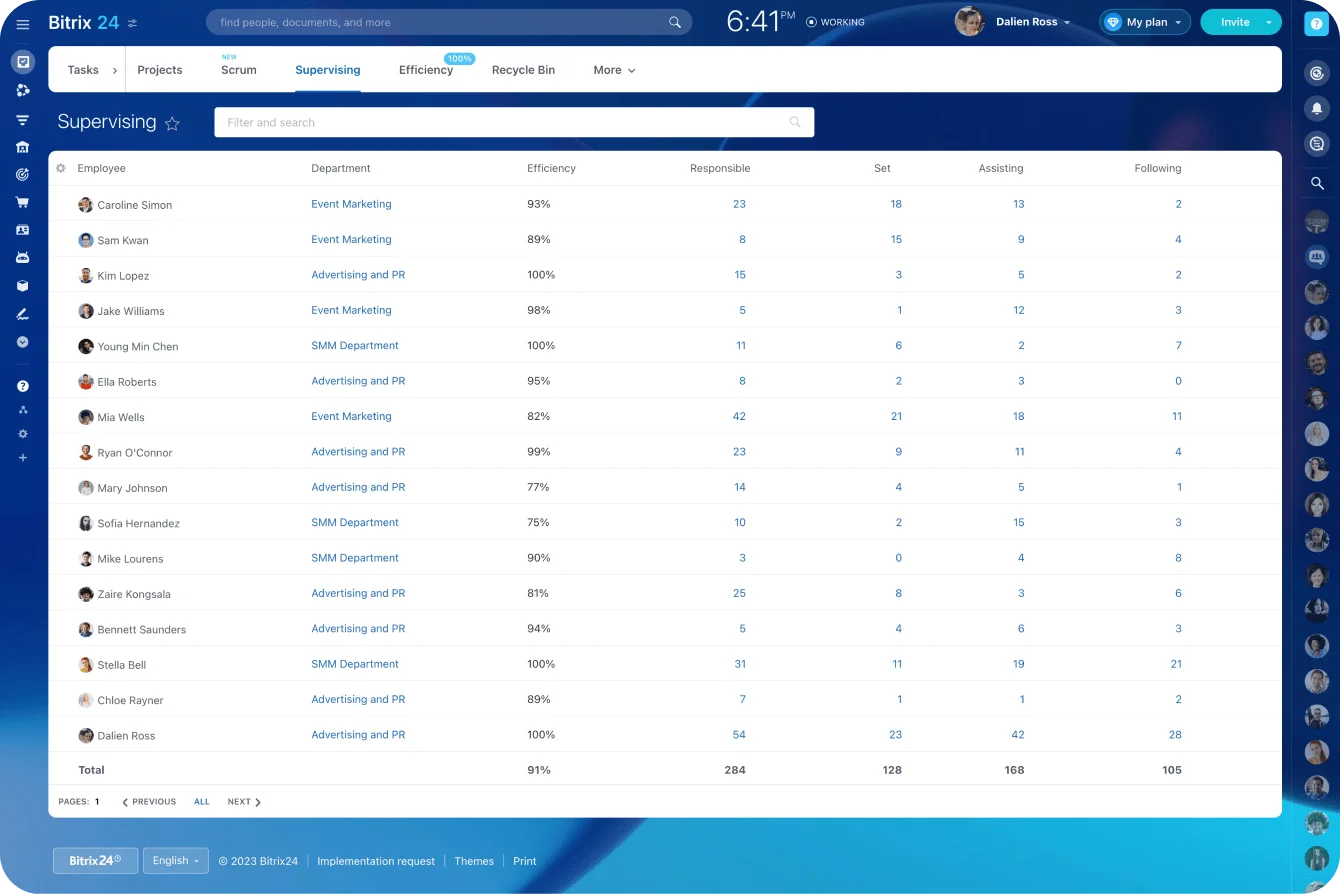
In Bitrix24 CRM, the commercial record holds the signed scope, fee, contacts, exclusions, and assumptions. The delivery plan then runs through Bitrix24 task and project management, with owners, deadlines, dependencies, time estimates, checklists, and approvals attached to the actual work.
Five questions the system should answer
A well-run project answers these without booking another meeting:
- What exactly did the client buy?
- How many hours or units of capacity were planned?
- What has to happen before the next deliverable can start?
- Who has the authority to approve the work?
- What decision is required when the plan changes?
If you can't connect a deliverable to its budget, owner, deadline, and approval path, the project isn't under control yet.
Why scope, hours, and client alignment fall apart
Most breakdowns start before anyone executes. The contract reads clean commercially and stays too vague for the people who have to do the work.
Commercial language isn't specific enough
Terms like "campaign support," "strategy consulting," or "website redesign" hide wildly different workloads. The statement of work has to pin down:
- Quantities and formats
- Included stakeholders
- Required client inputs
- Revision allowances
- Approval authority
- Acceptance criteria
- Explicit exclusions
Take "website copy refresh." The SOW states the page count, whether interviews are in, who supplies the source material, who approves the copy, and whether a structural rewrite counts as a revision or as new scope.
Then there are the verbal concessions. Sales promises an executive workshop, a faster turnaround, an extra report format, and none of it makes the handoff.
The client remembers. The delivery team finds out when the request lands.
Kickoffs become recaps
A kickoff sets how the project runs. It confirms:
- Required inputs
- Missing information
- Client-side approval ownership
- Communication channels
- Review dates
- Dependencies
- Delay policies
- Revision rules
Teams skip these because starting production feels more urgent than settling logistics. So work begins on incomplete source material, the client drops new context halfway through, and the team rebuilds output that was correct against the original brief.
A real kickoff ends with decisions written down, actions assigned, and due dates set. A slide deck followed by "we'll sort the details later" leaves every delivery risk live.
Feedback arrives without control
Approvals get created with no due date, no named owner, and no shared definition of what "approved" even means. So feedback pours in through email, chat, calls, document comments, the project tool, and quiet side conversations with whoever on the team happens to be nearest.
The fix is one dated approval task with one accountable approver. Other stakeholders weigh in, but the client-side owner consolidates the comments and settles the contradictions before they reach you.
Hours are recorded but not interpreted
Time tracking on its own protects nothing. Someone has to compare actual hours against planned hours, and against the work that's actually done.
Two projects have each burned 70% of their planned hours. Project A has finished half its production milestones. Project B has finished 85% of its deliverables.
Project A needs a rescue. Project B might be fine.
The same review asks why the extra hours went out the door:
- The estimate was too low
- Internal rework
- The client changed direction
- Inputs arrived late
- Senior review ran long
- The team added work nobody agreed to
Each cause calls for a different response. "We're over hours" isn't actionable. "We're over because the client changed direction twice" is.

The service delivery workflow: From sold scope to closed project
Run service work through stage gates. Each stage has a purpose, the inputs it needs, and a condition it has to clear to move on. Projects advance because they meet that condition, not because someone in standup calls it "basically on track."
|
Stage |
Operational purpose |
Required inputs |
Exit criteria |
|---|---|---|---|
|
Sales handoff and setup |
Translate sold work into a delivery-ready plan |
Signed scope, assumptions, exclusions, budget, timeline, client contacts, and task template |
Workspace is active with owners, milestones, risks, dependencies, and baseline hours |
|
Production |
Create deliverables within planned effort |
Approved brief, client inputs, dependencies, and staffed resources |
Output is ready for internal quality review |
|
Pre-handoff intake |
Confirm that the sale contains enough information for a controlled handoff |
Signed contract or statement of work, proposal, commercial terms, client contacts, verbal commitments, and known gaps |
Required commercial records are present, missing decisions are logged, and a handoff owner is assigned |
|
Post-project review |
Compare estimated and actual performance |
Time data, margin data, delays, revision history, and change requests |
Lessons are added to future scoping, staffing, and project templates |
|
Internal QA |
Catch errors and scope gaps before client review |
Draft output, quality checklist, acceptance criteria, and scope baseline |
Deliverable is approved for client submission |
|
Internal kickoff |
Validate feasibility and agree how the team will execute the work |
Delivery-ready scope, estimates, resource plan, dependencies, quality requirements, and identified risks |
Delivery lead and PM approve the plan, owners accept their work, and unresolved risks have actions and due dates |
|
Final approval |
Secure documented client acceptance |
Final deliverable, acceptance criteria, authorized approver, and approval deadline |
Acceptance is recorded and any unresolved exceptions are documented |
|
Delivery closeout |
Complete the financial, administrative, and operational closure of the project |
Client acceptance, final files, handover requirements, billing status, access records, and project documentation |
Files are delivered, invoice actions are complete, access is removed or transferred, records are archived, and the project is formally closed |
|
Client review and revision control |
Collect bounded feedback and manage changes |
Submitted deliverable, approver list, feedback deadline, and revision allowance |
Revisions are completed, approval is received, or a change request is raised |
Agree two escalation rules before production starts.
If forecast hours-to-complete run past the remaining budget, pause the affected work. The PM and delivery lead settle on a recovery plan, de-scope what's left, revise the timeline, or issue a paid change order before anyone resumes.
If the revision allowance is used up, the next request goes straight into the change-request process. No new work starts until its effect on scope, hours, fees, and dates has been assessed and approved.
Make dependencies explicit
If production needs client assets, system access, brand approval, or legal review, track each one as a blocker with an owner and a date. "Waiting on the client" tells you nothing. A dependency record worth keeping states:
- What's missing
- Who owns providing it
- When it was requested
- Which tasks it blocks
- How the final date moves if it slips
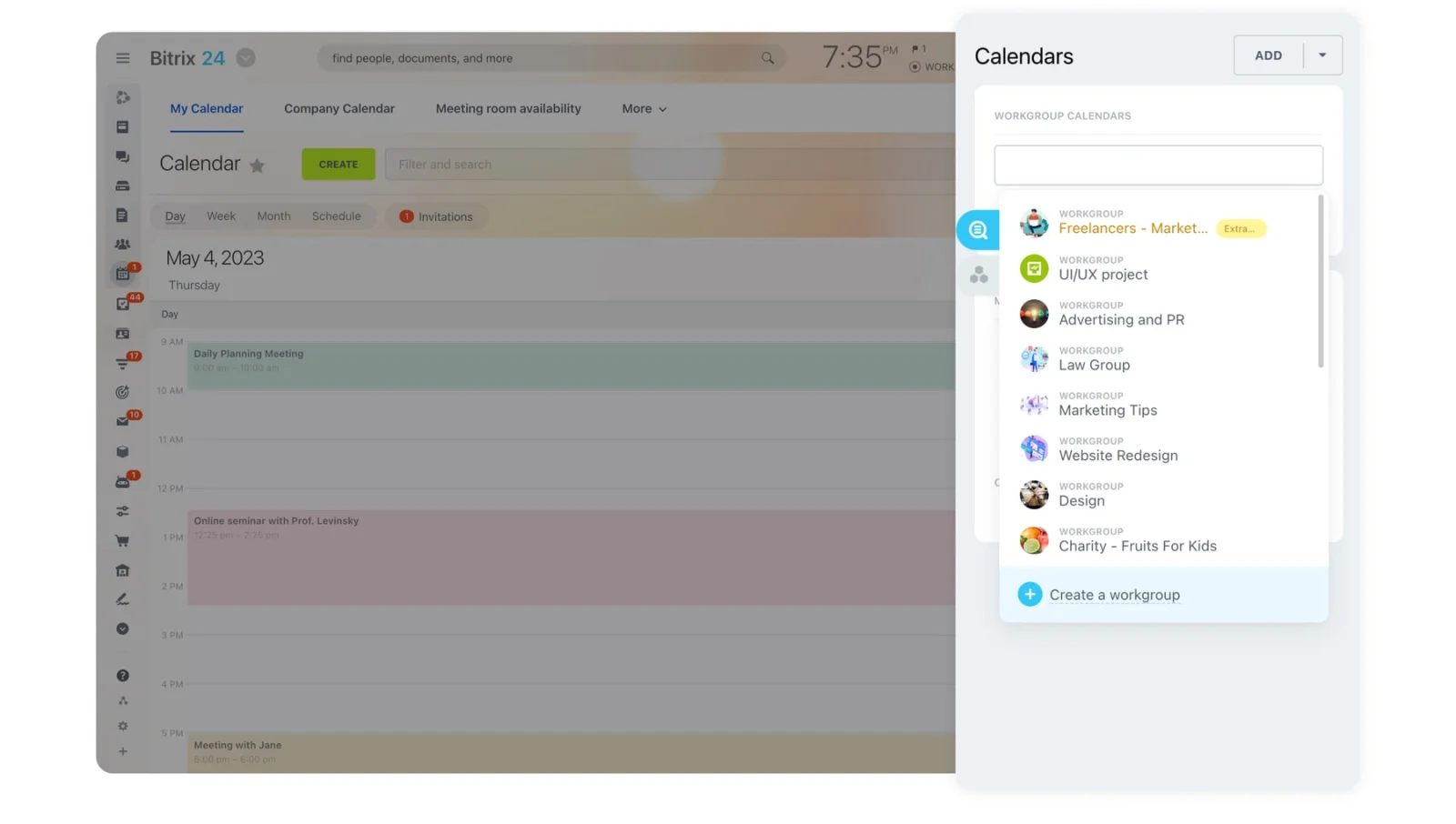
Put milestones and client review dates in shared calendars. Keep the task itself as the system of record for status, files, comments, and approval evidence.
Logging a client delay as plain "late" buries the cause and poisons the performance data. Separate internal lateness, client dependency delays, approved schedule changes, unplanned scope, and resource conflicts so the pattern shows up when you review the project later.
Count revision rounds
Contract says two revision rounds? Track each round as a counted event. A round opens when consolidated feedback arrives and closes when the revised deliverable goes back out.
Don't let scattered comments dribbling in over three days quietly become one open-ended round. Either wait for consolidated feedback, or tell the client the later comments count toward the next round.
Once the allowance is spent, every further request gets assessed for its hit on hours, dates, fees, and deliverables before work continues.
Pro tip: Put the remaining revision allowance on every client review task. "Round 2 of 2" makes the boundary visible before the next request gets sent.
Review budget burn during production
A threshold model buys the team time to react:
- At 50% of planned hours, compare burn against milestone completion and confirm the remaining estimates still hold.
- At 75%, escalate if progress is lagging or the high-effort work is still ahead.
- Before the budget runs out, agree on a recovery plan, a scope tradeoff, a timeline change, or a paid change request.
Don't run these on autopilot. A research-heavy consulting project front-loads its hours; a production job carries most of the effort late. The PM and delivery lead agree on the expected burn curve during setup, then measure against that.
A project can look organized and still run at a loss: every task has an owner and a deadline while most of the hours have already gone to early-stage work. Measure burn against deliverables finished, not the calendar.
Apply clear rules to client delays
When feedback lands late, reset the schedule by an agreed policy. Skip the policy and the team eats the delay through overtime, rushed reviews, or work bumped from other clients. The PM:
- Documents the delay
- Identifies the affected milestones
- Checks whether the assigned people are still available
- Issues a revised schedule
- Confirms any tradeoffs needed to hold the original deadline
Pro tip: Don't promise a new final date until the delivery lead checks resource availability. A three-day client delay can turn into a longer shift once the original team has rolled onto another project.

Roles, ownership, and handoffs across sales, PM, delivery, and client teams
Service delivery turns to mud when everyone participates and no one owns the outcome. Assign direct responsibility, and the quiet rework and contradictory calls mostly disappear.
Sales owns promise accuracy
Sales hands over:
- Signed scope and exclusions
- Proposal assumptions
- Timeline commitments
- Commercial terms
- Billing triggers
- Client stakeholders
- Verbal concessions
- Known delivery risks
That handoff happens within a set window after signature, before the client kickoff gets scheduled. A 30-minute sales-to-delivery review beats forwarding a folder and hoping the PM reads it the way sales meant it.
Project managers own workflow control
The PM owns:
- Stage gates
- Dependency status
- Revision tracking
- Approval tasks
- Schedule changes
- Risk escalation
- Scope-change workflow
The PM doesn't make every commercial or technical call. The PM makes sure the right person makes it before the affected work moves.
Delivery leads own feasibility and quality
Delivery leads validate:
- Effort estimates
- Staffing assumptions
- Technical dependencies
- Quality requirements
- Remaining-work forecasts
They raise a flag when the sold effort can't produce the expected output. That flag goes up during setup. Raised after the team has blown through its hours, it leaves almost nothing to work with.
Clients own inputs and decisions
Clients own timely inputs, access, consolidated feedback, and approvals. When several stakeholders are in play, one of them holds the authority to resolve conflicts and sign off.
A design team hears one thing from marketing, another from sales, a third from legal, and a fourth from the founder. Deciding which internal client opinion wins isn't the delivery team's job, and it shouldn't become one.
Build handoffs around records
The most fragile handoff is sales to delivery. Strategist to producer is the next one, especially when the brief lands without final objectives, audience, formats, or source material.
Internal QA to client review is another control point. The delivery lead signs off against the quality checklist and acceptance criteria; the PM confirms the submission carries the right files, instructions, approver, revision allowance, and response deadline.
The return trip, client review back into production, needs its own sign-off. The authorized approver confirms the consolidated feedback, and the PM records the revision round, the approved changes, the affected tasks, and the revised due date before the work reopens.
A project workgroup keeps the scope record, tasks, files, decisions, and team communication in one place. A handoff is done when the next owner confirms the information is all there. A sent message or a forwarded folder doesn't count.
Pro tip: Keep a decision log inside the project. Record the date, the decision, the owner, the deliverables it touches, and any budget or schedule effect.
Automation, visibility, and control points that keep projects on track
Service firms need CRM data, project planning, time tracking, resource information, file review, and client communication feeding one view of project health. Without those connections, the PM becomes the manual link between sales records, tasks, time entries, spreadsheets, and inbox approvals.
Automate project setup
When a deal closes, automation spins up the standard project structure, assigns the core roles, sets the opening milestones, and tells the PM the handoff is ready to review. It carries structured data straight from the commercial record:
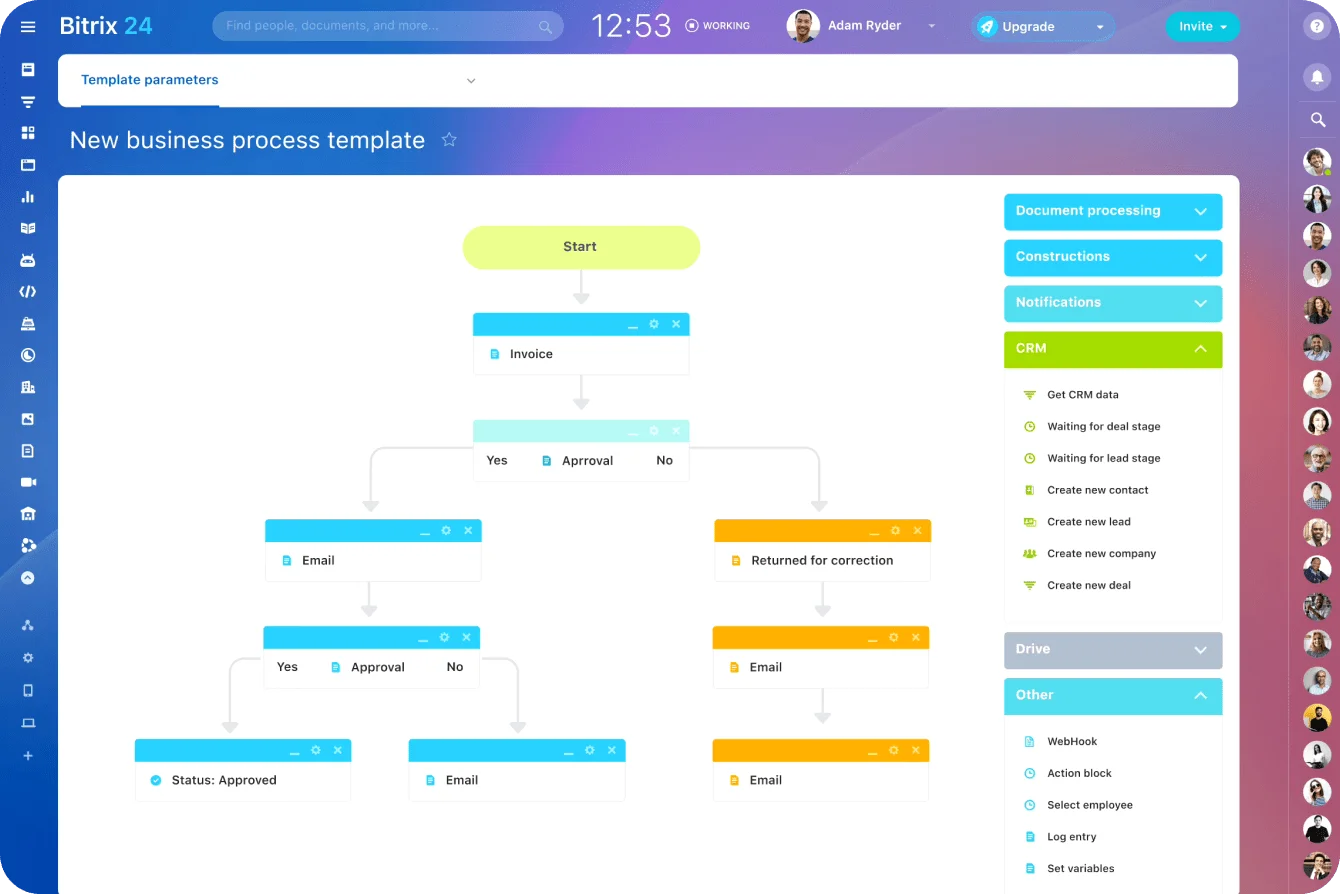
- Service type
- Contract value
- Planned hours
- Target dates
- Client approver
- Deliverables
- Revision allowance
- Known assumptions
The PM still checks the setup. Automation copies an unrealistic deadline just as fast as a realistic one.
Wire acceptance milestones to the next financial action. When the authorized approver marks a milestone accepted, the system creates an invoice task, pings finance, or updates the billing status, so finished work doesn't sit there unbilled.
Approved change orders update the project scope, planned hours, task estimates, timeline, and time-tracking budget before the extra work starts. Otherwise the commercial approval exists on paper while the delivery team keeps logging time against the original plan.
Use alerts that point to a decision
Useful triggers:
- Hours consumed versus budgeted
- Overdue approvals
- Missing client assets
- Approaching milestones with prerequisites still open
- Revision limits reached
- Projects with no recent status movement
- Completed work that hasn't triggered invoicing
- Time posted against paused or closed tasks
An alert names the thing that needs attention. "Project is red" just creates another investigation. "Project has used 76% of design hours with two of five deliverables approved" hands the PM a reason to review the estimate and the remaining scope.
Separate project and leadership views
A PM dashboard shows the immediate operating signals:
- Budget burn
- Blocked tasks
- Upcoming approvals
- Revision status
- Milestone risk
- Open change requests
A leadership dashboard steps back to portfolio patterns:
- Margin risk
- Capacity pressure
- Delayed invoicing
- Client-caused delays
- Estimate accuracy
- Projects that need intervention
Bitrix24 analytics and reporting tools support both views once deal, task, and delivery data get recorded consistently.
Dashboards break when teams use different definitions. Agree on what "blocked," "at risk," "complete," and "approved" mean before anyone trusts the aggregated numbers.
Pro tip: Review your alerts every quarter. Kill the ones that never lead to action, and add alerts for the risks the team keeps finding too late.
Common failure modes in agency and consulting project management
Approving requests informally
A strategist or account manager says "no problem," and the team quietly absorbs another workshop, deliverable, or revision without checking the cost. The client hears a yes. Internally it's out-of-scope work nobody priced. Client-facing staff need one standard response:
- Confirm the request.
- Assess its effect.
- Present the options.
- Get approval before work starts.
The same failure shows up before a request is even logged: fast replies are good for the relationship, but commitments made before checking scope, hours, and availability are how delivery problems get born. An account manager acknowledges the request right away without promising a date or an output.
Allowing feedback across too many channels
Feedback spread across channels forces someone to reconcile conflicting instructions by hand. A consulting team gets comments in a deck, follow-up instructions by email, and a different direction in an executive call. Before touching the work, the PM consolidates the decisions and has the authorized approver confirm them.
Adding unrequested work
Scope creep doesn't always come from the client. Team members add analysis, design flourishes, or technical features because they're sure it'll be better. It still burns hours, and it can open new review issues, without moving the agreed outcome.
Ignoring the wider financial effect
The damage doesn't stop at one project's margin. An overrun delays another client's work, eats capacity for new projects, postpones an invoice, forces more expensive staff onto the job, distorts utilization reporting, and weakens the next round of estimates.

How to scale a reliable service delivery system without losing margin
As volume climbs, the informal habits stop holding. More concurrent projects mean more collisions between deadlines, specialist availability, client dependencies, and approval schedules.
Standardize by service type
Build project templates for the services you run again and again:
- Website builds
- Audits
- Implementations
- Monthly retainers
- Strategy engagements
- Content production
- Design projects
Each template carries:
- Typical phases
- Standard task sequences
- Required client inputs
- Default roles
- QA checklists
- Approval tasks
- Revision limits
- Common risks
- Budget checkpoints
- Closeout requirements
A template is a starting point, not a straitjacket. The PM tightens it when stakeholder count, geography, regulation, technical demands, or sheer complexity call for more control.
Use tiered governance
A small website refresh shouldn't carry the same oversight as a multi-market brand rollout. Low-risk projects run on:
- Standard templates
- Weekly PM reviews
- Exception-based reporting
- Predefined approval steps
High-risk or high-value work needs more:
- Formal stage reviews
- Senior approval for changes
- More frequent budget checks
- Leadership visibility
- Tighter dependency tracking
Set the governance tier at setup. Bolting on meetings after a project is already in trouble rarely fixes the decisions that got it there.
Plan capacity by skill and time window
Headcount is a bad proxy for capacity. A firm shows plenty of general availability and still has no analyst, designer, developer, or senior reviewer free the week it's needed. Plan capacity by:
- Role
- Skill
- Seniority
- Week or month
- Existing commitments
- Likely paused-project restarts
Paused projects deserve special attention. A client delay frees capacity for now, and that capacity vanishes the moment the client comes back. The PM and resource owner decide whether to hold the original allocation, redeploy it, or set a new start window.
Feed delivery data back into sales
The firms that stay reliable review:
- Estimate accuracy
- Revision overruns
- Client delays
- Change requests
- Margin by project type
- Common dependency failures
- Services that keep blowing past planned effort
Then they push those patterns into the next proposal. If discovery projects overrun whenever the stakeholder count is fuzzy, put stakeholder assumptions in the scoping model. If legal review keeps delaying launches, scope legal approval as a dated client dependency.
A 30-minute post-project review answers:
- Where did estimated and actual effort split?
- Which changes were predictable?
- Which client inputs caused the delays?
- What should change in the template, price, scope, or staffing plan?
- What should the next project team know going in?
Every one of those answers should change how the next deal gets scoped and priced.
FAQs
Who should own scope changes when the client asks the strategist directly?
The PM owns the workflow. The strategist can clarify what the client wants and why, but work doesn't start until someone assesses the effect on hours, dates, dependencies, and deliverables.
Can a small agency manage this without a dedicated PM?
Yes, as long as someone explicitly owns the workflow. An operations lead, account manager, or delivery lead can run it part-time, provided they hold real authority over starts, approvals, changes, and escalations.
When should time tracking be mandatory?
The moment the business needs to protect margin, plan capacity, set prices, or improve estimates. Fixed-fee projects need actual effort data most, since the client invoice never shows an internal overrun. Bitrix24's built-in task time tracking records time against individual assignments and compares planned effort with actual work.
What if clients use their own communication tools?
Use the client's channel for conversation when you have to, and record approvals, scope decisions, and deadline changes in your own system of record. After a decision gets made in a client meeting or chat, write it up in the relevant project task.
How do you manage fixed-fee projects with uncertain effort?
Break the work into phases, state your assumptions, and use decision gates. When discovery determines the real workload, price it separately or set capped effort ranges. Don't bury major uncertainty inside one fixed number.
What about retainers with shifting priorities?
Run the retainer as a governed capacity pool. New work can bump existing priorities, but only after it's ranked against remaining hours and current commitments. Decide up front how rollover, urgent requests, and excess demand get handled.
Keep Service Projects on Scope and Budget
Bitrix24 connects CRM, tasks, time tracking, approvals, and reports so teams control scope, hours, and client decisions in one place.
Get Started NowKeep the promise connected to delivery
Margins survive when the signed scope, the delivery plan, the recorded hours, the approvals, and the client's decisions stay connected the whole way through. Break any one of those links and you find out too late, when the hours are gone and every option costs money.
Keep them connected and you get to act while it still matters: correct a weak estimate, escalate a missing dependency, turn a revision into a paid change, fire an invoice the moment a milestone is accepted.
Bitrix24 holds the commercial context in its CRM and wires it to tasks and projects, time tracking, automation rules and triggers, and analytics and reporting. The stage gates and escalation rules in this piece work as a template regardless of which service they're built around first — the connection between commercial and delivery data is what protects the margin, not the order you build it in.
Sign up for Bitrix24 for free and turn that deal into a controlled workflow before the first production hour is spent.