SaaS With Real Examples: What You're Actually Renting

TL;DR (Quick Summary)
SaaS gives you ongoing access to vendor-run software on terms the vendor sets and revises, not ownership. That turns the real buying question into one about control, export, renewal, and exit, well past features and price. Settle those answers before the software is wired into daily work, because the cost of a SaaS decision surfaces when you try to leave, and by then it's fixed.
- When you buy SaaS, what are you actually getting? → Access on the vendor's terms, not ownership
- How the model changes by software category → Same label, very different dependencies
- What you access vs. what you own or control → Rights split across code, data, and configuration
- Where the data sits and what moves → Where it's hosted and where it flows both decide risk
- Why renewal changes bargaining power → Dependence sets the price you pay
- Why clean exit depends on portability → Cancelling is easy; getting your process out isn't
- Questions a manager should ask before buying → Vet the dependency before it embeds
Takeaway: Treat SaaS as a standing dependency from the day you sign. The questions worth asking are the ones that reveal what you can keep running, export, and control when the vendor changes the terms.
When you buy SaaS, what are you actually getting?
You never really buy SaaS. You rent access to someone else's software, on terms they set and revise, and you build your daily process on top of it. That distinction is the whole ballgame for a buyer: get clear on exactly what you're renting before it's wired into operations, and switching stays your choice instead of your trap.
What your subscription covers
Your recurring payment buys use within agreed boundaries: seat limits, storage allowances, transaction volumes, API usage, support response levels, feature tiers, and automation or AI usage caps. (For a mid-market CRM that might look something like: 25 seats, 10,000 API calls a month, 50 GB of attachment storage).
The subscription also absorbs work an internal IT team would otherwise carry, from updates and patching to backups and infrastructure maintenance. You don't plan every version upgrade or provision servers the way self-hosted software demands.
Real relief, and the reason the model won.
Where the tradeoff appears
The vendor decides how the product evolves, which features survive, and how the environment underneath runs. You're renting a controlled operating environment. Your team builds valuable processes inside it; the vendor owns the platform those processes depend on.
Picture a sales team running its whole pipeline inside a CRM: deal stages, custom fields, automated follow-ups, dashboards, permissions, activity history. Those configurations become how the team works. Leaving means replacing far more than a database of customer records. And the expensive part of leaving is almost never the records, which export cleanly. It's the configuration wrapped around them, and that's what buyers underestimate at signing.
SaaS Subscription Comparison Worksheet: Costs, Risks, Exit Plan
Enter your email address to get a comprehensive, step-by-step guide

How the model changes by software category
SaaS spans wildly different operational models. What you depend on in a CRM looks nothing like what you depend on in payroll, collaboration, accounting, or analytics.
CRM and project software
A CRM's value is the records plus everything around them: the workflow engine, permissions, data relationships, integrations, reporting. A CRM export ships tens of thousands of contact rows and every open opportunity, then drops the lead-routing rules, the email-activity timeline, and the links between records and their attachments.
The data left the building. The process that made it useful stayed behind. You find out the Monday after cutover, when reps are chasing leads the routing used to hand them and nobody can name which automation went missing, because the person who built it left two years ago. So the question to put to a vendor is whether the export preserves record relationships and IDs, or just hands you flat rows.
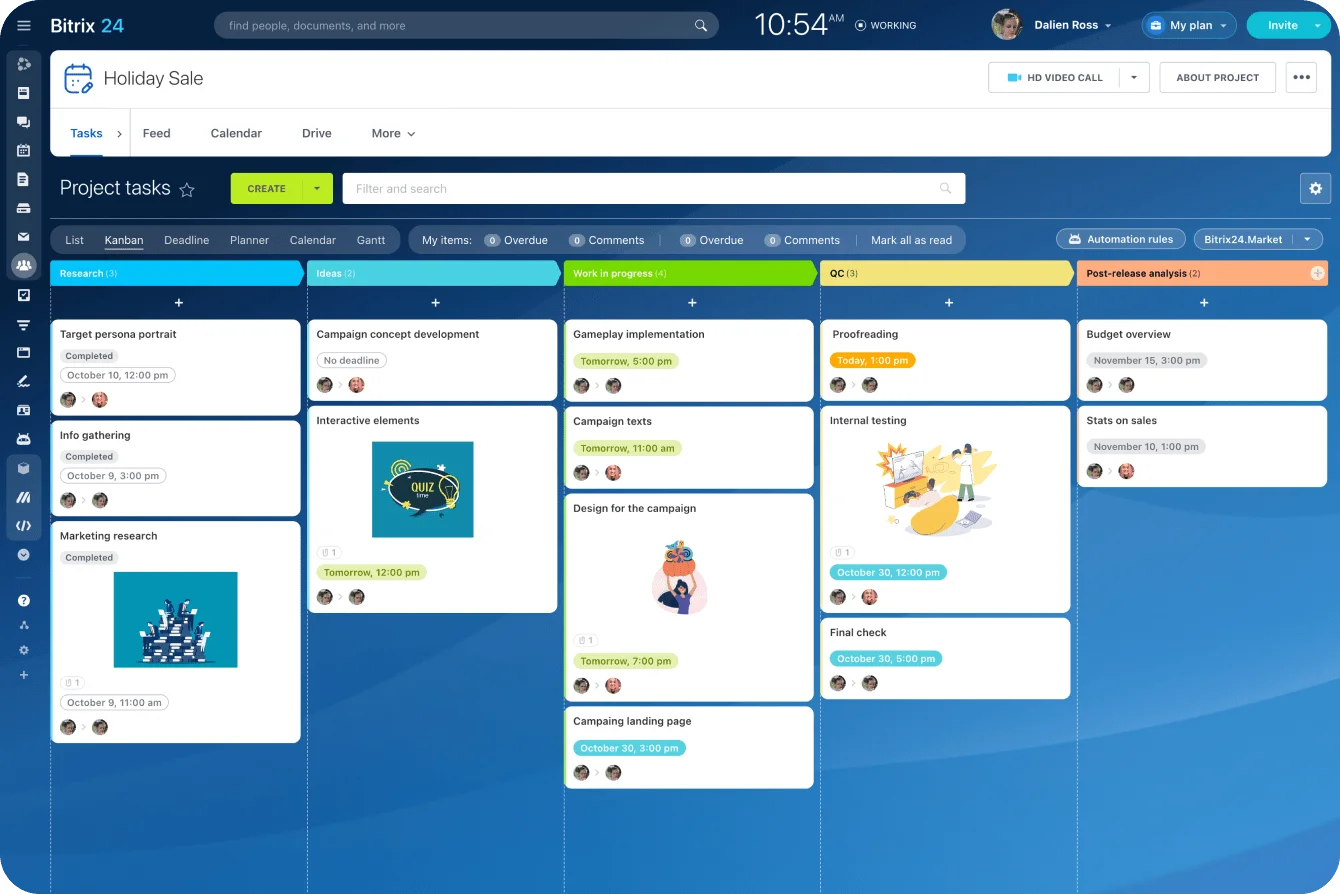
Project tools build the same dependency. Once a team runs task and project management on recurring templates, approvals, deadlines, ownership rules, and dependencies, those settings are the operating process. Export the task names and due dates and you've kept the records while losing the system that gave them meaning.
Finance and HR systems
Accounting brings its own concerns: financial records, audit history, connected banking details, attachments, period integrity, historical reporting. It also adds a wrinkle the other categories don't. Closed periods are locked, and the audit trail is a separate export from the ledger. An export that reopens or omits period locks breaks the integrity auditors rely on. Ask whether you can pull the audit trail intact, with its original timestamps and user attribution.
Payroll and HR pile on employee records, compensation, tax data, benefits elections, approvals, and compliance history. A payroll team switching systems exports employee records fine, then finds that historical payslips, approval trails, tax documents, and configuration rules move separately, if at all.
Year-end tax forms are the classic ambush: current records come across clean, while prior-year W-2 and 1099 documents come out only as static files, on the vendor's retention clock, for a limited window. Miss it and you're re-issuing forms by hand the following January (one employee request at a time…).
That's why the question is what an "export" actually contains, not whether an export button exists.
Collaboration
Chat and collaboration tools get sticky because conversations accumulate context. Channels, message history, permissions, shared files, connected apps: over a couple of years they turn into the company's working memory.
A standard chat export delivers public-channel messages and shared files, leaves out direct messages and private channels, and puts legal hold and eDiscovery behind a higher tier. The team that assumed those were covered finds out the week legal asks for a departed exec's messages, when the export returns the public channels and none of the private ones.
Ask up front whether DMs, private channels, membership with timestamps, connected apps, and searchable history are in the export, and whether legal hold exists on the plan you're actually buying.

Analytics
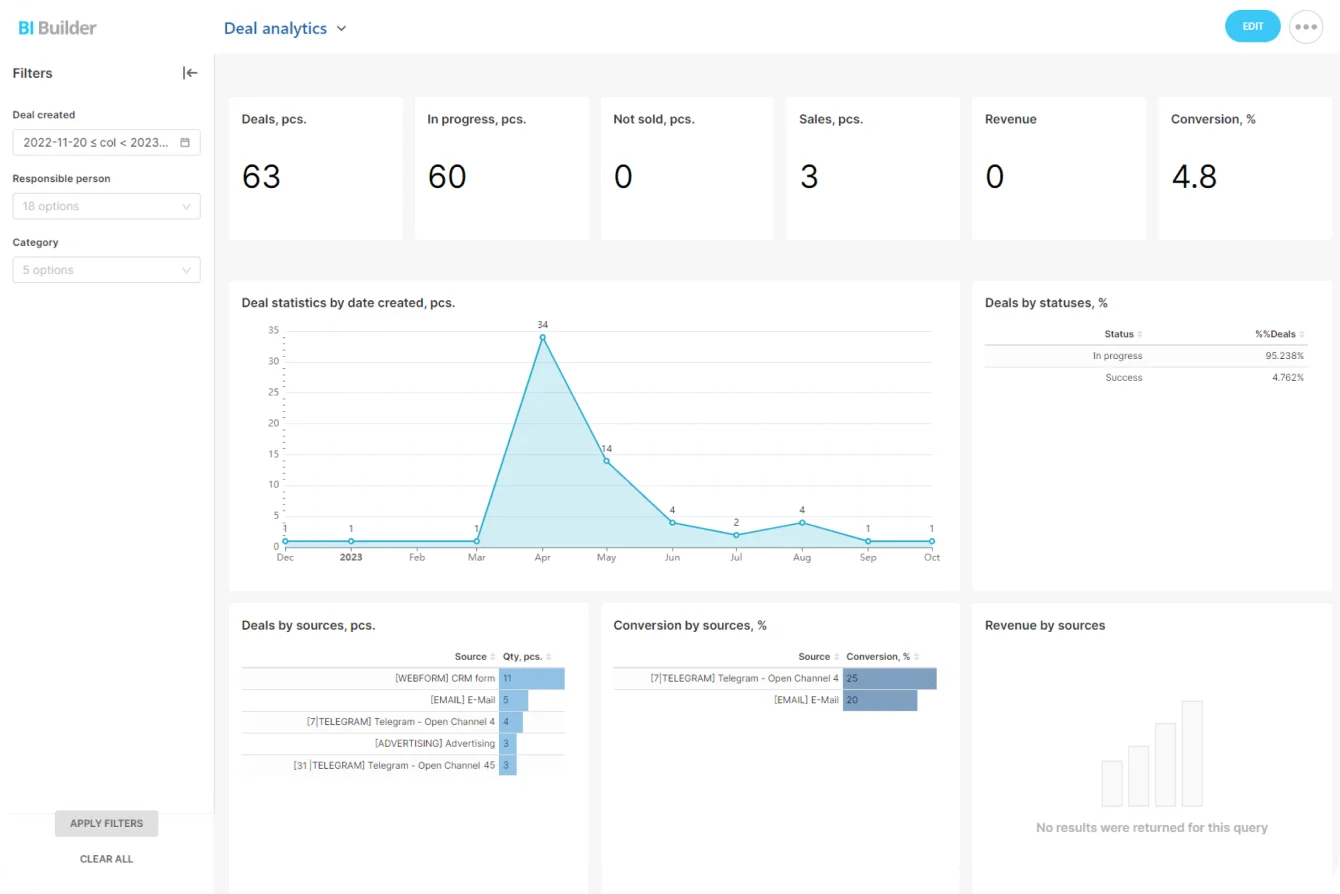
Analytics builds a different dependency. The platform hands you dashboard access, query processing, governed metrics, scheduled data movement, and the models sitting between raw data and the reports leadership reads. Screenshot a dashboard and you've saved the output. You haven't saved the calculations, permissions, transformations, or scheduled jobs that produced it.
The metric definitions live in the vendor's semantic layer, which rarely exports in any reusable form. Ask whether the metric logic and transformations can be documented or exported, or whether you'd rebuild them from zero.
What you access vs. what you own or control
Confusion starts when everything inside a SaaS product gets treated as one bundle. It isn't. The environment splits into categories, and each maps to a different part of the contract.
The vendor owns the platform
The vendor's software stays the vendor's property: application code, interface components, service architecture, standard models, product improvements. You get defined rights to use it during the term, and those rights carve out reverse engineering, reselling access, certain high-risk uses, and anything above your purchased limits. They live in the Usage Restrictions and IP ownership clauses of the MSA or order form. That's where you confirm what you're licensed to do, and what you're not.
Your data is a separate category
Your data gets different treatment from the software, though the exact rights ride on the contract. Records, documents, system logs, generated reports, usage data, analytics, and metadata fall under different definitions, and their handling is governed by the Data Processing Agreement and Security Exhibit, not the headline service terms. Read those for residency, subprocessors, and deletion. Don't assume "you own your data" stretches to cover every item the platform displays or generates.
Configuration creates a gray area
Custom fields, templates, workflows, routing rules, dashboards, permission sets, custom objects: your team built all of it. Technically, it lives inside the vendor's proprietary structure. So you keep your business logic and still face real work to rebuild it somewhere else.
AI-generated outputs sit in the same gray zone, and they earn a direct question: who owns the content a model produces inside the platform, and can you export it in usable form, or does it stay locked to the tool that made it?
|
Component |
Typical status |
Buyer concern |
|---|---|---|
|
Application code and platform |
Vendor-owned |
Limited usage rights |
|
Customer-entered records |
Customer-related data rights |
Export and retention terms |
|
Reports and dashboards |
Often partly platform-bound |
Portability of logic and output |
|
Workflows and custom objects |
Customer-configured, vendor-hosted |
Can they be recreated elsewhere? |
|
Third-party integrations |
Shared dependency |
Who maintains continuity? |
The same split, mapped against the paperwork:
|
Asset bucket |
Contract artifact |
Portability language to seek |
|---|---|---|
|
Software use rights |
MSA / Order Form, Usage Restrictions |
Clear scope; no surprise limits on export or API use |
|
Customer data |
DPA, Security Exhibit |
Residency, subprocessor list, deletion and return terms |
|
Configuration and workflows |
Order Form / product docs |
Whether definitions can be exported or documented |
|
AI-generated outputs |
IP ownership clause |
Explicit customer ownership and export rights |
|
Exit assistance |
Post-Termination / Transition Services |
Read-only access window, export support, timelines |
Pro tip: during procurement, take one real workflow you depend on and work out, in concrete detail, how you'd rebuild it outside the platform. "Your data can be exported" tells you far less than tracing the records, attachments, fields, automations, permissions, and history a single real process actually touches.
Where the data sits and what moves
"Our data is in the system" sounds precise. SaaS data lives in several places at once: production databases, backups, system logs, caches, file storage, analytics systems, connected applications, and subprocessor environments. Vendor-hosted means the provider runs the infrastructure and operations even while your admins hold broad access through the app.
Logical access isn't physical control
Your admins search, export, edit, and permission records. None of that gives your company control over the hosting infrastructure, the backup processes, the infrastructure design, the deletion mechanisms, the support environments, or subprocessor access.
Residency gets more tangled than picking a hosting region. A provider hosts your primary records in one jurisdiction while routing email delivery, analytics, AI features, security monitoring, support, and incident response through others. If you carry contractual or regulatory obligations, check where the data travels, not only where the primary database sits.
Two checks teams skip: whether backups live in the same region as production, and whether the vendor commits to recovery objectives, RPO and RTO, that you can plan around.
Security documentation belongs in that review. Bitrix24, for instance, publishes its security controls, and you still measure them against your own requirements. Push into the identity and provisioning details too: whether the plan includes SSO/SAML and SCIM for automated user management, what encryption options exist, and whether customer-managed keys (KMS or BYOK) are on the table for teams that hold their own.

Follow the data between systems
Data also moves through identity providers, APIs, middleware, webhooks, data warehouses, finance software, BI tools, and scheduled file exports. That's where integrations plant another dependency: replace one SaaS app and you disturb every system whose authentication, field mappings, automations, or data feeds relied on it. The ripple runs wider than teams expect. After two years of consolidation, the average SaaS stack is expanding again, up 11% year-over-year in BetterCloud's 2026 State of SaaS data, so a single well-connected tool sits upstream of a dozen others.
Questions to ask about SaaS data
Run these before you sign:
- Where does primary data live, and are backups held in the same region?
- What residency commitments are on offer?
- Which subprocessors touch the data?
- What can admins access directly?
- Are audit logs available, how long are they kept, and can you export them?
- How is data encrypted, and is BYOK or customer-managed key support available?
- Does the platform support SSO/SAML and SCIM provisioning?
- What are the RPO and RTO commitments?
- Which export formats ship (CSV, JSON or NDJSON, Parquet)?
- Are attachments included?
- Does the export carry metadata, schema, record IDs, timestamps, and relationship keys?
- What happens to backups after deletion?
Why renewal changes bargaining power
The purchase gets all the scrutiny. Renewal is where the bill for SaaS dependence comes due. By then the software is threaded through workflows, reports, integrations, employee habits, and management routines, and switching, still possible, costs far more than it did at selection.
Vendors know this, and price accordingly.
Vertice's SaaS Inflation Index, which tracks realized renewal price changes across its managed-spend dataset, has run at several times the rate of general consumer inflation for three years running. Treat that as a benchmark from one large procurement dataset rather than a guaranteed rate, and plan renewals expecting an above-inflation bump, not a flat line.
More than the price can change
And renewal reopens more than the number. Seat minimums, feature packaging, storage limits, API allowances, support tiers, security features, add-on requirements, usage charges: any of them shifts. A feature you bought with the platform migrates into a pricier plan. A product change forces your team to rework internal process. This lands hardest now with AI features, which vendors bundle into a higher tier while the older plan quietly loses capability at renewal.
Read the pricing plans against the contractual renewal terms, and drop the assumption that today's package carries forward unchanged.
Watch the contract mechanics
The mechanics decide as much as the headline price. Auto-renewal rules and the cancellation notice window set whether you even get a clean shot at leaving. Price-increase terms, and any uplift cap, bound how far the number climbs. A deprecation or retirement notice period protects the features you depend on.
Seat true-ups and price protection for seats added mid-term determine what growth costs, along with whether that growth is prorated to the term or back-billed. Then come storage and API overages, minimum commitments, and your rights when the vendor makes a major product change. Miss the cancellation window and you're locked into another term before you've even priced an alternative.
Dependency affects your options
A mature deployment builds switching costs out of retraining, integration rebuilds, migration work, testing, and disruption to daily operations. Timing follows from that. You hold more options several months out than you do the week before an auto-renewal.
In practice, the real bargaining room opens six to nine months ahead, while there's still time to test an alternative and make the threat to leave credible. Most teams engage far later, which is exactly why they renew on the vendor's terms.
Pro tip: put the renewal notice date on the operating calendar the day you sign. Review the system ahead of it, while the business still has room to test alternatives, inspect the export, and negotiate from strength.
Why clean exit depends on portability
Leaving a SaaS product takes more than a cancellation notice. You extract usable data, preserve the history, rebuild integrations, reproduce workflows, move users, reset permissions, validate reports, and keep the business running through all of it.
Test whether the export is actually useful
An export option breeds false confidence. The button proves almost nothing on its own. What matters is whether the export carries the relationships between records, or only the rows.
A CSV of core records routinely drops:
- attachments, and the references linking them to records
- audit history
- custom field definitions and schema
- relationship mappings and record IDs
- workflow logic
- permissions and user/role maps
- comments and activities
- dashboard calculations
- historical configuration
"Exportable" still means hours of preparation before anything migrates into a new system. That sales team moves every open opportunity, then discovers that years of activity history and ownership logic need a separate migration path.
The avoidable mistake is validating an export by row count. The rows almost always arrive. Whether the automations, permissions, and relationships survived is what decides if the migration worked.
For analytics-heavy CRM work, check whether the logic behind your analytics and reporting can be documented or reproduced before management reporting leans on it.
Historical access outlasts the subscription
Finance, HR, payroll, and regulated teams need historical records long after everyone stops using the old system. Nail down:
- Does normal access run to the end of the paid term?
- Is read-only access available afterward, and for how long?
- Is a sandbox or test environment available during migration?
- Can a legal hold or eDiscovery request still be honored after cancellation?
- How long is customer data retained?
- When does deletion start, and are backups purged on a separate schedule?
Deletion and backup purge run on separate clocks, and that cuts both ways: production data disappears while copies linger in backups for weeks, or the read-only window you were counting on closes before the backups are gone.
Get both timelines in writing. Far cheaper to settle at purchase than mid-migration.
Somebody still owns the migration
Vendor migration assistance doesn't erase your internal work, and it rarely touches the parts that hurt. Vendors help with bulk record export. Rebuilding workflows, reconnecting integrations, and proving that reports still reconcile lands on your team.
Someone on your side still has to:
- Decide what must be preserved.
- Map old fields to new fields.
- Export and validate records.
- Re-create workflows.
- Reconnect integrations.
- Reconfigure identity and permissions.
- Test historical records.
- Confirm reports still land on the expected numbers.
One system owner covers a small app. Software shared across sales, finance, support, and operations pulls in several department owners, each validating a different slice of the move.
As an illustrative shape, not a benchmark, a cross-department migration runs in phases: validate the export and map fields, run old and new in parallel long enough to reconcile reports, cut over, then keep the old system read-only for historical access. Anything shared across teams runs in weeks to months by scope. A single-owner tool moves in a fraction of that.
Pro tip: keep a one-page SaaS exit sheet for every system the business relies on, listing the contract owner, renewal date, notice period, export method, major integrations, critical workflows, data owner, and deletion terms. Update it whenever a major workflow or integration changes.
Worth stating plainly: this whole drill is for systems that cross departments or hold regulated records. Run it on a single-owner scheduling app and you've wasted an afternoon. Match the effort to what the system actually holds.
Questions a manager should ask before buying
The cleanest way to evaluate SaaS is to treat it as a standing dependency from day one. Work these before the product embeds itself in daily operations.
Rights
- What exactly are we licensing: users, entities, storage, transactions, API calls, feature modules?
- Which restrictions apply to our use?
- Which parts of our configuration stay tied to the platform?
- Can workflows and custom objects be documented or reproduced elsewhere?
- Do we own AI-generated outputs, and can we export them?
Data
- Where is primary data hosted, and where do backups live?
- Which subprocessors are involved?
- What can admins access directly?
- What can we export, and in which formats?
- Does the export include attachments, metadata, schema, relationship keys, and history?
- What are the RPO and RTO commitments?
- Is SSO/SAML and SCIM provisioning supported, and is BYOK available?
- What is the audit log retention period, and how do we export it?
- How long is data retained after the subscription ends?
Renewal
- What changes besides price?
- Is there an uplift cap, and what's the deprecation notice period for features we rely on?
- Are seat minimums or usage commitments involved?
- Can features move between packages?
- How is mid-term seat growth charged, and how are overages handled?
- What's the cancellation notice period?
- Does the agreement renew automatically?
Exit
- What access remains after termination notice, and for how long?
- Is read-only or sandbox access available?
- How long does the migration window last?
- When is customer data deleted, and when are backups purged?
- Can a legal hold still be honored after cancellation?
- What migration assistance does the vendor provide?
- Can we test an export before signing?
Control your SaaS workspace before it controls you
Bitrix24 brings CRM, projects, chats, and reports into one secure suite, reducing scattered tools, renewals, and migration risk.
Get Started NowThe exit is set the day you sign
Every SaaS purchase is a bet on how easily you could walk away from it, and you place that bet at signing, long before renewal. Know what you control, what stays the vendor's, what survives an export, and how hard the whole thing is to replace, and you keep the option to leave.
Skip the homework and you find the answer during a migration you didn't budget for (on a renewal you can't refuse).
Fewer, broader platforms shrink the problem by cutting the number of exits you have to plan for. A suite that runs CRM, projects, communication, and reporting together leaves you with fewer separate exports, integrations, and renewal clocks than a stack of point tools wired together.
Bitrix24 works that way, and its Free plan gives one or two users a no-cost way to test the core workspace before moving to a paid plan.
Bottom line: Before buying SaaS, find out what your business can use, configure, export, preserve, and re-create, and get those terms in writing while you still have room to negotiate. The records almost always move. The configuration, relationships, and history are what decide whether an exit is clean or expensive.