Free Business Software: How to Use It Seriously and Know When You've Outgrown It


TL;DR (Quick Summary)
Free business tools run real operations for years, then quietly start costing you once the team outgrows the plan's limits. The fix is to watch the workarounds, shared logins, weekly exports, manual re-entry, and decide whether you need more capacity, more control, or a different tool. Keep the free plan while its limits match how you work, and move before the hacks become your system.
- Free plans can run real operations, within clear boundaries → Viable early, risky when unmanaged
- The ceilings that bite are operational → Limits break workflows before features
- Different limits become painful at different stages of growth → Team size changes the pressure points
- You've outgrown the plan when workarounds become the system → Repeated hacks signal a structural mismatch
- Before upgrading, work out whether you need more capacity, more control, or a different tool → Capacity, control, and fit are different problems
- Plan the move before it's urgent by mapping triggers, budget, and migration effort → Decide before operations get blocked
- Use free software seriously with lightweight governance from the start → Simple ownership keeps free useful
Takeaway: Free tools work well while their limits still match how your team operates. Once employees routinely share accounts, rebuild reports, ration automations, or move data manually, the free tier is creating costs elsewhere.
Free business software can run a real company for years. The failure mode is quieter than a bad purchase: the plan's limits stop fitting how the team works, people build workarounds to cope, and those workarounds end up costing more than the upgrade would have.
This article shows you how to spot that moment from the workarounds themselves, so you keep a good free tool for as long as it fits, pay for the real problem the day you upgrade rather than buying capacity you don't need, and skip the panicked migration entirely.
Free plans can be a real operating stage, with clear boundaries
A free plan runs a small, simple workflow for a long time. Solo operators and early teams handle sales tracking, tasks, internal chat, invoicing, and basic reporting on one, without paying for capacity they never touch.
Trouble starts when adoption spreads informally. One person signs up, invites a couple of colleagues, adds a few fields. Six months on, customer history, tasks, files, and reporting all live in a setup nobody has checked for user caps, export options, permissions, or storage.
This is how most software enters a business. Gartner found that 74% of technology purchases are now funded, at least in part, by teams outside IT. Tools get adopted before anyone centrally decides they should, and a free signup is the frictionless version of that.
Define the job before adoption spreads
For every free tool the business leans on, write down four things:
- Who should use it
- What data belongs in it
- Which workflow depends on it
- Which plan limits could stop or distort that workflow
A short note beats a policy. The point is to stop a casual signup from becoming an unmanaged business system nobody owns.
Pro tip: record each free-plan limit next to the tool's owner and account details, and revisit it whenever you add people or change a process, instead of finding out from an upgrade prompt mid-task.
Upgrade-Readiness Scorecard: Decide When To Pay
Enter your email address to get a comprehensive, step-by-step guide

The real ceilings on free software show up in operations
Feature pages tell you what a free plan includes. They don't tell you what happens to Monday morning when one of those allowances runs dry.
The limits that bite:
- User caps
- Storage
- Automation volume
- Reporting depth
- Integrations
- Permissions
Each of these gets its own section next.
User caps create awkward operating models
Once more people need access than the plan allows, teams start compensating, and every workaround weakens visibility and blurs who owns what.
In a sales workflow, two reps share one login to stay under the cap, and a third with no seat messages her updates to a colleague to key in. The record catches up eventually, but the history can't say who spoke to which customer, and with the manager left off to save a seat, nobody with oversight sees the pipeline at all.
A seat cap is a design choice, not a law of free software, and some tools skip it. Run your customer activity through a Bitrix24 CRM whose Free plan currently covers one or two users, and access follows the people who actually own the work. Keeping active contributors out just to stay under a limit only moves the admin somewhere else.
Storage limits fragment the record
Storage doesn't break in a day. It erodes: people delete old files, skip uploads, park attachments on another platform.
Soon the project record says one thing, the shared drive says another, and the final version sits in someone's inbox. The tool still works. The history of the work no longer hangs together.
Automation limits turn reliable steps into optional ones
Automations carry the small, repetitive actions:
- Assigning leads
- Creating follow-up tasks
- Sending reminders
- Updating fields
- Moving records after approval
- Passing work to another team
Cap the automation volume and teams start rationing. The visible, high-priority flows stay automated. The quieter ones slide back to manual, and nobody announces it.
That bites when several people depend on the handoff. A team on Bitrix24 task management needs to know its recurring assignments, notifications, and status changes will keep firing at volume as the work grows.
Reporting limits push teams toward parallel systems
Simple dashboards are plenty while one person still holds the context behind every deal and project in their head.
Add managers who need pipeline breakdowns, workload comparisons, trends, or team-specific views, and shallow reporting sends everyone back to spreadsheet exports.
Watch for the signs that reporting has moved outside the tool:
- A spreadsheet has become the version discussed in meetings
- Reports have to be rebuilt manually each week
- Managers can't answer routine questions without asking an administrator
- Different departments maintain their own versions of the same data
Those parallel spreadsheets carry a cost beyond the hours spent rebuilding them. Audits of real-world spreadsheets keep finding errors in around 90% of them, so the version your managers argue over on Monday is not just slow to produce, it's probably wrong somewhere nobody has caught.
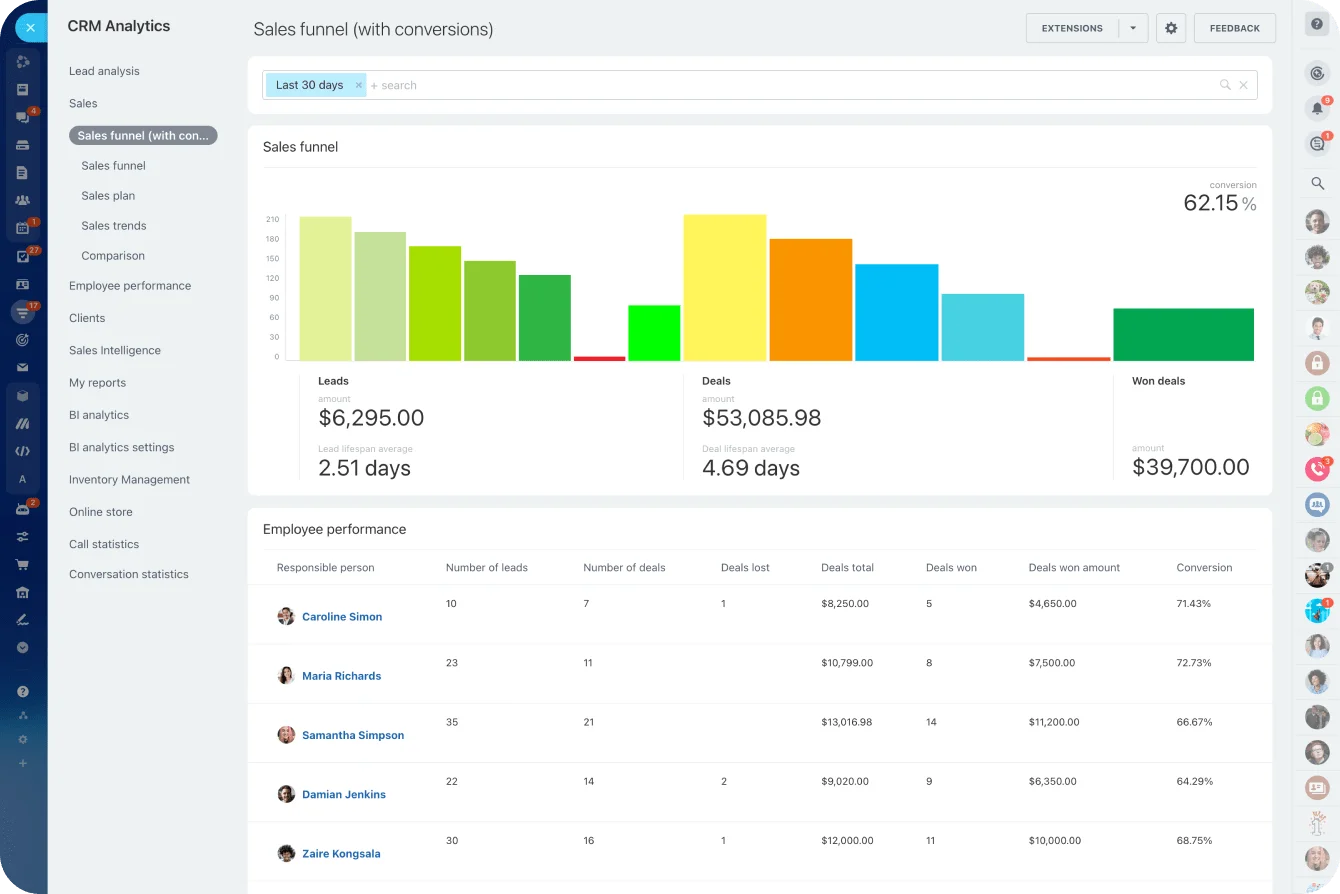
If reporting is the reason you leave the tool every week, weigh the paid tier against the reports you actually run. Judge Bitrix24's CRM analytics and reporting tools against the reports managers produce on a Monday, not a generic feature checklist.
Integration restrictions create duplicate work
A free CRM looks fine right up until it has to trade data with your forms, email, billing, marketing, or support tools.
Without the connection, a person becomes the integration. That means:
- Copying customer details into another system
- Updating the same status twice
- Reconciling mismatched records
- Sending manual notifications to the next team
- Checking several platforms before knowing the current status
This is the workaround that hides its cost best, because the drag spreads across everyone's day in two-minute increments. It still adds up. An integration you don't have is a tax you pay in reconciliation and re-entry every week.
Before you pay for raw capacity, check whether the integrations you need already exist at the tier you're eyeing.
Permission limits matter earlier than many teams expect
Broad access is fine while a tiny team works off the same information.
Split responsibilities, and people need different rights over customer data, financials, exports, editing, and admin.
Typical warning signs:
- Employees can see records they don't need
- Too many people can edit important fields
- Routine changes require an administrator
- Managers can't give contractors or guests appropriately restricted access
At that point the limit shapes how the company runs. That's a different order of problem from a missing nice-to-have.
Different limits become painful at different stages of team growth
A solo operator lives with constraints that would wreck a ten-person team. Early teams cope with thin reporting because everyone already knows the story behind every active customer and project.
Add sales, ops, finance, or outside collaborators, and the pressure shifts from capacity to coordination and control.
Some limits can wait longer than others
Limited branding, fewer templates, basic customization: none of that does much operational damage early.
These earn attention sooner:
- Weak access controls
- Restricted user numbers
- Missing integrations
- Limited automation
- Poor reporting
- No clear activity or audit history
|
Tool category |
Free-plan limit that may be tolerable early |
Limit that often becomes damaging sooner |
|---|---|---|
|
CRM |
Basic dashboards or simple pipeline views |
User caps, weak permissions, poor integrations |
|
Fewer templates or customization options |
Restricted automations, guest limits, no workload visibility |
|
|
Limited history during low-volume use |
Weak administration, poor access controls, fragmented records |
|
|
Finance |
Basic invoice formatting |
User restrictions, approval bottlenecks, export dependence |
|
Analytics |
Simple default reports |
Shallow segmentation, restricted reporting, limited stakeholder access |
What that looks like in practice (illustrative, not fixed thresholds):
- In a CRM, lead ownership blurs once a fifth or sixth rep needs the pipeline, and two people create the same contact in a week.
- In project management, a client suddenly needs guest access to review deliverables, the free tier's guest limit blocks it, and the work moves to email.
- In team chat, a new hire asks what was decided about a customer three months back, and the answer's gone because free-tier history rolled off.
- In finance, the bookkeeper and the owner both approve invoices, but a shared login can't separate who raised one from who signed it off.
- In analytics, marketing wants conversion by channel and sales wants it by rep, neither view exists, and both get rebuilt by hand.
Growth changes the type of problem
A founder working a small pipeline alone gets by on a plain deal board.
Bring sales and ops into the same workflow and new questions surface:
- Who owns each lead?
- Can everyone see previous activity?
- Who can change a deal stage?
- What happens when two people create the same contact?
- Can managers see which deals are stuck?
Project management runs the same arc. A small team is fine on a basic board. Once design, sales, ops, and management all feed the same delivery process, a missed notification or a fuzzy handoff costs real money.
Growth adds volume. It also changes the controls the workflow needs, which is the part teams miss.

You have outgrown the free plan when workarounds become part of the system
Frustration is noise. The signal is repeated workarounds.
Look for recurring hacks
The usual ones:
- Sharing logins because there aren't enough seats
- Exporting data every week because reporting can't answer routine questions
- Re-entering information because an integration isn't available
- Deleting files regularly to remain below storage limits
- Restricting automations to a few processes because usage is capped
- Asking an administrator to perform routine actions for other employees
Rule of thumb: if two or more of these happen every week, you've outgrown the plan. One of them once a quarter is normal friction. Several every week is a second, unpaid system your team maintains by hand.
The manager-as-gatekeeper pattern is worth watching closely. Lock permissions down too far and one person ends up creating records, pulling reports, changing fields, approving access, and cleaning up everyone else's entries.
The work still gets done. It just runs on that person's availability, and nothing looks broken until they take a week off and the queue stacks up behind them...
Separate exceptions from recurring work
Exporting data once for an annual review isn't a reason to change software.
Rebuilding the same report in Excel every Monday is a different animal. That workaround is now part of the process.
The test holds across the board. Fixing one failed integration by hand is an exception; copying every new customer between two systems is a recurring problem. Deleting a few dead files in an annual cleanup is an exception; clearing files every week because storage is always full is a recurring problem. An admin adjusting access for an odd project is an exception; people needing the admin for ordinary edits is a recurring problem.
Pro tip: track the workarounds for a month. Note what happens, who does it, and roughly how often. You don't need a time study. A short list makes it obvious which limits are eating real hours.
Before upgrading, decide whether you need more capacity, more control, or a different tool altogether
The upgrade prompt shows up exactly where it hurts, so the reflex is to buy more capacity. That reflex is wrong about half the time. The limit you're hitting is frequently a control or fit problem, and a bigger allowance just lets you run the same workarounds on a paid plan. Sort the problem into one of three buckets first.
1. You need more capacity
The product and workflow still fit. You just need more of it:
- Users
- Records
- Storage
- Automation runs
- Projects
- Messages or other usage allowances
If the next tier removes the ceiling you keep hitting, upgrading is the clean answer.
2. You need more control
The problem is how the system gets managed, not how much of it you use. Common cases:
- More granular permissions
- Better administration
- Approval rules
- Audit history
- Better reporting
- Additional integrations
- Stronger security settings
Check exactly which features the paid tier unlocks. Control features live two tiers up as often as one, and some only work after admin setup nobody has scheduled. A higher price doesn't fix a control problem on its own.
For sensitive workflows, line up the plan's permission and admin capabilities against what you actually require.
3. You need a different tool
Sometimes the product's core operating model no longer fits the company.
A larger allowance won't fix reporting that can't represent your business, workflows that need constant customization, or integrations that never arrive on higher tiers.
Four questions before you buy:
- What exact limit are we hitting?
- How often does it interrupt work?
- Who does it affect?
- Does the paid tier kill the cause, or just raise a number?
Continuity is worth something. Keeping your history, your workflows, and your habits can make an upgrade cheaper than a migration. Just don't let continuity become the excuse for paying more to keep the same workarounds.

Plan the move before it becomes urgent by mapping triggers, budget, and migration effort
The worst time to compare plans is the day a new hire needs access, storage is already full, or a critical automation has stopped. Set your upgrade triggers while the current setup still works.
Set operational triggers
Triggers match your workflow. Yours might be:
- Adding another department
- Reaching the current user allowance
- Regularly hitting an automation cap
- Needing manager-level reporting
- Introducing external collaborators
- Requiring stricter permissions for finance or customer data
- Reaching a record or storage threshold that forces regular cleanup
Revisit them on a schedule, and whenever the team changes shape.
Price the team you expect to have
Don't price today's smallest possible setup. If you're hiring, check what the product costs at that headcount and which tier those people actually need.
Watch for charges tied to:
- Storage
- Automation usage
- Add-ons
- Feature packs
- Integrations
- Other usage-based allowances
Pricing models change the math. Per-user pricing climbs with headcount, so a growing team pays more for the same features. Flat-fee pricing climbs with the tier you need, which is easier to forecast as you hire.
Bitrix24 runs on flat fees, so the question is which plan's capabilities the workflow needs, rather than how many people you add inside it.
Test your exit path early
Migration difficulty is easy to ignore while the free plan hums along. Run a small export before you need one, and check what survives:
- Custom fields
- Notes
- Activity history
- Attachments
- Owners
- Relationships between records
- Dates and timestamps
A clean CSV of names and emails tells you nothing about whether the operational context around those records travels with them. This is where teams get caught: the export turns out to be a flat contact list, stripped of the notes, ownership, and history that made the data worth having, and they find out mid-switch when there's no easy way back.
Pro tip: build one representative test record with the fields, notes, files, relationships, and history your team actually uses. Export it and see what lands. That tells you more than any "supports exports" line on a feature page.
Check what changes after the upgrade
Admin rules shift too. Check whether the paid tier changes:
- Permissions
- Approval rules
- Audit history
- Integration access
- User provisioning
- Storage or automation rules
Sometimes the next plan unlocks precisely what you need. Sometimes the review exposes a deeper limit and makes switching the smarter call.
Run this before you commit:
- Priced the plan at the headcount you expect in six to twelve months, not today's
- Confirmed which tier actually unlocks the missing feature, not just the next one up
- Exported one representative record and checked what survived
- Checked how the paid tier changes permissions, approval rules, and audit history
- Confirmed the integrations you depend on exist at that tier
- Found a trial or sandbox to test before moving live data
- Named an owner and a rough timeline for the move
Use free software seriously by designing lightweight governance from the start
Free software doesn't need enterprise admin. It needs an owner.
Give every important tool an owner
That person doesn't have to touch every setting. They do have to know:
- Why the business uses the tool
- Who needs access
- What information belongs there
- Which systems connect to it
- Where the free-plan limits sit
- What would trigger a plan review
Write it somewhere the team can find it. A short shared register does the job: one row per tool, revisited when the team or the workflow changes.
|
Register field |
What to record |
|---|---|
|
Tool owner |
The single person accountable for the account |
|
Purpose |
Why the business uses it, in one line |
|
In-scope workflows |
What actually runs through it |
|
Known limits |
The plan caps most likely to bite (users, storage, automation, reporting, permissions) |
|
Current usage vs caps |
Where you are now against each limit |
|
Upgrade triggers |
The specific conditions that would prompt a plan review |
|
Next-tier cost at target size |
What the paid tier costs at your expected headcount |
|
Migration notes |
What an export preserves, and any known gaps |
Run a simple periodic health check
For a small team, a look every few months catches the obvious strain before it turns disruptive. Review:
- Current user count
- Storage use
- Recurring spreadsheet exports
- Failed or rationed automations
- Reporting gaps
- Manual data entry between systems
- New workaround behavior
- Permission requests
- Upcoming hiring or workflow changes
Look hardest right after you hire, reshuffle responsibilities, add a department, or wire in another system. Those moments expose limits that stayed invisible while the workflow was smaller.
FAQ
Can a free plan really run a business?
Yes, for a small or simple workflow. Solo operators and early teams run sales, tasks, chat, invoicing, and basic reporting on a free tier for a long time. The risk shows up later, when the plan quietly grows into a system nobody checks for user caps, permissions, or storage.
How do I know I've outgrown it?
Watch the workarounds. Shared logins, weekly exports, manual re-entry, deleted files, rationed automations, an admin doing everyone's routine edits. If two or more happen every week, the plan no longer fits.
Should I upgrade, switch tools, or change the workflow?
Sort the problem first. If you need more users, records, storage, or automation runs and the product still fits, upgrade. If the trouble is permissions, audit history, or reporting, you need control, and those features sometimes sit higher than the next tier. If the product's core model can't represent your business, a bigger allowance won't save it, and switching is the honest answer.
What should I check before I upgrade?
Price the plan at the headcount you'll have in six to twelve months, confirm the tier that actually unlocks the feature you're missing, and export one real record to see whether notes, ownership, and history survive. Then check permissions, integrations, and whether there's a sandbox to trial before you move live data.
Scale Operations Without Hidden Workarounds
Bitrix24 brings CRM, tasks, chat, reports, and automation together, so teams stay visible and scale before limits slow work.
Get Started NowMove before free stops being free
A free plan is a real operating stage, worth keeping while its limits still match how the team works. But waiting too long changes what leaving costs: a tool you exit on time hands over clean records, while the same tool deep into the shared-logins phase hands over a stripped contact list, and you find out mid-switch.
Create a free Bitrix24 account, put everyone who touches the work on it, and keep it for as long as the limits fit.
When they stop fitting, you'll have seen it coming, and you'll leave on your own schedule with your data intact.