Turn Approved Proposals Into Projects Without Rebuilding the Plan by Hand


TL;DR (Quick Summary)
- Signed work stalls because approval hands delivery a PDF, not a plan, so the team retypes scope, rebuilds task lists, and hunts for files before kickoff.
- Turn the approved proposal into structured input that generates the project, with the template, owners, dates, files, and launch checks already in place.
- Treat approval as the start of setup, not the finish line.
Takeaway: Feed the approved data into the right template, assignments, dates, files, and readiness checks, and delivery starts from the plan that was sold instead of reconstructing it from PDFs, emails, and memory.
Ten minutes into the kickoff call, the project manager is asking the client to reconfirm what they just paid for. Was training included? What's the actual start date? The client answered these questions weeks ago, to sales. Now they're answering them again, to the person supposedly running their project.
That's the moment a clean sale turns into a shaky delivery.
Nobody dropped the ball outright. The information just never left the proposal.
Fix that by treating the approved proposal as structured input, not a document someone rereads under pressure. Scope, dates, owners, and files flow straight into the workspace, so the PM walks into that first call already knowing what the client bought.
This article shows you how to build it: standardize the proposal data, template the work by project type, map it into the plan, gate the launch, then automate the handoff without losing control of the exceptions.
Why approved work still stalls after the proposal is approved
There's no operational bridge between commercial approval and delivery execution. A proposal defines what the client bought. It rarely arrives in a format the project team can run.
The same information gets entered repeatedly
Many teams translate the same details two or three times: first in the proposal, then in internal planning notes, and finally inside the project workspace. Every transfer adds delay and gives scope, dates, or assumptions another chance to drift or vanish.
Manual handoffs produce inconsistent projects
Re-entering scope, dates, owners, and files by hand also creates uneven quality. One project manager is thorough. Another is juggling five launches at once. A third assumes the account team already shared the background.
That inconsistency leads to:
- Wrong task sets
- Unrealistic deadlines
- Missing attachments
- Unclear kickoff ownership
- Projects starting before the signed scope is final
PMI's 2026 Pulse of the Profession report found that 31% of complex projects fail to deliver the full scope of benefits they were approved for, more than double the rate for projects overall. Losing the thread between what got approved and what delivery actually executes is exactly the kind of gap that produces a number like that.
Proposal-to-Project Mapping Template: Tasks, Owners, Timelines Fast
Enter your email address to get a comprehensive, step-by-step guide

What it means to turn a proposal into a ready-to-run project
It means converting approved commercial information into an operational workspace the delivery team can use immediately.
Move from a blank workspace to a usable project
Instead of an empty board after approval, the project already contains the basics:
- Templated task groups
- Dependencies
- Deadlines
- Linked files
- Responsible owners
- Approval or readiness checks
Commercial details should shape delivery logic too. A specific service package brings its own tasks and milestones. Regional requirements change the plan. Exclusions in the proposal show up in delivery, so nobody reopens the contract every time a question comes up.
For teams using Bitrix24, the CRM holds the approved commercial context, while project and task structures give delivery a place to execute it.
Ready-to-run project standard
A project should be:
- Named consistently and tied to the approved proposal
- Built from the correct delivery template
- Populated with deadlines and dependencies
- Assigned to accountable owners
- Connected to the latest supporting files and notes
- Checked for blocking gaps before kickoff
The test is simple: can the project manager open the workspace and know what happens next without firing off five clarification messages?
Why the handoff process breaks between sales and delivery
The information delivery needs is scattered across systems and formats.
Scope lives in too many places
The proposal sits in a quoting tool or a PDF. Special terms live in email. Discovery notes sit in a CRM field the project team never checks. That fragmentation makes a few things especially easy to lose:
- Assumptions and exclusions
- Client dependencies
- Special delivery requirements
- Promised start dates
- Changes agreed during negotiation
Promised dates are the classic example. Sales tells a client work starts the first week of October. Delivery sees only the approval date, applies its normal lead time, and plans for later in the month. Neither team made an obvious mistake. The commitment just never reached the delivery workflow in a form it could act on.
Files and ownership create quieter problems
File versions cause the same trouble. A coordinator grabs the nearest implementation brief because the signed version isn't attached to the proposal record. The project runs on outdated requirements, and nobody notices until the client reviews the first deliverable.
A shared document management system reduces the risk, but the process still needs one rule: which file or folder becomes the source of truth after approval?
Ownership gets just as murky. Sales thinks operations will launch the project. Operations assumes the project manager will finish setup. Delivery assumes the account owner already supplied the context.
The project exists, but nobody owns the handoff.
Teams lack a shared definition of "ready"
The biggest gap is usually simpler: the business never defined what "complete enough to launch" means. One team treats a signed proposal as enough. Another expects a completed brief, a confirmed timeline, an assigned owner, and documented dependencies.
Without a shared readiness standard, you can't automate the handoff consistently.
Pro tip: Audit a handful of recently launched projects and write down every question delivery had to ask after handoff. Repeated questions are your best candidates for new required fields, template content, or launch checks.

Step 1: Standardize the proposal data you need before automation
Before you automate anything, decide which proposal data has to be captured consistently.
This guide uses proposal as the primary term for the approved commercial record. If your team works from estimates or CRM deals instead, the same rules apply once that record is formally approved.
Automation only works with inputs clean enough to map into project setup. If every seller describes the same project differently, project creation inherits the mess.
Decide which fields drive delivery
At minimum, capture:
- Scope type
- Target start date
- Budget tier
- Internal owner
- Primary deliverables
Use structured or predictably formatted fields wherever you can, because these drive template choice, scheduling, assignment, and reporting. Free text still has a place. It just shouldn't carry the core setup data.
"Project type = implementation" works as a structured field. "Client requires migration before user training begins" belongs in notes or a tagged requirement. "Target start date = October 5" should be a date field, not a sentence buried in an email.
Make the right proposal elements mandatory
Useful mandatory fields:
- Approved scope or package type
- Named internal owner
- Target start timing
- Primary deliverables sold
- Latest approved files attached or linked
Here's a practical test: if a project coordinator keeps emailing sales to request the same item, that item belongs in mandatory capture upstream.
|
Proposal element |
Capture type |
Used for |
|---|---|---|
|
Scope type |
Structured field |
Template selection |
|
Target start |
Date field |
Deadline calculation |
|
Budget tier |
Structured field |
Task set and staffing rules |
|
Owner |
User field |
Kickoff accountability |
|
Assumptions/exclusions |
Free text plus tagged notes |
Visible delivery context |
If sales works in Bitrix24, these inputs live with the related deal in CRM instead of getting rebuilt later.
Where this goes wrong
The common mistake is making every possible field mandatory. Sellers then type placeholders just to move the proposal forward. Require only what delivery genuinely needs, review the fields periodically, and cut the ones nobody uses.
Step 2: Build project templates that match how work is actually delivered
Once the inputs are standardized, build templates around real delivery patterns.
Avoid the usual trap: one master template for everything. It looks efficient, then bloats into a plan full of irrelevant tasks people stop trusting.
Build templates around repeatable work
Create templates by:
- Service line
- Package
- Project type
- Delivery model
A fixed-scope onboarding project shouldn't share a task framework with a custom implementation or a regional rollout. Different work has different milestones, dependencies, review points, and default durations.
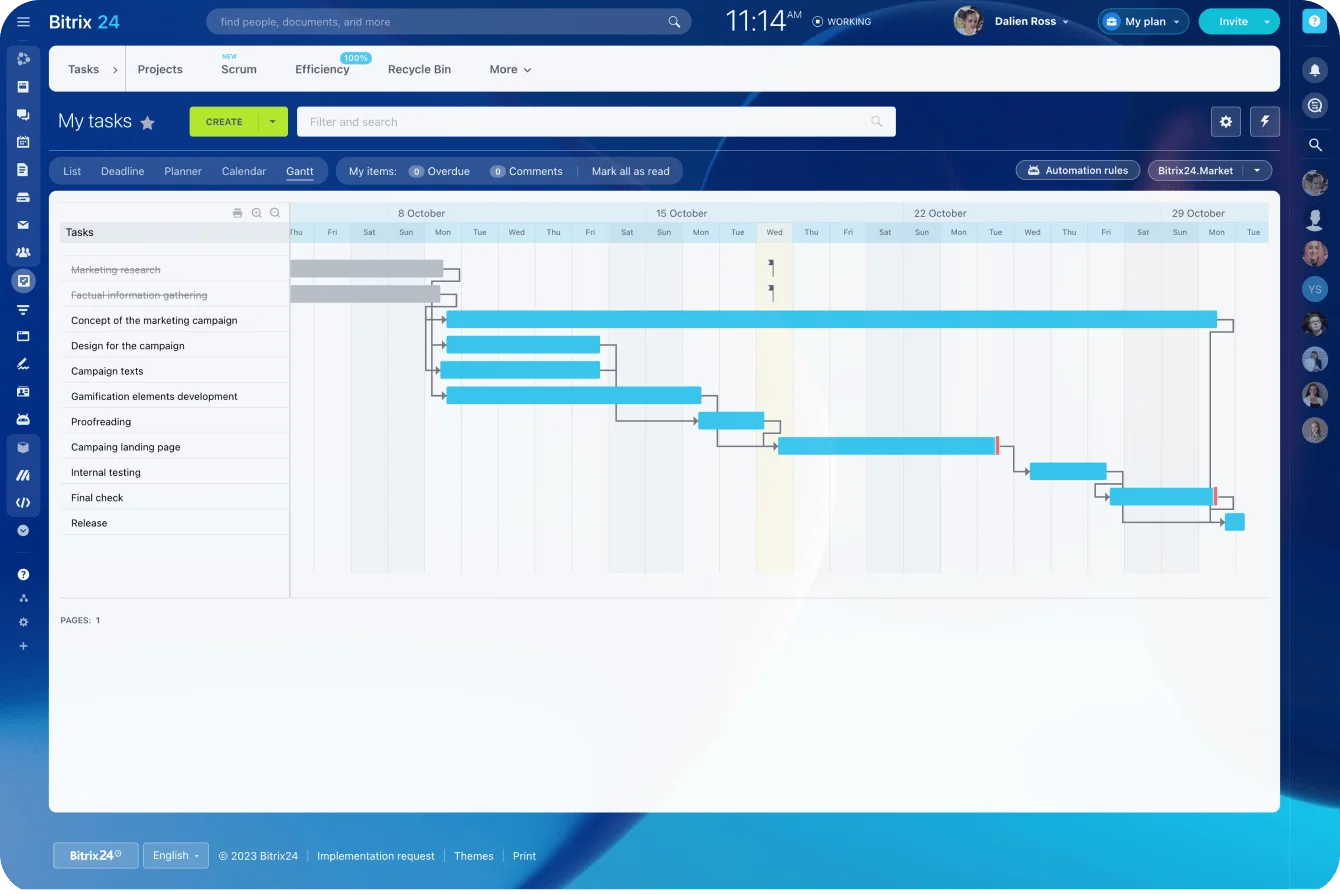
Each template should preload the work your team keeps rebuilding by hand:
- Task groups and subtasks
- Dependencies
- Milestones
- Default timing
- Role-based ownership
- Standard files or instructions
Bitrix24 task management tools support repeatable task structures, templates, dependencies, deadlines, and project workflows.
Assign roles before individuals
Role-based ownership beats hard-coding one employee into every template. Define the role the task needs:
- Implementation Lead
- Account Owner
- Creative Reviewer
- Technical Specialist
The handoff then maps those roles to the people assigned to the approved work.
Supporting materials should travel with the template too. Kickoff agendas, QA checklists, internal instructions, intake forms, and client-facing documents shouldn't require another search after the project is created.
Know when a template needs fixing
A good template contains:
- Only the tasks required for that project type
- Dependencies that reflect the real work sequence
- Milestones visible enough for internal tracking
- Default durations informed by delivery experience
- Required folders and standard documents
- Clear ownership at task or phase level
If your team deletes half the tasks after every project is created, the template is the problem. Fix it once instead of making every project manager run the same cleanup.
Pro tip: Review deletion patterns alongside completion rates. If the same task disappears from most projects of a given type, the template is outdated or the wrong template is getting picked.
Step 3: Map approved proposal details into project fields and task logic
Map approved proposal values straight into the project so the workspace is configured around what was actually sold. Done well, this is the step that makes the handoff useful, not merely faster.
Map commercial data to project setup
Connect proposal data to:
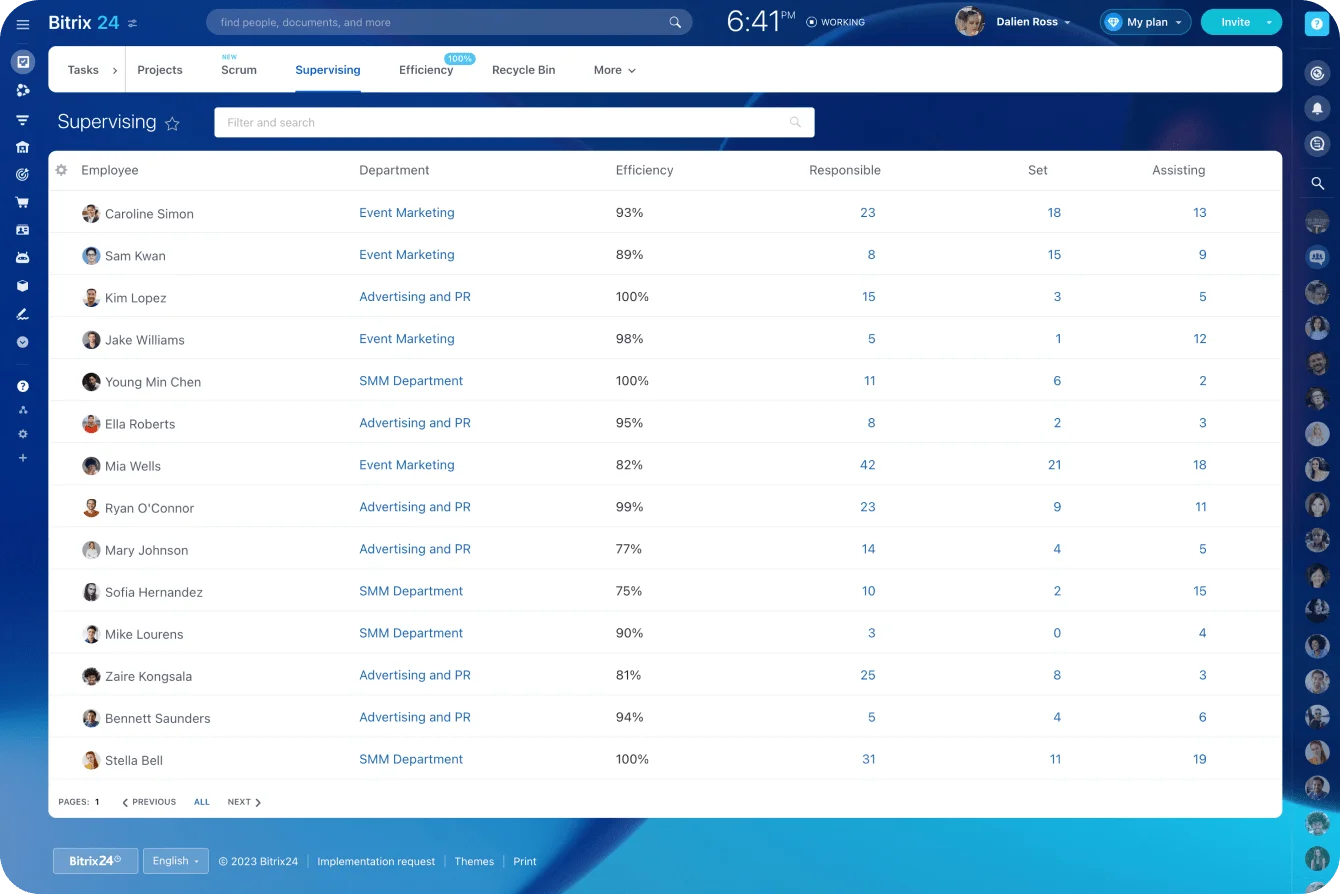
- Project name
- Planned dates
- Task sets
- Owners
- Budget tags
- Custom fields
- Delivery notes
A clear naming rule alone kills a surprising amount of noise. A format like client name + package + start month is far easier to search and report on than a pile of hand-named projects.
Use conditional logic to change the plan
The project should respond to what the client bought:
- Premium onboarding selected → add training tasks
- Regional review required → add the review stage
- Service excluded → omit those tasks
- Rush start date → flag the project for scheduling review
- Special dependency recorded → surface it in delivery notes
Consider a marketing team offering website projects with optional copywriting. If copywriting is excluded, building the full template and asking the PM to delete a block of writing tasks is wasted cleanup. A proposal field that controls whether that task group appears is cleaner.
Mapping examples
- Proposal package → template and milestone set
- Start target → calculated schedule baseline
- Service options sold → conditional task inclusion
- Internal owner → kickoff and first-phase assignment
- Assumptions/exclusions → delivery notes and warnings
Say a client approves the Premium Onboarding package with an October 5 target start. The handoff selects the Premium Onboarding template, creates discovery, migration, training, and launch task groups, assigns the Implementation Lead and Account Owner, and calculates milestone dates from October 5. If training wasn't in the approved scope, that task group never gets created.
Assumptions and dependencies belong somewhere hard to miss. If delivery depends on client-side data access, procurement approval, or third-party assets, the team shouldn't reopen the proposal to find out.
For teams connecting Bitrix24 with external quoting, document, or finance systems, Bitrix24 integrations can connect parts of that workflow. Decide which system owns each field before you automate synchronization.
Two systems independently changing the same deadline or scope value recreate exactly the confusion the automation was meant to remove.
Step 4: Add launch checks so projects cannot start with missing context
Project creation isn't project readiness. A workspace can exist in the system and still be unfit to launch.
Define what must be complete
Set validations for the items that genuinely need to exist before kickoff:
- Signed scope
- Correct project template
- Kickoff owner
- Timeline baseline
- Required files
- Blocking dependencies
Make these checks explicit, not something people remember only after a launch goes wrong.
Use a draft-to-active gate
For most teams, the safest setup creates the project in a draft or preparation state first. Operations and delivery get visibility without anyone declaring the handoff complete. The project moves to Active only after the readiness conditions are met.
This earns its keep when unusual work slips through. A signed proposal might carry a custom legal term or a client dependency that standard automation can't read. Creating the workspace still helps. Starting delivery before someone reviews the exception doesn't.
Sample readiness checklist
- Signed scope attached
- Correct template applied
- Kickoff owner assigned
- Baseline timeline generated
- Required supporting files linked
- Key dependencies and assumptions visible
Keep this checklist inside the project workspace as a required pre-activation task or form, with a named owner responsible for clearing it before the project goes Active. Keep it short enough to run every time. An overlong gate either slows every project or gets bypassed.
Bitrix24 task automation can create tasks, change responsible people or task stages, and send notifications as work moves through a defined process.
Pro tip: Separate blockers from warnings. A missing signed scope stops launch. A missing optional reference document generates a warning. If every issue blocks progress, teams learn to work around the controls.
Step 5: Automate creation, assignment, and post-handoff governance
With the data, templates, mapping, and checks in place, automate the creation flow.
Trigger automation from one verified event
Pick a business event the system reliably recognizes:
- Signed proposal
- Accepted estimate
- Approved CRM deal stage
- Confirmed scope
These are alternative approval signals. Choose the one that represents formal commercial approval in your process and use it consistently. Skip fuzzy signals like "the client sounded ready."
From there, automation can:
- Create the project
- Select the appropriate template
- Assign task owners by role
- Calculate deadlines
- Notify delivery
- Create a review task for the project manager
If you're using Bitrix24, CRM and task automation provide the link between sales approval and delivery work.
Keep an exception path
Automation won't cover every project. Custom scope, unusual contract terms, nonstandard staffing, missing client dependencies, or partial approvals all need manual review. For those cases:
- Route the exception to a named owner.
- Record why the workflow stopped.
- Resolve the issue.
- Continue from a defined handoff point.
Routine work stays automated. Unusual projects get a controlled review path.
Define who owns the handoff after automation runs
Governance still matters once the workspace exists. A lightweight ownership model:
- Sales owns completeness before approval
- Operations owns automation rules, templates, and exception handling
- Delivery owns kickoff confirmation and first-week validation
That avoids the usual situation where several teams touch the project and nobody owns the quality of the handoff.
Common mistakes
The most common failure is overbuilding templates. Teams try to cover every edge case in one template and end up with enormous plans nobody trusts. Build around repeatable work and handle real exceptions separately.
The second is automating poor proposal data. Automation doesn't repair bad inputs. Optional fields, inconsistent naming, and outdated files just get reproduced faster.
The third is automating before teams agree on the process. Sales thinks "approved" means signed. Operations thinks it means signed plus billing details. Delivery expects a completed intake form. Skip that agreement and automation turns a process disagreement into a system problem.
The last is skipping readiness checks. Teams treat them as friction, and skipping them just pushes the cleanup into kickoff week, when the client already expects work to begin.
How to scale the process
As volume grows, the handoff needs maintenance, not more automation for its own sake. That maintenance is version-controlling templates and retiring outdated ones, auditing failed or incomplete launches, tracking approval-to-ready time by project type, and reviewing recurring exceptions with sales and delivery.
Template ownership has to be explicit. If anyone can change a live template at any time, two clients buying the same package can get different delivery plans.
Bitrix24's analytics and reporting tools support these operating reviews when the handoff data lives in CRM. At minimum, operations should be able to answer:
- Which projects failed readiness checks?
- Which needed manual intervention?
- Where are approval-to-kickoff delays occurring?
- Which exceptions keep appearing?
A monthly template review is enough for lower-volume teams. High-volume operations may want to review exceptions weekly.
Quick scaling summary
- Version-control templates and retire old ones
- Audit failed or incomplete launches regularly
- Track approval-to-ready time by project type
- Review recurring exceptions with sales and delivery
- Assign one owner for template changes
- Keep an exception log so repeated problems become process fixes
FAQs
What if only part of the proposal is approved?
Create the project for the approved scope only, or hold it in draft until the rest is confirmed. Don't launch the full template and expect people to remember what was excluded.
What if our tools can't support conditional logic?
Use separate templates by package or service level instead of forcing one dynamic setup. Less flexible, but it still removes the repeated manual rebuilding.
When should project creation happen?
On a clearly verified approval event: a signed proposal or another status reserved for formally approved work, like an accepted estimate or an approved CRM deal stage. Avoid triggering off informal signals like a positive call or verbal intent.
How do we handle file syncing?
Link to one source of truth where you can. If files have to be copied, define which system owns the current version and make that rule visible inside the project.
Can this work if our process is already live and messy?
Yes. Start with one high-volume, repeatable project type. Run several handoffs through the new process, note where people still need manual clarification, and adjust the fields and template before you expand. Retrofitting every service line at once exposes too many edge cases to resolve cleanly.
What about projects that need manual review?
Keep an explicit exception path. Standard work flows through automation. Nonstandard work stops at a known review point with a named owner instead of quietly entering delivery with missing context.
Should every approved proposal automatically become an active project?
Usually not. Automatic creation helps, but activation should depend on readiness. If a client hasn't supplied a required asset or an internal specialist hasn't been assigned, a draft workspace is reasonable. Starting the delivery clock isn't.
Launch projects from approved proposals faster
Bitrix24 connects CRM, tasks, files, and approvals so signed scope becomes a ready workspace with fewer handoff errors.
Get Started NowStop rebuilding what you already sold
Feed the approved data into the right template, assignments, dates, files, and readiness checks, and delivery starts from the plan that was sold instead of reconstructing it from PDFs, emails, and memory.
Less admin between signature and kickoff, fewer preventable handoff errors, a workspace the team can use on day one.
Bitrix24 keeps the approved proposal in the same system as the project it becomes, so the CRM deal and the delivery workspace pull from one record instead of two.
Sign up for Bitrix24 for free and connect a proposal to a project the next time one closes.