Switch From Pipedrive: Run Sales and Delivery Beyond the Pipeline
Your pipeline is in one tool. The work required to move deals forward is scattered across five others. If you rely on Pipedrive for opportunities but jump to separate apps for tasks, chat, approvals, files, and handoffs, momentum leaks at every stage — and deals that should close end up idling.
The cost of staying split shows up every week:
- Missed follow-ups when tasks and deals aren’t linked
- Slower cycles from context switching, duplicate entry, and rework
- Extra spend on task tools, chat, schedulers, and file storage
- Leaders flying blind without end-to-end visibility from lead to delivery
- Risky handoffs where details live in chats no one can find later
Bitrix24 brings CRM, tasks, projects, team chat, drive, contact center, and automation into one platform. When you switch from Pipedrive, you keep your pipeline — and gain the execution layer that actually closes it. We’ll help you migrate quickly, validate your data, and give sales, service, and delivery a shared workspace where next steps are clear, conversations stay in context, and nothing falls through the cracks.
Automate the whole lifecycle, not just stage changes
Changing stages is a small part of your customer journey.
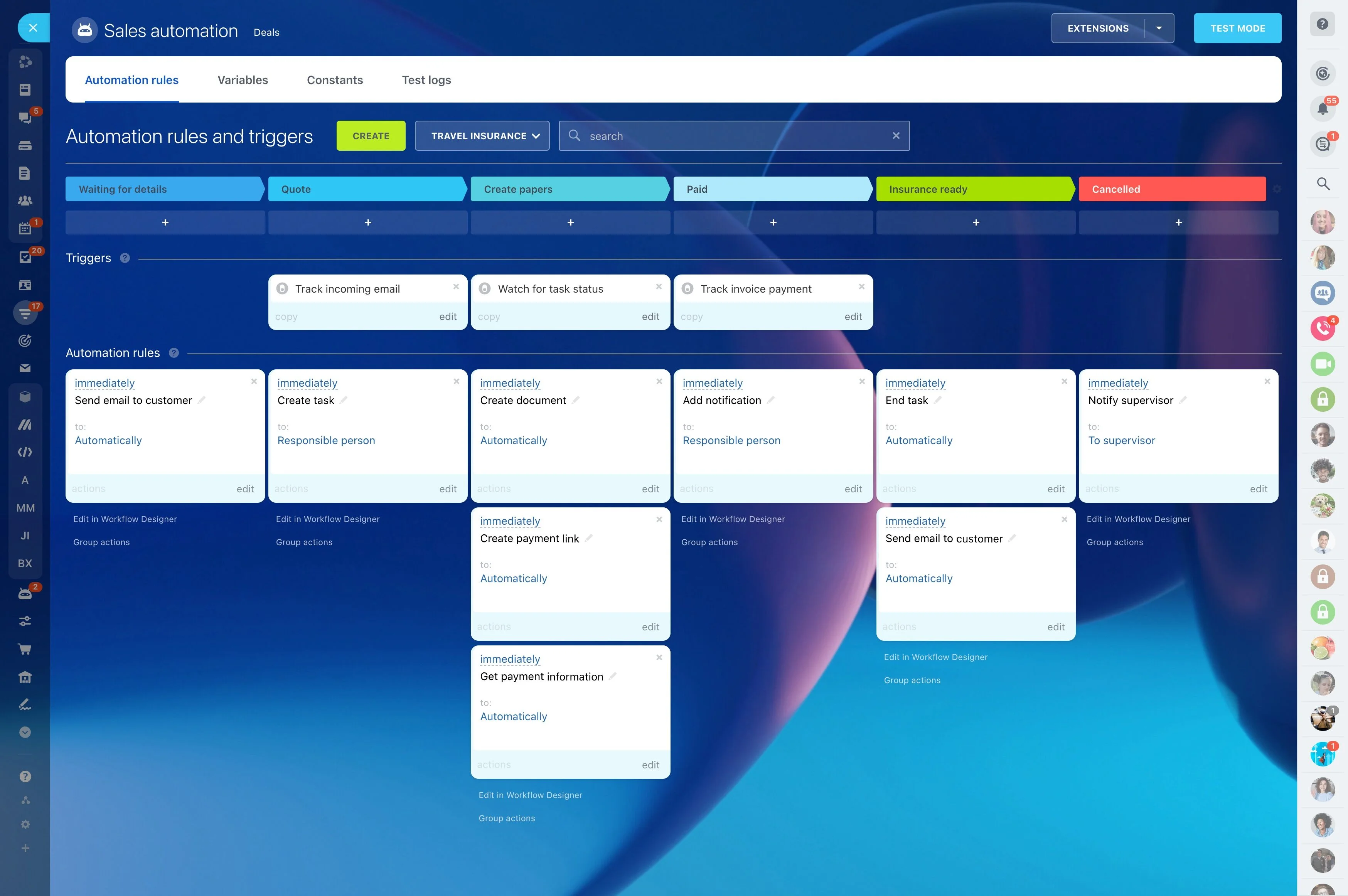
Build automations without code using triggers, actions, and conditions:
- Triggers: new inquiry received, email opened, form submitted, call missed, deal inactivity, task overdue, quote approved, payment received, contract nearing expiry
- Actions: create tasks and subtasks, assign owners and watchers, set deadlines, update fields, send emails or chat messages, request approvals, generate quotes or invoices, launch a…
- Branching: route high-value deals to senior reps, escalate stalled opportunities after X days, or create parallel workstreams for legal and procurement when discounting exceeds a…
- Lead response SLA: when a web form arrives, assign the lead, start a response timer, and alert a manager if no contact attempt is logged within 15 minutes. Auto-create a follow-up…
Your pipeline isn’t the problem. App sprawl is.
Pipedrive gives you a visual pipeline, but not the connected work it takes to move a deal from qualified to won.
Consider a typical day: a rep marks a deal as "Proposal" in Pipedrive, then opens a task tool to request pricing help, posts in chat to ask marketing for a one-pager, and hunts the latest proposal version in a shared folder.
- Lost time: hours disappear to switching tabs, pasting links, and recreating context
- Lost revenue: follow-ups slip, handoffs break, and end-of-quarter saves arrive too late
- Lost clarity: managers see stage changes, not the work behind them, so coaching is guesswork
- Rising costs: you pay for multiple tools and still stitch them together manually
One workspace for deals, tasks, and team chat
You start with CRM for leads and deals, then add the everyday work that actually moves opportunities: tasks, conversations, documents, meetings, and follow-ups.
A simple daily flow looks like this: a new inquiry hits your site form and lands in Bitrix24 as a lead.
- Deals and tasks live together: turn emails, calls, or stage changes into tasks with owners, deadlines, priorities, and dependencies. See open tasks, blockers, and SLA counters on…
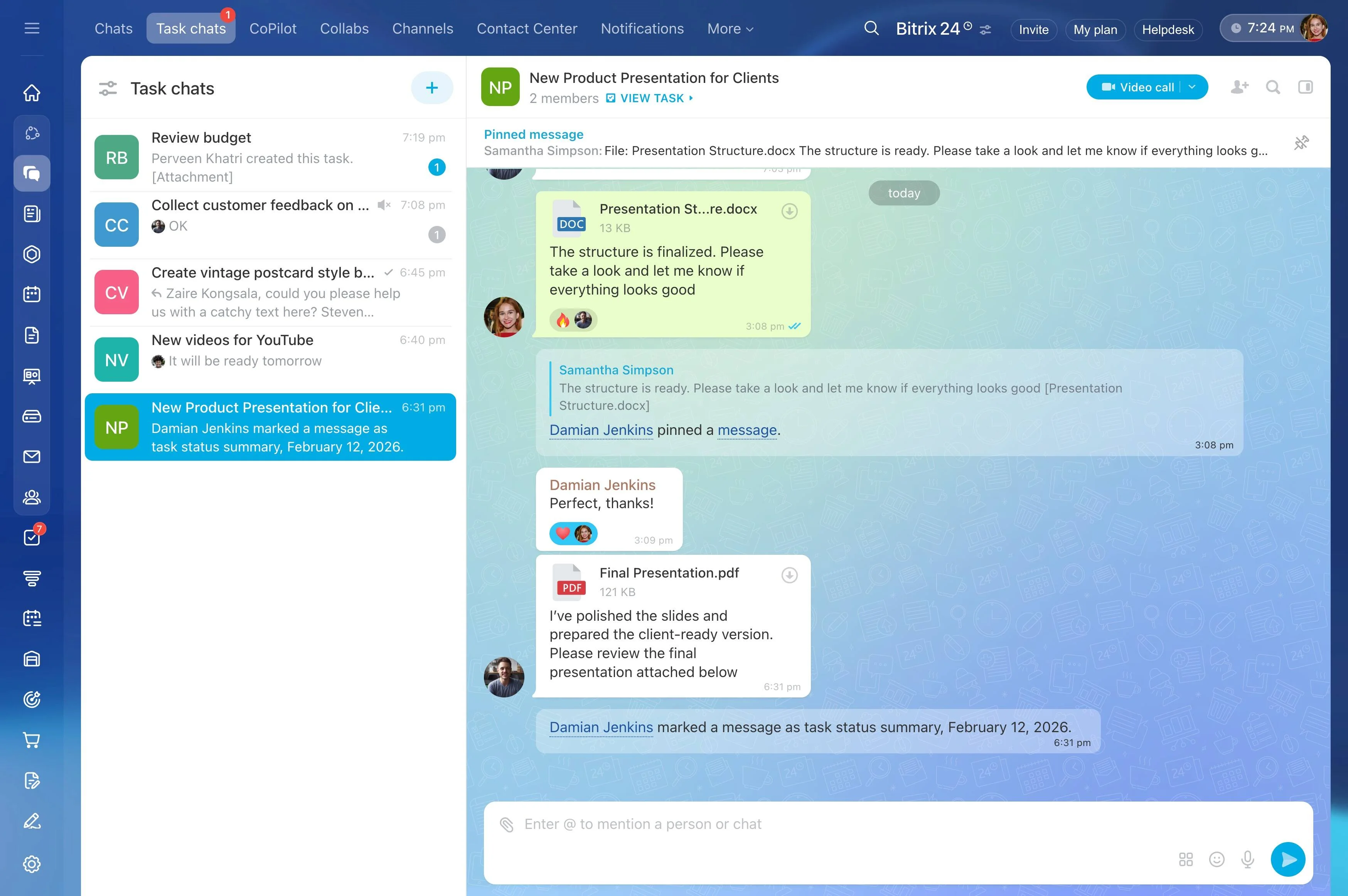
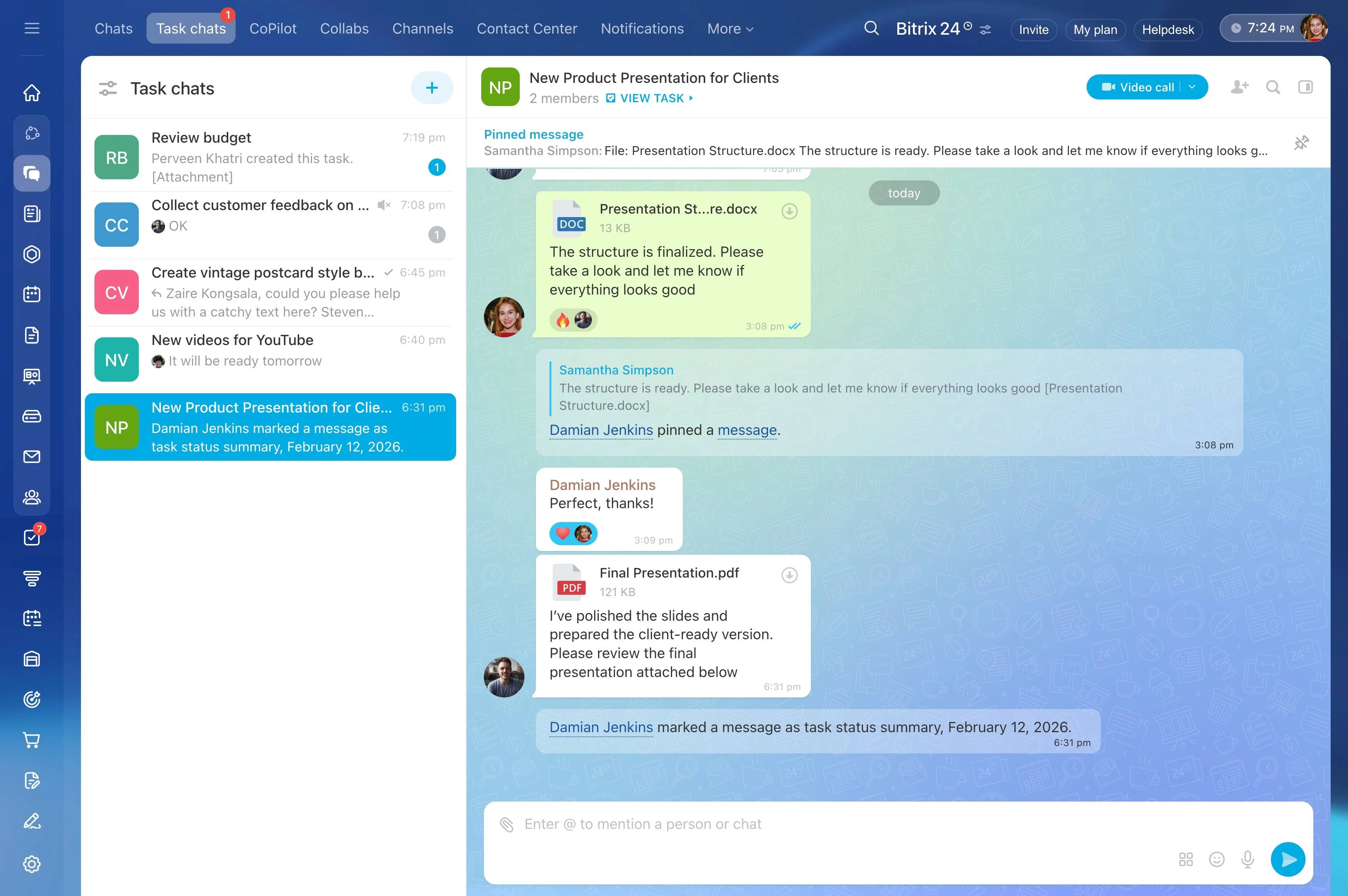
- Conversations in context: chat one-to-one, spin up a group thread, or start a video call directly from a deal or task. @mention teammates, pin key messages, and keep the full…
- Proposals and files, organized: store sales collateral and proposals in Bitrix24 Drive with permissions and versioning. Attach the right file to the deal, route for approval, and…
- Calendars and scheduling in sync: book meetings from the CRM, auto-create follow-up tasks, and see team availability without switching tools. Meeting notes and recordings link back…
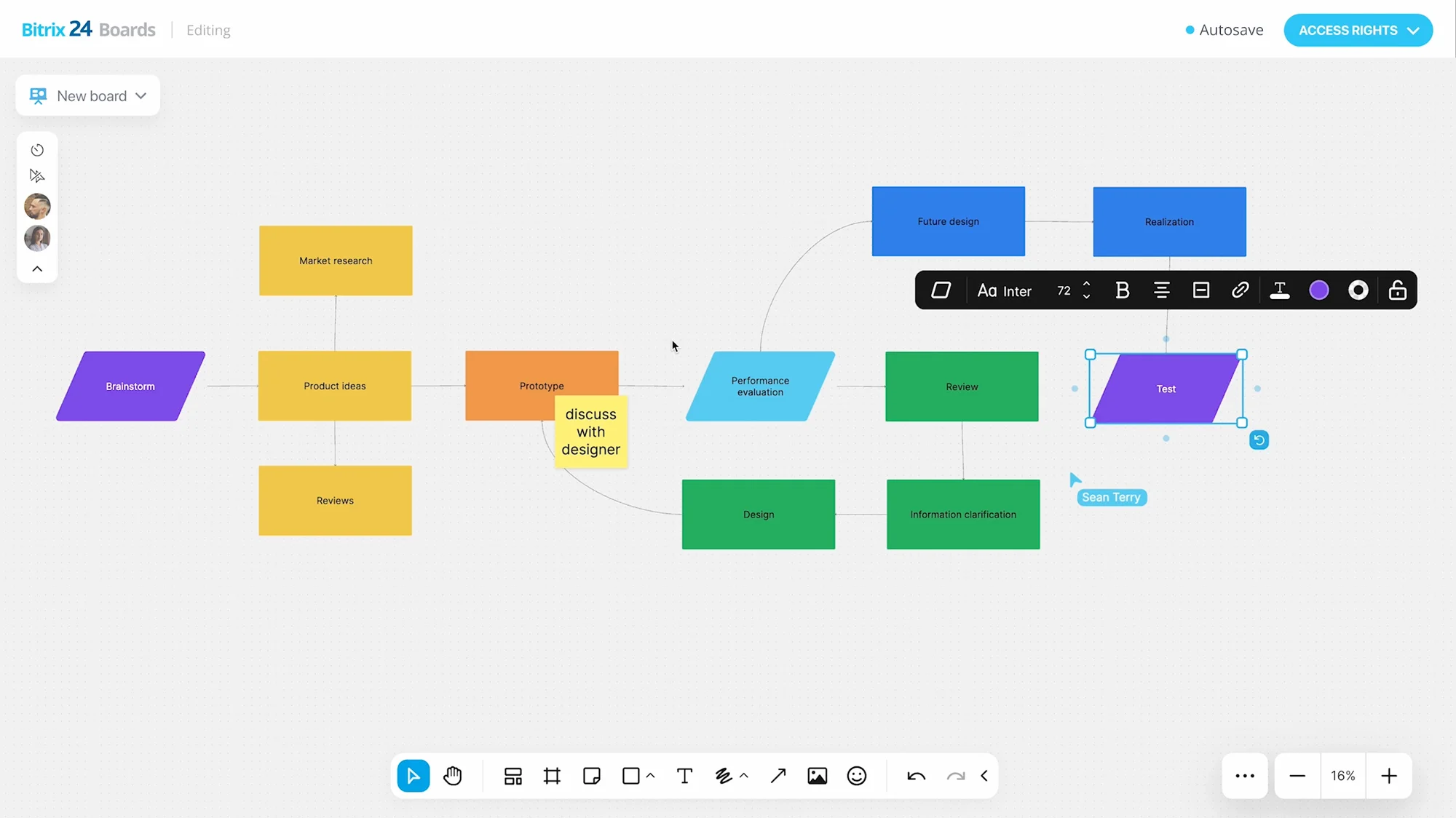
Pipedrive to Bitrix24 migration: simple, safe, guided
Ready to migrate from Pipedrive?
Identify duplicates, closed-lost clutter, and outdated fields.
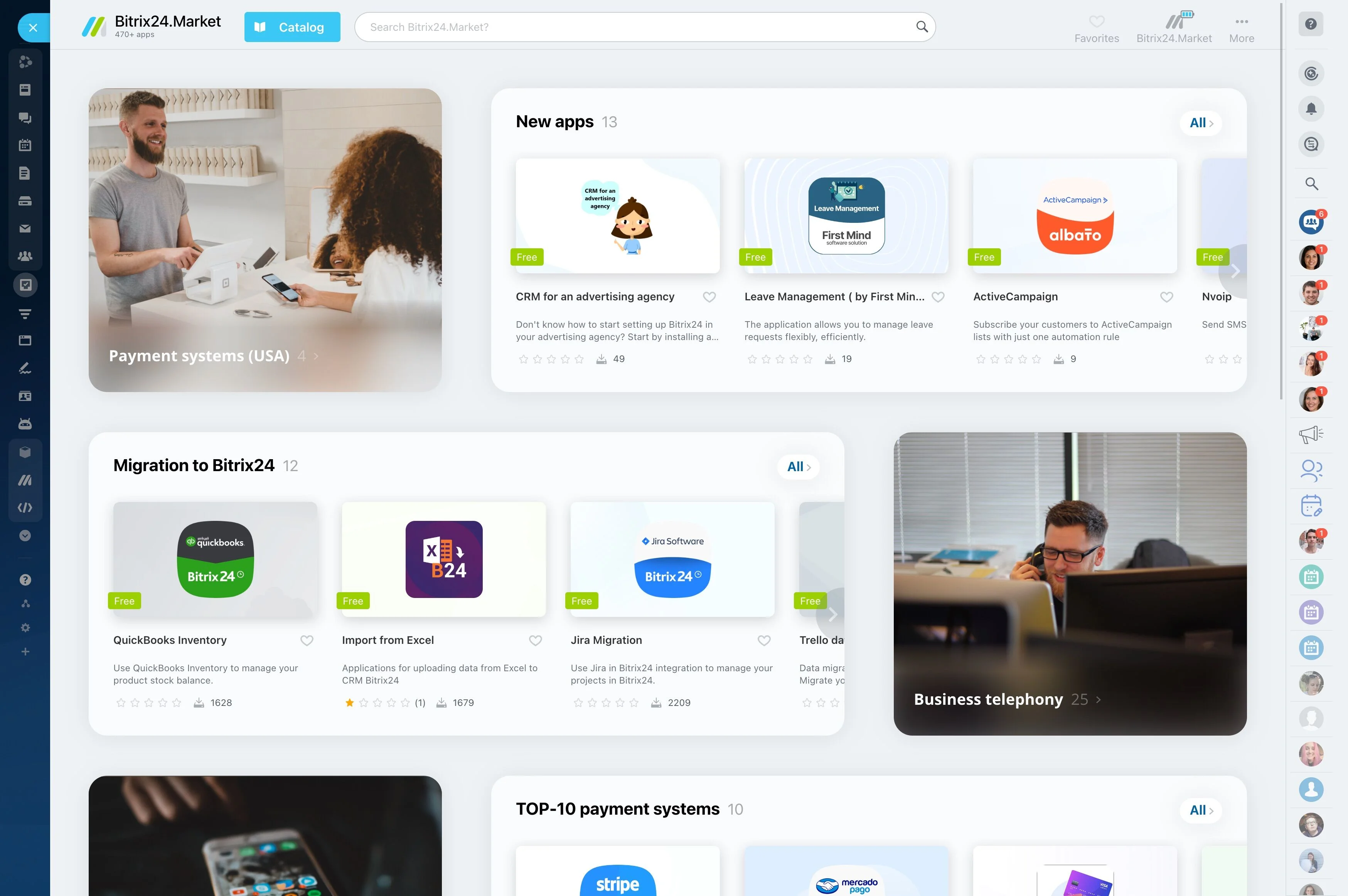
Replace 5+ tools and cut hidden costs
A pipeline without execution forces you to bolt on more apps.
2) Add monthly seat costs, storage or call add-ons, and integration fees.
- CRM: leads, deals, quotes, invoices, products, web forms, email and call logging
- Tasks and Projects: templates, dependencies, checklists, recurring tasks, time tracking, workload planning, Kanban and Gantt views
- Communication: direct and group chats, channels, mentions, announcements, video meetings with recording and screen share
- Files and Docs: cloud drive, permissions, versioning, approvals, in-record attachments, e-signing
Built for growing teams: control, reporting, and scale
As your team grows, so do risks around access, visibility, and consistency.
Control and governance:
- Roles and permissions: define who can view, edit, delete, or export leads, deals, and contacts. Segment access by pipeline, department, or region so sensitive data stays contained.…
- Stage discipline: make fields required at specific stages to prevent sloppy handoffs. Standardize checklists and approvals so every proposal and contract follows the same path.
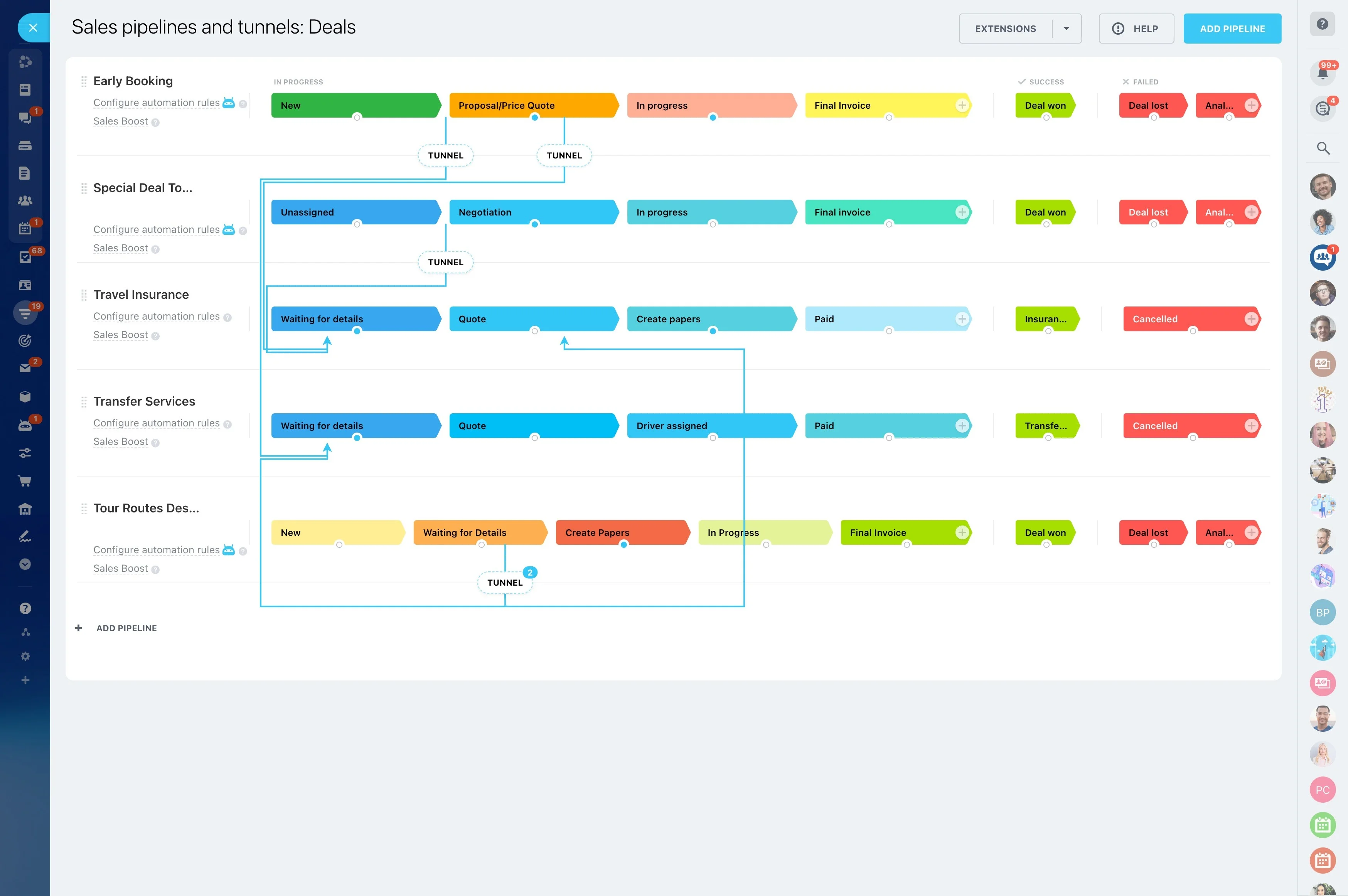
- Multiple pipelines: run distinct sales motions (new business, upsell, renewals, channel) with their own stages, automations, and quotas — without creating separate tools.
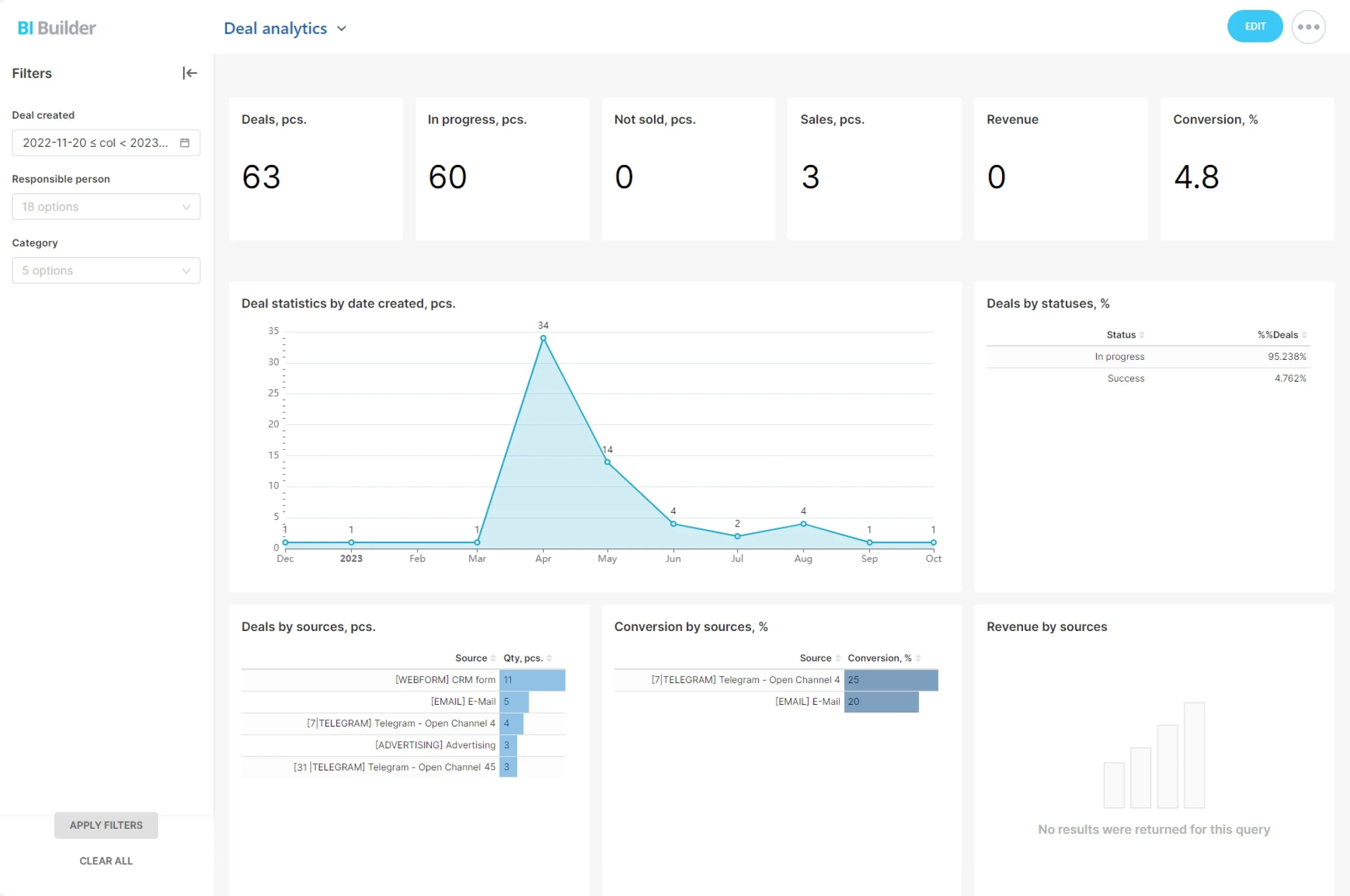
- Dashboards for leaders and reps: track pipeline health, activity volume, conversion by stage, deal velocity, and aging. Filter by team, region, or product line and save views that…