Consulting Software: Track Utilisation Before You Track Revenue


TL;DR (Quick Summary)
Revenue reports confirm a margin problem after the hours are already gone. Utilization is the earlier signal: how much of your available time turns into billable client work, and what's eating the rest. Read it next to realization and the pipeline, because on its own it won't tell you whether the work paid.
- Busy, or actually profitable? → A packed calendar hides unpaid revisions and rescue work; utilization catches it weeks before the P&L does.
- Split billable from non-billable → One percentage means nothing until you see what filled the other half.
- Utilization with realization → High utilization and weak realization is a team logging hours the firm never invoices.
- Weekly on projects, monthly on the firm → Match the cadence to the decisions you can still change.
- Which patterns need action? → Sustained lows, repeated spikes, busy-but-unbilled work, rising internal support, and one person carrying the delivery.
- Time tracking people trust → Honest logging follows when the data drives decisions rather than rankings.
Takeaway: Track utilization to see where capacity goes, then pair it with realization and the pipeline to see whether that capacity is paying for itself.
Are you building a profitable delivery model, or just staying busy?
A full calendar doesn't mean healthy margins. In a small firm, people fill their weeks with unpaid revisions, internal coordination, proposals, and senior partners quietly rescuing junior work, and the delivery model erodes underneath all of it while everyone looks productive.
Utilization is the first place that shows. It measures how much of your available time goes to billable client work, which makes it a faster read on capacity, scope, staffing, and margin than anything the P&L will hand you.
This article shows you how to measure utilization in a small firm, read it against realization and the pipeline, and act on what it tells you (while there's still a project left to fix!).
What utilization actually measures
Utilization is the share of your available working time spent on billable client delivery. The formula is simple:
billable client hours ÷ available working hours × 100
The denominator is where firms fool themselves. Decide once whether holidays, leave, and training count as available time, then hold that line, or your month-to-month numbers mean nothing. For part-timers and contractors, base it on their contracted hours, not a full-time week, or they'll read as permanently underused.
Run the math on one person: 26 billable hours out of 40 available is 65% (26 ÷ 40). The number is the easy part. What sits in the other 14 hours is the whole game.
Benchmarks are for context. Don't turn them into targets. SPI Research's 2026 Professional Services Maturity Benchmark, based on 509 professional-services organizations, reported billable utilization of 66.4%, the lowest in the study's history. A figure built mostly from larger firms is a reference point, not a quota for a two-person advisory shop where the founder also runs sales, finance, and service development.
Look past the headline percentage
High utilization hides trouble as easily as low utilization exposes it. A consultant billing full weeks while working nights, eating revisions, and leaning on unbilled senior help posts a strong rate and weak economics. That's the person who looks like your best biller right up until the Tuesday they resign, and the client relationship walks out the door with them.
Pro tip: set utilization ranges by role, not one firm-wide number. A delivery consultant, a managing partner, and a salesperson shouldn't answer to the same billable share.
Utilisation Tracking Scorecard + Weekly Review Template
Enter your email address to get a comprehensive, step-by-step guide

Split billable and non-billable time so utilization becomes a diagnostic
A single percentage is too blunt to run a practice on. "60% utilized" tells you nothing until you know where the other 40% went.
Keep the categories simple
Five categories cover most small firms:
- billable client delivery, work you can charge or that fits inside a fixed engagement price
- proposal and sales time, scoping, pitching, discovery, follow-up, pre-sales calls
- internal operations, team management, finance, process, coordination
- admin, timesheets, expenses, scheduling, compliance, routine overhead
- strategic investment, service development, marketing, training, capability building
Twenty categories slow entry and start arguments about where things belong. Five that people actually use beat twenty they don't.
One thing trips up almost every small team: non-billable work that still belongs to a client project. A status call the client won't pay for, an hour spent redoing a deliverable, that time gets coded to the project and marked non-billable, not dumped into general internal operations.
Code it to the project and you keep the thread between the rework and the engagement that caused it. Bury it in internal ops and the project looks cheaper to deliver than it was.
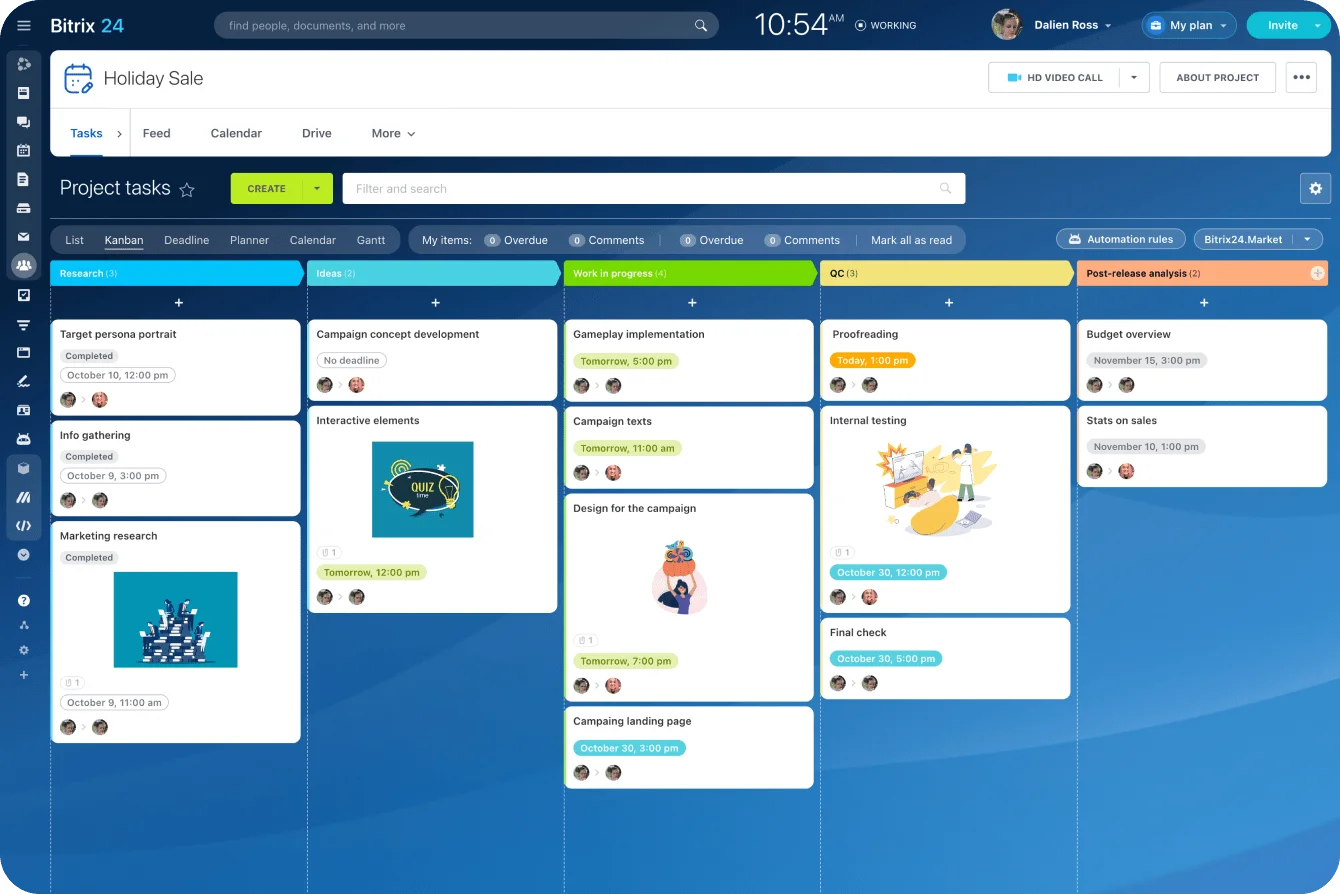
Bitrix24 task management keeps time logged against the actual tasks and projects, close to the work that generated it. Tasks and projects are on the free plan for one or two users, and task time tracking comes with the Professional plan. Every paid plan charges a flat price per organization rather than per seat, so adding a consultant doesn't add to the bill until you reach the plan's user limit.
Read what replaced the billable work
When utilization drops, look at what filled the gap before you react. Proposal time climbing is pipeline investment, on purpose. Admin climbing means a process or a tool is eating delivery. Internal project support climbing means the client work needs more coordination or rework than anyone scoped. Strategic work climbing is a bet on a new service or channel.
Two firms post the identical utilization rate and sit on opposite problems: one's throttling delivery this month to fill the pipeline, the other's burning the same non-billable hours patching badly scoped work.
Watch for bad data
Bad logging is worse than no logging, because it looks like data. The usual failures:
- time entered days late, after the detail's gone
- small internal favors that never get recorded
- ambiguous work filed as billable
- client work logged without splitting out rework or scope additions
- category definitions that drift from one person to the next
The most expensive one is rework booked as billable delivery. It pumps up utilization and hides realization loss at the same time, so both numbers that should warn you point the wrong way. You find out at the fixed-fee post-mortem, when the job closed well over budget and the timesheet swears every hour was billable, so nobody can say where the money actually went.
Pro tip: give every category a one-line definition and two or three examples. When people keep asking where something goes, fix the definition instead of letting everyone invent their own rule.
Read utilization with realization to see whether the effort earned anything
Utilization tells you how much capacity went into client work. It says nothing about whether you billed the value of that work. Realization does.
Separate utilization, billing realization, and collection
Firms compute realization a few different ways. A workable definition:
value actually invoiced ÷ expected or recorded billable value
Collection is a separate question: how much of what you invoiced has the client paid?
That leaves four stages worth watching. Raw hours logged is everything recorded. Billable hours or value is the slice you can charge. Invoiced value is what you actually bill after write-downs, caps, discounts, and fixed-fee ceilings. Collected revenue is what lands in the bank.
Law firms have tracked this chain for generations, billing in tenths of an hour, and it still leaks at every stage. Clio's 2025 benchmark data puts the average lawyer at 3.0 billable hours captured in an 8-hour day, 2.6 of them invoiced, and 2.4 collected. If a profession that times itself that closely loses that much between the timesheet and the bank, a firm that tracks loosely has no reason to assume it's doing better!
Where the margin goes
Fixed-fee work shows the trap. The team keeps logging client hours, so utilization holds. Then come the two extra workshops, another round of revisions, three more stakeholder calls. The fee doesn't move. You're spending more time for the same invoice, and realization slides while utilization looks fine.
The math, to make it concrete: a consultant logs 120 hours on a fixed-fee job, 100 of them billable, but the fee only ever covered 80 hours of scoped value. Utilization on that work looks strong. Realization is 80 ÷ 100, or 80%. Those 20 billable hours got delivered and never invoiced. Run that pattern across a quarter and it's real money left on the table, not a rounding error.
Same thing happens through:
- senior people doing work priced for juniors
- scope added without approval
- write-downs before the invoice goes out
- discounted retainers with creeping demands
- rework the client won't pay for
Read the two metrics together
|
Pattern |
What it usually reveals |
Likely decision area |
|---|---|---|
|
Low utilization + high realization |
Good economics on too little work |
Pipeline, demand, resourcing |
|
High utilization + high realization |
Healthy delivery and monetization |
Capacity planning, hiring |
|
High utilization + low realization |
Busy team, weak commercial control |
Scoping, pricing, change control |
|
Low utilization + low realization |
Weak demand plus poor commercial conversion |
Offer, sales process, operating model |

Review weekly during delivery, monthly across the firm
Match your reporting to the decisions you can still make. Review a project only at the end and you'll know exactly why the margin vanished, long after the hours are spent.
Run a short weekly project review
Once a week, the project lead looks at utilization and effort. No reporting exercise, just five questions:
- Are actual hours outrunning the plan?
- Is non-billable support creeping up?
- Are senior people deeper in this than expected?
- Has the client added work outside scope?
- Is expected invoice value keeping pace with the hours?
Turn those into standing triggers and the review takes minutes. Set your own levels; as a starting point, a firm might flag when:
- billable share on the project falls more than about 10 points week over week
- project-coded internal support runs above roughly 15% of logged project time
- senior hours outpace the mix the price assumed
- actual effort passes about 70% of budget before the work is about 70% done
Those numbers are illustrative, and they're triggers you pick, not industry standards. Crossing one means look closer, not panic. The comparison that earns its keep is planned versus actual effort, cut fine enough to show where it moved. A project manager who sees delivery hours on plan but internal review time doubled is looking at a quality or handoff problem, not scope growth.
Bitrix24 project management tools keep tasks, workload, time, and project activity in one place, so the weekly review runs off the work itself instead of a separate spreadsheet.
Review the firm monthly
Monthly, the questions widen:
- Is staffing matched to demand?
- Is proposal effort producing real work?
- Are some services always burning more hours than expected?
- Are senior people turning into bottlenecks?
- Is utilization moving on seasonality or on something that's going to stick?
Pipeline belongs in this conversation. Utilization falling against a thin sales pipeline is a demand problem. The same dip with several qualified projects about to start is a timing blip.
Make sure the review can still change something
The test is blunt: after reading the report, can you still move staffing, scope, pricing, or the client conversation? If every review ends in "we should've caught this sooner," the loop's too long. Shorten it.
Know which patterns call for action
Patterns drive decisions; single weeks drive noise. Don't chase every wobble.
Sustained low utilization
Check what people are doing instead. Heavy proposal and sales activity sends you to pipeline conversion and qualification. Heavy admin sends you to your own processes. If there's simply not enough work, you need more demand or less near-term capacity, and pretending otherwise wastes a month.
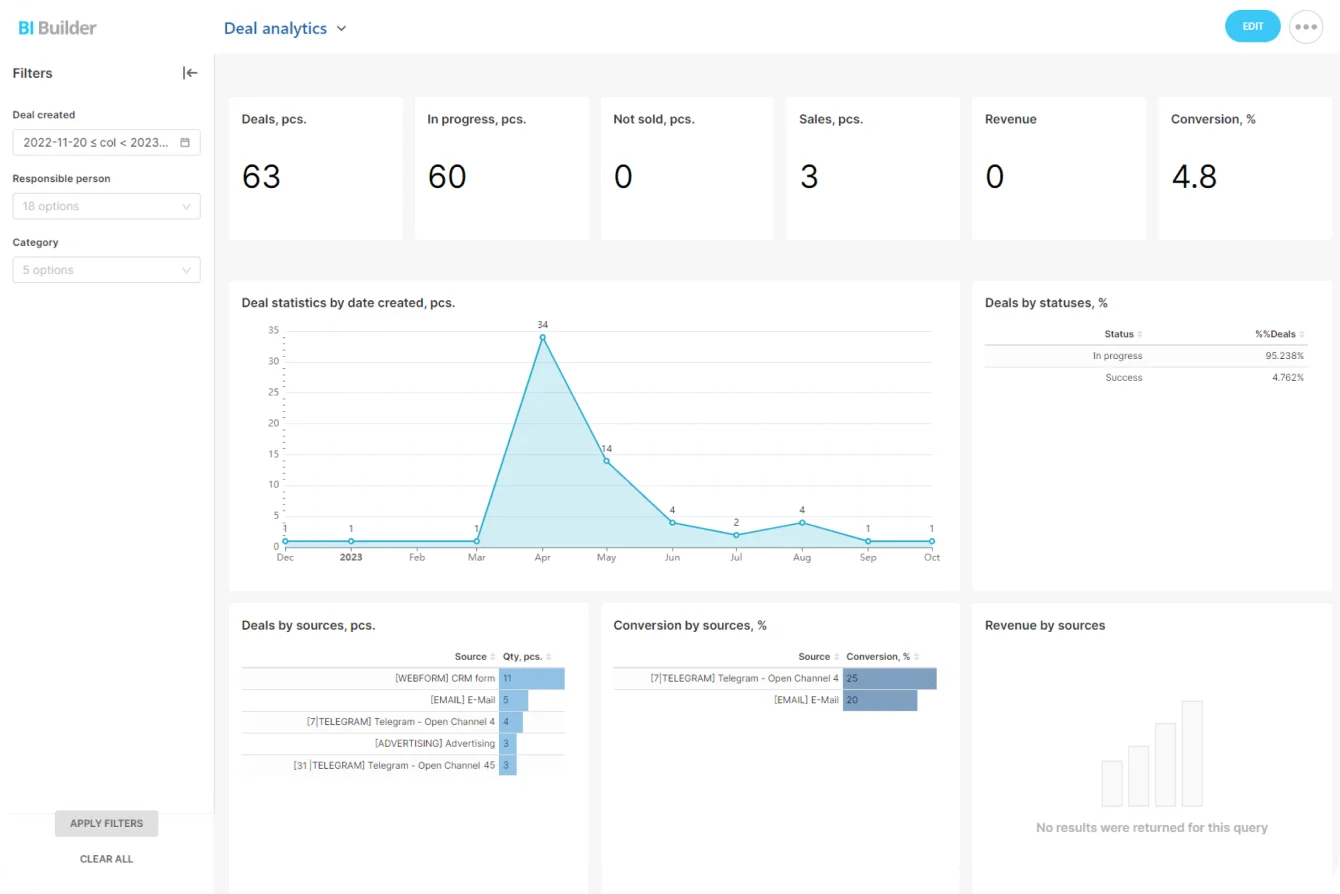
Bitrix24 CRM analytics and reports tie sales activity and pipeline results to the capacity picture, so those stop being two separate arguments.
Sharp utilization spikes
One spike is a deadline. Repeated spikes are a warning, especially alongside:
- nights and weekends
- deadlines that keep slipping
- senior staff dropping into delivery
- revisions piling up
- no matching rise in invoiced value
That's scope expansion or a workload nobody balanced. Reassign the work, pause the low-priority stuff, renegotiate the date, or write up a formal change request.
High utilization with weak realization
This one lives on fixed-fee projects, discounted retainers, and loosely scoped advisory work. The team keeps saying yes to "small" extras because each one looks trivial on its own. A few weeks later they add up to a real chunk of the project.
Push utilization higher here and you make the commercial problem worse. Look instead at your change-request thresholds, approval rules for extra work, pricing assumptions, the revisions and workshops you include, the seniority mix, and what the client's been led to expect.
Rising non-billable delivery support
Extra internal time has a cause. Look for poor handoffs, duplicated reviews, unclear ownership, junior work that keeps coming back for correction, and senior people defaulting into problem-solver. The fix is cleaner delivery design. Set a bigger utilization target on top of a handoff problem and all you've done is order people to log more billable hours against work that shouldn't exist.
One person carries most of the delivery
Small firms grow this around a founder or a senior consultant. Everyone else has capacity, but clients, project managers, and the founder keep routing the important work back to the same desk. Expensive senior time ends up on work a mid-level could have handled, and the economics quietly tilt. You feel the real cost the week that person is on leave, when three clients stall because the only person who knew the answer is unreachable and never wrote any of it down.
Standardize the repeatable steps, write down when to escalate, and move the right work to other people before that one desk becomes a permanent ceiling.
Make time tracking a planning tool
The data's only as honest as the reason people think you're collecting it. Convince consultants that timesheets rank their productivity and they'll manage the entries: ambiguous work drifts into billable, unpaid support disappears, and a healthy-looking utilization rate hides what delivery costs.
Say why you're collecting it
Tie tracking to decisions people can see: better estimates, protected margins, smarter pricing, catching someone who's drowning, spotting unpaid client effort, cutting pointless admin. Give them that and the awkward non-billable hours get logged instead of hidden.
Keep it light
A system people actually use has a short list of categories, clear definitions, time attached to real client or internal work, and a steady review rhythm. Three habits keep the logging honest:
- time entered at task close, not rebuilt from memory in a weekly batch
- timesheets that lock a set number of days after the week ends, so fixes happen while the detail's fresh
- manager reviews that read patterns across the team and never rank individuals by billable percentage
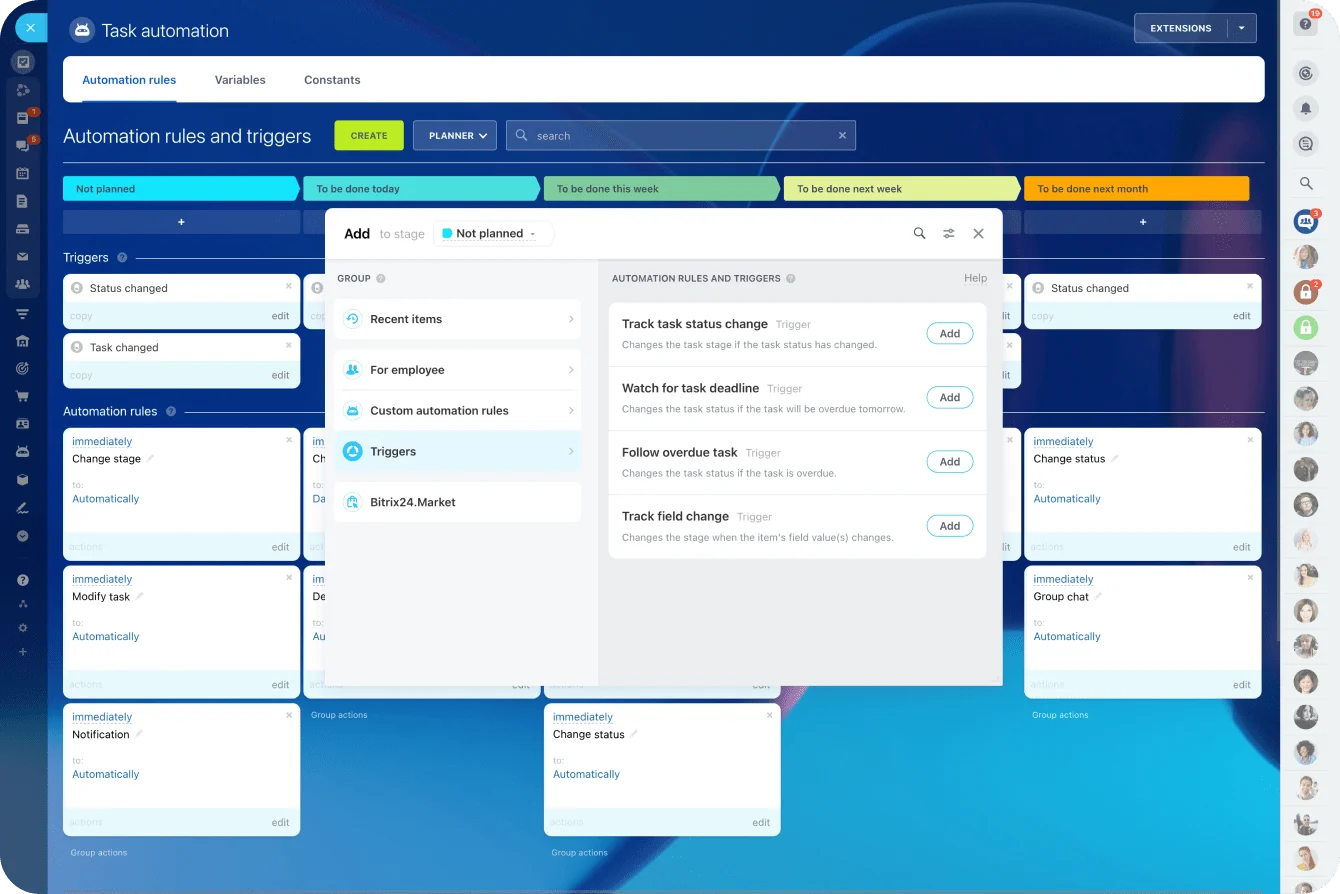
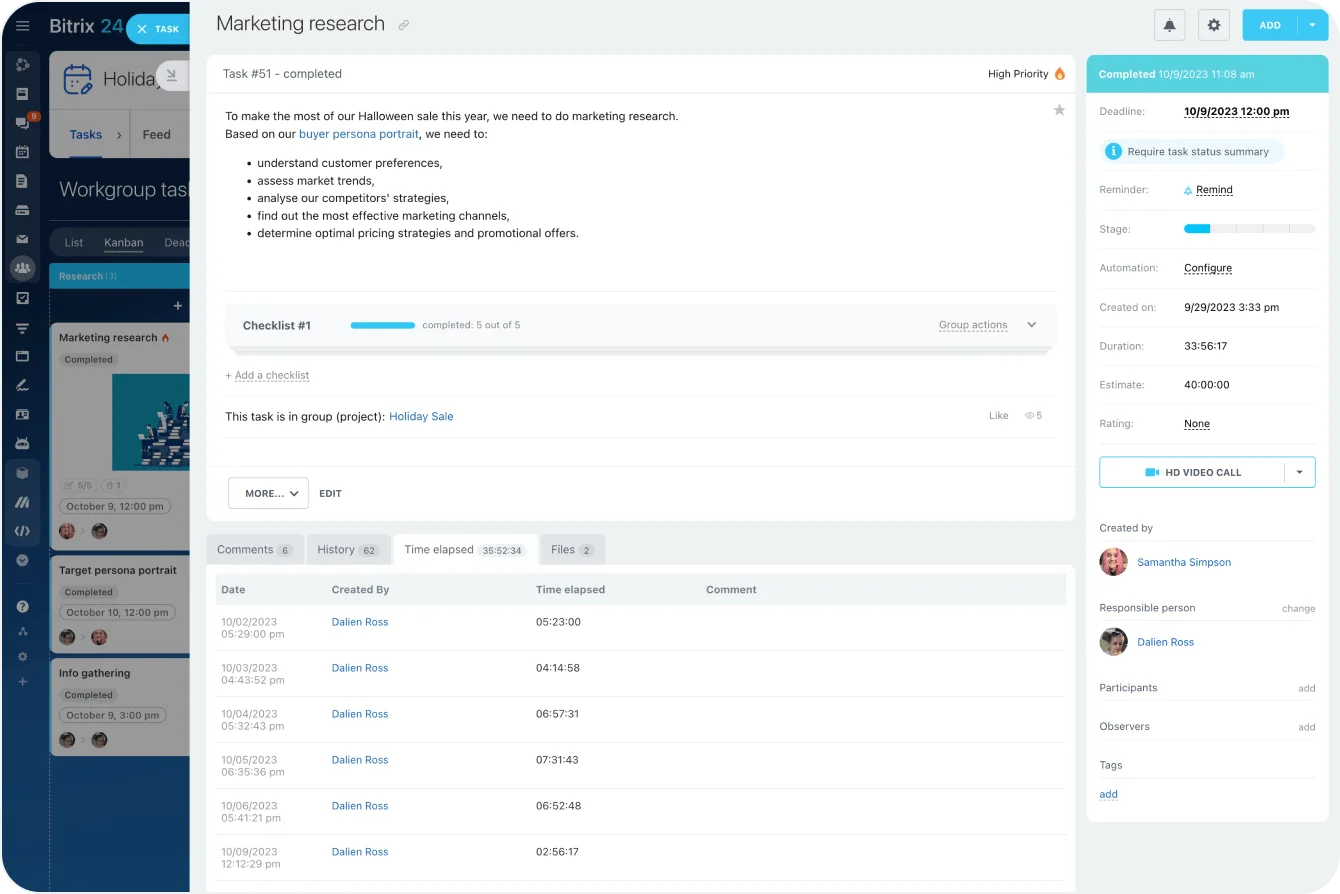
On Bitrix24's Professional plan, time tracking in tasks records time against specific assignments, which keeps the record next to the work and gives project leads a clean planned-versus-actual read. For the weekly nudges and review steps, task automation does the chasing so a manager doesn't have to.
Show people the data changed something
Trust builds when people see what happens after they log honestly. The timesheets show a client asking for the same revisions three times, and the next contract caps revisions at two. Admin keeps climbing, and two approval steps quietly disappear.
Collect detailed timesheets and then only ever discuss each person's billable percentage, and everyone learns exactly what the timesheet is really for.
Pro tip: read team utilization next to workload and project economics, never as a standalone leaderboard. Someone deep in proposals, mentoring, or service development that week is doing exactly what the firm needs.
Takeaway: Timesheets only tell the truth when people trust what they're for, so use the data to fix scope, staffing, and admin, and never to rank consultants.
Utilization is your early warning
Every consulting firm eventually reads the same story in its financials: a project that felt fine came in thin, and by the time the number proved it, the hours were spent and the client had moved on. Utilization is the version of that story you get to read early, while you can still change the staffing, the scope, or the conversation. Watched weekly against realization and the pipeline, it turns "why did we lose money on that" into "we're about to, and here's the fix."
That works only when the time data sits close to the work and stays honest. Keep it logged against real tasks and projects, the way Bitrix24 does, review it on a cadence short enough to act on, and utilization stops being a number you report and becomes one you run the firm on.
The alternative is finding out at quarter-end. The expensive way.
Spot Margin Risks Before Revenue Reports
Bitrix24 keeps tasks, time tracking, workload, and CRM data together, helping consulting teams catch scope creep and plan capacity.
Get Started NowFAQ
How detailed should time categories get before tracking turns into a chore?
Track what your decisions need and stop. For most small firms that's five: billable delivery, proposal and sales, internal operations, admin, and strategic investment. Add a sixth only when the same blind spot keeps costing you.
Should fixed-fee projects track hours if the client isn't billed by the hour?
Yes, and they're where it matters most, because the invoice tells you nothing about what the job cost to deliver. Track the hours and you can compare price against effort, catch scope creep, sharpen the next estimate, and decide whether the engagement should be priced differently next time.
What should a solo consultant do when business development drags utilization down for weeks?
Read the drop as a capacity signal and put it next to pipeline progress. A dip during an active selling stretch is fine. It stops being fine when sales time keeps crowding out billable work without producing qualified opportunities or signed projects. Track both halves: what business development costs you, and what it brings in.