Seamless Integration for Next-Level Financial Control: Bitrix24 & Revolut Business


We are excited to introduce Revolut Business Integration — a powerful app designed for seamless integration of your Revolut business account directly into your Bitrix24 workspace. This tool transforms your portal into a true financial hub, providing instant access to balances, transactions, and automated notifications.
Whether you run a small business or a large enterprise, Revolut Business Integration helps simplify financial management, increase operational transparency, and enable immediate response to incoming funds.
Let’s take a closer look at how Revolut Payments works, its key features, and how it can optimize your business processes.
What is Revolut Business Integration?
Revolut Business Integration is an advanced app integrated with Bitrix24 that connects your project management system with your Revolut Business payment system.
It provides tools to view account balances, analyze transaction history, and receive real-time payment notifications.
With Revolut Business Integration, you can:
-
Instantly check the balances of all your Revolut accounts without leaving Bitrix24.
-
Manage cash flows with detailed transaction history and convenient filters.
-
Receive instant notifications about new incoming payments directly in your team chat.
-
Keep your data up to date with automatic synchronization via Webhooks.
Key Features of Revolut Business Integration
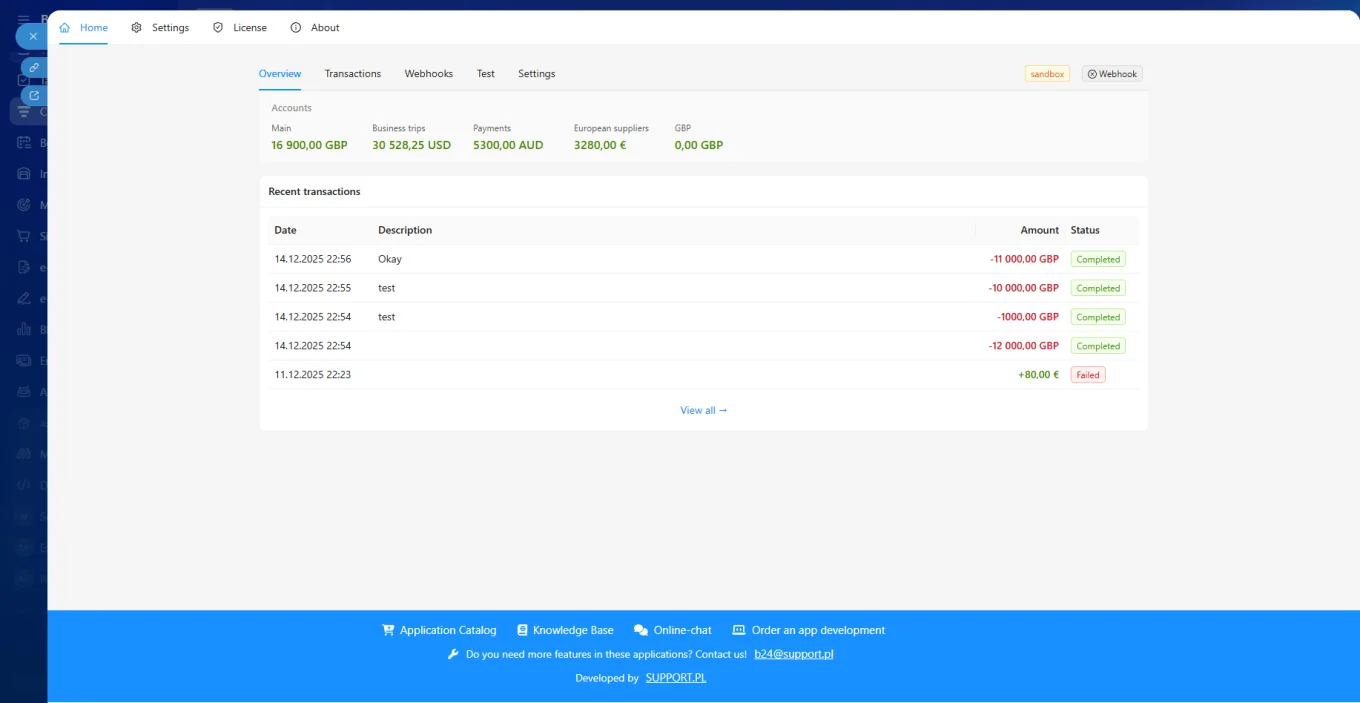
Account and Balance Overview
Effectively manage funds across all your Revolut business accounts in a single window.
-
Check the current balance of each account.
-
Access a list of all connected accounts.
-
Ensure financial transparency for responsible team members.
A finance manager can quickly verify the availability of funds in currency accounts before making an international payment, without the need to switch between systems.
-
Receive a complete and detailed report of all financial operations with flexible search options.
-
Browse the full transaction history.
-
Filter data by date, amount, status, or type of operation.
-
Monitor payment statuses (Completed, Pending, Failed, Reverted).
An accountant can filter all incoming payments with the status “Completed” from the previous month to reconcile invoices, significantly speeding up the period-end closing process.
-
Stay up to date with every incoming or outgoing payment the moment it occurs.
-
Automatic notifications are sent to a selected chat or group chat in Bitrix24.
-
Use Webhooks to ensure real-time data delivery.
-
Make sure the app’s bot is added to the relevant chat to activate this feature.
The sales team receives a notification in a shared chat when a large contract payment arrives, serving as a signal to immediately ship goods or start project execution.
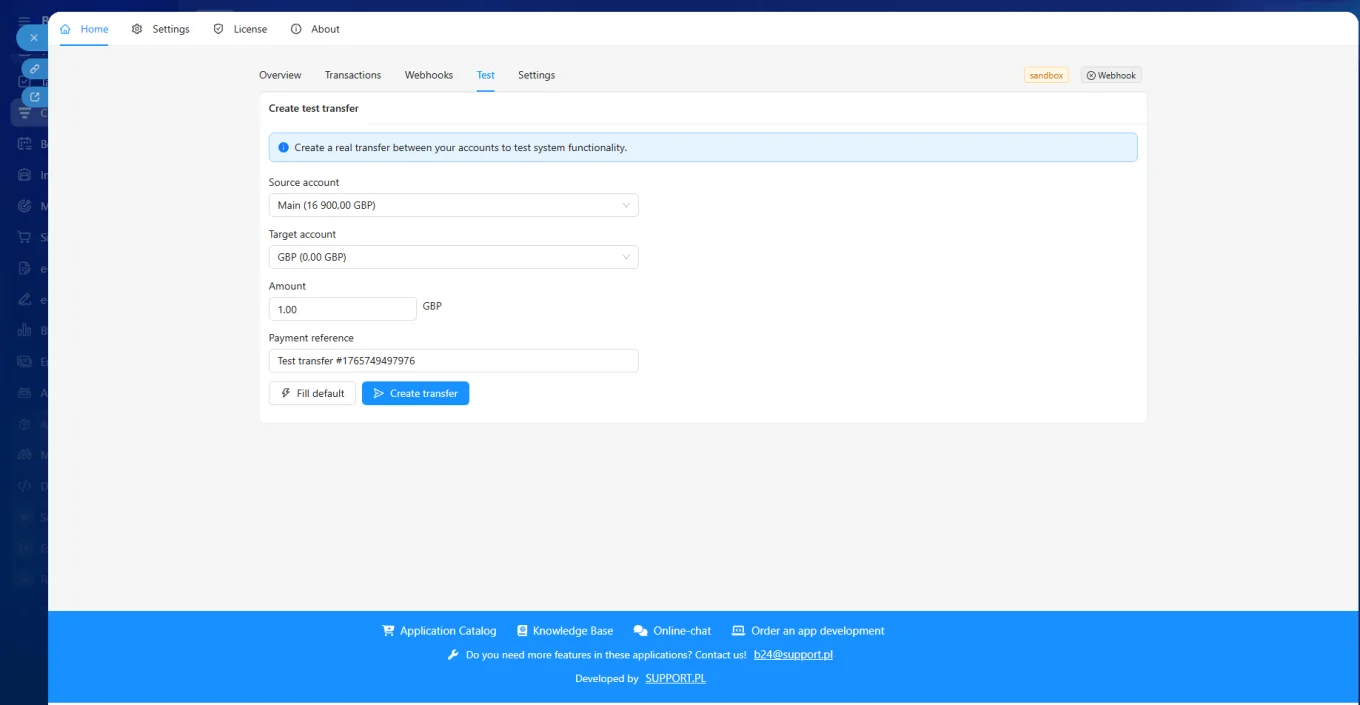
Sandbox and Production Modes
You can test the integration before working with real funds.
-
Sandbox (Test Mode): Perfect for debugging and checking settings without using real money.
-
Production (Live Mode): Used for actual transactions and working with real finances.
Note: Each mode has separate settings (certificates, tokens), ensuring safe and reliable testing.
Practical Applications of Revolut Business Integration
Speeding Up Order Processing (E-commerce):
Instant payment notifications allow managers to start fulfilling orders without manually checking bank statements, reducing delivery times.
Financial Flow Management (Finance Department):
A financial analyst can use detailed transaction statuses (e.g., Pending or Reverted) to more accurately forecast and manage short-term liquidity.
Increasing Transparency for Management:
Project and department managers can quickly access information on incoming payments related to their projects, making financial planning more transparent and accountable.
Reducing Errors from Manual Data Entry:
Automatic synchronization via Webhooks eliminates the need to manually enter payment data into the CRM or Bitrix24, minimizing human errors.
Why Choose Revolut Business Integration?
-
Workflow Optimization: Eliminates the need to switch between the banking app and Bitrix24.
-
Immediate Response: Real-time notifications enable faster payment handling and quicker reaction to financial events.
-
Security and Testing: Sandbox mode allows you to fully test the connection before working with real funds.
Revolut Business Integration is an indispensable tool for companies seeking maximum efficiency, transparency, and instant financial control within the Bitrix24 ecosystem. Find the app in the Bitrix24 Market.