5 Types of CRM Software and How to Choose the Right One

TL;DR (Quick Summary)
- The usual CRM complaint ("we need a better CRM") is often a category problem in disguise: the system was built for one job (usually sales) and now several teams need it to cover five.
- The five types are operational, analytical, collaborative, sales and marketing, and customer service.
- Match the type to the workflow costing you the most right now, and go broader only when multiple teams genuinely need the same customer records.
Takeaway: Match the CRM type to the workflow costing you the most right now, and go broader only when multiple teams genuinely need the same customer records.
Most CRM complaints are a category problem. The system wasn't wrong for the job it was bought to do; the job changed and the category didn't.
A sales CRM handles leads and deals well. It starts to strain the moment marketing, support, account management, or operations need the same customer records to run their own work. Buying a better sales CRM doesn't fix that. It just gives you a shinier version of the same mismatch.
There are five CRM types: operational, analytical, collaborative, sales and marketing, and customer service. Each is built around a different workflow priority.
Get the category right and an ordinary product in that category serves you well. Get it wrong and the most capable platform on the market still won't touch the problem that's actually costing you.
Here's how to tell which one you need.
Why businesses outgrow a one-size-fits-all CRM
Early on, a CRM works because the job is small: manage leads, track deals, store notes. Trouble starts when more teams, channels, and handoffs touch the same customer.
A contact record stops being enough. The CRM now has to support the work happening around that record.
More teams create more handoffs
A sales team used to handle every inquiry itself. Then marketing started generating and qualifying leads, and customer success took over accounts after close. Now the same customer passes through three or four teams.
If campaign activity, deal history, onboarding tasks, and service conversations sit in separate tools, employees spend part of every handoff rebuilding context. You've seen the symptoms:
- Sales can't see what marketing activity triggered an inquiry.
- Customer success receives a closed deal without important sales notes.
- Support agents can't see onboarding or commercial history.
- Managers combine several exports before they can review performance.
Different problems need different CRM strengths
A business fighting weak forecasting and loose pipeline discipline needs different capabilities from one fighting retention or service coordination. Some companies want depth in one area, like analytical CRM for reporting-heavy operations. Others need broader coverage because sales, marketing, service, and internal coordination already overlap.
A platform such as Bitrix24 CRM fits that second case. CRM records sit alongside communication, task, marketing, and service workflows, so teams reach customer information where the related work actually happens.
CRM Selection Scorecard: Compare Vendors in 30 Minutes
Enter your email address to get a comprehensive, step-by-step guide

What to evaluate before choosing a CRM type
Start with the operational problem
Find the problem expensive or disruptive enough to justify changing systems. For example:
- Deals regularly miss follow-up: look closely at operational or sales-focused CRM.
- Customers repeat information to several teams: collaborative or customer service CRM matters more.
- Marketing activity rarely turns into timely sales action: prioritize sales and marketing CRM.
- Managers don't trust forecasts or funnel reports: analytical capability carries more weight.
Write the problem as a workflow, not a feature request. "We need AI" tells a vendor almost nothing. "Managers can't see which late-stage deals have gone untouched for seven days" gives you something concrete to test.
Identify who actually works in the CRM
List the people who need the system:
- every day;
- every week;
- occasionally, for reporting or approvals.
A sales-only team runs fine on a focused CRM. Once marketing, support, account management, finance, or operations need shared records and workflow visibility, the decision turns cross-functional.
Daily users and occasional reporting users want different things. A manager will click through three dashboards once a week without complaint. A rep entering data after every call won't tolerate extra clicks dozens of times a day.
Check operational constraints
Governance can rule out an otherwise attractive CRM. Check whether you need:
- approval flows;
- territory or regional ownership rules;
- restricted access to sensitive records;
- required integrations;
- standardized reporting definitions;
- different permissions by role or department.
Then decide how much work should stay in purpose-built applications and how much belongs inside one broader system. Specialized tools give you more depth in a single department. Broader platforms cut duplicate administration, but only if teams agree on common processes.
Pro Tip: Demo real work, not vendor slides
Before you book vendor demos, write down three tasks employees perform every day and three questions managers ask every week.
Ask each vendor to run those exact workflows on a realistic test record. You'll spot friction far faster than you would on a standard feature tour.

Common signs your current CRM approach no longer fits
CRM problems show up in daily work long before they show up in a strategy meeting.
1. Employees create workarounds
Watch for these:
- Customer records are duplicated across systems.
- Reps keep private spreadsheets because CRM stages don't match reality.
- Managers export data before answering basic pipeline questions.
- Employees copy the same update into several systems.
- Teams use chat messages as an unofficial handoff process.
One workaround is manageable. The same workarounds repeating across several teams mean the system no longer matches the process.
2. Handoffs depend on memory
A marketing team qualifies a lead in one platform, messages a salesperson in chat, then updates a spreadsheet so management knows the handoff happened. Each step looks harmless on its own. At scale, the whole process rests on people remembering several manual steps in the right order.
The same thing happens after the sale. Support agents don't know what sales promised. Account managers don't know which service issues are still open.
3. Reporting requires manual reconstruction
Reporting breaks when management can't answer routine questions straight from the CRM. If every weekly meeting opens with someone reconciling exports, fixing inconsistent stages, or comparing records across systems, the reporting problem is structural.
Switching vendors may not fix the problem
A CRM that worked when sales owned nearly every customer interaction will strain once the business adds lifecycle marketing, onboarding, field operations, account management, or regional ownership rules.
If the current system is built mainly around sales, moving to another sales-focused product leaves service coordination and cross-department reporting exactly where they were. That's a category mismatch, and the shortlist should include CRM models built for those other workflows.

A practical framework for comparing the 5 types of CRM software
Compare CRM types by operating outcome. Ask which model improves the part of the customer lifecycle currently slowing revenue, creating inconsistency, or weakening visibility.
Use six comparison criteria
Score each CRM type against these:
- Do routine assignments, reminders, approvals, and follow-ups run on their own?
- Can employees see the customer context they need without opening five systems?
- Can teams coordinate around one shared customer record?
- Can managers answer operating questions without rebuilding reports in a spreadsheet?
- Does the context survive the handoff after the sale?
- Can the CRM trade data reliably with the tools that stay outside it?
A marketing-heavy business ranks campaign execution and sales handoff above advanced opportunity controls. A service-led company cares more about routing incoming issues and keeping usable customer history than about prospecting features.
Test workflows instead of counting features
Feature checklists hide poor fit. Two systems can both advertise automation, reporting, and dashboards while demanding wildly different effort for the same task.
So test one complete workflow end to end:
- Create a lead.
- Assign it.
- Move it through a stage.
- Trigger the next action.
- Hand it to another employee or department.
- Generate the report a manager would actually use.
Focused CRM types clear one bottleneck with less setup. Cross-functional platforms earn their keep when the customer process crosses several teams on a regular basis.
The 5 types of CRM software and where each fits best
1. Operational CRM
Operational CRM runs repeatable frontline processes: lead capture, deal progression, assignment, and follow-up. It fits businesses where day-to-day sales discipline is the main problem.
A typical workflow:
- A lead enters the CRM.
- The system assigns it by territory, queue, or another rule.
- The rep moves it through defined sales stages.
- Tasks or reminders fire when action is due.
- Managers review stalled opportunities.
Common examples include Salesforce Sales Cloud, Zoho CRM, Pipedrive, HubSpot, and Bitrix24.
Where it goes wrong is over-automation. When every stage change spawns three tasks, two messages, and an alert, people start ignoring the system. Automate the predictable work and keep exceptions visible to whoever owns them.
2. Analytical CRM
Analytical CRM turns customer, sales, and activity data into something managers can use for segmentation, forecasting, attribution, and performance analysis. It fits businesses asking questions like:
- Which lead sources create valuable opportunities?
- Where do deals stall most often?
- Which customer segments renew or expand?
- How does pipeline performance differ across teams or territories?
Managers and analysts read patterns across customer and revenue data, while frontline activity feeds most of the raw material.
Where it goes wrong is input quality. No dashboard rescues inconsistent lifecycle stages, duplicate contacts, or half-empty fields.
3. Collaborative CRM
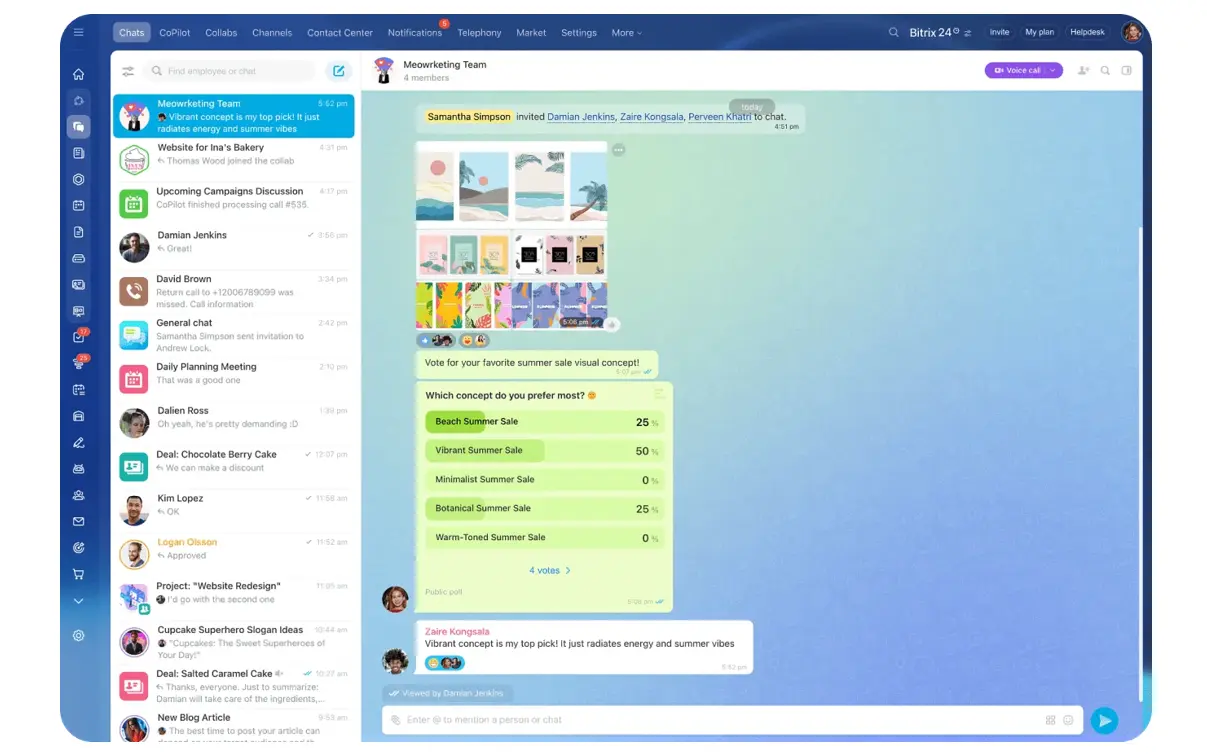
Collaborative CRM is about shared customer visibility across departments. Conversations, tasks, ownership, approvals, and history stay accessible as responsibility moves from one employee or team to the next.
That matters when sales, onboarding, account management, delivery, and support all shape the same relationship.
A salesperson closes a custom deal and records the specific implementation requirements. If delivery receives only the contract value and a contact name, someone has to rediscover all of it after the sale. Collaborative CRM carries that history into the next workflow so the context doesn't evaporate.
Platforms that support collaborative CRM workflows include Bitrix24, Microsoft Dynamics 365 applications, Creatio, and other systems built around shared records and cross-team processes.
4. Sales and marketing CRM
Sales and marketing CRM connects demand generation with conversion. It usually brings together:
- lead capture;
- campaign activity;
- nurturing;
- qualification;
- lead scoring;
- pipeline management;
- sales follow-up.
It fits businesses where the main problem sits between marketing engagement and sales action. A prospect downloads a guide, sits through a webinar, then comes back to the pricing page. Those signals are worthless if the assigned rep can't see them or doesn't know when to call.
Common examples include HubSpot, ActiveCampaign, Zoho CRM Plus, Salesforce paired with marketing products, and Bitrix24.
5. Customer service CRM
Customer service CRM centers on post-sale interactions: ticket routing, case history, escalation, service levels, and customer communication. It fits organizations where retention rides on how well you coordinate responses.
A good service CRM helps employees answer three questions fast:
- What has already happened?
- What needs to happen next?
- Who owns the issue?
Bitrix24's contact center, for example, connects customer communication channels with CRM records. Dedicated platforms such as Zendesk lean harder into ticket-based service operations.
Where it goes wrong: routing software assigns a case correctly and still can't fix vague escalation rules. Teams need shared definitions for priority, ownership, and when to pull in another department.
5 CRM Software Options Compared
The five CRM types describe different operating models. Real products usually cover several categories at once, with strengths that depend on their design and product suite.
Salesforce Sales Cloud
Salesforce Sales Cloud supports structured sales execution: lead, account, contact, and opportunity management, plus automation, dashboards, and reporting. Its configurability suits organizations with formal sales workflows and governance requirements.
Best fit: organizations with structured pipelines, formal sales processes, and resources for CRM administration.
Watch for: heavily customized environments add ongoing work around configuration, permissions, and process changes. Without dedicated CRM administration, that overhead lands on whoever has the least time for it.
HubSpot Sales Hub
HubSpot Sales Hub combines contact and lead management, pipeline tools, sales automation, prospecting features, meetings, and reporting. It's especially relevant when marketing engagement needs to feed straight into sales activity, since reps work with prospect history, outreach tasks, meetings, and pipeline data in one place.
Best fit: growth teams that want sales activity closely tied to marketing and customer data.
Watch for: test highly specialized processes during evaluation, so you know they configure cleanly without workarounds.
Zoho CRM
Zoho CRM includes pipeline management, workflow automation, omnichannel communication, and Blueprint process management, which lets teams define and enforce the steps inside a business process. That makes it useful for growing teams formalizing repeatable sales procedures and adding more structured automation.
Best fit: small and mid-sized businesses that want configurable operational CRM across several sales processes.
Watch for: administration climbs as teams pile on workflows, fields, permissions, and reporting requirements.
Microsoft Dynamics 365 Customer Insights
Microsoft Dynamics 365 Customer Insights pairs customer data capabilities with journey orchestration, and connects to other Dynamics applications and the wider Microsoft business stack. That makes it relevant for organizations already running heavily on Microsoft systems that want customer data, analysis, and engagement joined up across functions.
Best fit: Microsoft-centered organizations that need unified customer data, analytical capabilities, and coordinated customer journeys.
Watch for: data modeling, permissions, integrations, and configuration can turn implementation into a substantial project.
Bitrix24
Bitrix24 spans operational, analytical, collaborative, sales and marketing, and customer service use cases. Teams connect CRM activity with:
- sales pipelines;
- automation;
- marketing;
- contact center channels;
- tasks and projects;
- internal collaboration;
- reporting.
Several departments can then work around the same customer records and connected workflows.
Best fit: small businesses through larger multi-team organizations that want CRM wired into broader internal workflows.
Watch for: broader coverage means more setup decisions. Settle ownership, permissions, stages, automation rules, and reporting before you roll several teams onto the system.
|
Product |
Primary CRM orientation |
Best suited to |
Operational strength |
Main consideration |
|---|---|---|---|---|
|
Salesforce Sales Cloud |
Operational |
Structured sales organizations |
Sales execution, governance, and configuration |
Customized environments require ongoing administration |
|
HubSpot Sales Hub |
Sales and marketing |
Growth teams connecting prospecting and pipeline work |
Marketing-to-sales flow and sales engagement |
Specialized processes should be tested before rollout |
|
Zoho CRM |
Operational |
Growing teams formalizing sales processes |
Configurable workflows and process controls |
Administration grows with customization |
|
Microsoft Dynamics 365 Customer Insights |
Analytical / sales and marketing |
Microsoft-centered organizations |
Customer data, analytics, and journey orchestration |
Implementation can require substantial configuration |
|
Bitrix24 |
Cross-functional across all 5 types |
Multi-team businesses |
Connected sales, marketing, service, tasks, and collaboration |
Broader rollout requires process planning |
How CRM types differ in workflow, automation, and daily operations
The differences get clearest when you look at the question each system helps employees answer during normal work.
|
CRM type |
Main operating question |
Typical daily action |
Common failure mode |
|---|---|---|---|
|
Operational |
What happens next? |
Assign leads, move deals through stages, trigger tasks, review stalled opportunities |
Too many automated tasks and alerts |
|
Analytical |
What does the data tell us? |
Compare sources, segments, stages, territories, and performance |
Poor or inconsistent source data |
|
Collaborative |
Who needs this context? |
Share customer history, ownership, tasks, and updates across teams |
Important context still moves through private channels |
|
Sales and marketing |
What should happen after engagement? |
Connect campaign activity, qualification, nurturing, and rep follow-up |
Marketing signals don't produce clear sales action |
|
Customer service |
Who owns the issue? |
Route, prioritize, escalate, and record customer requests |
Routing exists but escalation and ownership rules remain unclear |
Specialized depth vs. cross-team continuity
The real decision is how much specialized functionality one department needs against the value of keeping customer work connected across departments.
A dedicated product gives you more depth in something like service management or sales analytics. A broader CRM platform cuts duplicated data and handoff work when customers move between teams a lot.
Pro Tip: Watch employees work
Watch employees through one normal working session before you design any CRM automation.
Pay attention to:
- unofficial spreadsheets;
- copied-and-pasted updates;
- personal reminders;
- repeated browser switching;
- information sent through chat because the CRM has nowhere to put it.
Those workarounds tend to reveal requirements that never made it onto the documented process map.

Implementation and Adoption: What changes after you choose a CRM type
Changing CRM type changes the processes around your customer data. Migration is never just moving contact records.
Prepare the data and rules first
Before launch, teams usually need to:
- remove or merge duplicate records;
- decide which historical activities are worth migrating;
- define required fields;
- map pipeline or service stages;
- assign record ownership;
- configure permissions;
- document automation rules;
- rebuild integrations;
- agree on reporting definitions;
- test workflows with real operating scenarios.
Try to settle these during the migration itself and you slow the project and end up with inconsistent configuration.
Implementation priorities differ by CRM type
Operational CRM: nail down pipeline stages, ownership, task automation, and manager visibility. Agree on what each stage means before you build automation around it.
Analytical CRM: data sources, naming conventions, field completion, and reporting definitions matter most. If finance and sales define "new customer" differently, fix that before anyone leans on a shared dashboard.
Collaborative CRM: decide what information should follow a customer between teams. This usually exposes handoff gaps that were hiding inside email and chat.
Sales and marketing CRM: set lifecycle stages, qualification rules, scoring, and ownership between marketing and sales before you automate the campaign-to-pipeline handoff.
Customer service CRM: settle routing, escalation, priority, and closure rules before you switch on automation.
Permission design gets more demanding as CRM use spreads across departments. A focused sales system needs a fairly simple role structure. A cross-functional rollout needs different access rules for sales, service, management, finance, and regional teams.
Roll out around workflows
Adoption risk varies just as much. A sales-focused system goes live quickly when the team sees the payoff right away in better reminders and pipeline visibility. Cross-functional platforms take more coordination, because several departments have to agree on common standards.
A safer rollout runs workflow by workflow:
- Configure one important process.
- Test it with the employees who perform it.
- Record where work stalls.
- Fix the gaps.
- Expand to the next process.
Pro Tip: Keep an exception log
For the first few weeks after rollout, record every time employees bypass the CRM.
Repeated exceptions usually point to:
- a bad workflow rule;
- a missing field;
- unclear ownership;
- unnecessary steps;
- automation that doesn't match how work actually happens.
Treat those exceptions as configuration feedback. Repeated workarounds carry useful information about where the process needs adjusting.
Common CRM selection mistakes businesses make
CRM selection tends to fail because teams diagnose the wrong problem before they ever compare features.
#1: Buying based on popularity
A well-known sales CRM won't solve a retention problem when service continuity is the real source of friction. A feature-heavy platform can also pile unnecessary complexity onto a team that just needs a simple, repeatable sales process. Start with the operational requirement, then compare vendors.
#2: Misdiagnosing the bottleneck
Businesses say they need "a better CRM" when the real problem is:
- poor data quality;
- weak collaboration;
- unreliable reporting;
- unclear ownership;
- a missing service workflow.
Define the bottleneck precisely enough that vendors can show you exactly how their software handles it.
#3: Underestimating tool sprawl
A specialized stack can be the right call, but somebody still has to maintain:
- integrations;
- field mappings;
- permissions;
- duplicate rules;
- reporting definitions;
- ownership when data crosses systems.
Put those costs in the buying decision alongside subscription fees and feature lists.
# 4: Automating a broken process
If sales and marketing disagree on what counts as a qualified lead, automated assignment just pushes disputed leads through the system faster. Agree on the qualification rule first. Then build the automation around it.
#5: Testing only the ideal workflow
Vendor demos show clean records and predictable processes. Real operations don't. Ask what happens when:
- a lead belongs to two territories;
- a customer reopens a closed issue;
- an account owner leaves;
- an integration fails;
- duplicate records appear;
- a manager needs to correct historical data.
These are the cases that expose the real administrative burden of a CRM.
FAQs
What are the 5 types of CRM software?
Operational CRM, analytical CRM, collaborative CRM, sales and marketing CRM, and customer service CRM. Each centers on a different operating priority.
Which CRM type is best for small business?
Small businesses often start with operational CRM or sales and marketing CRM, because lead management and follow-up are the immediate needs. If the same employees also handle service, projects, and customer communication, broader cross-functional coverage becomes more practical.
Can one CRM cover sales, marketing, and customer service?
Yes. Some platforms deliver all three inside one product; others connect separate products or modules. The right choice depends on how much depth each department needs.
Should a company choose a specialized CRM or an all-in-one platform?
A specialized CRM makes sense when one department has a demanding requirement that dominates the buying decision. Broader coverage wins when the customer journey keeps crossing departments and separate systems create duplicate work or missing context.
When should a business switch CRM categories instead of just switching vendors?
Switch categories when the current system's core design doesn't cover the workflows causing problems. Another sales-focused CRM does little for a company whose biggest problems sit in service coordination or cross-department handoffs.
When is it time to replace spreadsheets or disconnected tools?
Common triggers:
- inconsistent customer history;
- repeated manual data entry;
- handoffs that depend on memory;
- unclear ownership;
- reports that require manual reconciliation.
By that point, fragmented processes are hurting both execution and management visibility.
Choose the CRM type your teams need
Bitrix24 connects CRM, sales, marketing, service, tasks, and collaboration so every team works from one customer record.
Get Started NowBuy the category, not the brand
Most bad CRM decisions start the same way: a team names a product before it names the problem.
So before you shortlist anything, decide which type fixes the expensive workflow. Then prove it on your ugliest case, not your cleanest. Reassign an account mid-deal, drop in a duplicate contact, reopen a closed ticket, change an ownership rule. A clean demo tells you a product can work. A broken workflow tells you whether it will.
If the answer is a cross-functional platform, Bitrix24 connects sales, marketing, service, tasks, and internal collaboration around the same customer records. You can start free and stress-test it against the workflow that's actually causing problems before you commit to anything.