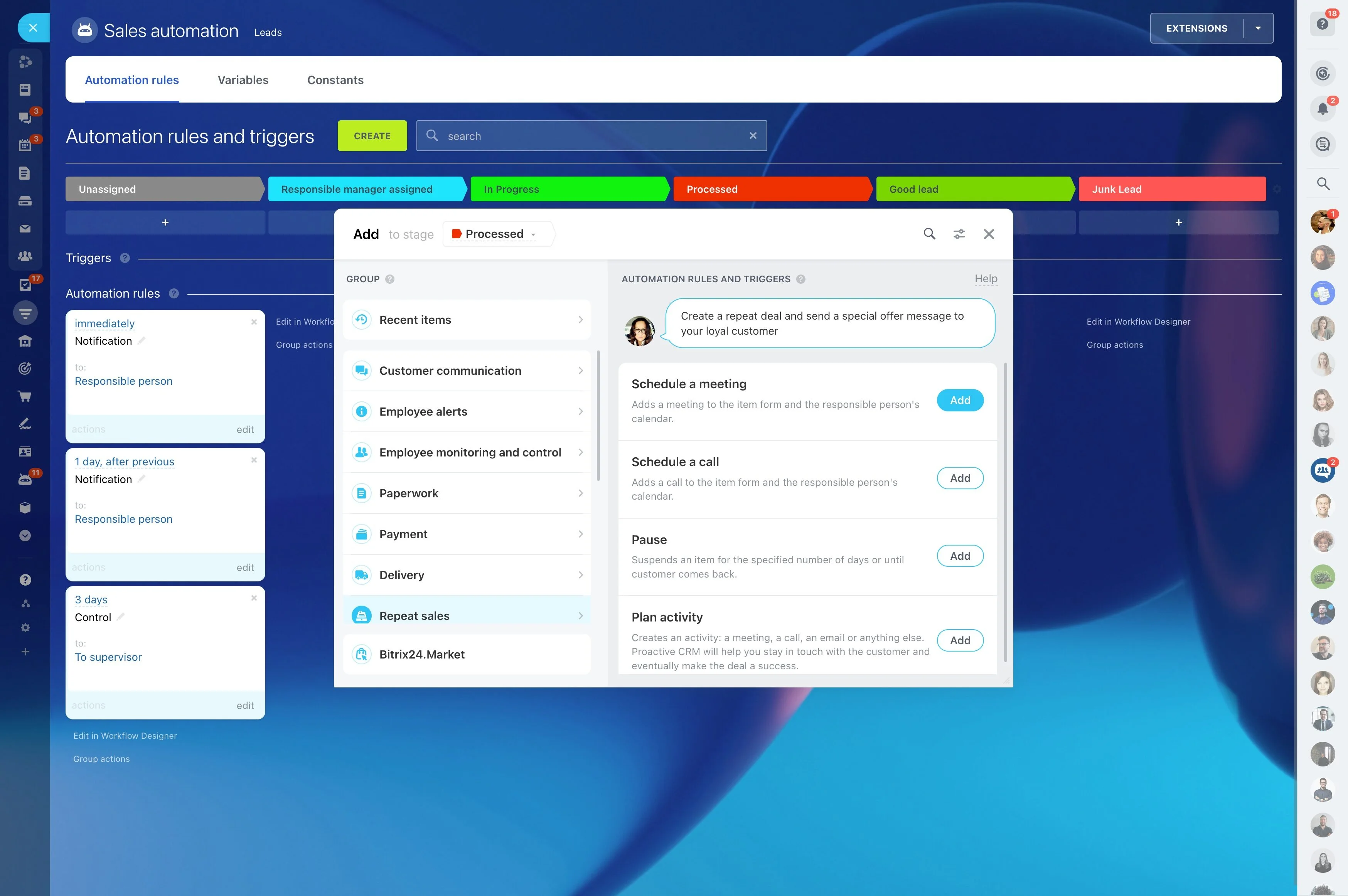
Automate confirmation, reminders, and missed-appointment follow-ups
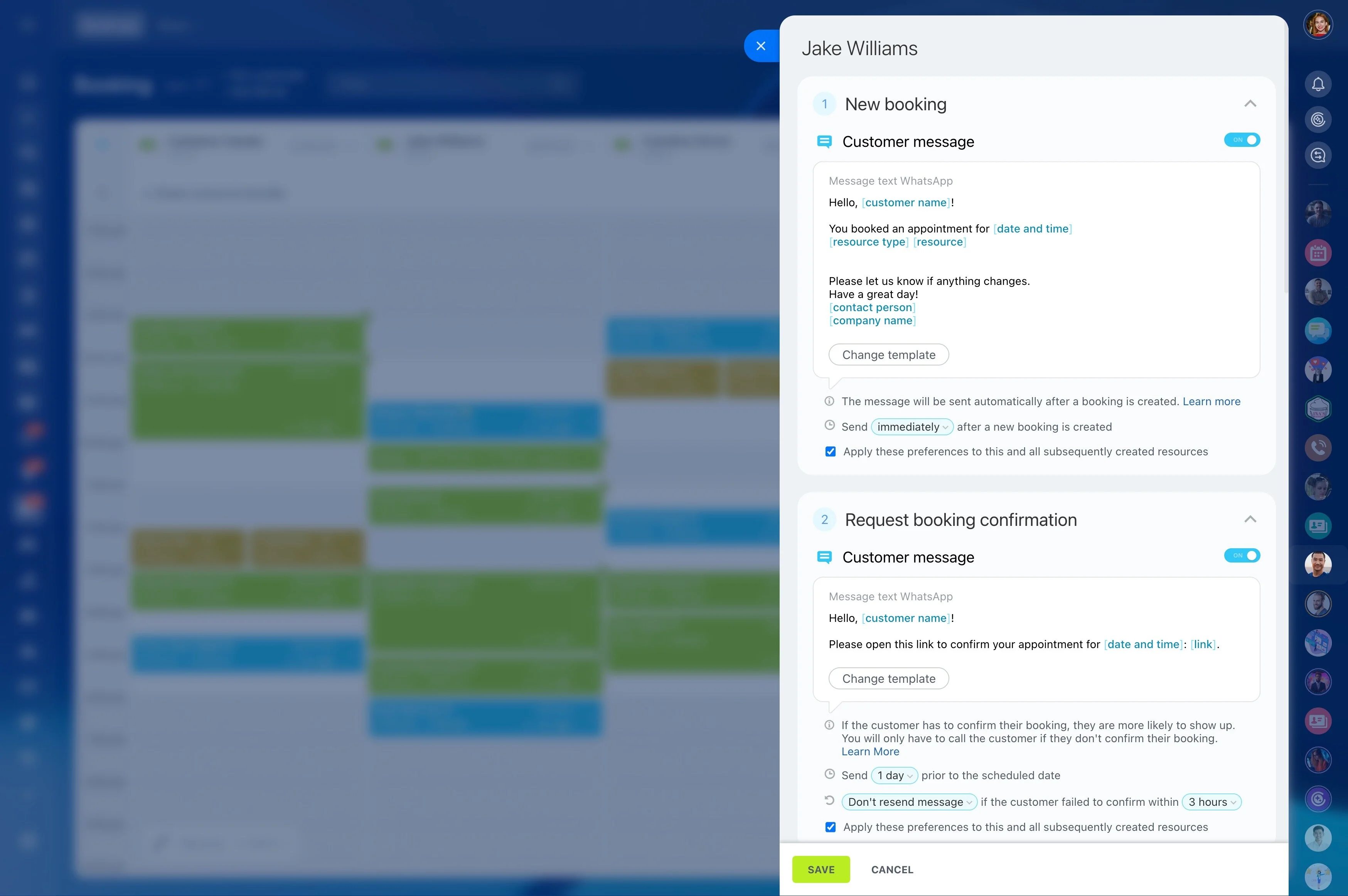
No-shows rarely come from the booking itself—they happen in the hours and days after it. If the customer never confirms, forgets the time, or can’t make it and doesn’t reschedule, the slot turns into lost revenue and an unpredictable schedule.
No-show reduction software is most effective when it enforces a simple, repeatable flow: start with real availability, capture the booking on a customer record, ask for confirmation, send timed reminders, and trigger a follow-up if the appointment is missed. Bitrix24 lets you run that end-to-end process so each appointment ends in a clear outcome—confirmed, completed, rescheduled, or closed—without relying on manual chasing.
- Book against real staff and resource availability
- Link each appointment to the right CRM contact
- Automate confirmation, reminders, and missed-appointment follow-ups
- Track outcomes so “pending” doesn’t linger
Track outcomes across the booking lifecycle
To improve no-show rates, you need visibility into what happens after “booked.” Track outcomes such as confirmed, completed, rescheduled, and no-show so you can see where appointments drop off.
With clear statuses, it’s easier to identify which appointment types or time slots need earlier confirmation or stronger reminders.
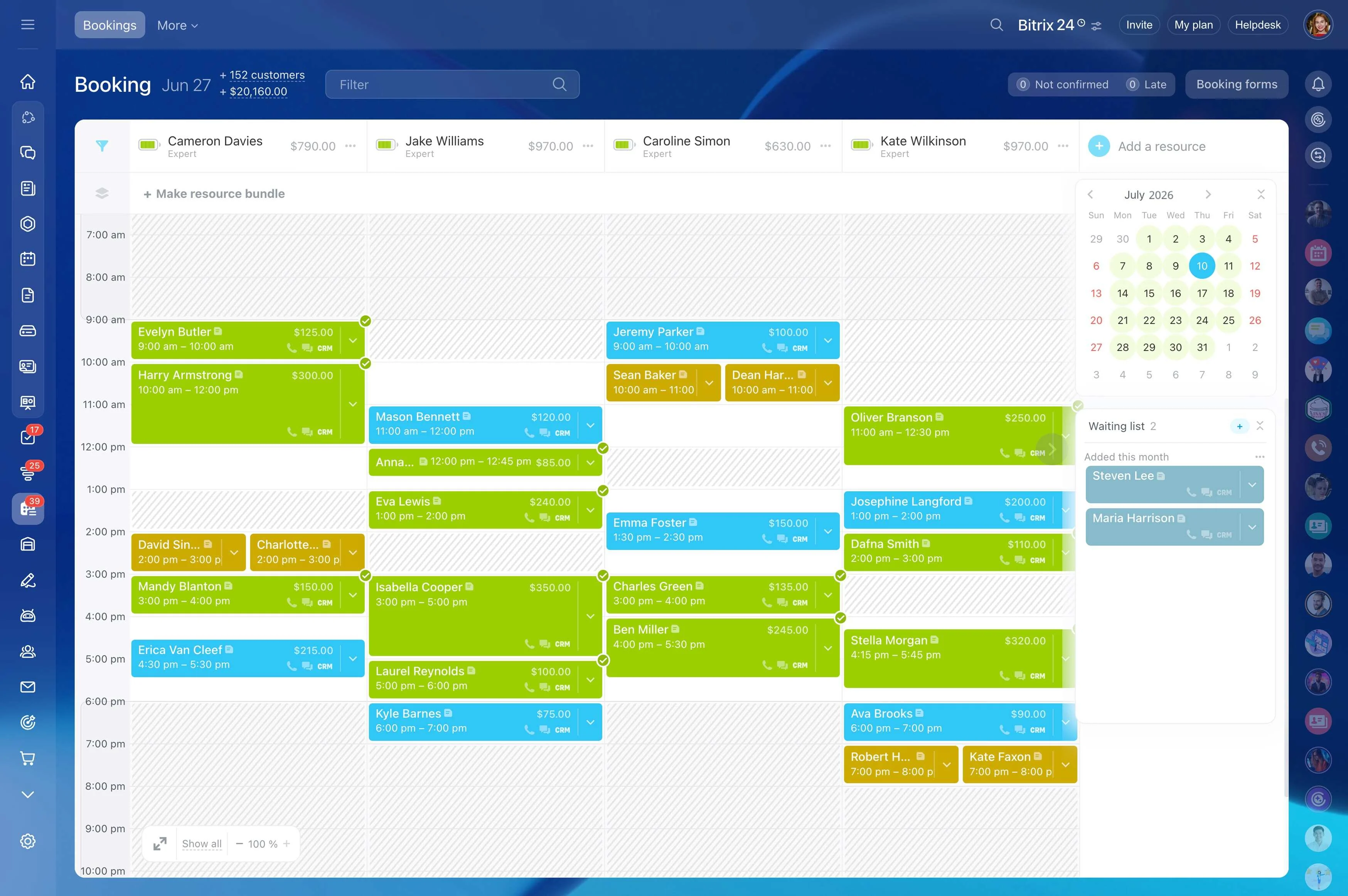
Send reminders timed to the appointment
Consistent reminders prevent “I forgot” misses and give customers time to adjust plans. Schedule reminder messages relative to the appointment time, using the actual details that matter: when it is, who it’s with, and what to do if they can’t attend.
This keeps reminders accurate and reduces back-and-forth on the day of service.
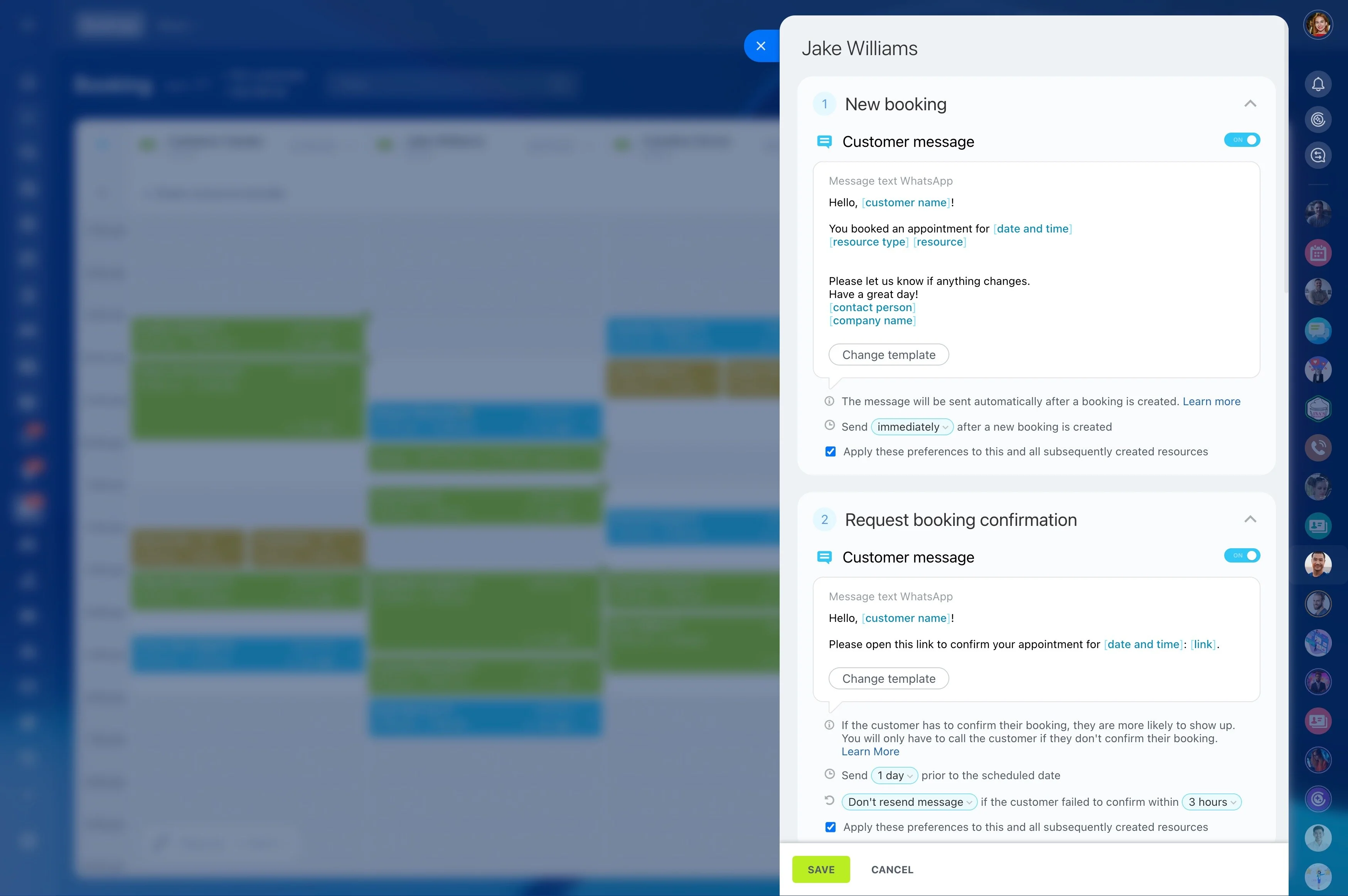
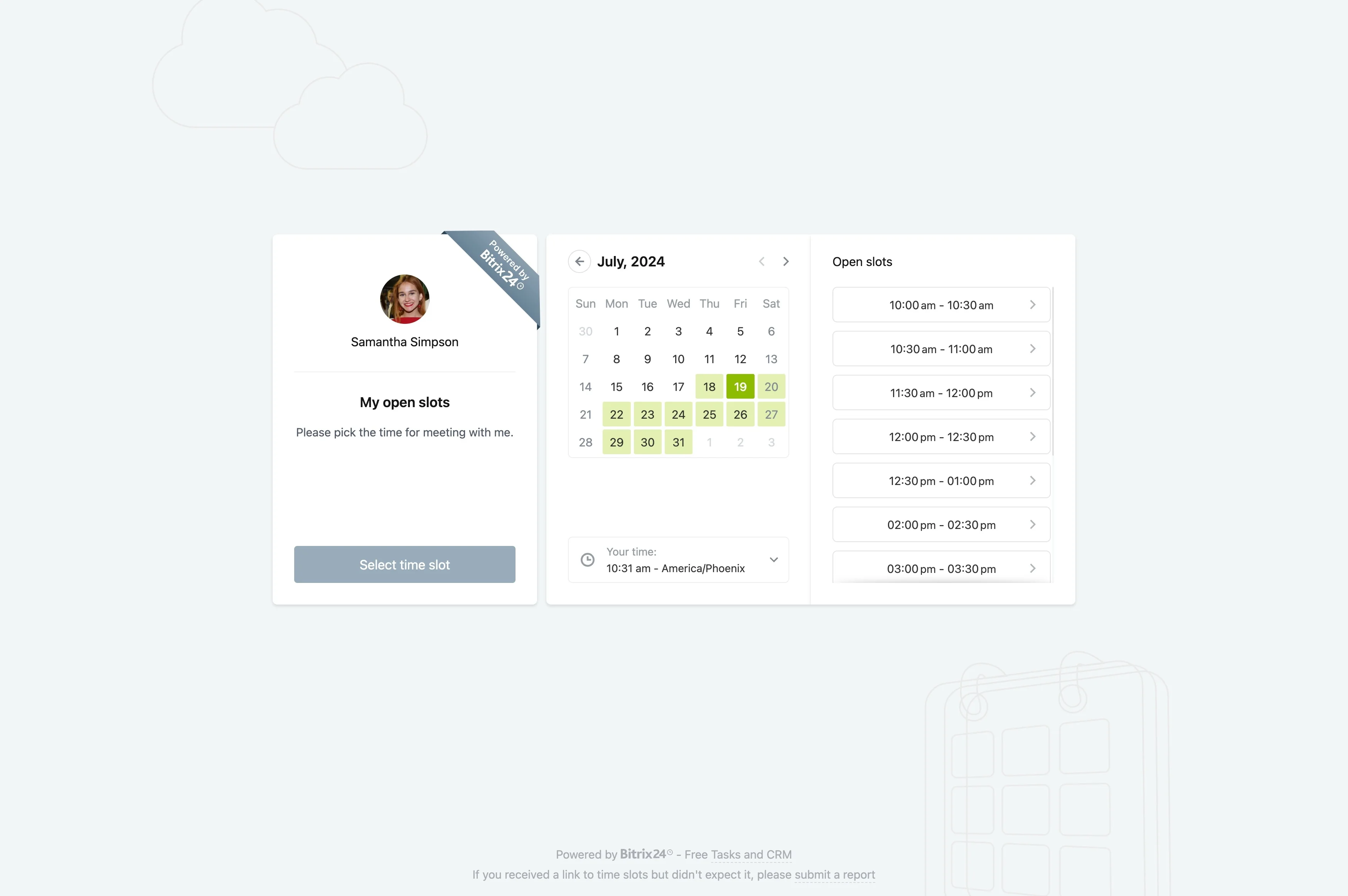
Book against real staff and resource availability
No-show reduction starts with fewer booking mistakes. When customers pick from actual open slots for the right staff member (and any needed room or resource), you reduce avoidable cancellations and day-of confusion.
Define who can be booked, when they’re available, and what the appointment requires so each booking is created with the correct context from the start.
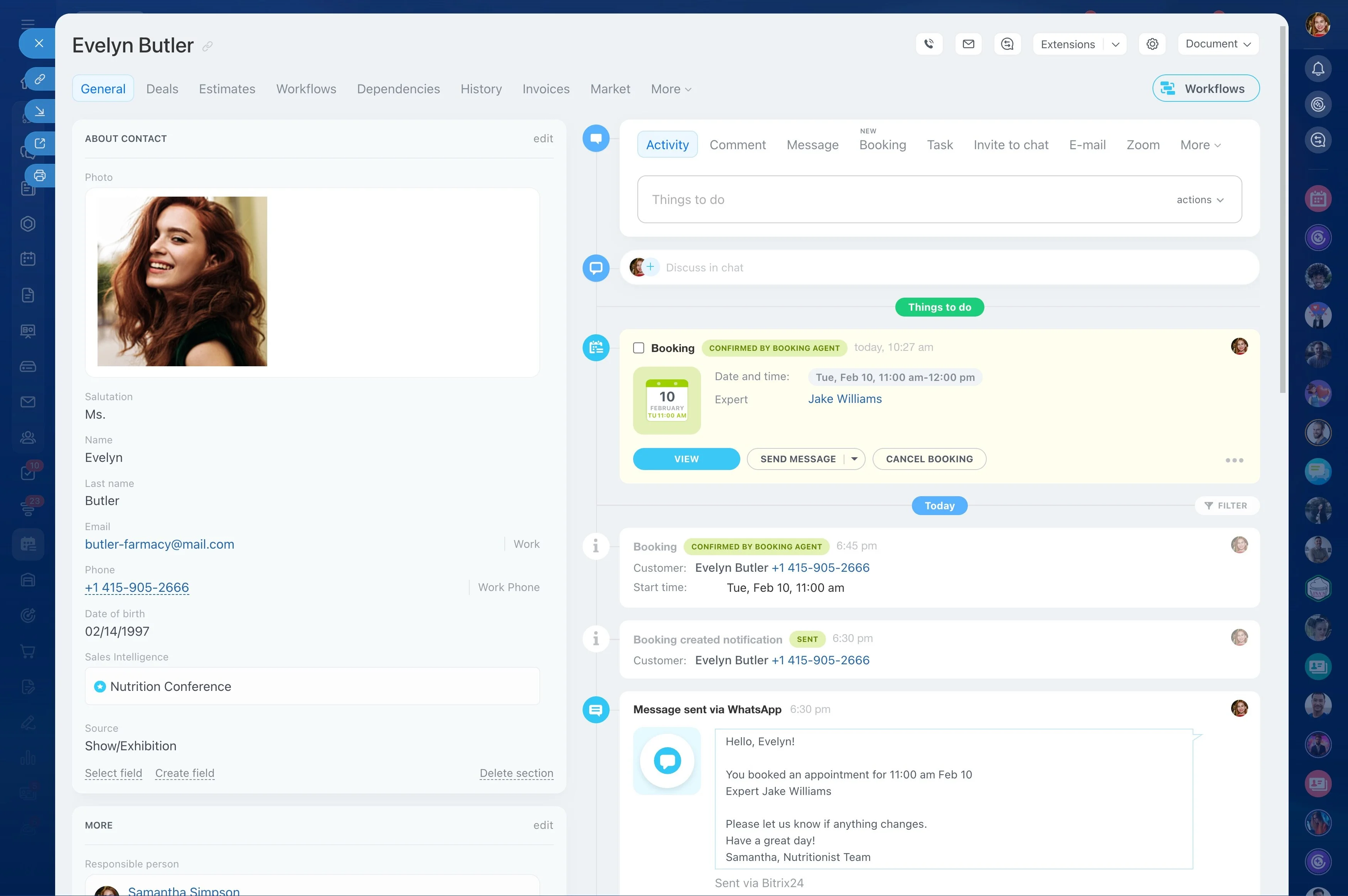
Tie every appointment to the right CRM contact
Follow-ups only work when each booking has a clear owner and a customer record. Create the appointment in a way that associates it with the correct contact so the team can see history, notes, and prior outcomes.
That turns confirmations, reminders, and rescheduling into a connected thread—so when the customer replies, the next step is obvious.
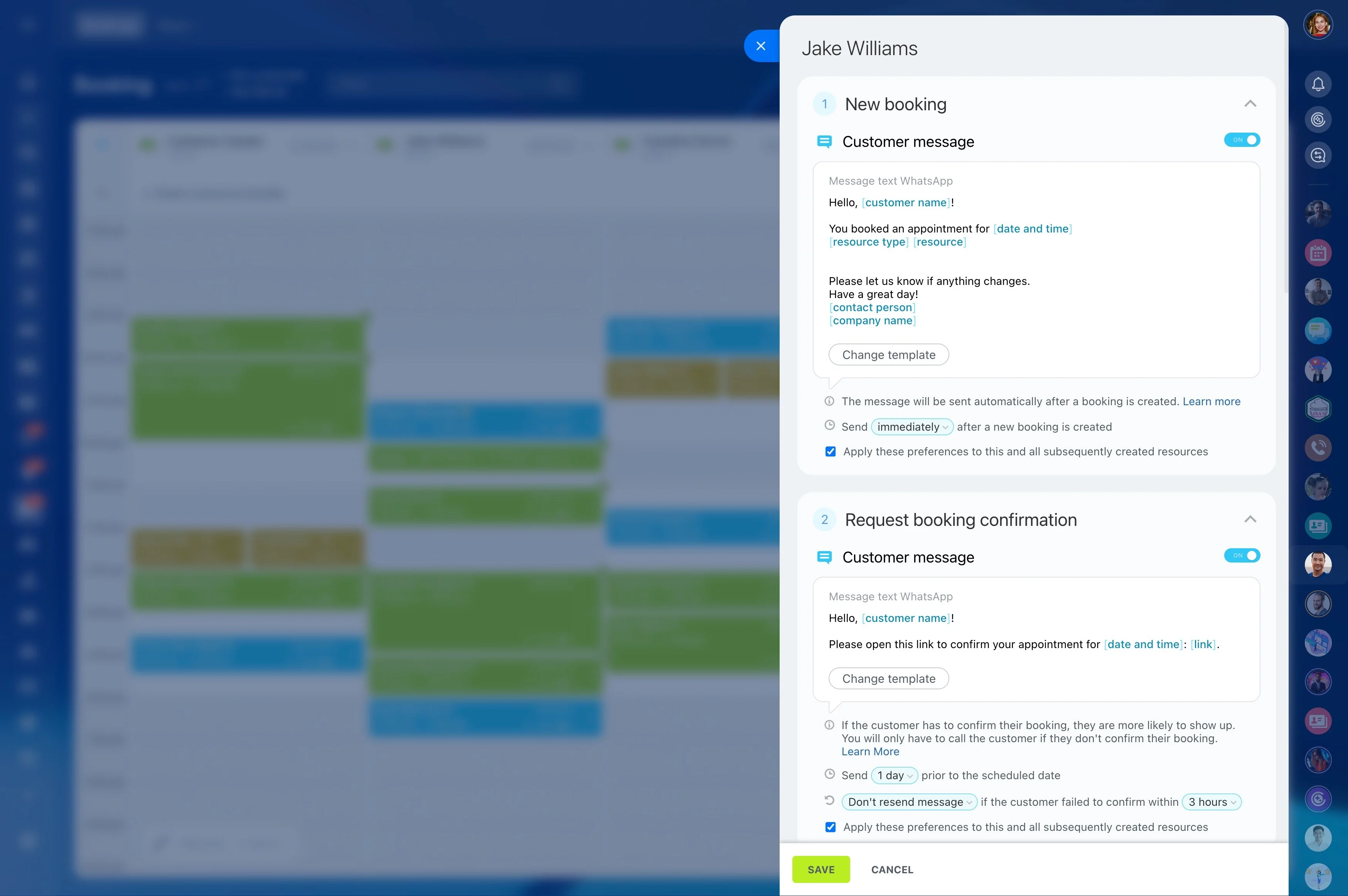
Use confirmation as a trackable appointment status
Confirmations reduce no-shows by turning “booked” into an explicit yes/no. Send an automatic confirmation request that makes it easy to acknowledge the time or change it early.
Keep confirmation visible as a status your team can act on, so unconfirmed appointments get attention before they become last-minute gaps.
Automate missed-appointment follow-ups and rescheduling
After a no-show, speed and clarity help you recover the booking. Trigger a follow-up message that acknowledges the missed time and offers a next step—reschedule, request a callback, or confirm they no longer need the appointment.
Standardizing the response reduces decision fatigue for the team and increases the chance the customer books again.
Keep calendars aligned as bookings change
Accurate calendars reduce the friction that leads to cancellations and miscommunication. Make sure appointments update the right staff calendars and reflect the resources involved so everyone is working from the same schedule.
When changes are reflected consistently, customers receive correct details and staff aren’t surprised by shifts or double-bookings.