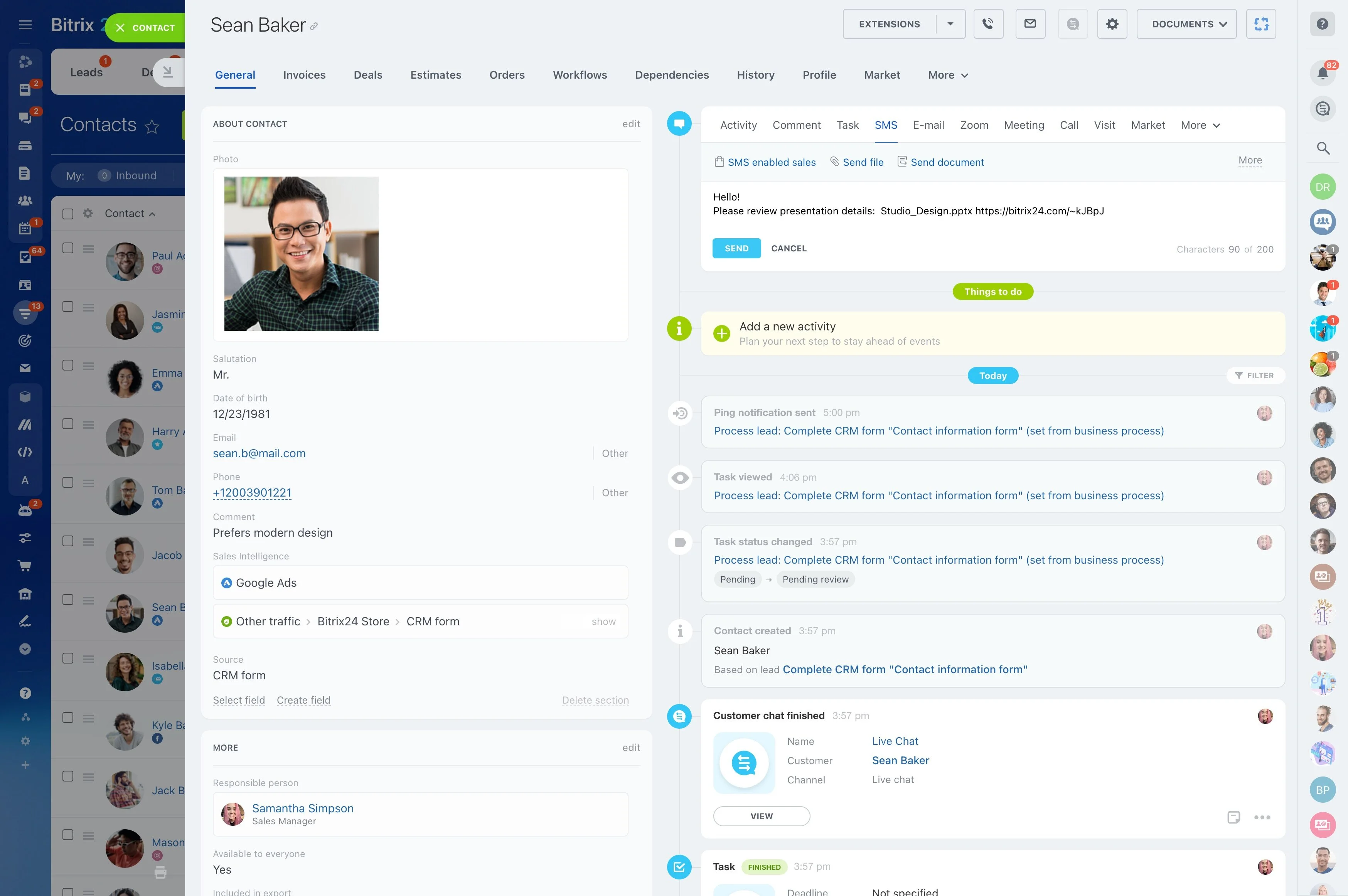
CRM with SMS: Faster Follow-Ups Right From Your Pipeline
Your buyers answer texts, not threads. But your team is still copying phone numbers from the CRM into a separate texting app, waiting on emails that never get opened, and losing deals to phone tag. Every handoff adds delay. Every switch adds friction — and every hour a lead sits without a response, your chance of connecting shrinks.
The cost is real: missed callbacks, colder leads by the minute, wasted rep time, subscription sprawl across tools, and zero visibility into which messages actually move a deal forward. If you cannot see who texted, when, and what happened next, you cannot coach, forecast, or fix. SMB teams feel this most: one person juggling five tools equals slower responses and inconsistent follow-through.
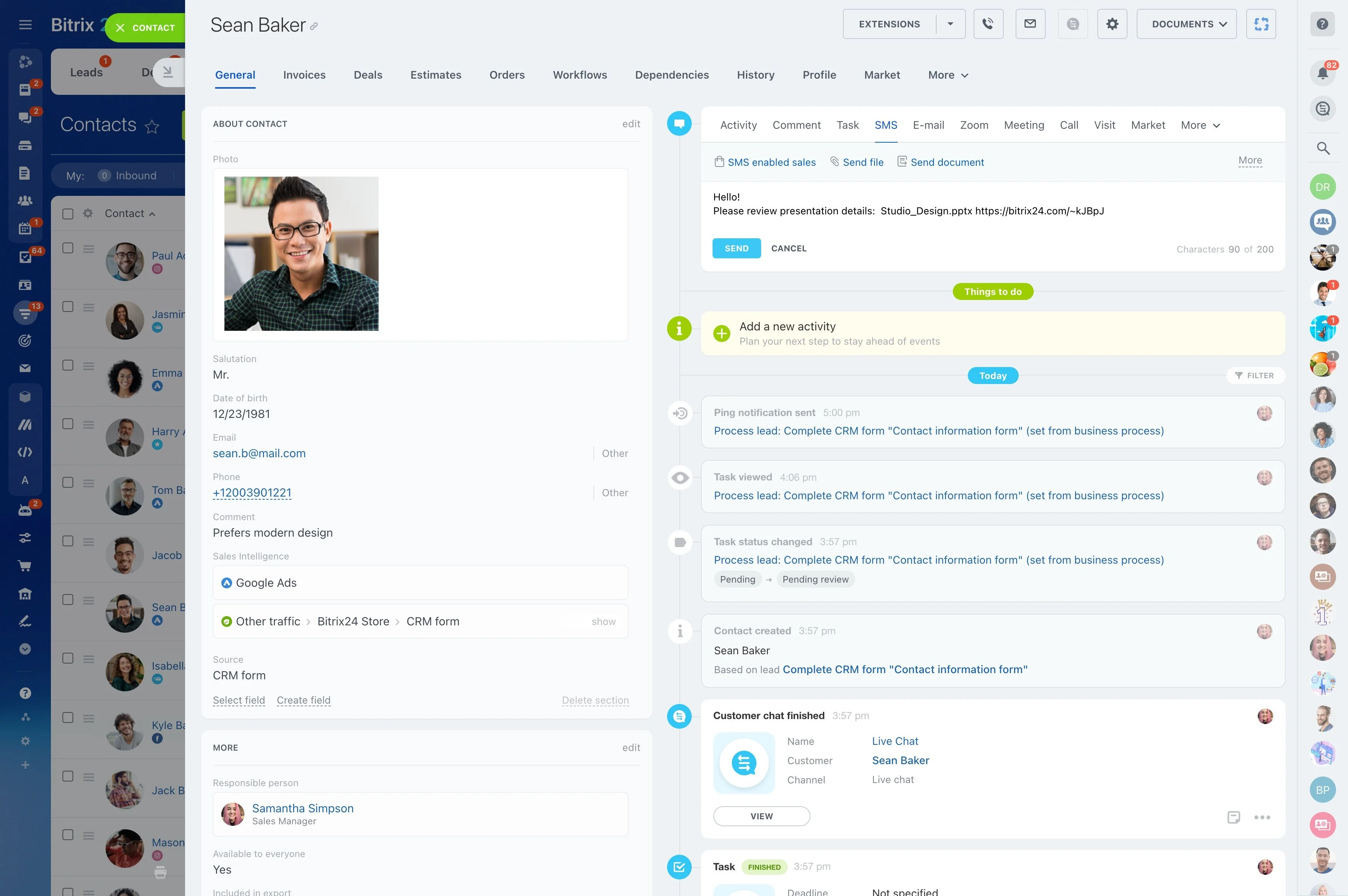
Bitrix24 brings SMS right into your CRM so you can text from the exact place you qualify, schedule, and close. Send and receive messages on any lead, contact, or deal. Automate outreach. Track replies and clicks. Coach your team with full visibility — without a separate app. Setup takes minutes, not weeks, and your existing numbers can stay with the provider you already trust.
Quick wins you get on day one:
- Click-to-text from any record on desktop or mobile
- Two-way CRM text messaging with automatic logging on the timeline
- Templates with personalization, branded short links, and click tracking
- Opt-in management, quiet hours, and instant unsubscribe handling
- No-code workflows that text leads instantly and follow up for you
Personalized, template-driven CRM text messaging
Texting works because it feels direct and timely.
Build once, reuse everywhere:
- Dynamic fields: Merge {FirstName}, {Company}, {Product}, {NextStep}, {MeetingTime}, or any custom field. Add fallbacks like {FirstName|there} to avoid awkward gaps.
- Snippets: Store reusable phrases (delivery ETA, payment link, directions) for fast insert while composing.
- Short links with tracking: Auto-generate branded short links and see which clicks lead to calls, meetings, and sales by owner, campaign, or template.
- A/B testing: Try two versions of a template — "quick call" vs. "10‑minute demo" — and let actual reply and conversion data pick the winner.
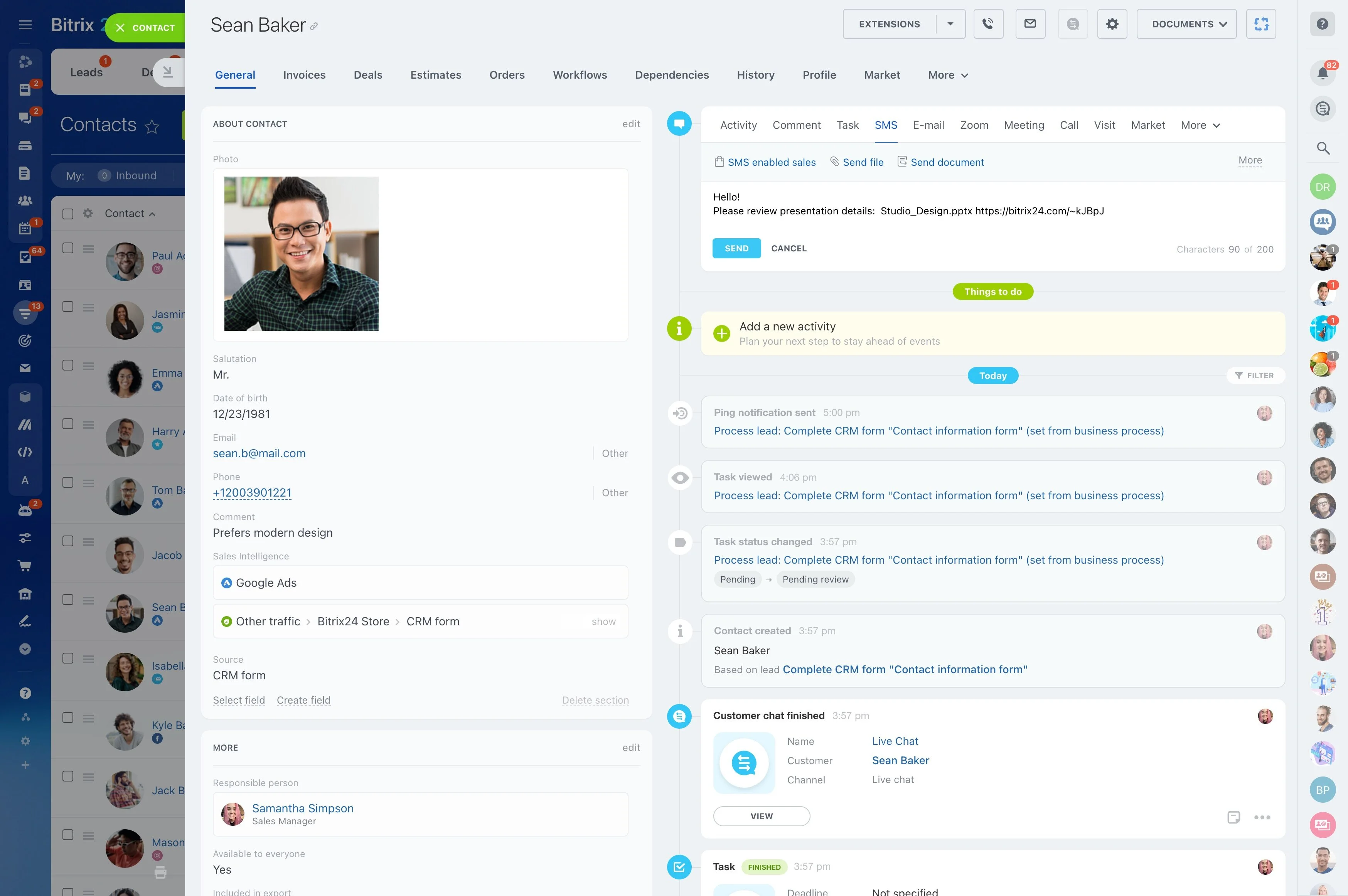
Text leads from your pipeline in seconds
Speed-to-first-touch wins deals.
A single toggle to another tool often adds 2–5 extra clicks, a missed log entry, and a broken trail of who said what.
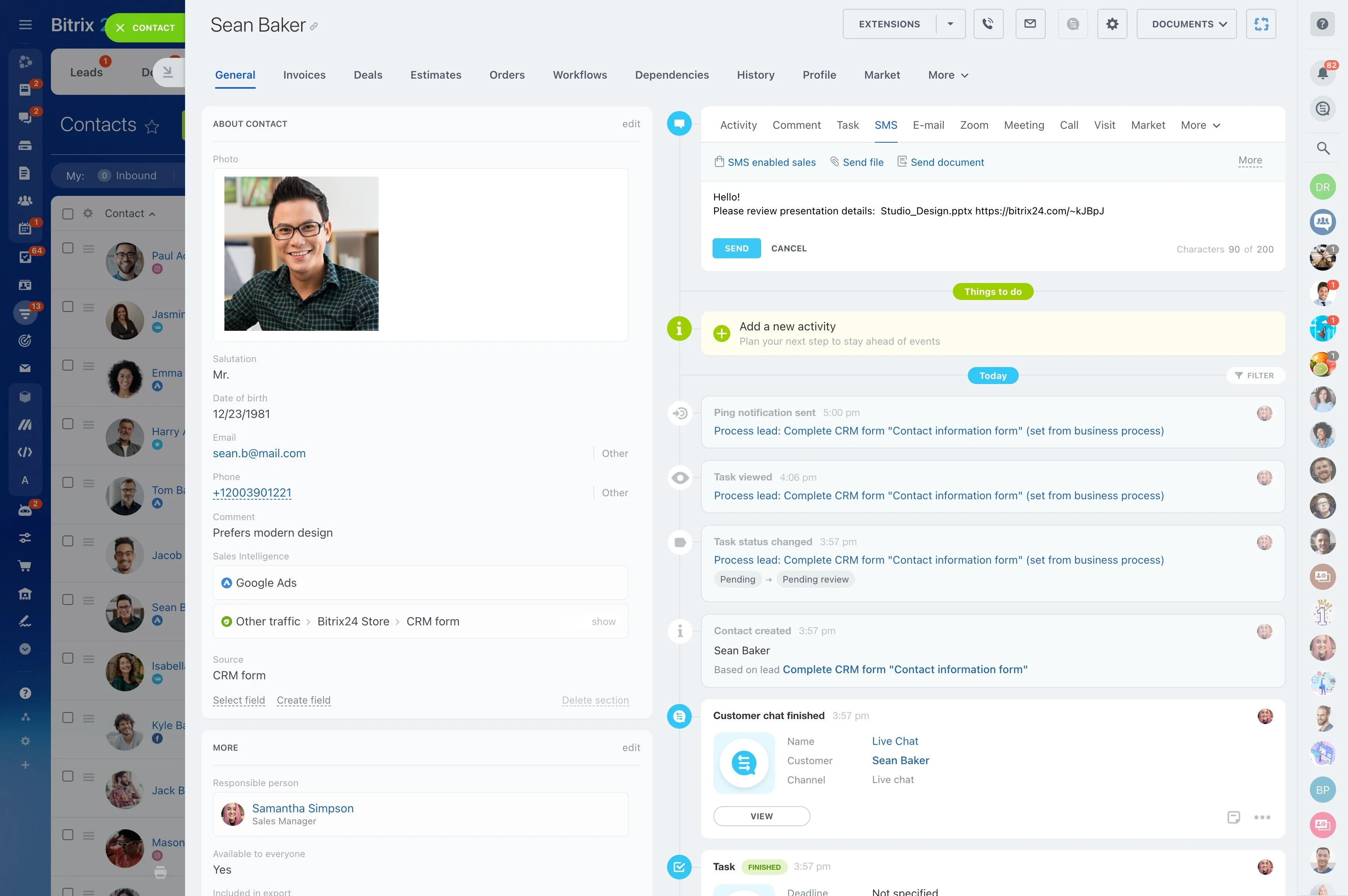
- Click any phone field and send an SMS right from the record — no copy/paste, no extra login.
- Use saved templates with dynamic fields like {FirstName}, {Product}, or {NextStep} to make each message feel 1:1 at scale.
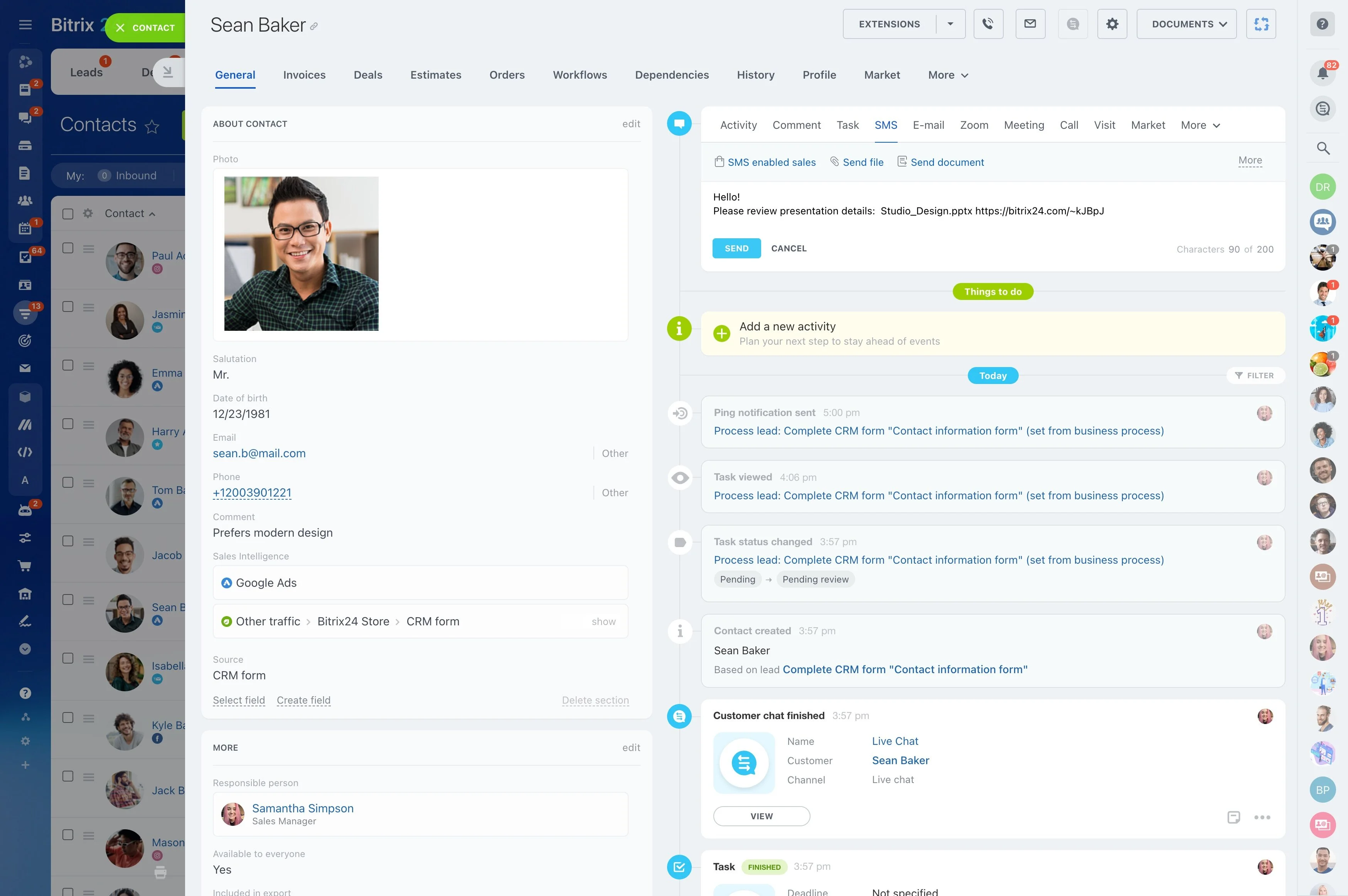
- Get replies in the same timeline as calls, emails, tasks, and notes. Delivery receipts, reply timestamps, and agent ownership are visible without hunting.
- Hand off a conversation without losing context. When ownership changes, the full thread stays on the record for the next rep to pick up.
Automation that texts so you do not have to
Your team should focus on conversations, not timers.
Example workflow: New Lead to Booked Meeting 1) Trigger: Web form submission creates a Lead and sets Source = Website.
One platform, no more app-switching
When texting lives outside your CRM, you lose time, context, and accountability.
The cost of keeping SMS separate isn’t just extra subscriptions.
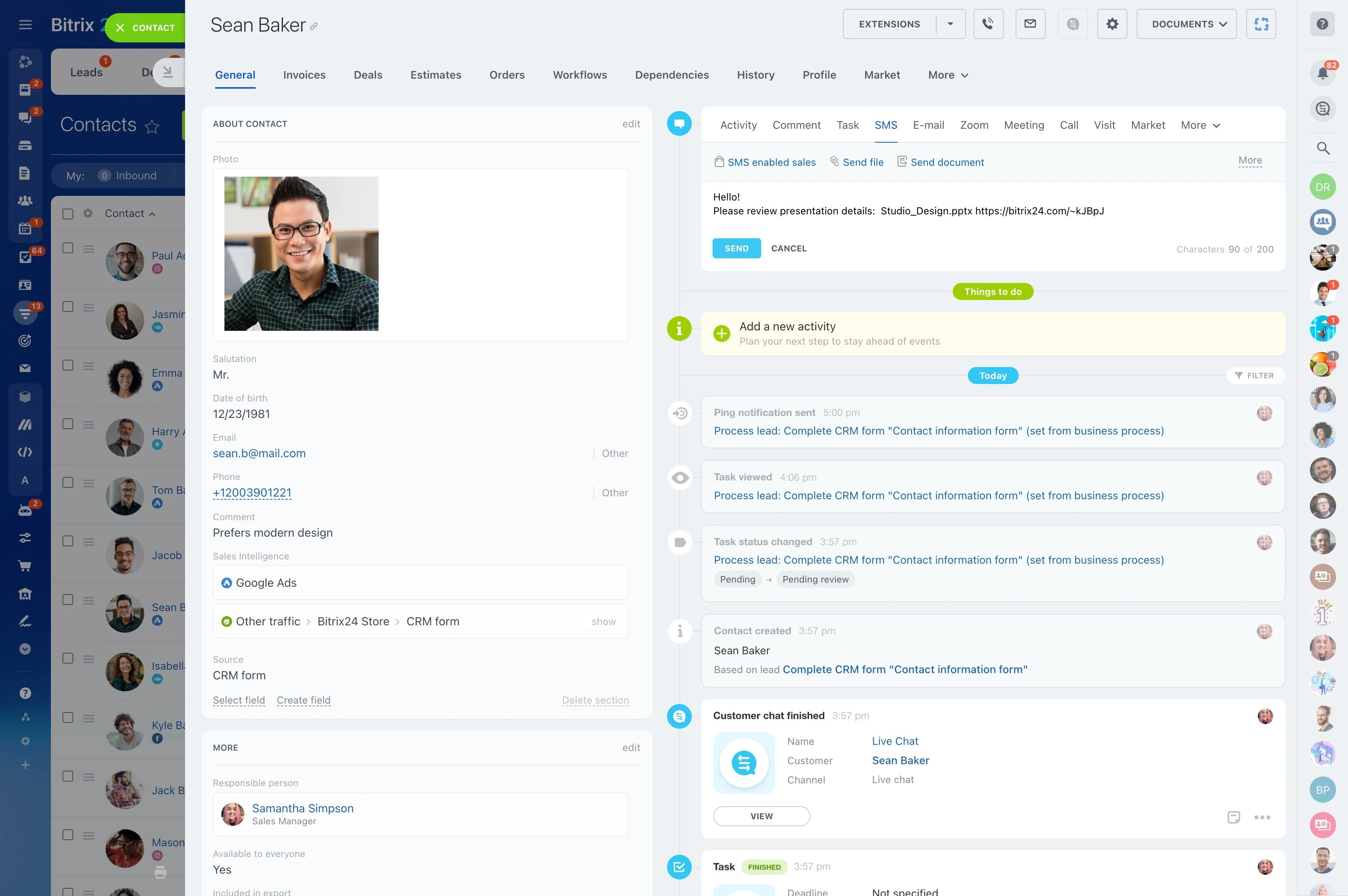
- Single source of truth: Every inbound and outbound SMS attaches to the correct record with a complete timeline. No more “who texted this lead?”
- Automatic record matching: Incoming texts from known numbers route to the right lead, contact, or deal. Unknown numbers can auto-create a lead with the first message as a note.
- Team routing: New messages assign to the record owner, or use round-robin rules for unassigned numbers and shared inboxes.
- Role-based control: Decide who can bulk-text, edit templates, or view conversations. Approvals keep messaging on-brand.
Analytics you can take to the bank
If you can’t measure it, you can’t scale it.
Answer questions like:
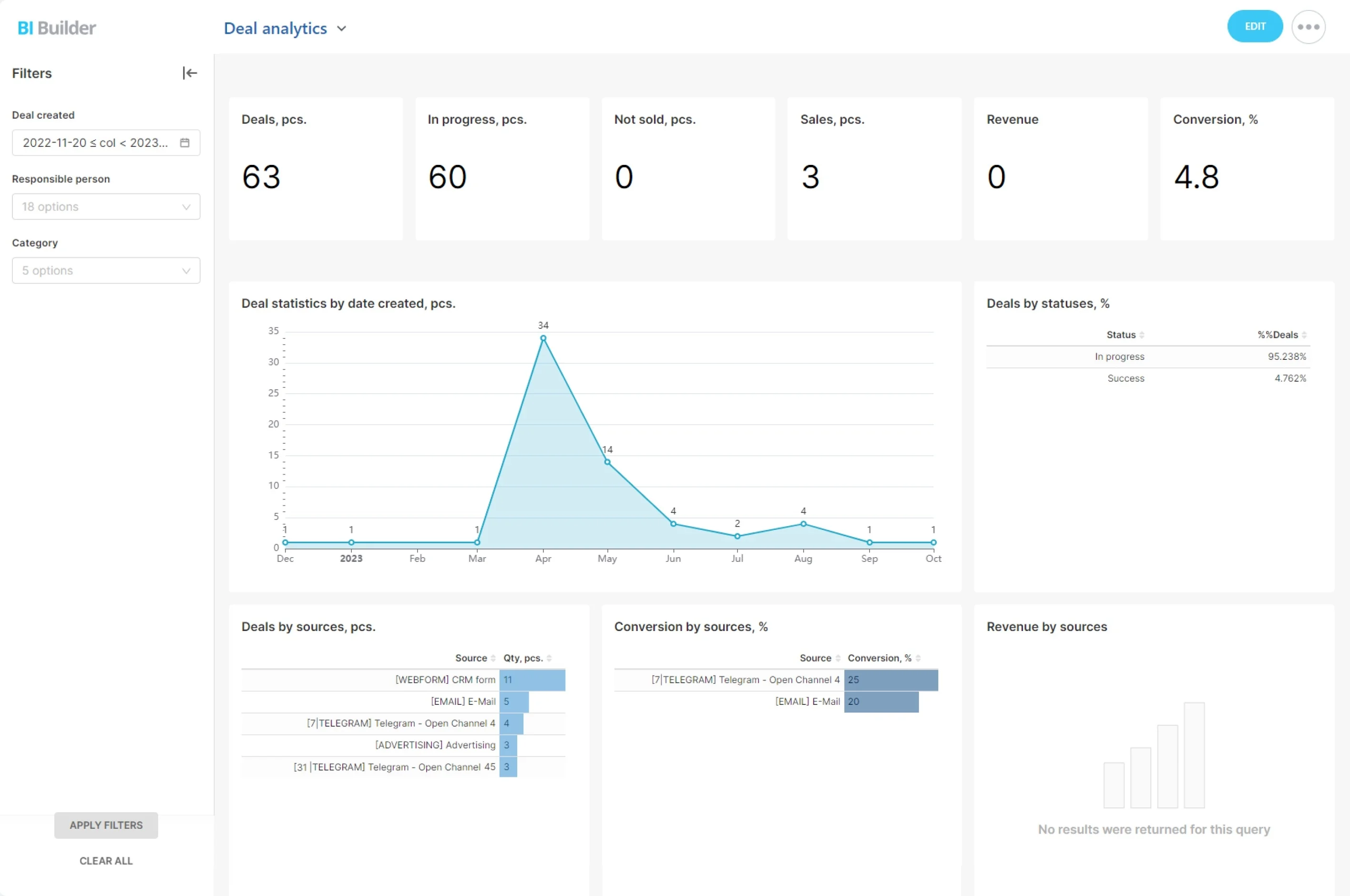
- Which SMS templates generate the fastest replies and the highest conversion to Qualified by source (Google Ads vs. referrals)?
- Do SMS nudges accelerate stuck deals more than calls or emails in Stage X?
- Which reps maintain the best response SLAs without driving opt-outs?
- Delivery, reply, click, and opt-out rates by pipeline, owner, and date range.
Built for SMB speed and scale
Small teams need enterprise outcomes without enterprise overhead.
A practical rollout plan: 1) Connect provider (e.g., Twilio, Vonage, Plivo, Infobip, MessageBird) and bring existing numbers where supported.
- Setup in minutes: Connect your SMS provider, verify or provision numbers, map them to teams or pipelines, and start texting. No IT project required.
- All-in-one: CRM, automation, tasks, contact center, and SMS in one subscription, so onboarding is simpler and reps learn one workspace.
- Fair, predictable costs: Pay your SMS provider per message; Bitrix24 doesn’t add a per-send markup. Pick the provider and pricing that fit your volume and geography.
- Global-ready: Choose local numbers or sender IDs through supported providers and respect regional rules with quiet hours, consent capture, and opt-out handling.