Facebook Lead Ads CRM Integration: Import Leads Without Spreadsheets
You launch Facebook Lead Ads, forms start filling, and then the grind begins: exporting CSVs, cleaning columns, importing into your CRM, fixing duplicates, and pinging reps one by one to follow up. By the time someone dials, the lead is cold, intent has faded, and your ad budget has already been spent.
The real cost isn’t the spreadsheet; it’s everything that comes with it. Manual steps introduce delays, errors, and blind spots that you pay for in lost conversations and missed revenue. Minutes matter. Every handoff increases the odds of a dropped lead, an overwritten record, or a sales rep calling the wrong number.
Bitrix24 connects Facebook Lead Ads directly to your CRM so leads land where work happens — assigned, routed, and ready — within seconds. No files. No copy-paste. Just a reliable Facebook Lead Ads to CRM integration that turns ad clicks into conversations fast.
What you stop losing when you automate:
- Time: Hours per week reclaimed from exports, imports, and cleanup
- Money: Lower cost per acquisition through faster first contact and higher conversion
- Opportunities: Fewer dropped leads, fewer duplicates, more booked meetings
- Insight: Clear attribution from ad to deal to revenue so you know what to scale
See ROI Clearly: Attribute Every Lead to the Exact Ad
If you can’t trace a deal back to the ad that started it, optimization is guesswork.
Example flow: Your “30‑Day Trial” ad set generates 120 leads with a 42% meeting rate and a 14‑day median time‑to‑close.
- Capture meta fields: When Facebook sends the lead payload, Bitrix24 stores campaign ID, ad set ID, ad ID, page, and form ID in dedicated CRM fields. No manual tagging required.
- Standardize sources: Apply a consistent Source and Medium (e.g., Source: Paid Social, Medium: Facebook Ads) to every record. Your dashboards stay clean.
- Keep UTMs aligned: If you also run links to assets or booking pages, preserve UTM parameters in custom fields so you can reconcile paid social assists across touchpoints.
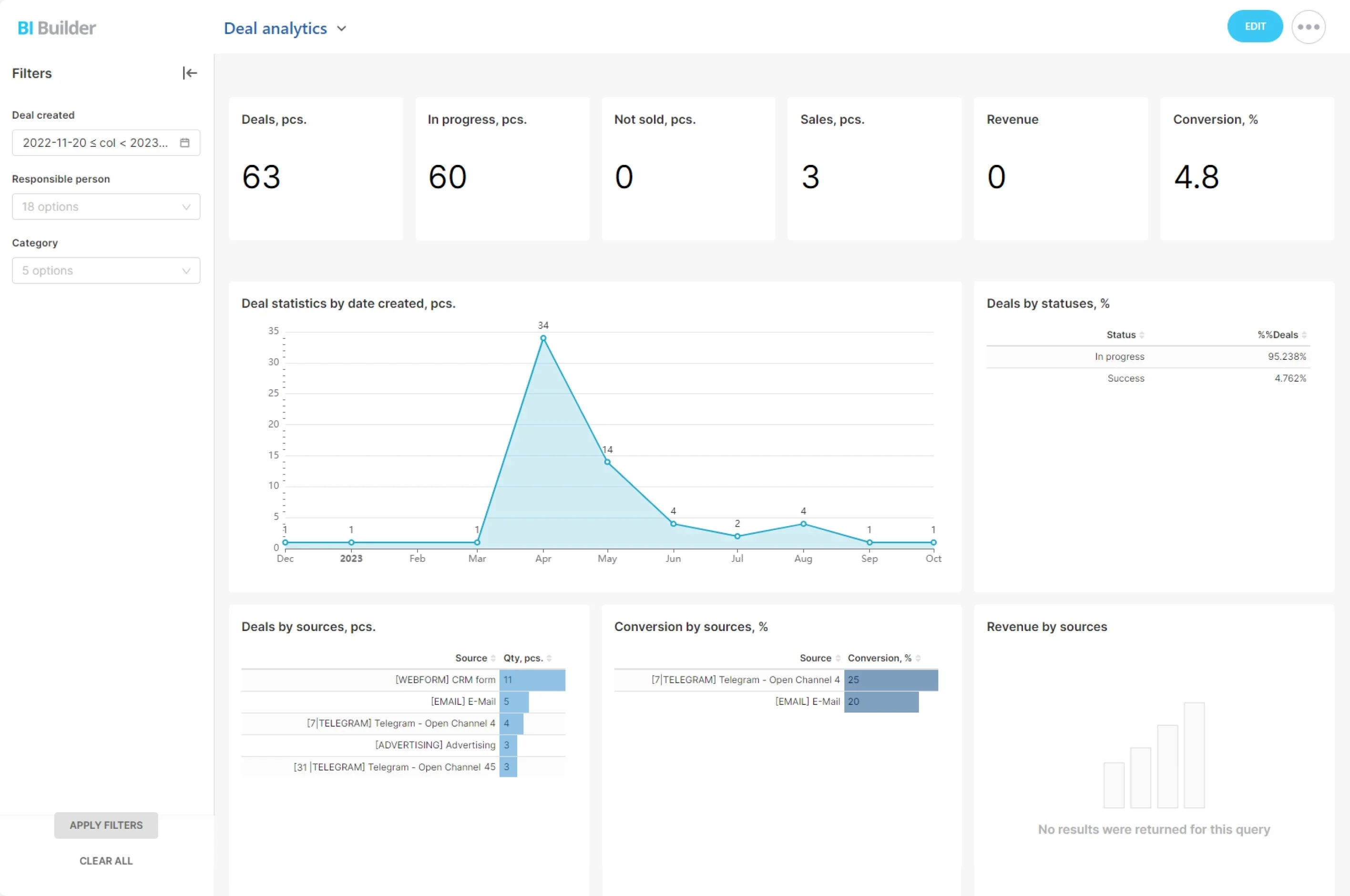
- Pipeline analytics: Track conversion rates from Facebook lead to first contact, meeting, proposal, and closed‑won — by campaign, ad set, or form.
Turn Facebook Lead Ads into CRM‑Ready Records, Automatically
Your ads are doing their job.
A concrete example: You run two lead forms — “Demo Request” for the sales pipeline and “Pricing Guide” for marketing nurture.
- Real‑time capture: Facebook notifies Bitrix24 the instant a form is submitted. There’s no polling delay or nightly batch to wait on.
- Field mapping that sticks: Map Facebook fields — name, phone, email, company, job title — plus hidden fields and consent checkboxes to standard or custom fields in Bitrix24. Keep…
- Context preserved: Bitrix24 stores the page, form, campaign, ad set, and ad identifiers so you know exactly where the lead came from without chasing screenshots later.
- Intelligent routing: Auto‑assign by team, territory, product line, or a round‑robin queue. Send leads directly into the right pipeline and initial stage based on the specific…
Minutes Matter: Faster Follow‑Up Wins More Deals
Speed‑to‑lead is one of the strongest predictors of conversion.
Consider two common scenarios:
- Immediate rep alerts: The moment a lead lands, the assigned owner gets a mobile push, a CRM chat ping, and an email. If they’re on the move, the Bitrix24 mobile app keeps them…
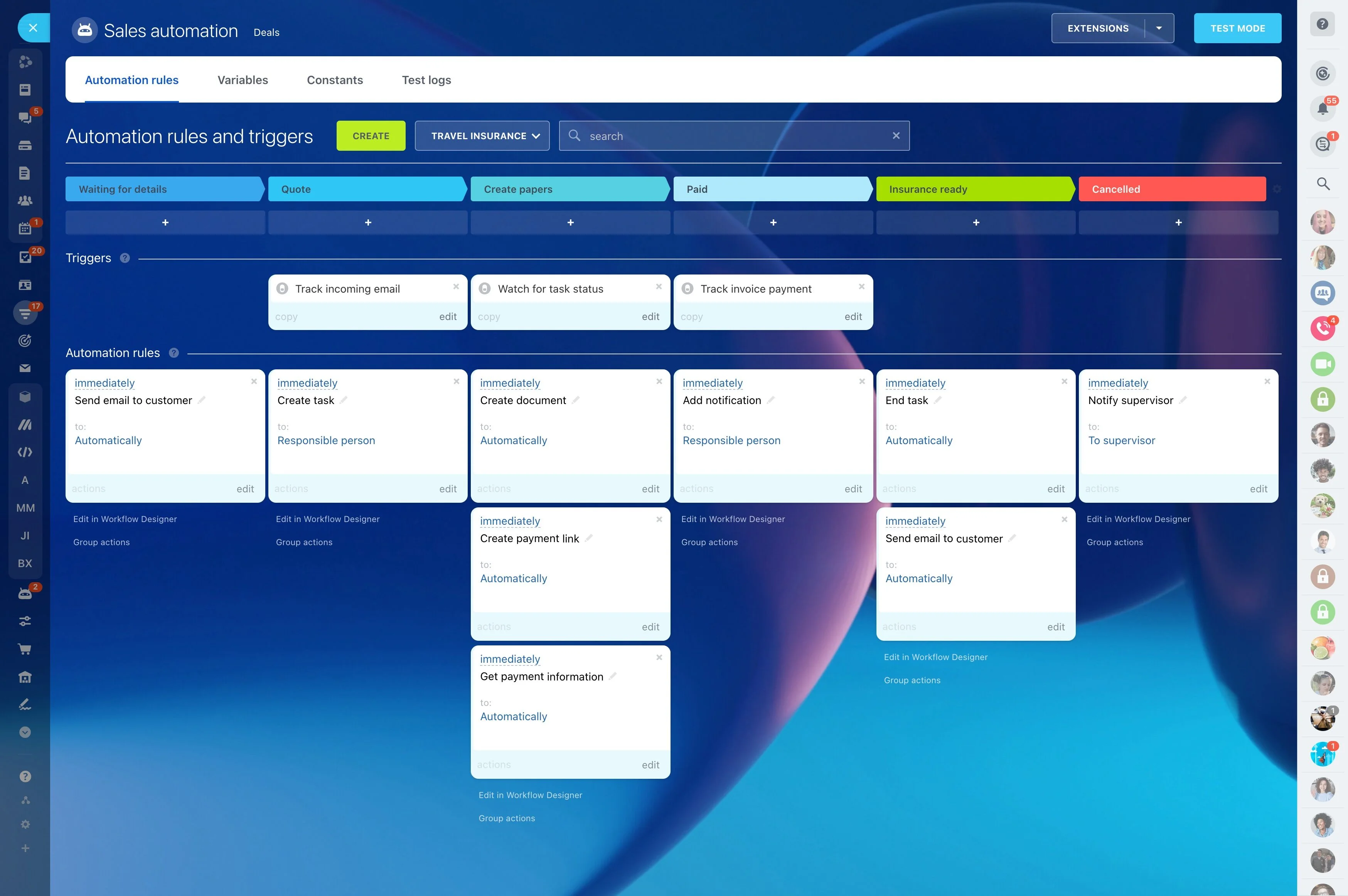
- Automated first moves: Use CRM automation to send a welcome email, schedule a callback, open a WhatsApp or SMS thread (via connected channels), or queue the lead in your dialer. No…
- Timers, SLAs, and escalations: Define the expected first‑contact window (e.g., 5 minutes). If the timer expires, Bitrix24 escalates to a team lead, reassigns, or triggers a reminder…
- Before: A lead submits a Facebook form during lunch. It sits in Facebook until your next export — maybe tomorrow. When a rep finally calls, voicemail. They’ve already booked with a…
No More CSVs: Clean Data In, Clean Sales Out
Spreadsheets aren’t just slow — they’re messy.
Because this is a true Facebook lead form CRM connection — not a generic import — you can:
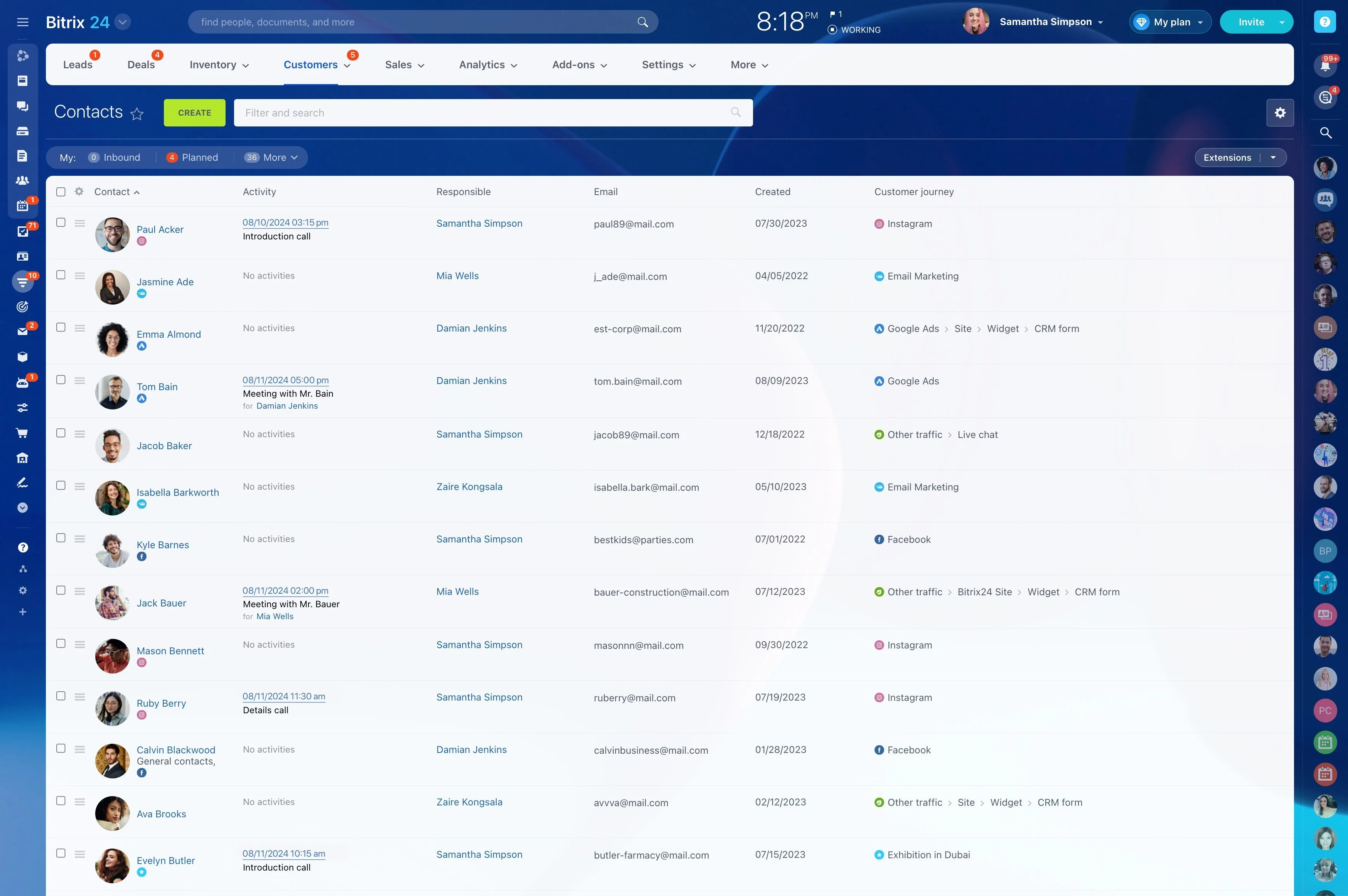
- Custom field mapping: Align each Facebook field to the correct Bitrix24 field, including dropdowns, checkboxes, and long‑form text. Keep your picklists and naming standards…
- Validation on arrival: Normalize phone numbers to international formats, require an email or phone, and flag incomplete submissions. Route partial leads to a nurturing queue with a…
- Smart deduplication: Check email and phone on creation. If a match exists, Bitrix24 updates the existing record, appends new campaign details, and keeps a single source of truth…
- Consent and compliance: Store the submission timestamp, page source, form ID, and consent checkbox values alongside the record. If you operate in regulated regions, automate…
Set It Up Once—No Code, No Waiting
You don’t need a developer or a long project plan.
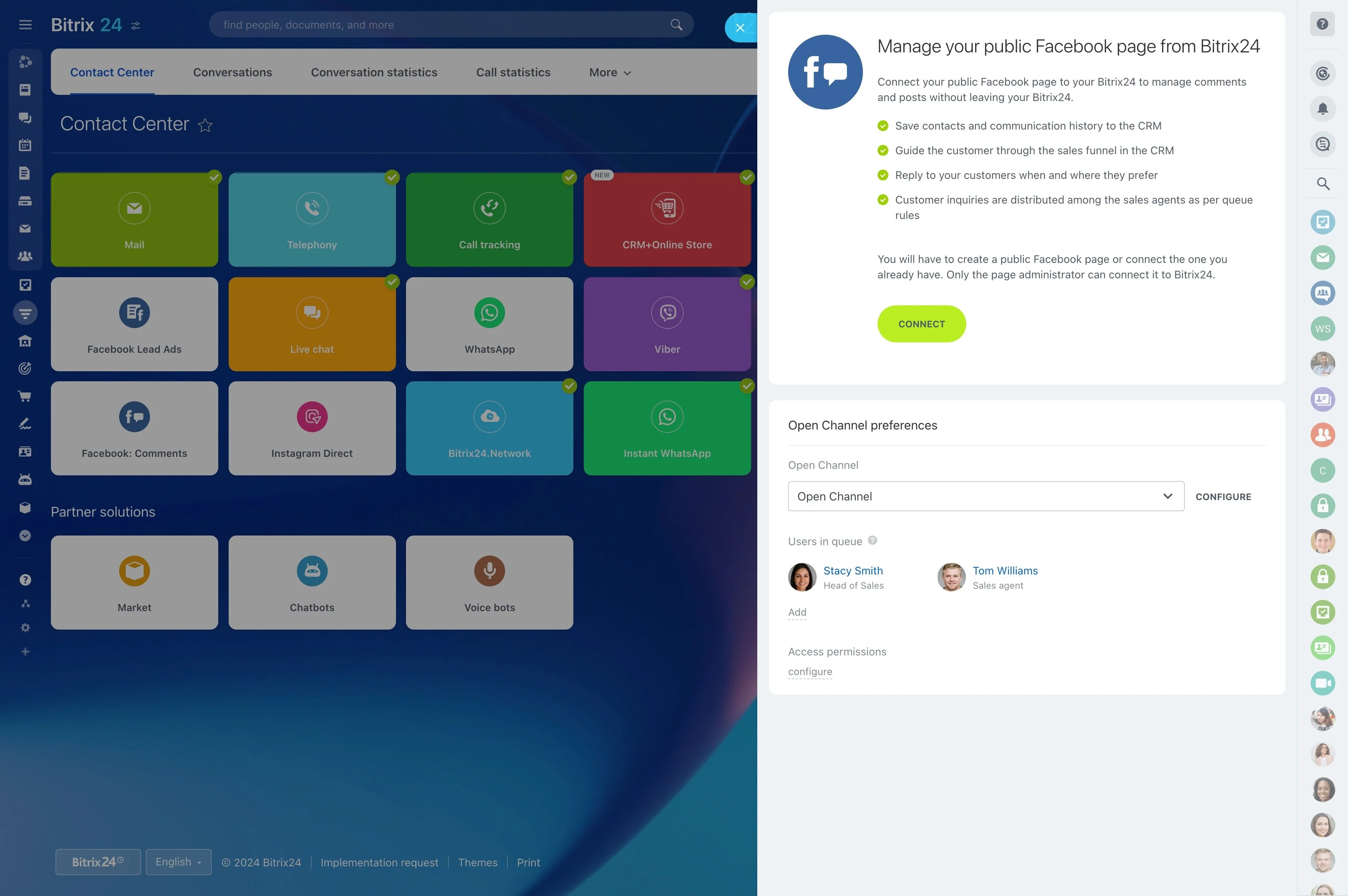
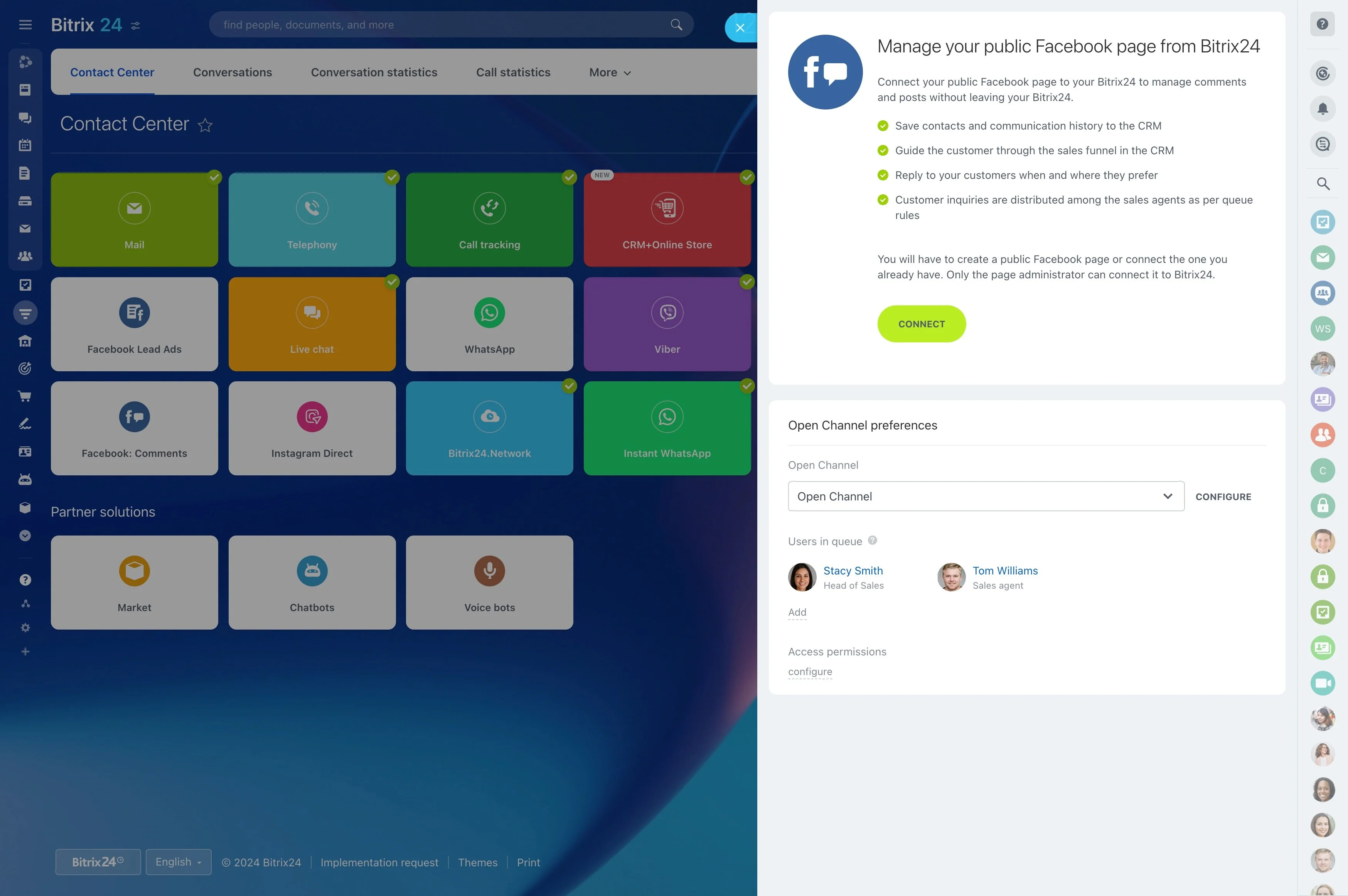
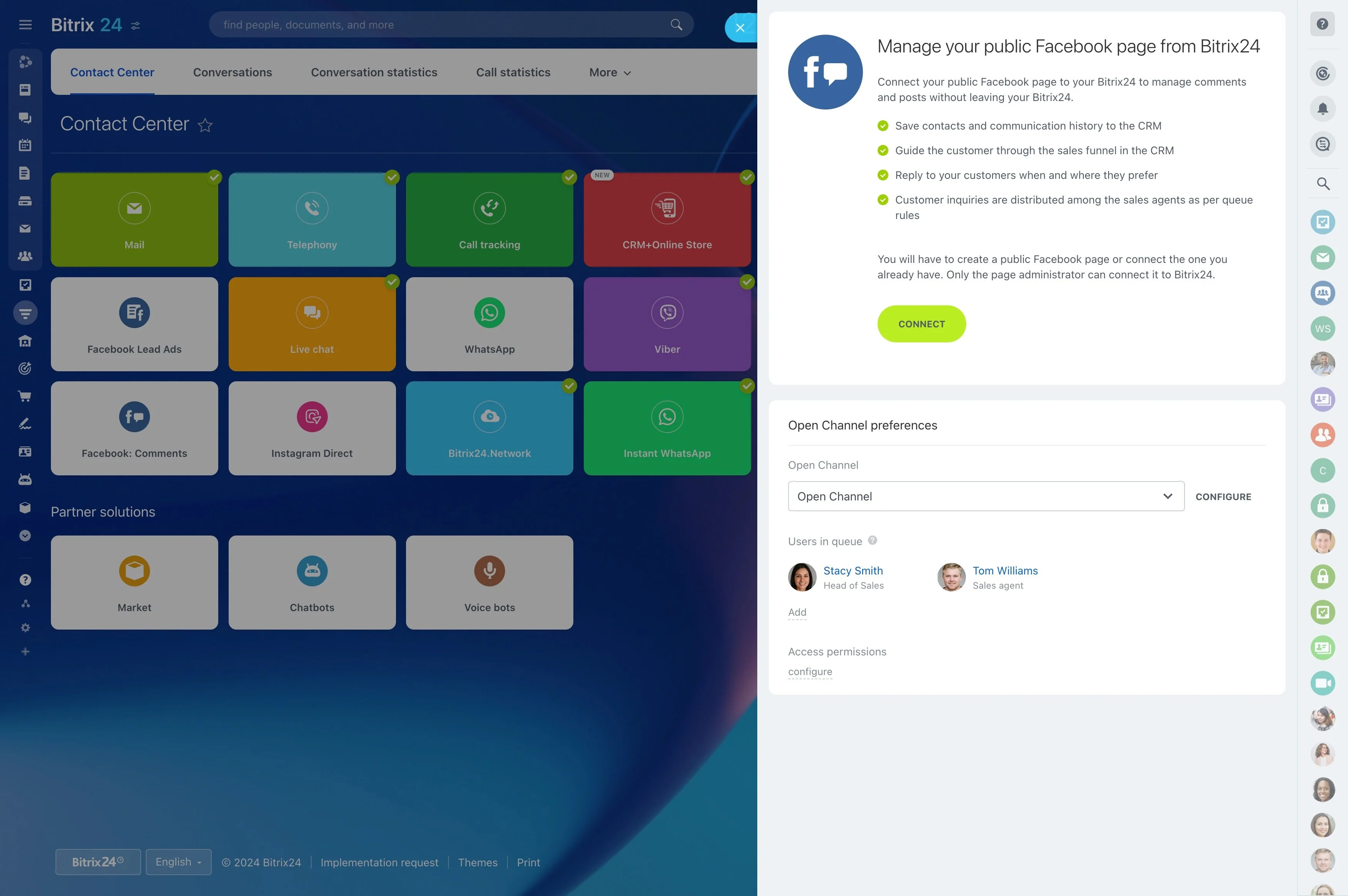
Quick start guide: 1) Open Bitrix24 Contact Center and select Facebook Lead Ads.
- Separate pipelines or stages for different products, regions, or intent levels (Demo vs. Content Download).
- Automation rules that trigger immediate emails, schedule callbacks, or open messaging channels (e.g., WhatsApp) when connected.
- Dedicated fields for campaign, ad set, and ad IDs to make reporting and dashboards plug‑and‑play.
- Clear deduplication policies (email, phone, or both) and field lock rules for data you never want overwritten.
Built for SMB Teams: Workflows, Collaboration, and Scale Without Overhead
SMB marketing managers need more than a connection — they need a system a lean team can run without dropping the ball.
Operational wins that compound:
- Unified workspace: Call, email, and message leads from a single record. Every touch automatically logs to the timeline — no manual notes required.
- Tasking and chat: Assign follow‑ups to reps, discuss edge cases in chat, mention a manager for help, and keep the conversation attached to the lead.
- Automation library: Send drip emails, schedule reminders, request approvals, and advance stages based on outcomes (e.g., meeting booked).
- Mobile‑first responsiveness: Reps get push notifications, can tap‑to‑call, and update deal stages from the field.