SLAs customers brag about

Support becomes part of your reputation before most buyers ever talk to sales. Prospects read reviews, ask peers in Slack groups, and pay close attention to how vendors respond when something breaks. That experience travels.
When support is consistently good, customers don’t just stay; they talk. They recommend you in communities, defend you in comparison threads, and bring your product into conversations you weren’t part of.
This article breaks down how to build SLAs that create that effect.
You’ll learn how to design clear service tiers, use AI and automation to prevent breaches before they happen, route cases to the right experts quickly, and measure what matters—time to value, not just ticket closure.
Most importantly, you’ll see how to build this as a system in Bitrix24, where your helpdesk, automation, knowledge base, and analytics work together in one place.
What makes an SLA worth talking about?
When customers rave about support, they're not celebrating your dashboard metrics. They're remembering how quickly they felt understood and how confident they felt from first reply to final resolution.
-
Speed isn't enough: Fast responses mean nothing if problems take days to solve. Modern support teams focus on time-to-value, or how quickly customers can get back to work.
-
Clarity builds trust: Strong SLAs set clear expectations: response time, urgency criteria, service level, and escalation path. Transparency builds trust.
-
Consistency earns loyalty: Anyone can impress once. What builds loyalty is delivering the same reliable experience day after day. When your team follows predictable workflows and your helpdesk supports them with smart automation, consistency becomes natural.
-
Proactivity creates advocacy: Customers notice when you're ahead of the problem. Early alerts, pre-breach warnings, and timely updates show you're paying attention. These moments turn routine service into something worth mentioning.
A brag-worthy SLA blends speed, clarity, consistency, and proactive care into one smooth experience. When you design for these outcomes, customers don't just appreciate your service, they recommend it.
The five-part SLA system that drives advocacy
Exceptional support doesn't happen by accident. It requires five interconnected components working together:
1. Smart SLA architecture
Tiered service levels that reflect customer value and issue urgency, backed by automation that prevents breaches before they happen.
2. AI-powered first response
Intelligent assistants that handle routine questions instantly, freeing your team to focus on complex problems that require human judgment.
3. Skill-based routing
Automatic case assignment that connects each customer to the right expert immediately, eliminating delays from misrouted tickets.
4. Support infrastructure
A comprehensive knowledge base that empowers self-service, plus seamless transitions to live meetings when issues require real-time collaboration.
5. Meaningful analytics
Dashboards that track time to value—not just response time—so you can measure and improve what actually matters to customers.
When these five parts connect in Bitrix24, they create a support engine that runs consistently, scales efficiently, and delivers experiences customers talk about. Here's how to build each component.
Smart SLA architecture: tiers + automation
Thoughtful SLA tiers create support that feels fair, predictable, and scalable. Combined with automation that monitors every active ticket, they prevent breaches before they happen.
Build simple, transparent tiers
Start with three levels that customers immediately understand:
-
Standard for everyday questions
-
Priority for higher-usage or contracted customers
-
Critical for outages or issues that stop work
Each tier should clearly define response time, resolution target, supported channels, and escalation path.
Use business impact as your guide
A billing question doesn't need the same response as a system outage. When you classify tickets based on impact, your SLA becomes more meaningful and ensures critical problems move first.
Automate SLA protection
Even experienced teams fall behind when queues grow or cases linger unnoticed. Automation keeps you ahead by monitoring every ticket and acting at the right moments.
In Bitrix24, you can:
-
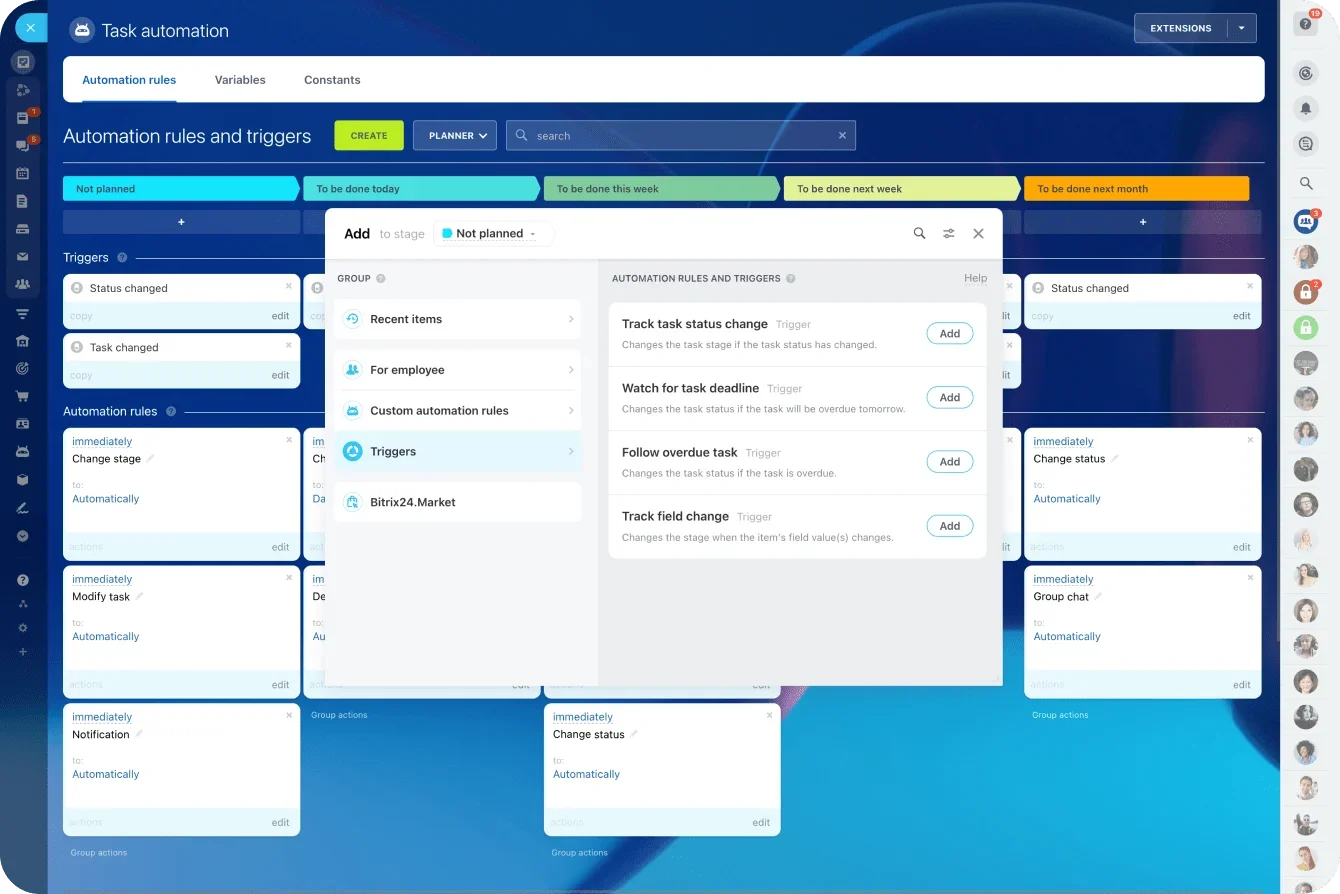
Maintain visibility: Trigger alerts as deadlines approach, increase priority levels, and move tickets into faster queues.
-
Escalate proactively: Reassign cases to senior agents, add followers for oversight, and switch channels when needed.
-
Keep customers informed: Send confirmations, assignment updates, and escalation alerts automatically.
-
Predict issues early: Surface overloaded queues, stuck tickets, missing information, and misclassification patterns.
Well-designed tiers tell customers what to expect. Smart automation ensures you deliver on those commitments every time. Together, they create support that's smooth, predictable, and trustworthy.
Intelligent routing: AI + human expertise
Your support performance depends on two things: handling routine questions instantly and connecting complex cases to the right expert immediately. AI and skill-based routing work together to accomplish both.
AI handles repetitive questions so humans focus on hard problems
Password resets, feature explanations, account navigation, basic troubleshooting—an AI assistant trained on your knowledge base handles these instantly, even outside standard hours. Your agents then focus on complex questions where human judgment matters, increasing productivity and stability.
AI should guide, not block
A helpful AI assistant moves customers forward without blocking human access. It provides clear steps, suggests articles, and escalates immediately when issues become too complex.
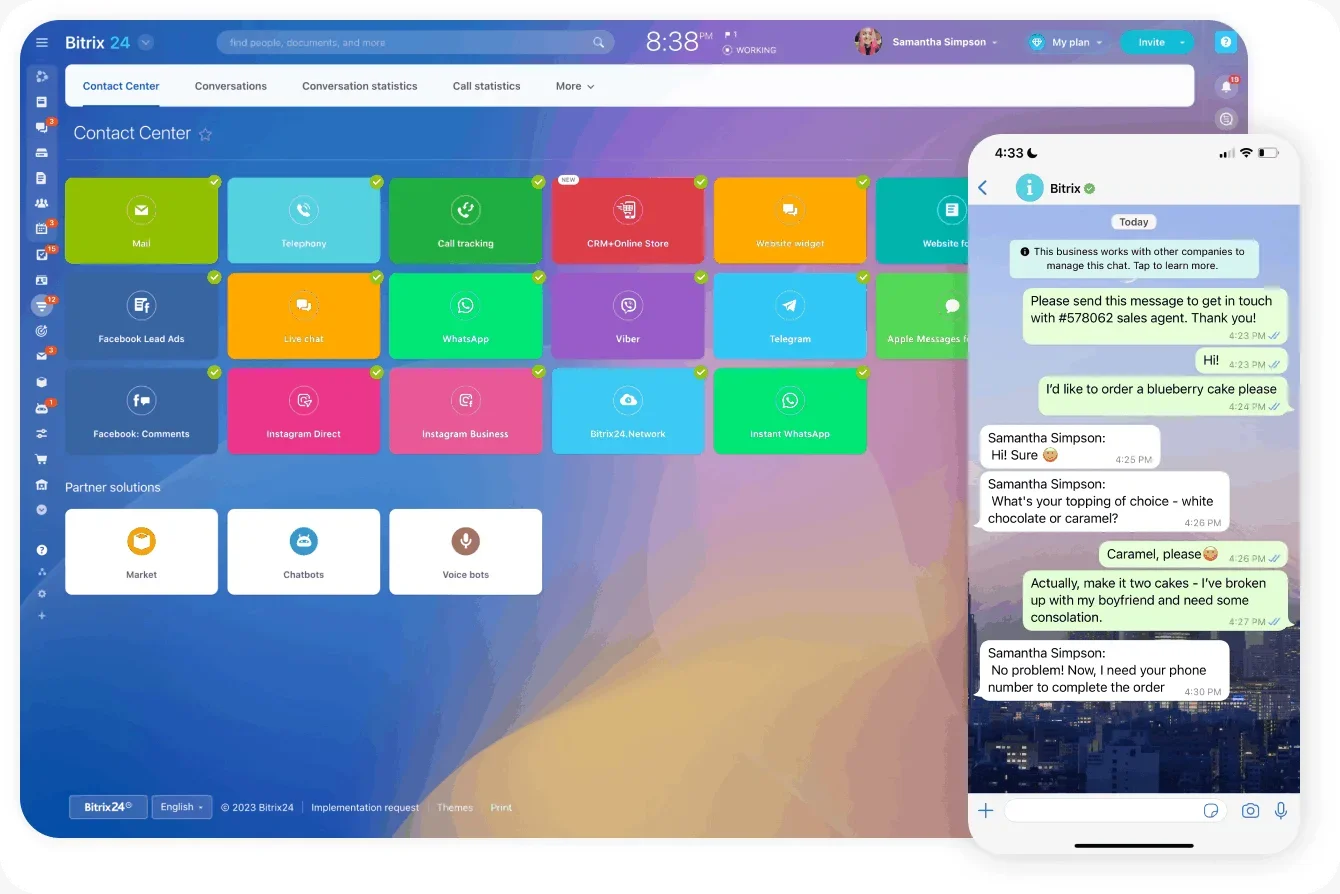
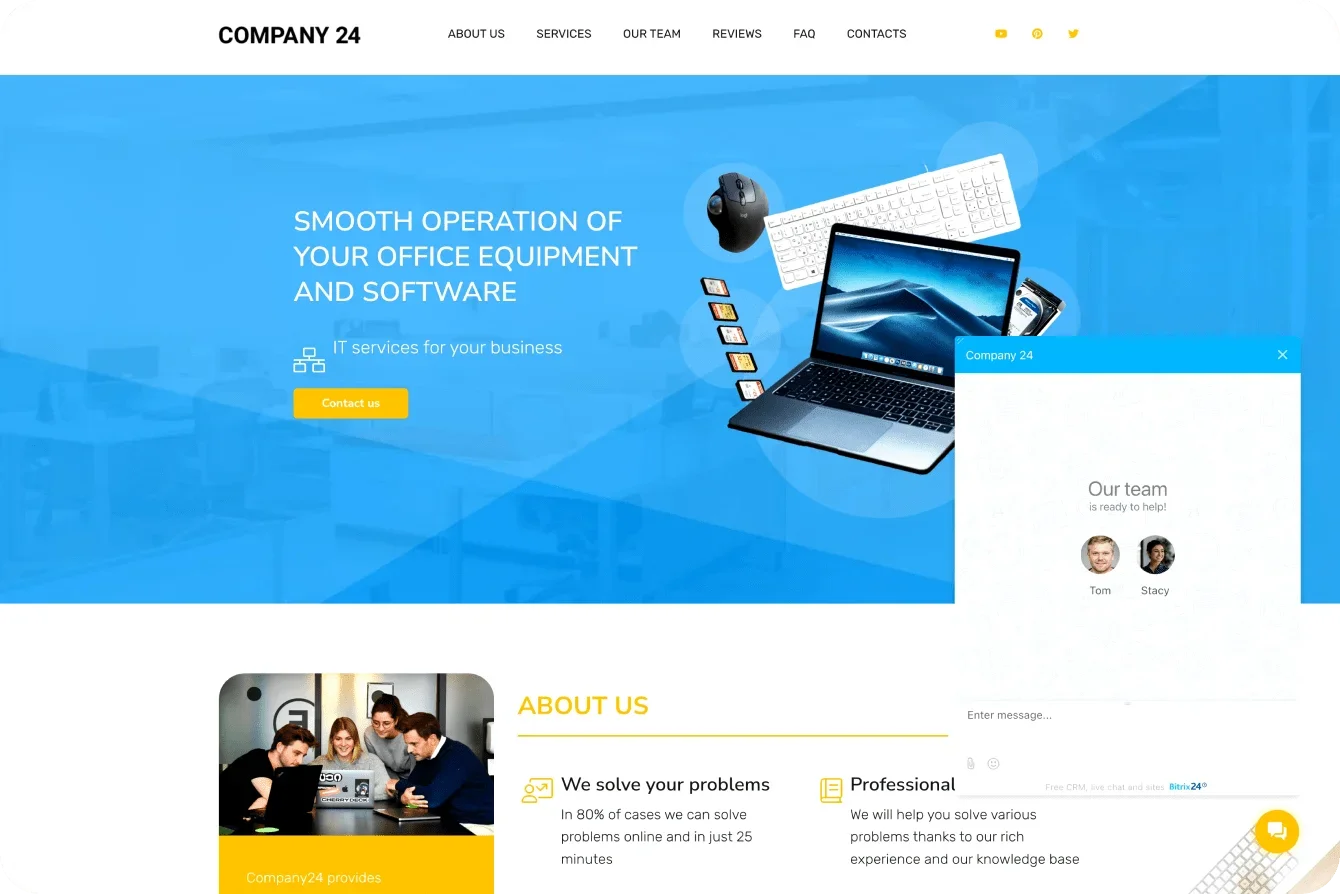
In Bitrix24, the website widget can recommend articles automatically, pre-fill ticket forms, route customers to the right queue, and answer questions using your knowledge base content. Everything updates in one place, so customers always receive accurate information.
Skill-based routing eliminates wasted handoffs
A fast reply means nothing if the case lands on the wrong desk. Misrouted tickets drag down SLA performance, create unnecessary back-and-forth, and frustrate customers who repeat the same details.
Your agents already have natural expertise: some handle billing, others know specific product modules, and some excel at technical troubleshooting or regional nuances. When you document these strengths, you can route intelligently.
Bitrix24 automates precise routing
Build rules that assign tickets based on category, keywords, SLA tier, channel type, workload, and availability. Once configured, routing runs automatically—no manual sorting required.
When the right expert receives each case immediately, resolution time drops and escalations become less frequent. Customers get answers that are accurate and confident, not generic or uncertain.
Support infrastructure: Knowledge base + live collaboration
Some issues are too detailed or complex to solve through messages alone. Your support system needs two foundations: a comprehensive knowledge base that empowers self-service, and seamless access to live collaboration when customers need real-time help.
Build a knowledge base that actually gets used
A strong knowledge base gives customers immediate answers, helps agents work efficiently, and ensures accuracy. When everyone uses the same information, workflows become smoother.
Create content that's actionable
Focus on step-by-step instructions, troubleshooting flows, short videos, FAQs, and best-practice guides. The simpler and more actionable, the faster customers can help themselves.
Keep everything current and organized with concise titles and logical categories. Fast navigation directly supports SLA performance by cutting time spent searching.
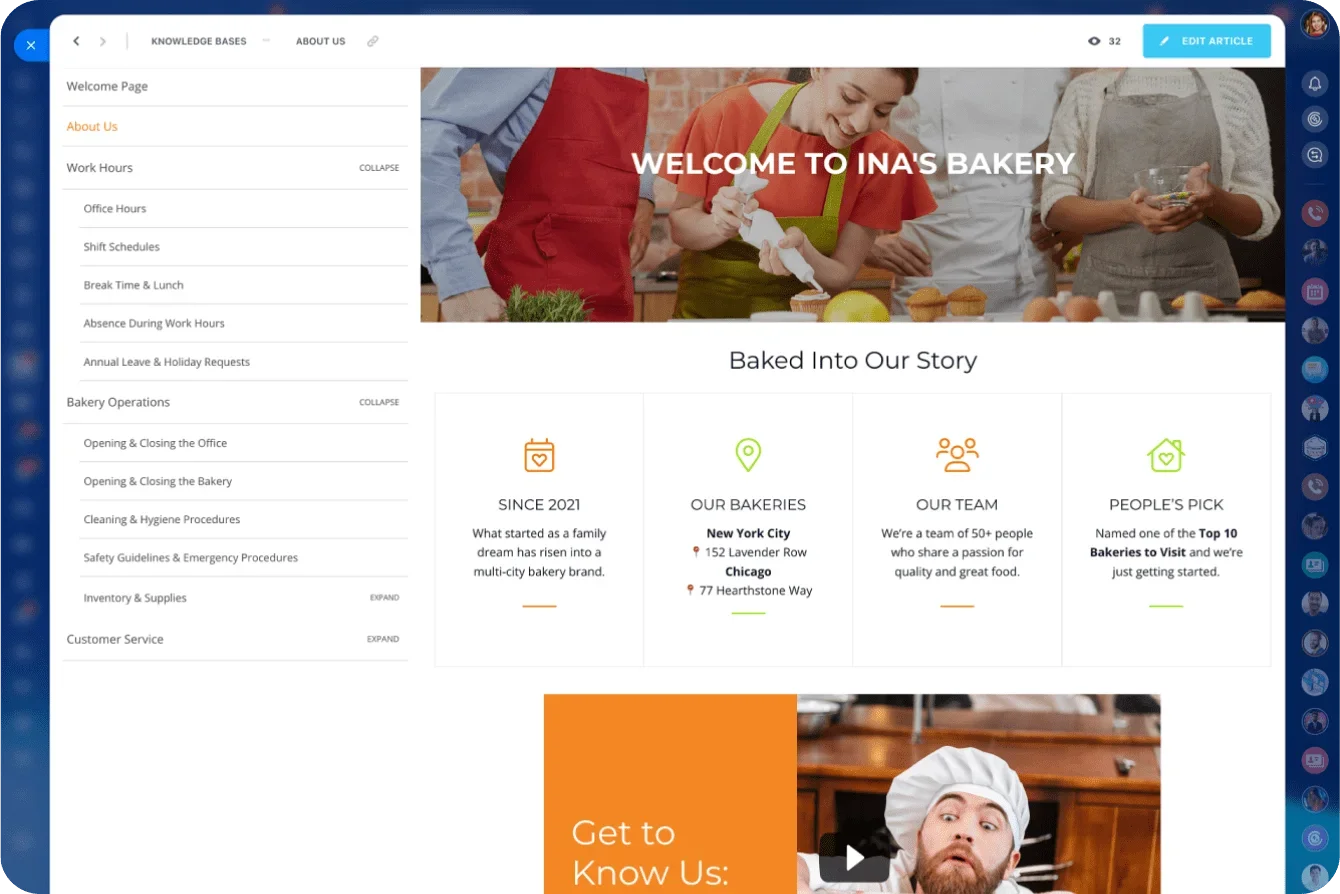
Tight integration makes the difference
In Bitrix24, the knowledge base connects to your entire support system. The widget recommends articles automatically, agents link them with one click, and your AI assistant draws from the same content for consistency. Updates sync everywhere immediately.
Know when to switch to live conversation
Some issues are better handled in real time: multi-step technical problems, walkthroughs, sensitive account questions, or early signs of escalation. Messaging slows resolution once complexity increases.
In Bitrix24, agents can launch video calls or screen sharing directly from the helpdesk, with full context attached. Customers don’t repeat themselves, and agents don’t lose momentum.

A well-timed live session replaces long message threads with one focused interaction, resolving issues faster and preventing escalation during busy periods.
Measure what matters: Time to value
First-response and resolution time are easy to track. Useful, sure. But incomplete. What customers actually care about is how quickly they can get back to work.
Teams that design SLAs around time to value see real commercial impact—lower churn and stronger referral-driven pipeline within a single quarter. Not because replies are faster, but because customers reach value sooner.
Why time to value matters
Time to value reflects the full support journey, not just ticket closure. It captures delays caused by misrouting, stalled follow-ups, and repeated handoffs—the friction customers remember.
Making it visible with unified reporting
With Bitrix24, teams track time to value and SLA performance in one place. Unified dashboards surface risks early and show where processes break down, without stitching together reports from multiple tools. Some teams share selected metrics publicly or directly with customers. That transparency builds trust, shortens sales cycles, and turns support performance into a confidence signal.
When you measure what actually matters, improvement becomes systematic. Support stops reacting to tickets and starts reinforcing long-term customer trust.
Implementation blueprint: Build your SLA system in Bitrix24
You don't need a massive overhaul to create SLAs that customers trust. With clear structure and the right tools, you can build a modern helpdesk quickly. Use this blueprint as your starting point.
Step 1: Define three clear SLA tiers
Create standard, priority, and critical levels. Set realistic response and resolution targets for each, and document what customers should expect. Clear commitments form your foundation.
Step 2: Build helpdesk queues and automation
Create dedicated queues for each tier. Configure Bitrix24 workflows to send warnings as deadlines approach, escalate cases automatically, reassign stalled tickets, update customers at key moments, and increase priority for urgent requests.
Step 3: Deploy your website widget
Make it easy for customers to reach you. The Bitrix24 widget offers live chat, ticket submission, knowledge base recommendations, and AI-powered first-line support—all connecting directly to your helpdesk with full context.
Step 4: Train your AI assistant and build your knowledge base
Start with the most common questions. Let your knowledge base guide AI training. Expand coverage based on real ticket trends. Create step-by-step instructions, troubleshooting flows, and FAQs that both customers and agents can use.
Step 5: Set up skill-based routing
Build rules that assign tickets based on category, keywords, SLA tier, channel type, agent workload, and availability. This ensures the right expert receives each case immediately.
Step 6: Build dashboards that track time to value
Monitor SLA compliance, median time to value, first-contact resolution, ticket categories, and agent workload. These insights show where customers experience friction and where processes need refinement.
Step 7: Review and refine monthly
Use dashboards to identify slow points and adjust workflows. Small monthly refinements compound into stronger performance.
Each step strengthens your ability to deliver fast, predictable service. Because Bitrix24 combines your helpdesk, automation, knowledge base, communication tools, and analytics in one system, you avoid the friction that comes with scattered platforms.
Turn support into your growth engine
At this point, the path is clear. When SLAs are designed around real outcomes, when escalation is automatic, and when the right people get involved at the right time, support stops feeling reactive. It becomes predictable. Trust compounds.
You don’t need a new stack to get there. The pieces are already in place. What matters now is setting the first boundary, measuring the right signal, and letting the system run.
Create Rave-Worthy Support
Leverage Bitrix24’s unified helpdesk, AI, automation and smart SLAs, create exceptional customer service experiences that drive business growth
Start NowFrequently Asked Questions
Which SLA metrics actually predict retention?
Track first-contact resolution (customers want issues fixed in one interaction) and median time to value, which measures when customers can actually use your solution again, not just when tickets close. Combine these with customer health scores tracking usage frequency and whether customers see value in your product. The customers who renew got fast solutions, not just fast replies.
How do we prevent bot loops for edge cases?
Design your AI assistant to automatically escalate to humans when trigger words are detected or when the bot recognizes queries beyond its capabilities. Set time limits in Bitrix24 to transfer conversations after a defined period. Note: After handoff to an agent, customers cannot be transferred back to the bot.
Can we give VIPs white-glove workflows?
Yes, Bitrix24 lets you route VIP customers to designated agents automatically, create priority queue groups, and build separate helpdesk queues with faster SLA targets. Use automation to escalate VIP cases immediately when thresholds are approached. VIPs should never wait in standard queues—route them to premium pathways fr om first contact.
What proof points belong on a public status page?
Show real-time operational status for all services, historical uptime percentages (99%+ SLA guarantees), and current incident status. Include median time to value and first-contact resolution rates if they're strong. The confidence signal comes from proactive transparency: customers trust teams that share performance data, not those who hide behind promises.
How do we coach agents using data, not scripts?
Use Bitrix24's AI Speech Analytics to analyze agent calls and provide specific improvement recommendations without supervisors listening to every call. Track supervisor ratings, customer satisfaction scores, and performance metrics (resolution time, conversion rates, closed tickets) for each agent. Coach to patterns: identify wh ere agents struggle and pair them with high performers in those areas.