How to Use Your CRM and Project Management Software


Sales closes the deal, and then the questions start. Where's the scope? Who owns onboarding? Has anyone told the client?
Within a week, the same details are being chased across the CRM, a task board, and a few chat threads.
The fix is one workflow that links client records, deals, tasks, and project progress instead of running them as separate systems, so nothing falls into the gap between "won" and "delivered."
This guide covers how to build that setup end to end: mapping your client path, structuring the CRM around what delivery actually needs, connecting deals to projects, and keeping it clean as volume grows.
What it means to use CRM and project management software together
Using CRM and project management software together means connecting two related parts of the client journey. The CRM manages the commercial side: who the client is, what they need, what was sold, and what has been agreed. The project management layer manages the delivery side: what work needs to happen, who owns it, when it is due, and how progress is tracked.
That distinction matters. Integration alone can still leave teams in silos if sales treats the CRM as "their system" and delivery treats project software as "theirs." A combined process creates one operational path across departments, so everyone works from connected records rather than disconnected copies of the same client.
What this looks like in practice
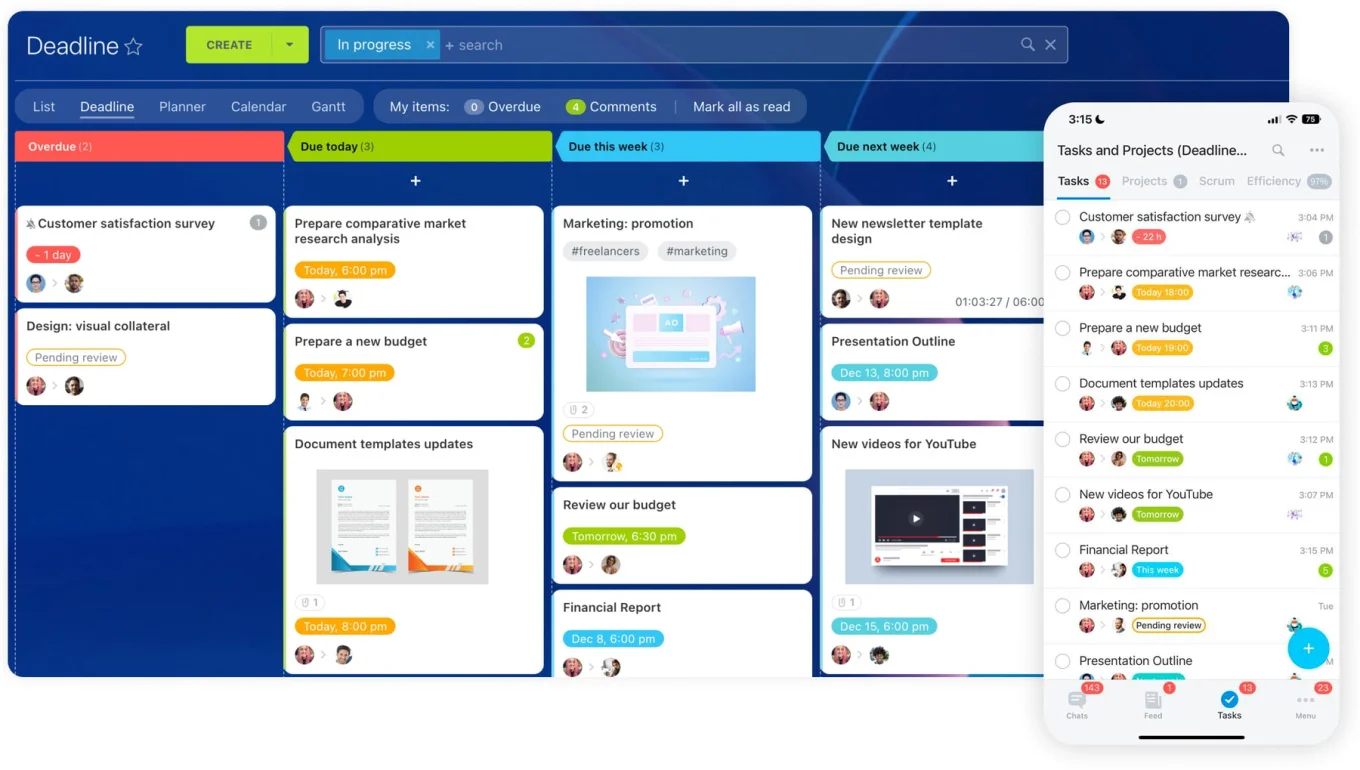
Bitrix24 is a useful reference here because it keeps these pieces in one place. You manage leads, contacts, companies, and deals in the CRM, then connect that data to tasks, workgroups, project spaces, files, internal chat, and reporting. The work doesn't have to leave the client context to get started, which removes most of the usual handoff friction.
In practice, the setup should answer three questions fast:
- Who is the client and what was sold?
- What work needs to happen next?
- Who owns each step right now?
Why the process breaks when CRM and project work stay separate
Context dies at the handoff
When sales, operations, and service teams work from different records, context disappears at handoff. Sales often holds key notes on scope, promised timing, decision-makers, or special requirements in the CRM. Delivery starts from a task board or a kickoff message with only part of that picture, then fills the gaps with guesses or another round of internal questions.
That creates a familiar loop. Sales says the information was already captured. Delivery says it was never passed over clearly. The client just sees a company that can't keep its story straight.
Salesforce found that 76% of customers expect consistent interactions across departments, while 54% say it feels like sales, service, and marketing don't share information.
The handoff gap isn't internal noise; customers notice it directly.
Activity scatters across tools
Project activity also tends to live outside the client timeline. Calls, emails, deal-stage changes, internal approvals, delivery tasks, and blockers spread across separate tools. A manager then can't answer basic questions without digging. Is the project late? Has the client been updated? Is the problem commercial or delivery-related? Who owns the next move?
Manual transfers compound the cost
And manual transfers make all of it worse. Teams copy notes into spreadsheets, paste task summaries into chat, and rebuild project details after the deal closes. Every manual step adds delay and another chance for error, and the numbers drift as soon as one team updates a record and another doesn't.
The friction is measurable: a Harvard Business Review study found knowledge workers toggle between apps and websites around 1,200 times a day, losing close to four hours a week just reorienting. Much of that is the cost of stitching disconnected tools together by hand.
Where separation usually fails:
- Client requirements are captured in one place and executed from another
- Status updates don't appear on the same record as sales and account activity
- Ownership changes are informal instead of system-defined
- Reporting shows pipeline performance but not delivery reality
CRM-to-Project Workflow Blueprint: Fields, Stages, Automations Setup
Enter your email address to get a comprehensive, step-by-step guide

Step 1: Map your full client workflow before you configure anything
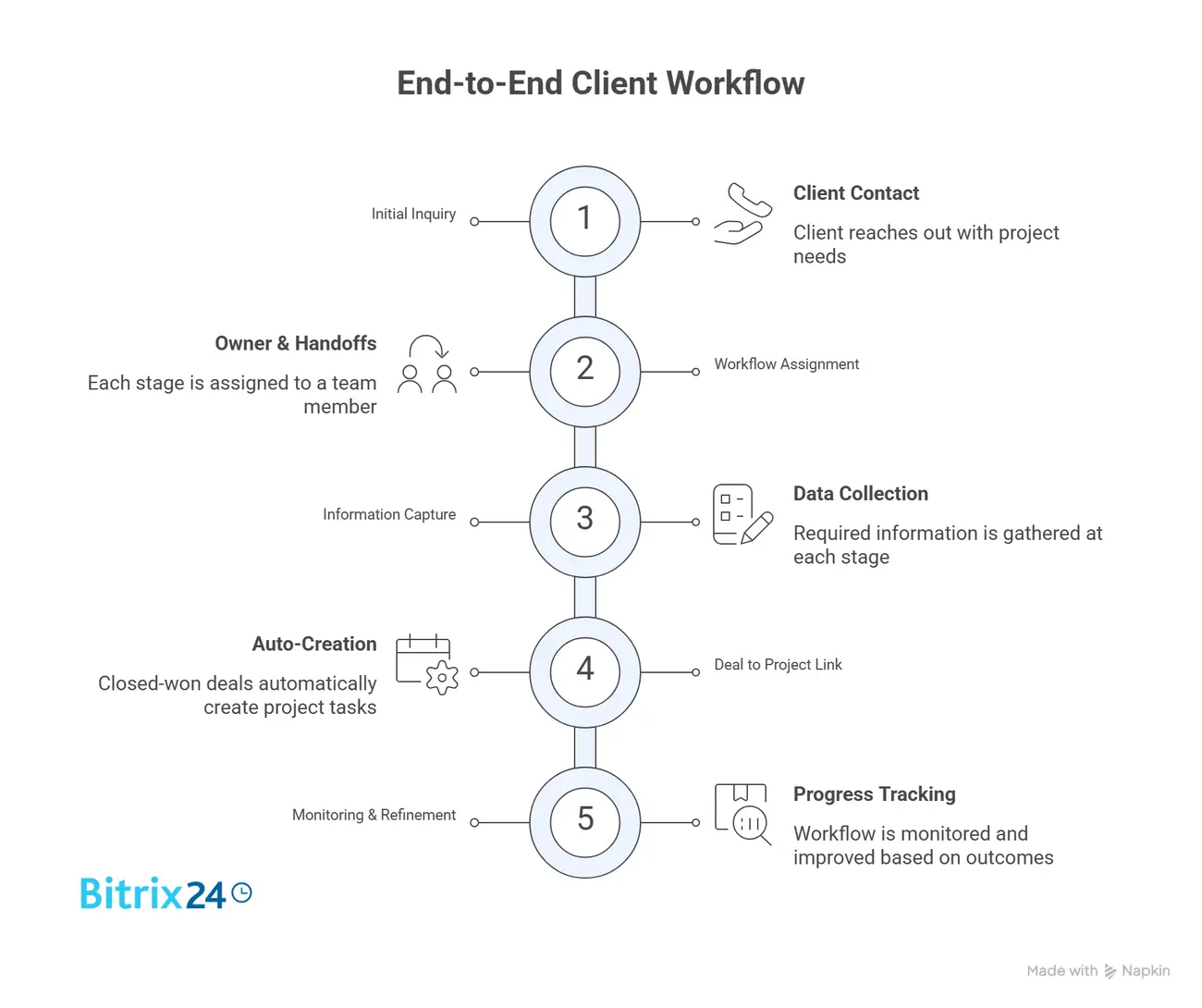
Don't start by clicking through software settings. Map the real path a client takes through your business first. If that path is unclear on paper, the system will only make the confusion faster.
Write out the stages from lead capture to delivery and follow-up. For many teams that's lead intake, qualification, proposal, negotiation, closed-won, onboarding, active delivery, review, then renewal or post-project support. The labels matter less than the logic behind them.
Identify handoffs and trigger points
Then find where ownership changes. Maybe sales owns the lead through signature, an account manager owns onboarding, and a project lead owns execution. Those transitions need to be explicit.
A web design studio, for instance, will often lose a day or two right after signing simply because nobody agreed whether the salesperson or the project manager schedules the kickoff call. Vague handoffs in real life become missed tasks and stalled projects in the system.
Next, decide which milestones trigger action. A won deal might create an onboarding checklist. A signed contract might notify finance. A kickoff date might create a project space and assign owners. A delivery completion might trigger a follow-up task for account management.
Map the workflow in order
- List each client-facing stage from first inquiry to post-delivery follow-up.
- Assign a primary owner for every stage.
- Mark each handoff point between teams.
- Define the information required before a record can move forward.
- Identify events that should trigger tasks, notifications, or project creation.
Skip this, and you'll build a tool setup on assumptions, which usually means too many stages, weak handoffs, and automation firing at the wrong time.
Most teams can sketch the whole map in a couple of working sessions with one person from sales and one from delivery in the room.
Step 2: Structure your CRM around real client and deal data
Once the workflow is mapped, shape the CRM around the information teams actually need to do the work. This is where many setups go wrong. They capture enough to close the deal, but not enough to deliver what was sold without another round of internal interviews.
Keep contacts, companies, and deals distinct
At a minimum, separate contacts, companies, and deals clearly.
Contacts are people. Companies are organizations. Deals are commercial opportunities tied to revenue, scope, or service agreements.
It sounds basic, but when teams blur the three, reporting and handoff quality drop fast.
Capture what delivery needs, then require it
Add the custom fields that matter after the sale. Delivery teams usually need more than a deal value and a close date: agreed scope, expected start date, target deadline, budget constraints, service tier, implementation requirements, decision-maker details, and internal stakeholders.
Standardization is the point. If one rep writes the scope in a note, another drops it in chat, and a third puts it in a custom field, delivery gets a different-looking handoff every time. Required fields fix that.
If a won deal can't advance until certain delivery inputs are filled, the system enforces discipline instead of relying on memory.
|
CRM Data Area |
What to Capture |
Why It Matters for Delivery |
|---|---|---|
|
Contact |
Primary client contact, role, email, phone |
The team knows who to update and involve |
|
Company |
Client account details, billing entity, industry |
Provides account context and commercial accuracy |
|
Deal |
Value, close date, service/package sold |
Connects delivery to the commercial commitment |
|
Custom fields |
Scope, deadline, budget, stakeholders, special requirements |
Gives project teams the inputs needed to start correctly |
By the time a deal is marked won, the core project inputs should already be structured and visible. In Bitrix24, this runs through CRM entities and custom fields configured for your sales and delivery process, so the data is ready the moment work begins.

Step 3: Connect deals to tasks and projects in one workflow
Now turn the handoff into something repeatable. A won deal shouldn't trigger a scramble in chat. It should trigger a defined workflow that creates the right tasks, workgroup, or project space, automatically or with minimal manual effort.
Say your team delivers onboarding or implementation work. Every closed-won deal can spin up a project from a template that already includes kickoff tasks, document requests, internal review steps, milestone owners, and deadlines. The template will differ by service type, but the transfer from deal to execution stays consistent.
Keep project activity tied to the field
Just as important, project activity should stay linked to the client or deal record. If delivery tasks sit in isolation, you're back to split visibility. A manager should be able to open the account and see commercial history and current work status without hopping between systems.
Bitrix24 ties tasks and projects to CRM records, so the project starts from data already captured instead of being rebuilt from scratch.
A workable conversion flow often looks like this:
- Deal reaches closed-won.
- The system checks that required handoff fields are complete.
- A project or workgroup is created from a template.
- Tasks are assigned to onboarding, delivery, or support owners.
- The project stays associated with the client and deal record.
Keep it boring on purpose. If every new client delivery starts a little differently, reporting gets messy and execution quality drifts. A consulting firm running several onboardings a month will feel that drift quickly: without a template, each project manager invents their own checklist and no two clients get the same start.
Step 4: Build clear handoffs, ownership rules, and internal collaboration
A connected system still fails if nobody knows who's responsible at each stage. Software can support handoffs, but it can't fix vague ownership. That part has to be designed.
Assign named owners, not departments
Define the responsible role from sales through onboarding and execution, and be specific. "Operations" is not an owner. "Client success" often isn't enough either. Use named roles tied to actual actions: sales rep closes the deal, onboarding manager schedules kickoff, project lead owns delivery milestones, account manager handles post-launch follow-up.
Keep the conversation on the record
Keep context inside the workflow itself. Task comments, timelines, shared files, internal notes, and approval records should sit where the work happens. When decisions live in private inboxes or side chats, the platform becomes a shell instead of the source of truth, and the next person to touch the account starts blind.
Bitrix24 keeps task assignment, comments, file sharing, and group workspaces attached to the client and project record rather than scattered around the business.
Add checkpoints so nothing stalls
Notifications and checkpoints matter too, because people miss things when the system is passive.
If onboarding hasn't started within a set window after close, trigger an alert. If a required file is missing before kickoff, flag it. If a task is overdue at a critical milestone, push visibility up to the project owner or manager.
Good handoffs aren't just data transfer. They combine complete information, explicit ownership, and a visible next action in one place.
Step 5: Track Progress, client communication, and outcomes in real time
Once work is active, visibility has to cover both execution and client interaction. Otherwise teams see tasks but not the relationship, or relationship activity but not the work. Neither view is enough alone.
Track the work as it moves
Track task status, deadlines, blockers, dependencies, and major milestones as they move. That gives project leads and managers a current read on whether commitments are on track, and it shows when commercial promises and operational reality start to diverge.
Keep client activity on the same record
Client communication should stay attached to the same record. Emails, calls, notes, meeting outcomes, approvals, and delivery updates need to stay visible to the people managing both the account and the work.
This is one of the biggest practical payoffs of a single platform: nobody has to reconstruct the client story from inbox fragments. Bitrix24 pairs CRM activity tracking with task and project monitoring and surfaces both through analytics and reports, so pipeline movement and execution status sit side by side.
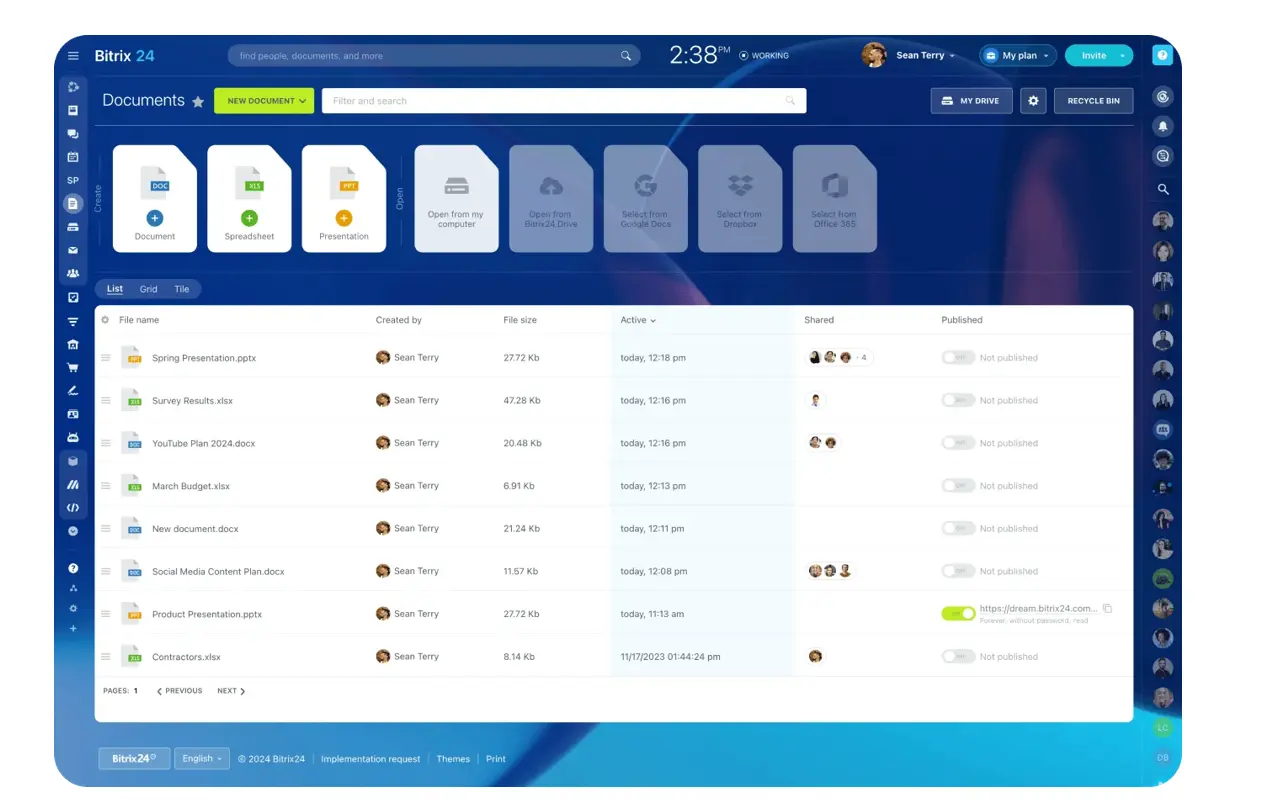
That shift produces better questions.
Not just "How many deals closed?" but "Which closed deals are stuck in onboarding?"
Not just "What's revenue this month?" but "Which accounts are active, at risk, or blocked in delivery?"
Useful reporting views include:
- Closed-won deals by implementation status
- Projects at risk by deadline or overdue tasks
- Accounts with no recent client communication
- Handoff time from close to project kickoff
- Delivery completion by team, service type, or account segment
Step 6: Refine the system, avoid common mistakes, and scale
Most failures in CRM-project workflows aren't technical. They come from process decisions. Teams overbuild too early, skip required fields because they feel annoying, or keep using private notes and side channels instead of the shared system.
Common mistakes
Overcomplicating the workflow is the frequent one.
Too many deal stages, too many custom fields, too many automations, and too many exceptions make the system hard to trust.
Start with the smallest structure that supports a clean handoff and reliable execution, then add only what earns its place.
Weak data discipline is the other.
If critical handoff fields are optional, they'll be incomplete. If users can create tasks without linking them to a client or deal, visibility breaks again. If nobody agrees on what counts as the source of truth, each team falls back to its own habits within weeks.
Scaling without the mess
As volume grows, a basic setup stops holding up. A few habits keep it clean:
- Use project templates for repeatable service types.
- Automate handoff steps only after the manual process is stable.
- Apply naming standards for deals, projects, and client-facing workspaces.
- Review required fields quarterly to remove dead weight.
- Train new users on one agreed workflow, not team-specific shortcuts.
Automating before the manual process works just makes mistakes faster. Get the sequence right by hand first, then let the system run it.
Create one connected system for clients, deals, and delivery
CRM and project management work best when they stop being separate places for separate teams. Once deals, client records, tasks, project updates, files, and communication sit in the same workflow, the handoff after the sale becomes much easier to control.
That means fewer missing details, fewer status-chasing messages, and fewer clients wondering why they have to repeat information they already gave during the sales process.
Sales can see what happened after the deal closed. Delivery can see what was promised before the work began. Managers can spot delays before they turn into account problems.
You don’t need to build the perfect system from day one. Start with one clean workflow: connect deal data to project execution, assign clear owners, require the right handoff fields, and keep updates visible on the client record. Then improve it as real bottlenecks appear.
Bitrix24 gives you the structure to do that in one place, connecting CRM records, tasks, projects, collaboration, files, communication, and reporting. So instead of treating sales and delivery as separate stories, you can manage the full client journey from first contact to completed work. You can start for free and shape the setup around the workflow you’ve mapped.
Turn Won Deals Into Delivered Projects
Bitrix24 unites CRM, tasks, projects, files, and chat so teams keep handoffs clear, ownership visible, and client work moving.
Learn MorePractical FAQ
One platform or multiple connected tools?
One platform usually wins when visibility and handoff speed matter more than specialized features. Multiple tools can work, but only with strong connections and disciplined teams. In most mid-sized operations, fewer systems means fewer handoff failures.
How do you migrate old client and project records?
Don't migrate everything blindly. Move active clients, open deals, and the historical records you actually need for delivery or reporting. Archive the rest. Old clutter makes a new system harder to use from day one.
How long does setup usually take?
A simple workflow is realistic in a few weeks. Complex teams with multiple services, handoff paths, and approval layers take longer. Most delays come from process debates, not software configuration.
Can teams work from mobile?
Yes, if the platform supports it and the workflow is designed for quick updates. Mobile works best for task updates, notes, and communication, less so for deep configuration or heavy reporting. Bitrix24's mobile app covers the day-to-day updates a field or traveling team needs.
How should a small team start without heavy customization?
Keep it simple: one pipeline, basic required handoff fields, one project template, clear owners, and a small set of reports. Small teams don't need elaborate automation on day one. They need consistency.