Project Management Tools: How to Choose the Right One (2026)


If you're comparing project management tools, you're probably not looking for “the best tool.” You're trying to make a decision that won't backfire six months later.
A reported 77% of high-performing projects use dedicated software as the basis for their success. That's why we've put together this guide – mainly, for founders, ops leaders, IT managers, and PMs choosing software for a team that needs to ship work reliably.
What typically goes wrong when teams choose the wrong tool:
People adopt it inconsistently (work lives in spreadsheets again)
Reporting becomes manual and unreliable
Collaboration splits across chat, docs, and tasks
Integrations turn into maintenance work
Security and access governance are bolted on too late
Total cost grows quietly (licenses + add-ons + admin time)
What you'll get here:
A decision matrix you can apply to any tool
A Jobs-to-be-Done comparison (planning → execution → reporting → governance)
A clear way to evaluate all-in-one platforms vs standalone tools
Where Bitrix24 fits when you need project delivery + business operations in one place
How to Choose Fast (Without Guessing)
Match tool type to your team size + project complexity
Choose a tool that fits your real workflow: planning, execution, reporting, collaboration, governance
Evaluate integrations and admin overhead as part of total cost
If you need strong permissions, audits, or regulated workflows, prioritize security + governance
If your work touches customers and revenue, consider an all-in-one platform (projects + CRM + comms) instead of stitching tools together
Run a 2-week pilot using the matrix below before committing
1. The Decision Matrix (Main Comparison Asset)
Use this matrix to narrow the category first. You're not choosing “a tool” – you're choosing a system.
Decision Matrix: What to Choose Based on Your Reality
Dimension | Simple Work Tracking | Dedicated PM Suite | Enterprise PPM | All-in-One Business Platform (Bitrix24) |
|---|---|---|---|---|
Team size | 1–20 | 20–200 | 200+ / multi-dept | 5–500 (esp. SMB/mid-market) |
Project complexity | Low: repeatable tasks | Medium–high: cross-functional projects | Very high: portfolio, budgets, governance | Medium–high + operations workflows |
Collaboration needs | Basic comments | Strong collaboration + visibility | Governance-heavy, formal processes | Tasks + docs + chat + activity feed in one place |
Integrations | Many required | Many required | Deep ecosystem + IT involvement | Fewer required due to native modules (projects + CRM + comms) |
Security & governance | Basic | Moderate | Advanced: audit, risk, compliance | Strong controls (roles, permissions) + centralized data |
Total cost of ownership | Low license, hidden sprawl cost | Moderate | High license + implementation | Often lower overall by reducing tool sprawl |
How to use it
Pick the column that matches your team today.
Then choose the product that best supports your Jobs-to-be-Done (next section).
Validate with a pilot using your real project.
Total Cost of Ownership (TCO): The Part People Miss
Most teams compare tools by subscription price and ignore the real cost:
Licenses for multiple tools (PM + chat + docs + storage + CRM)
Integration setup and maintenance
Admin time: permissions, onboarding, reporting, troubleshooting
Lost time: duplicated work across systems
If your team runs projects that touch customers, billing, or pipelines, an all-in-one platform can reduce those hidden costs by keeping work, communication, and customer context connected.

2. Jobs-to-be-Done Comparison (Planning → Governance)
A useful comparison is not “feature A vs feature B.” It's whether the tool supports the jobs your organization must do every week.
A. Planning (turn goals into a workable plan)
What “good” looks like:
Clear scope, owners, milestones
Dependencies and timelines when needed
Templates for repeatable work
Best-fit tool types
Simple tracking: fine for small, repeatable projects
Dedicated PM suite: strong planning views (boards, timelines)
Bitrix24: planning + templates + cross-team visibility (especially when plans affect ops or customers)
B. Execution (ship work without chaos)
What “good” looks like:
Task ownership, due dates, clear next steps
Comments where the work happens (not scattered chat)
Automations that remove manual follow-ups
Best-fit tool types
Dedicated PM suite: strong task execution
Bitrix24: execution + automations + task assignment tied to broader workflows (e.g., handoffs between teams)
C. Reporting (know what's happening without manual spreadsheets)
What “good” looks like:
Progress dashboards
Workload visibility
Bottleneck detection (blocked tasks, overdue trends)
Best-fit tool types
Dedicated PM suite: good reporting (varies by tool)
Enterprise PPM: strong portfolio reporting
Bitrix24: dashboards + reports across projects and business context (useful when work affects revenue or customers)
D. Collaboration (reduce meetings and confusion)
What “good” looks like:
Task-level discussion and decisions stored with the work
Centralized documentation linked to tasks/projects
Notifications/mentions that are targeted, not noisy
Best-fit tool types
Chat-only tools: weak (context gets lost)
PM suite + separate chat/docs: workable but fragmented
Bitrix24: tasks with comments + chat + centralized docs/files in one platform
E. Governance (control, security, and accountability)
What “good” looks like:
Role-based access and permissions
Audit trails / activity history
Standardized workflows and approvals
Best-fit tool types
Enterprise PPM: strongest governance, heavy setup
Bitrix24: practical governance for SMB/mid-market teams – permissions, centralized system of record, workflow automation – without enterprise overhead
Getting started with tasks & projects
Enter your email to download a guide that will get you started with any project management software.
3. A Practical Selection Framework (Step-by-Step)
Step 1: Classify your work (this decides the tool category)
Choose the best match:
Type 1: Simple delivery (marketing tasks, small launches, internal requests)
Type 2: Cross-functional projects (product launches, onboarding workflows, implementation projects)
Type 3: Portfolio/regulated work (many teams, budgets, compliance, approvals)
Step 2: Decide if you need “project management” or “work + business ops”
Ask one question: do your projects require customer context, revenue context, or multi-team handoffs? If yes, you often outgrow standalone tools because “work” and “business systems” separate:
Sales promises don't match delivery
Customer info lives elsewhere
Handoffs break between teams
That's where an all-in-one platform like Bitrix24 tends to win: projects, tasks, collaboration, and CRM data are connected.
Step 3: Run a 2-week pilot using your real workflow
Don't pilot with a fake demo project. Use a real one and score it:
Time-to-adopt (do people actually use it?)
Reporting accuracy (can you trust the dashboard?)
Collaboration clarity (are decisions easy to find?)
Admin overhead (permissions, onboarding, integrations)
Automation impact (did it remove manual chasing?)
4. Where Bitrix24 Fits (All-in-One Platform, Not a Standalone Tool)
Bitrix24 is positioned differently than single-purpose project tools because it's built as an all-in-one project and business platform.
What that means in practice:
Project & task management
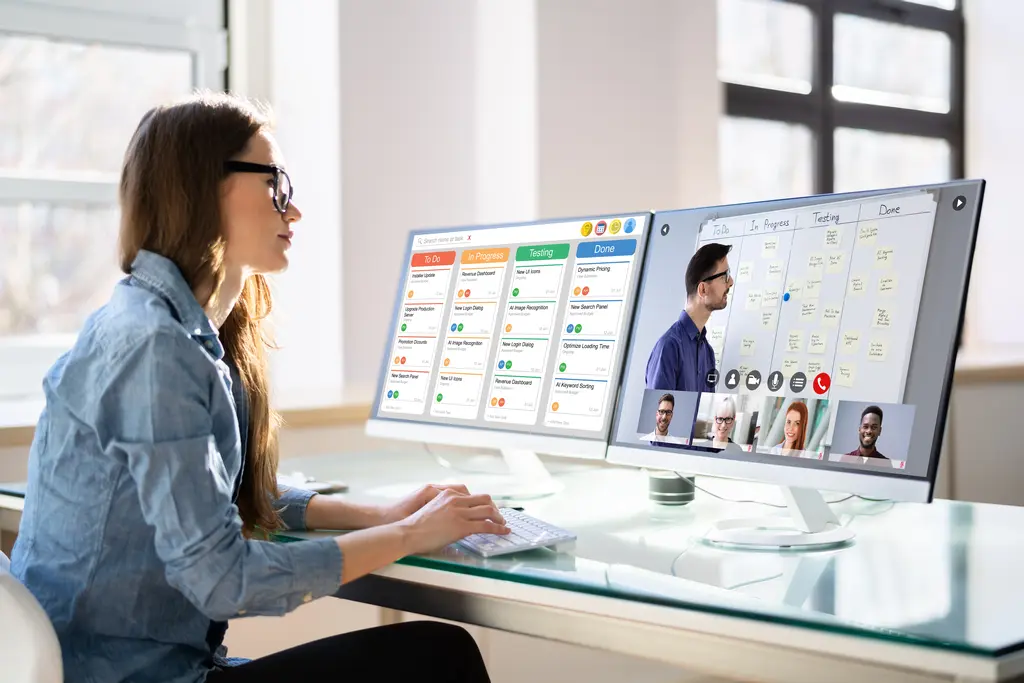
Projects with milestones, tasks, and owners
Views for execution (boards/timelines depending on your workflow)
Task-level comments to keep decisions with work
CRM integration (the difference-maker for many teams)
When projects connect to customers (implementations, onboarding, delivery, renewals), Bitrix24 keeps context in one place:
Link project work to the customer record
Track delivery progress alongside account status
Coordinate handoffs between sales → delivery → success
Collaboration tools
Tasks with comments for work-specific discussion
Chat for quick sync
Activity feed for transparent updates
Centralized documentation and files
Automation capabilities
Auto-assign tasks based on stage, team, or project type
Reminders for overdue work
Workflow templates for repeatable projects
Notifications and mentions that reduce “status meetings”
The advantage isn't “more features.” It's fewer systems to maintain – and fewer gaps where work gets lost.
5. Quick Examples: Matching Tool Choice to Real Scenarios
Scenario A: 12-person agency, repeatable client delivery
Needs: templates, checklists, light reporting
Best fit: simple tracker or Bitrix24 if client context and handoffs matter
Scenario B: 60-person SaaS team running launches + customer onboarding projects
Needs: cross-team delivery + customer visibility + automation
Best fit: Bitrix24 or a PM suite + separate CRM (higher overhead)
Scenario C: 500+ enterprise with portfolio governance and compliance
Needs: budgeting, multi-portfolio reporting, formal approvals
Best fit: enterprise PPM (expect implementation effort)
FAQ
What features matter most in project management tools?
The essentials are:
Usability and adoption
Task ownership and collaboration
Reporting you can trust
Integrations (or fewer needed because the platform is unified)
Security and access control
Scalability without operational overhead
What's the difference between project management and PPM software?
Project management tools focus on delivering projects. PPM (Project Portfolio Management) focuses on managing multiple projects across a portfolio – often with heavier governance, budgeting, and reporting requirements.
Should I choose an all-in-one platform or best-of-breed tools?
Choose best-of-breed if you have strong IT support and integrations are easy to maintain. Choose an all-in-one platform when tool sprawl is slowing you down, data is fragmented, or projects depend on customer and operational context.
Run Projects and Operations in One Place
Bitrix24 connects tasks, teams, and customer context — so your software choice scales with your business.
START FREESummary
Choosing project management software in 2026 is less about feature lists and more about fit:
Your team size and complexity
Your collaboration model
Your integration and governance needs
Your true total cost of ownership
If your projects connect tightly to customers, handoffs, and business operations, an all-in-one platform like Bitrix24 can reduce fragmentation and improve productivity – not by adding more tools, but by consolidating the system your team runs on.