The Startup Operating System: What to Set Up Before You Have a Process


TL;DR (Quick Summary)
Startups hit operational problems before strategic ones. Customer history ends up in inboxes, committed work dies in chat, and signed files scatter across personal drives. A small operating layer, one home each for customer data, work, and documents with clear owners and access rules, keeps that mess from turning into expensive cleanup later.
- Choose defaults before teams invent their own → Pick three systems with distinct jobs and make them the company standard.
- Set customer-system rules → Standardize records, ownership, and updates so context never lives in someone's inbox.
- Create a work system → Track accountable work outside chat, with owners, deadlines, and status.
- Build a document home → A predictable structure and naming beats folder sprawl.
- Lock in access and offboarding → Company accounts, backup admins, and removal rules before permissions get political.
- Make handoffs explicit → Turn each recurring handoff into a trigger, a destination, and an owner.
- Decide what not to build yet → Add complexity only when a real failure, a rule, or a handoff demands it.
Takeaway: Set defaults future teams can inherit instead of replace, each with one owner and simple rules: customer data, work, documents, and access.
Most operational debt is invisible while it's still cheap to fix. It doesn't show up on a roadmap or a board deck; it shows up a year later, in the week you lose migrating records nobody can vouch for, or the offboarding that quietly leaves someone's access switched on.
Get the defaults right early and future teams inherit them instead of rebuilding from scratch. Get them wrong and everything you put on top sits on a foundation you'll pay to replace.
This article gives you the short list of defaults worth setting this month, and the permission to ignore everything else until a real problem asks for it.
Choose the few systems that become company defaults before teams create their own
Set no defaults and people set their own. Sales keeps prospects in a spreadsheet. Product runs off a board. Support lives in chat. Finance files signed contracts in email.
Each choice is harmless alone. Stacked together, they become four competing versions of how the company actually works, and nobody owns the contradictions.
Give each system one clear job
The minimum setup is three systems, each with a single job.
The customer system tracks relationships with prospects and customers. The work system holds commitments: tasks, owners, deadlines, project status. The document repository stores durable written material and files. Write one sentence defining each. That sentence becomes the boundary you reach for later, when someone asks whether a new workflow belongs in the CRM, on a task board, in chat, or in the file repository.
A sales team tracking deals by hand starts bolting on follow-up dates, then support issues, then onboarding steps, then a notes column nobody maintains. The spreadsheet becomes a CRM, a task tracker, and a customer history at once. Then two people edit it and neither knows which columns are authoritative. A real CRM gives customer relationships their own records; task management keeps accountable work somewhere else, and a shared document home holds the files both of them point to.
Choose for shared ownership
Some tools are excellent for one person and miserable for four. The failure shows up the moment several people need permissions, shared views, reporting, or a clean handoff. Judge each core system against four questions:
- Can someone else take it over without rebuilding it?
- Can admins control access centrally?
- Can a new hire read the structure in a few minutes?
- Can you export your data if you switch tools later?
Pick the default people will actually use, and that won't turn into a bottleneck as responsibility spreads across the team.
Pro tip: put each system's one-sentence purpose in your onboarding doc. When someone pitches a new tool, ask whether it fills an empty job or duplicates one that already has an owner.
30-Day Startup Ops Setup Checklist and Templates
Enter your email address to get a comprehensive, step-by-step guide

Set the rules for your customer system so every lead, account, and conversation lands in the same place
Even while the founders close every deal themselves, the customer system is the company's record from day one. Every active lead and account lives there. Revenue, renewal, and support context stays traceable without anyone digging through an inbox.
Keep the record simple
Capture the minimum:
- Lead or account name
- Deal stage or lifecycle status
- Key contacts
- Current owner
- Next step
- Recent notes or activity
- Lead source, if you'll report on it
Resist adding dozens of fields. Every field is maintenance, and empty ones train people to ignore the record. Lock the naming pattern on the first record, not the fiftieth.
As an illustration: account names like Acme Corp (US West), stages running Lead → Qualified → Evaluation → Closed Won/Lost, and a fixed source list (Website, Referral, Partner, Outbound). The exact scheme matters less than everyone using the same one.
Use the "new colleague" test
Could someone who joins tomorrow open an account and see who owns it, where the opportunity stands, what happened recently, and what needs to happen next? If they'd still have to message a founder for context, the record isn't earning its place.
Make handoffs visible
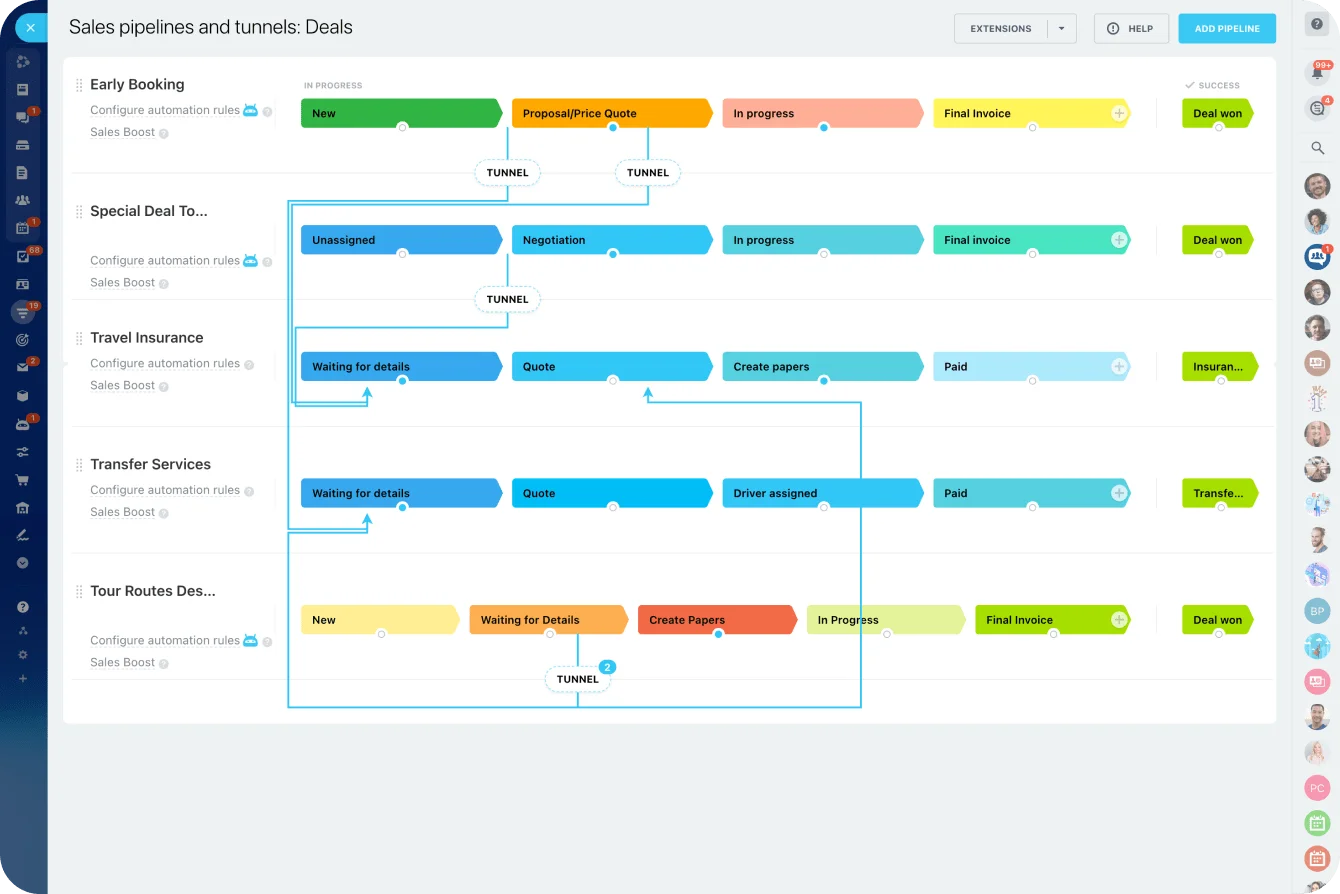
The ownership rules matter as much as the fields. Decide who creates records, when updates are due, and what a finished handoff includes. When a founder hands a prospect to a salesperson, a complete handoff means:
- The owner field is updated
- The right contacts are attached
- The current stage is confirmed
- Recent context is written down
- The next action is set
Miss any of these and the salesperson walks into the first call cold, re-asking questions the prospect already answered, while the deal quietly loses the momentum the founder built.
Same rule when a closed customer moves from sales into onboarding, success, or support. Bitrix24 sales pipeline management keeps stages, owners, activities, and next actions on one record instead of scattered across spreadsheets and messages.
Pro tip: make "next step" a required part of every pipeline review. A deal with no next action is usually where unclear ownership first shows itself.
Create a work system that separates commitments from conversations
Startups confuse discussion with execution constantly. A decision gets made on a call, a request lands by email, someone says "I've got it" in chat, and everyone moves on. A week later nobody knows whether "I've got it" turned into anything.
Decide what deserves a task
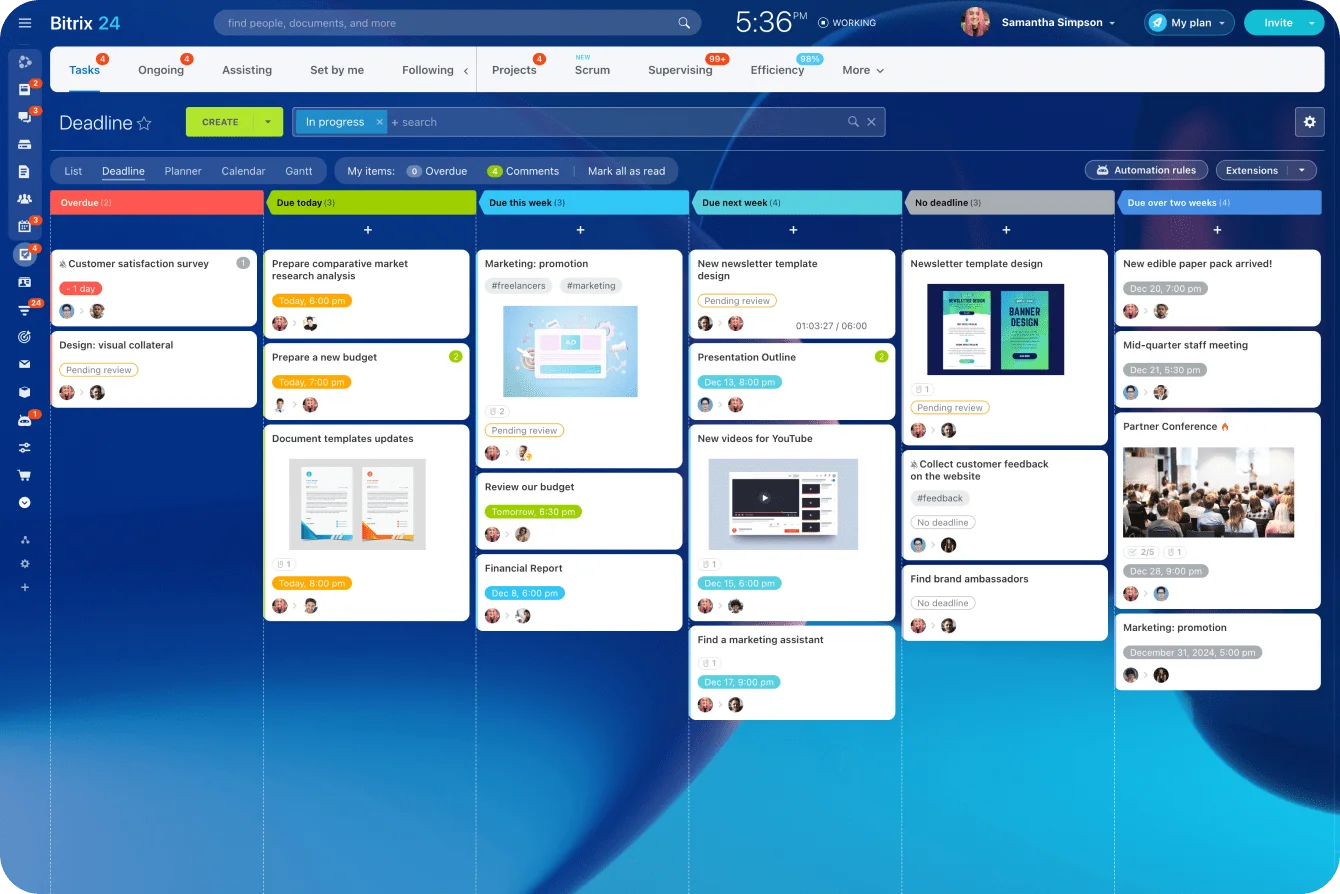
Chat and email are fine for talking. The moment something needs an owner, a deadline, a status, a dependency, or a follow-up, it belongs in the work system. That covers:
- Projects
- Cross-functional requests
- Customer deliverables
- Operational fixes
- Launch checklists
- Recurring work
- Decisions that need follow-up
Take a launch discussed in chat. One person will update the landing page, another approves the copy, a third schedules the campaign. Leave those promises inside the thread and there's no reliable view of what's done and what's stuck, so launch morning arrives with the page live, the copy unapproved, and each person sure it was someone else's job.
A shared work system turns those promises into commitments you can see.
Add a small review cadence
The system needs maintenance or it turns into a task graveyard. Keep the routine light:
- The requester or owner creates the work.
- Owners update status when something changes.
- Team leads review active priorities on a set schedule.
- Blocked work gets escalated when a dependency or decision is holding it up.
- Finished work gets closed, not left running forever.
Here’s a workable weekly rhythm: a short triage on Monday, a quick blocker check midweek, a closure sweep on Friday. Escalate when something's been blocked for more than a couple of days, when a dependency has no owner, or when a due date slips a second time.
If half your weekly review is spent discovering work that never entered the system, fix the intake rule before you add another meeting.
Standardize before teams branch out
Don't let every function invent its own structure on day one. Begin from a few shared project types:
- Company projects
- Customer work
- Recurring operations
- Internal requests
Bitrix24 project management holds tasks, ownership, deadlines, and project views in one work layer while the conversation carries on elsewhere.

Build a document home people can use without asking where things live
A startup can skip elaborate knowledge architecture. It still needs a document home that makes sense to someone who didn't build it. The tell is simple: if people keep asking where the latest contract, deck, pricing sheet, or onboarding guide lives, the repository needs work.
Start with obvious top-level categories
Keep the top level predictable:
- Company
- Product
- Go-to-market
- People
- Finance and legal
- Customer-facing materials
Deep folder trees feel tidy with ten files and turn painful at a thousand, when people can't remember whether a doc sits under Sales, Revenue, GTM, or Commercial. That doubt breeds side storage: local copies, personal folders, attachments named final_v3_revised. Bitrix24 document management gives working files a shared home in the same workspace as your projects and conversations.
Make document status obvious
File names and status labels do more work than any taxonomy. Name a file so you know, without opening it, what it holds, which customer or project it belongs to, and when it last changed, ie Pricing_SaaS_2026-03-15_APPROVED or Onboarding-Guide_2026-03-15_DRAFT.
Mark whether something is draft, approved, or archived. Skip that and a rep sends a prospect last quarter's pricing because the old sheet was the top hit in the shared drive, and now you're honoring a number you'd already retired.
Give durable information a durable home
Make a few placement rules explicit. Policies don't live only in an onboarding deck. Important decisions don't stay buried in chat. Contracts have a known finance or legal location. Customer-facing assets sit apart from internal drafts. Final documents replace the temporary attachments and personal copies they came from.

Lock in access, admin rights, and offboarding rules before permissions become political
Permissions feel unimportant while a small team works shoulder to shoulder. The bill arrives later, when people change roles, contractors leave, and several departments lean on systems nobody formally owns.
Most of those systems are already off the map: Grip Security's 2025 SaaS Security Risks Report, built from more than 29 million user accounts across the organizations it monitors, found 90% of SaaS applications running unmanaged.
Set the non-negotiables early
Start from a short list of controls:
- Use company-owned accounts for critical systems.
- Give every essential tool more than one trusted admin.
- Apply role-based permissions where the tool supports them.
- Record who owns each tool operationally.
- Remove access when someone leaves or no longer needs it.
- Re-check elevated permissions after role changes.
The classic failure starts with one useful niche app. Someone signs up with their work email, invites the team, wires it into your customer data, and quietly becomes its only admin. You notice the arrangement the day you need to change the billing card or pull an export, which is usually the day you learn that admin left the company over a year ago and nobody inherited the login. Avoidable from the first week.
The same pattern gets expensive at scale when the niche app itself is breached. In August 2025, attackers stole the tokens a sales chatbot called Drift used to connect to customers' Salesforce accounts and pulled CRM data from more than 700 organizations, according to a FINRA alert to member firms. The fix was revoking those connections, which is only fast if someone knows the integration exists and owns it.
Keep a simple tool register
For each active platform, record:
|
Record |
What to capture |
|---|---|
|
Purpose |
What the tool is actually used for |
|
Owner |
Who is responsible for how it operates |
|
Admins |
Who can manage access and settings |
|
Users |
Which teams depend on it |
|
Data |
What company or customer information it holds |
The register needs no system of its own. A single maintained page in your document home is enough.
Make offboarding routine
Default to least privilege: people get the access their role needs and nothing that accumulates by habit. Work the whole register at exit, beyond email and the obvious apps, because the leftovers are common and they're a real exposure.
1Password's 2025 Annual Report, a survey of more than 5,000 knowledge workers, found that 38% of employees have accessed a prior employer's account after leaving. Bitrix24 also provides centralized security controls for teams running multiple workflows in one environment.
Pro tip: put account removal on the same offboarding checklist as payroll, equipment, and final paperwork. Don't rely on a manager remembering every SaaS product a person happened to sign up for.
Make handoffs and review routines explicit so the setup stays clean as the company grows
The systems stay useful only if you define when information moves between them.
Watch the predictable failure points
The early failures repeat:
- A founder talks to a prospect and never records the context.
- A lead changes hands but the owner field never does.
- A decision gets made in chat and never becomes a task.
- A final asset stays stuck to a message instead of entering the repository.
- Someone leaves and keeps access to a secondary tool.
New software won't fix any of these on its own. Each one needs an explicit handoff rule.
Turn recurring handoffs into checkpoints
For each handoff, name three things:
- Trigger: what event starts it?
- Destination: which system gets updated?
- Owner: who's responsible for finishing it?
When a deal closes, the trigger is the stage moving to Closed Won; the work system is the destination, where an onboarding project opens; the account owner creates it before the kickoff call. For a product request from customer success, the trigger is agreeing that investigation is needed; the work system is the destination; whoever accepted the request creates the task.
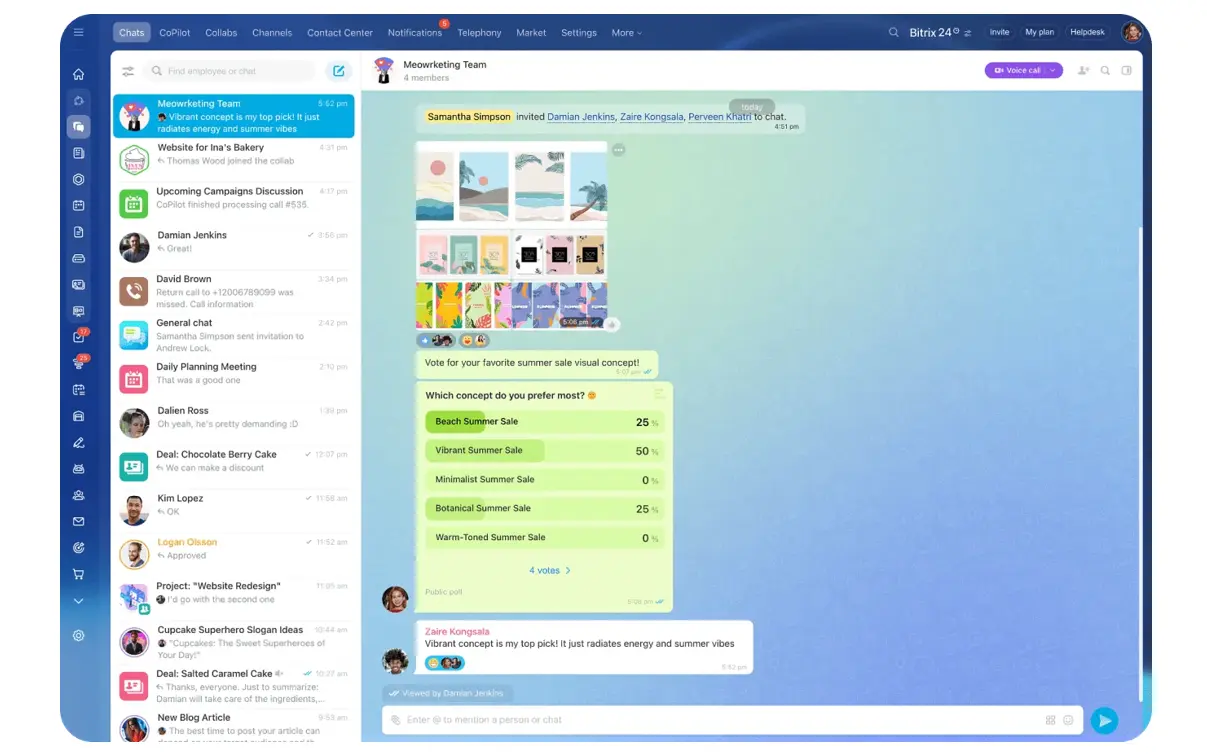
Bitrix24 workgroups and collaboration tools keep discussion tied to shared projects while the underlying task or CRM record stays the accountable source.
Add lightweight maintenance
Recurring checks catch drift before people lose faith in the systems:
- Weekly: scan active pipeline records for missing owners, stages, or next steps.
- Weekly: review blocked and overdue work.
- Monthly: clear out misplaced or duplicate files.
- Monthly, or after any role change: review sensitive permissions and admin access.
- After every departure: confirm access is gone across the whole register.
Give each check one owner: a founder, an operator, a team lead, a function head. Their job is to find the exceptions and fix them, not to remind everyone the system ought to be cleaner.
Decide what not to build yet so early structure doesn't turn into premature bureaucracy
Good early operations take restraint. The usual mistake is building process for the 50-person company while you're still eight people, then spending months maintaining workflows for teams that don't exist yet.
Delay complexity until there's a reason
The things that wait:
- Complex automation
- Deep CRM schemas
- Advanced reporting layers
- Multilayer folder taxonomies
- Elaborate approval chains
- Custom workflows for rare exceptions
All of them earn their keep eventually. Build them before the underlying process settles and you've bought yourself configuration, training, and maintenance for a process that's still changing. Worse, you find out how brittle it was the first time the process changes, when an approval rule nobody wrote down keeps firing for a step you retired months ago.
Use a simple deferral test
Before adding a process, ask whether it solves one of three things:
- A recurring operational failure
- A compliance or security requirement
- A real cross-functional handoff problem
If you can't name the problem it solves, leave it out. Automating every CRM stage sounds efficient right up until the sales process changes again next week. A simple pipeline with clear ownership is easier to adjust. Add task automation once the same manual steps recur often enough that you can write the rule with confidence.
The dividing line, in one table:
|
Make now |
Wait until complexity appears |
|---|---|
|
Choose one customer system, one work system, and one document repository |
Add specialized tools for narrow use cases |
|
Define each system's purpose and stop overlap |
Build integrations between every tool |
|
Set basic customer fields, naming rules, lifecycle stages, and ownership rules |
Create extensive custom fields and deep CRM customization |
|
Standardize a small number of work views or project types |
Let every team design bespoke workflows |
|
Create a simple document structure and naming pattern |
Build dense folder hierarchies and detailed content governance |
|
Use company-owned accounts, shared admin coverage, and basic handoff reviews |
Build multistep approvals for low-risk work |
FAQ
Do we need a CRM if the founders still close every deal?
Yes. The customer system is the company's record from day one, even when one person handles every sale. If a deal's only history is a founder's inbox, the first handoff turns into a reconstruction job.
How do we decide what goes in the work system versus chat?
Chat is for discussion. The moment something needs an owner, a deadline, a status, or a follow-up, it moves into the work system. If a promise made on a call can't be seen a week later, it was never tracked.
What should we deliberately not set up yet?
Automation, deep CRM schemas, layered approval chains, and elaborate folder trees. Build them when a recurring failure, a compliance requirement, or a genuine cross-team handoff justifies the upkeep, and not before.
Set Startup Operations Defaults That Scale
Bitrix24 brings CRM, tasks, documents, and team permissions into one workspace, so early processes stay clear as you grow.
The decisions you can't easily reverse
Takeaway: The defaults are the expensive things to change later, so decide where customer truth, committed work, documents, and access live before the team scales past them.
Almost everything in a startup is reversible. You can swap a tool, rewrite a process, reshuffle a team. The exceptions are the defaults: where customer truth lives, where committed work is tracked, where documents belong, how things get named, and who holds the keys. Each one gets harder to change with every record and every hire stacked on top of it.
That's the case for settling them early, while the cost is a handful of decisions instead of a migration.
A single workspace that keeps CRM, tasks, documents, and admin control together, like Bitrix24, lets the defaults get set once and inherited, rather than rebuilt by every team that outgrows its spreadsheet. Everything else can wait for a reason to exist.
The defaults can't, because by the time they hurt, they're already the expensive thing to change.