Use one source of truth for confirmations and changes
When a visitor books on your website, the reservation shouldn’t stop at a time slot. You need it to become a tracked CRM item with an owner, a clear status (requested → confirmed → completed), and a reliable way to communicate before and after the visit.
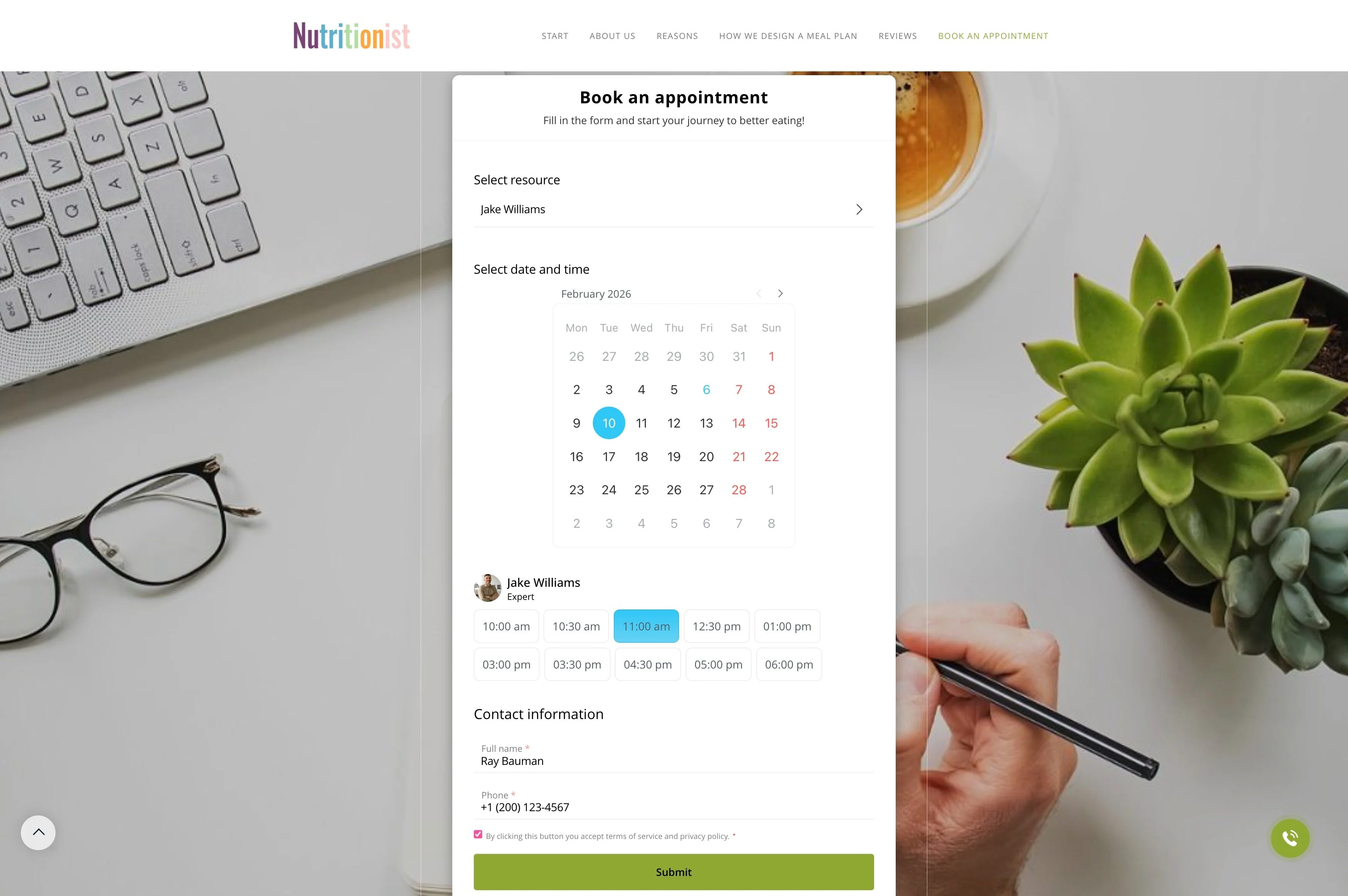
With Bitrix24, you can embed a booking widget on your site and route each reservation into a CRM workflow. The booking details (time, customer info, notes) are captured as a record, connected to the right staff member and required resources, and used to run confirmation, reminders, and post-appointment follow-ups from one place.
- Publish available slots through a website booking widget
- Create a CRM record for every reservation
- Run the full lifecycle: confirmation → reminder → follow-up
Send reminders tied to the booking record
Reminders are most effective when they’re connected to the same reservation your team is working on. Send messages based on the booking status so customers get the right time, location, and instructions without manual chasing.
If the appointment changes, keeping reminders linked to the CRM record helps reduce conflicting information.
Embed website booking based on real availability
A booking widget works best when visitors can only choose slots your team can actually fulfill. Offer the right options up front—service type, duration, staff member, location—so requests match your scheduling rules and capacity.
That creates a consistent intake experience across landing pages and campaigns, while keeping your calendar predictable for the people doing the work.
Create a CRM record for every reservation
The moment someone submits a booking, it should become actionable—not just another event. Capture the reservation as a CRM record so it has an owner, a status, and the context needed to deliver the appointment.
Keep key details together: customer contact info, selected slot, assigned staff/resource, notes, and appointment outcome.
Use one source of truth for confirmations and changes
Bookings often need confirmation, rescheduling, or extra details. Use the CRM record as the reference point for what was requested, what was confirmed, and what changed—plus who handled the communication.
This keeps your team aligned on the latest appointment details and preserves a clean history for future visits.
Assign staff and required resources
Many appointments depend on more than a person—rooms, equipment, vehicles, or limited capacity can be the real constraint. Connect the booking to the right staff member and any required resource so availability stays realistic.
That makes day-to-day execution clearer: who is responsible, what must be prepared, and where conflicts need resolution.
Follow up after the appointment in CRM
A completed booking is a strong trigger for next steps. Use the CRM record to drive follow-up actions like a satisfaction check-in, a repeat booking invitation, a quote, or a related offer.
Because outcomes are tied to the original reservation, it’s easier to measure what happens after visits and build a repeatable post-appointment process.