6 Project Budget Tracking Methods to Prevent Budget Drift: Plan vs Actual Guide


Your project was supposed to cost $80,000. Three months in, the project manager mentions during a status call that "we're running a little over." You ask how much. Nobody has a clear number. The spreadsheet was last updated two weeks ago, the hours billed don't match the task list, and the contractor invoices are sitting in someone's inbox.
By the time the real picture comes together, the project has already drifted past budget by 15% - and nobody raised a flag until it was too late.
This is the kind of slow-motion budget failure that project budget tracking is designed to prevent - not just tracking whether money was spent, but whether spending matches the plan at every stage of delivery.
What Project Budget Tracking Actually Means Inside Delivery
Project budget tracking is the practice of comparing planned costs against actual expenditures throughout a project's lifecycle, not just at the end. Some teams call this plan vs actual project tracking; others refer to it as budget variance analysis. Either way, the goal is the same: to give project managers and stakeholders a real-time view of whether a project is on track financially or heading toward an overrun.
This kind of project financial tracking is most useful for service-based teams, agencies, consultancies, and internal departments that deliver work in phases or against milestones. The goal is straightforward: catch discrepancies between your estimates and reality before they compound into problems that eat margins, delay timelines, or force uncomfortable conversations with clients.
Strong project budget management connects three things: the scope of work, the resources assigned to it, and the costs those resources generate over time. When those three stay in sync, you have visibility into the delivery budget. When they don't, you get budget drift - a gradual, often invisible deviation from the original plan that only becomes obvious when someone finally runs the numbers.

Why Spreadsheets Create Budget Drift Instead of Preventing It
Most teams start with spreadsheets for project cost control. And for a small, single-deliverable project, a spreadsheet can work fine. The trouble starts when projects run longer than a few weeks, involve multiple contributors, or require frequent updates.
Spreadsheets go stale. The project lead updates costs on Monday, but the designer logs three extra hours on Tuesday. The client approves a change order on Wednesday, and it doesn't reach the spreadsheet until Friday - if it reaches it at all. By the time anyone compares plan vs actual, the numbers are already outdated.
There's also a version control problem. Three people have their own copy. One person's totals include internal labor, another's don't. Nobody's quite sure which version is the "real" one, and reconciling them burns time that could be spent on actual project work.
The deeper issue is that spreadsheets separate budget data from project work. Tasks live in one place, time logs live in another, invoices sit in email threads, and the budget spreadsheet tries to pull it all together manually. That separation is exactly where drift happens - in the gap between work done and numbers recorded.
Budget Leak Detector: 9 Silent Ways Projects Lose Money (and How to Stop Them)
Enter your email address to get a comprehensive, step-by-step guide

6 Project Budget Tracking Methods That Actually Prevent Drift
The methods below aren't theoretical frameworks. They're practical approaches that project managers and delivery leads can apply immediately, with or without specialized software. Each one addresses a specific failure point in how teams typically lose control of project expenses.
1. Milestone-Based Budgeting With Spend Gates
Milestone-based budgeting ties spending limits to project phases. Instead of setting one overall budget and hoping it holds, you break the project into milestones - discovery, design, development, testing, launch - and assign a budget ceiling to each one.
The spend gate - you might hear it called a budget checkpoint - works like this: before a team moves from one milestone to the next, someone checks whether the spending for the current phase stayed within its allocation. If it didn't, the overrun gets addressed before more work begins. This approach prevents the "we'll make it up later" mentality that lets small overages snowball.
For example, if discovery was budgeted at $10,000 and actual costs hit $12,500, you know before design even starts that the project is already $2,500 over. That early signal lets you adjust the scope, reallocate from another phase, or flag the variance to the client.
2. Plan vs Actual Tracking at the Task Level
Most project budget management happens at a high level - total budget vs total spend. That's useful for reporting, but it doesn't tell you where the overrun is coming from. Task-level plan vs actual project tracking connects every task to its estimated cost and tracks actuals against those estimates as work progresses.
This means every task in your project plan carries a cost estimate, whether that's based on hours, fixed fees, or resource rates. As time is logged or expenses are recorded, the system (or your process) calculates variance at the task level. You can immediately see which tasks are running over, which ones came in under, and where the overall budget stands.
The power of this method lies in its granularity. Saying "the project is 10% over budget" is a lot less useful than knowing "the API integration task consumed 40 hours against a 20-hour estimate, while front-end design came in under by 8 hours." That level of resource cost tracking gives you something you can act on - and it feeds directly into better estimates on your next project.
3. Automated Variance Alerts and Threshold Notifications
Checking numbers manually works until it doesn't. Human beings are busy, and reviewing budget reports often drops to the bottom of the to-do list. Automated alerts solve this by flagging budget issues as they happen.
Set thresholds - say 80% of a phase budget consumed, or a task exceeding its estimate by more than 20% - and let the system send a notification when those thresholds get crossed. This turns budget overrun prevention from a periodic review into a continuous process.
The key is picking thresholds that are tight enough to catch problems early but not so tight that people start ignoring them. A good starting point: alert at 75% budget consumed (as a heads-up), at 90% (as a warning), and at 100% (as a hard stop requiring review). Once these are configured, project budget tracking runs in the background without adding meetings or manual checks to anyone's week.
4. Resource Cost Tracking With Blended Rate Models
Not all project hours cost the same. A senior architect billing at $200/hour has a very different impact on the budget than a junior coordinator at $50/hour. Resource cost tracking assigns specific rates to each team member or role and tracks spending based on who's actually doing the work - not just how many hours were logged.
Blended rate models average the cost across your team to simplify estimates, while actual tracking uses individual rates for precise project expense management. The gap between blended and actual is where surprises hide. If your estimate assumed a blended rate of $100/hour but the senior architect ended up handling a bigger share of the work, your actuals will run higher even if the total hours match the plan.
Tracking at the resource level also reveals utilization patterns. You might discover that your most expensive team members are spending time on low-value tasks that could be handled by someone at a lower rate - a direct project cost control opportunity.
5. Earned Value Tracking for Delivery Progress
Earned value analysis compares three things: what you planned to spend by now (planned value), what you actually spent (actual cost), and how much of the deliverable has been completed (earned value). This triangulation gives you two powerful metrics that raw budget numbers alone can't provide.
The cost performance index (CPI) tells you whether you're getting a dollar's worth of deliverables for every dollar spent. A CPI below 1.0 means you're overspending relative to progress. The schedule performance index (SPI) tells you whether you're completing work at the planned rate.
Earned value tracking works best on projects with well-defined deliverables and measurable progress. For a website build, you might define progress as the percentage of pages completed. For a software project, it might be story points delivered. The metric doesn't need to be perfect; it just needs to be consistent enough to show trends over time.
6. Weekly Budget Reconciliation With Team Review
All the automation and methodology in the world won't help if nobody actually looks at the numbers. Weekly budget reconciliation is the simplest method on this list, and it's the one most teams skip.
Pick a day. Pull the current budget data. Compare plan vs actual at the project and phase level. Review any flagged variances. Discuss with the team for 15 minutes. Document what you found and what you're doing about it.
This practice catches the things that automated alerts might miss - scope changes that haven't been formally documented, tasks that are taking longer because requirements were unclear, or resource substitutions that changed the cost profile. Weekly reconciliation turns project budget tracking from a reporting exercise into a management discipline, and it's the method that anchors all the others.

How to Connect Project Work to Budget Visibility
The six methods above work best when they're not siloed. Budget data needs to live where the project work happens - not in a separate spreadsheet or a finance tool that nobody on the project team touches.
Connecting Tasks, Time, and Cost in One View
Picture what happens when a developer logs four hours against a task that was estimated at two. If the time log and the budget live in the same system, the variance appears the moment they hit save. The project lead sees it in the task view, an alert is triggered if the threshold is crossed, and the weekly reconciliation picks it up automatically.
That's project budget tracking working as a system instead of a manual exercise. When task management, time tracking, and budget data share the same platform, every hour logged updates the budget, every completed milestone reflects real cost data, and every scope change gets captured alongside its financial impact. The lag between work performed and costs recorded - which is the single biggest source of drift - drops to near zero.
Making Budget Data Accessible (Not Just to Finance)
Project managers, team leads, and delivery owners all need project expense management visibility, not just the finance department. When budget data is locked in tools that only finance can access, the people running the project operate blind. A PM shouldn't have to email someone in accounting to find out whether the project can absorb a two-day delay.
The fix is simple: give the people closest to the work access to budget data at the project level. Not company-wide financials - just their project's plan vs actual, in the same place where they track their tasks. When the PM can pull up the budget alongside the Gantt chart or Kanban board, cost conversations happen in context rather than in a vacuum.

When These Methods Don’t Work (or Need Adjustment)
No single approach covers every situation. Here are some common edge cases where standard project budget tracking methods need modification.
- Fixed-price projects with undefined scope: If the scope isn't clear at the start, milestone-based budgeting breaks down because you can't assign budgets to milestones that haven't been defined. These projects need a phase-gate model where scope and budget are set one phase at a time.
- Long-running retainer engagements: Monthly retainers don't always map cleanly to milestones. Budget variance analysis on retainers works better at the monthly or quarterly level, comparing hours consumed against hours available.
- Projects with heavy vendor or subcontractor costs: When a large portion of the budget flows to third parties, your project cost control depends on vendor invoicing schedules, which you can't always control. Build a buffer for invoice lag, and track committed costs (what you've authorized) separately from incurred costs (what you've been billed).
- Small projects under $10,000: The overhead of formal project budget management may exceed the value it provides. For small projects, a simple hours-vs-estimate check at the midpoint and at completion is often enough.
Plan vs Actual Tracking Comparison: Methods at a Glance
|
Method |
Best for |
Key metric |
Effort level |
Catches drift... |
|---|---|---|---|---|
|
Milestone-based budgeting |
Phased delivery projects |
Spend per phase vs budget |
Medium |
At phase transitions |
|
Task-level plan vs actual |
Complex projects with many tasks |
Task cost variance |
High |
Continuously |
|
Automated variance alerts |
Any project with defined thresholds |
Budget consumption % |
Low (after setup) |
In real time |
|
Resource cost tracking |
Teams with mixed seniority rates |
Blended vs actual cost per hour |
Medium |
Monthly |
|
Earned value tracking |
Projects with measurable deliverables |
CPI and SPI |
High |
Weekly or biweekly |
|
Weekly budget reconciliation |
All project types |
Plan vs actual at project level |
Low |
Weekly |
Project Budget Tracking That Runs on the Same Platform as Your Work
Project budget tracking only works when it’s embedded in the same system where tasks, time, and delivery decisions live. Otherwise, you’re always reconciling outdated data instead of managing the project in real time.
Bitrix24 offers a complete platform that integrates task management, time tracking, automation, and reporting into a single workspace, allowing budget visibility to update continuously as work progresses. When a team member logs time against a task, that activity is immediately reflected in the project view, making plan vs actual tracking part of the daily workflow rather than a separate reporting process.
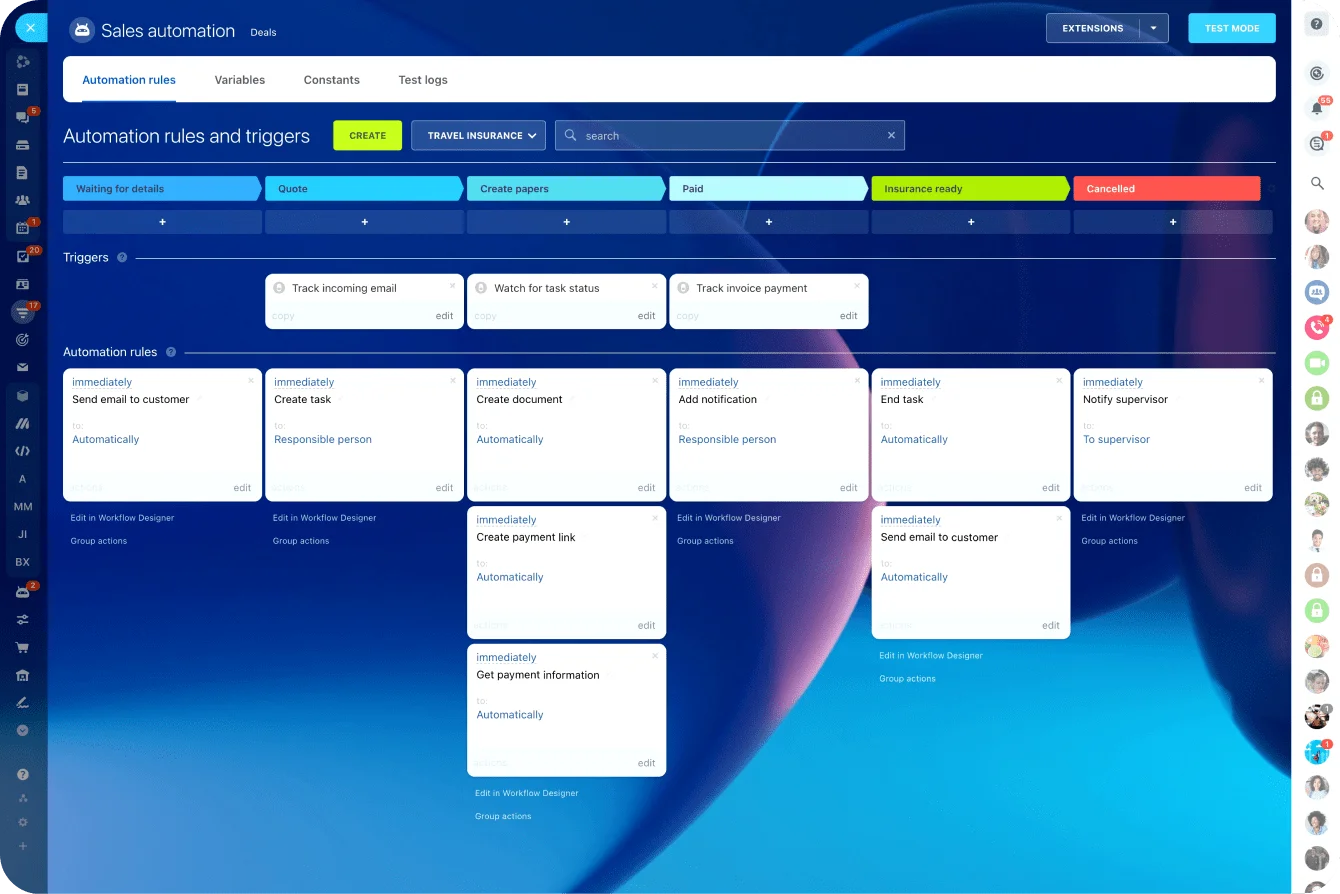
Automation rules help enforce budget discipline while avoiding additional manual overhead. You can trigger alerts when tasks exceed estimated hours, when a phase approaches its budget threshold, or when milestones are completed with variance. This supports the same early-warning logic behind methods like milestone-based budgeting and automated variance alerts.
Because tasks, timelines, and workloads are connected, project leads can identify cost drivers at the task and resource level. Time tracking data provides a consistent basis for understanding how effort translates into cost, while dashboards and reports make it easier to review performance weekly without rebuilding the numbers manually.
Bitrix24 also connects CRM deals to project execution, ensuring that scope, expectations, and project details carry through from sales to delivery. This reduces the gaps where budget drift often starts.
That’s the difference from spreadsheets: no delayed updates, no reconciliation step, no separate system to maintain. Budget visibility stays aligned with the work as it happens.
Start using Bitrix24 for free and move project budget tracking out of spreadsheets and into your actual workflow.
Get Full Control of Your Budget
When using Bitrix24, project budget tracking stays in sync with your work, offering real-time budget visibility and actionable insights. Start managing your finances better!
Get Started NowFAQs
What is project budget tracking?
Project budget tracking is the practice of comparing planned costs against actual expenditures throughout a project's lifecycle. It connects estimated budgets for tasks, phases, or milestones with real spending data - including labor hours, contractor fees, and material costs - so project managers can identify variances before they become overruns.
How does plan vs actual project tracking prevent budget overruns?
Plan vs actual project tracking prevents budget overruns by creating a continuous comparison between estimated and real costs at every stage of delivery. When teams review these variances regularly - at the task, phase, or milestone level - they catch discrepancies early enough to adjust scope, reallocate resources, or flag the issue to stakeholders before the overrun compounds.
What is budget variance analysis in project management?
Budget variance analysis in project management is the process of calculating the difference between planned and actual costs, then investigating the causes. A positive variance means spending is below the estimate, while a negative variance means spending has exceeded the plan. This analysis is most useful when performed at the task or phase level, not just at the overall project level, because it identifies the specific areas driving the deviation.
Why do spreadsheets cause budget drift in project management?
Spreadsheets cause budget drift in project management because they separate budget data from the actual project work. Time logs, task updates, and expense records live in different systems, and the spreadsheet only reflects reality when someone manually updates it. Version control issues, delayed updates, and inconsistent formatting compound the problem, creating a gap between what the spreadsheet says and what the project actually costs.
What is milestone-based budgeting?
Milestone-based budgeting is a project cost-control method that assigns specific budget ceilings to each project phase or milestone, such as discovery, design, development, and launch. Before the team moves to the next phase, a budget check (often called a spend gate) confirms whether spending stayed within the allocation. This method catches overruns at phase transitions rather than at project close.
How does resource cost tracking improve project expense management?
Resource cost tracking improves project expense management by assigning specific hourly or daily rates to each team member or role, then tracking spending based on who actually performs the work. This reveals whether actual costs align with the blended rates used in estimates. It also uncovers utilization patterns - such as senior team members doing work that could be handled at a lower cost - giving managers data to make better staffing and allocation decisions.
What is earned value tracking?
Earned value tracking is a budget analysis method that compares three metrics: planned value (what you expected to spend by now), actual cost (what you've actually spent), and earned value (the value of work completed). The cost performance index (CPI) and schedule performance index (SPI) that result from this comparison tell you whether the project is overspending relative to progress and whether delivery is on pace.
When should a team start tracking project budgets?
Teams should start tracking project budgets from the moment the project plan and cost estimates are approved, not after problems appear. Early tracking establishes a baseline, and even simple weekly checks against that baseline can prevent the gradual drift that turns a manageable 5% variance into an unrecoverable 25% overrun.