How to Run Employee Training Without an LMS: Checklists, SOPs, and Progress Tracking That Scale


Most companies don't need a full learning management system to effectively train their people. Employee training without an LMS works when you combine a few tools you probably already have - checklists, a knowledge base for SOPs, task-based progress tracking, and some basic automation. This approach fits teams that need structured onboarding and upskilling but can't justify the cost, complexity, or adoption curve of a standalone LMS platform.
Employee training without an LMS is a method of organizing onboarding, skill development, and compliance training using general-purpose workplace tools - task managers, internal knowledge bases, and workflow automation - instead of dedicated learning management software. It works best for small to mid-sized teams (roughly 5 to 200 people), companies that train employees on internal processes rather than accredited coursework, and organizations where training content changes frequently enough that locking it into a rigid LMS structure creates more friction than it solves. The expected outcome: faster ramp-up times, lower tool costs, and training workflows that actually get maintained because they live inside the same platform your team uses every day.
When a Lightweight Training System Beats a Full LMS
A dedicated LMS makes sense in specific scenarios - regulated industries with certification tracking, enterprises running hundreds of courses across thousands of employees, or organizations that need SCORM compliance for external training providers. Outside those conditions, the math changes fast.
Most LMS platforms come with per-seat pricing that scales whether you use advanced features or not. Adoption is another issue. If your team already lives inside a project management tool, asking them to log in to a separate system for training creates friction. People skip modules, forget passwords, and the training content slowly goes stale because nobody wants to maintain two platforms.
Employee training without an LMS sidesteps these problems by meeting people where they already work. Your onboarding checklist sits in the same task manager where new hires manage their actual projects. SOPs live in a knowledge base that your team already references for day-to-day processes. Training progress shows up as task completion, rather than in a separate dashboard that nobody checks after the first week.
This lightweight approach works particularly well when:
- Your training content is mostly internal (company processes, tool workflows, role-specific procedures)
- You train fewer than 200 people at a time
- Course content changes quarterly or more frequently
- You need managers to have visibility into training completion without a separate reporting tool
The trade-off is real, though. A lightweight training system won't handle complex branching course paths, video-based learning with quiz gating, or compliance certifications that require audit trails. If those are your primary needs, a full LMS is still the right call. For everything else, read on.
Training Without Burnout Kit: How to Scale Knowledge Without More Meetings
Enter your email address to get a comprehensive, step-by-step guide

Building a Training System With Tools You Already Have
Running employee training without an LMS doesn't mean running it without structure. The difference is that your structure comes from combining familiar components - checklists, a document library, task statuses, and automation triggers - instead of buying a purpose-built platform. Here's how each piece fits together.
Component 1: Role-Based Onboarding Checklists
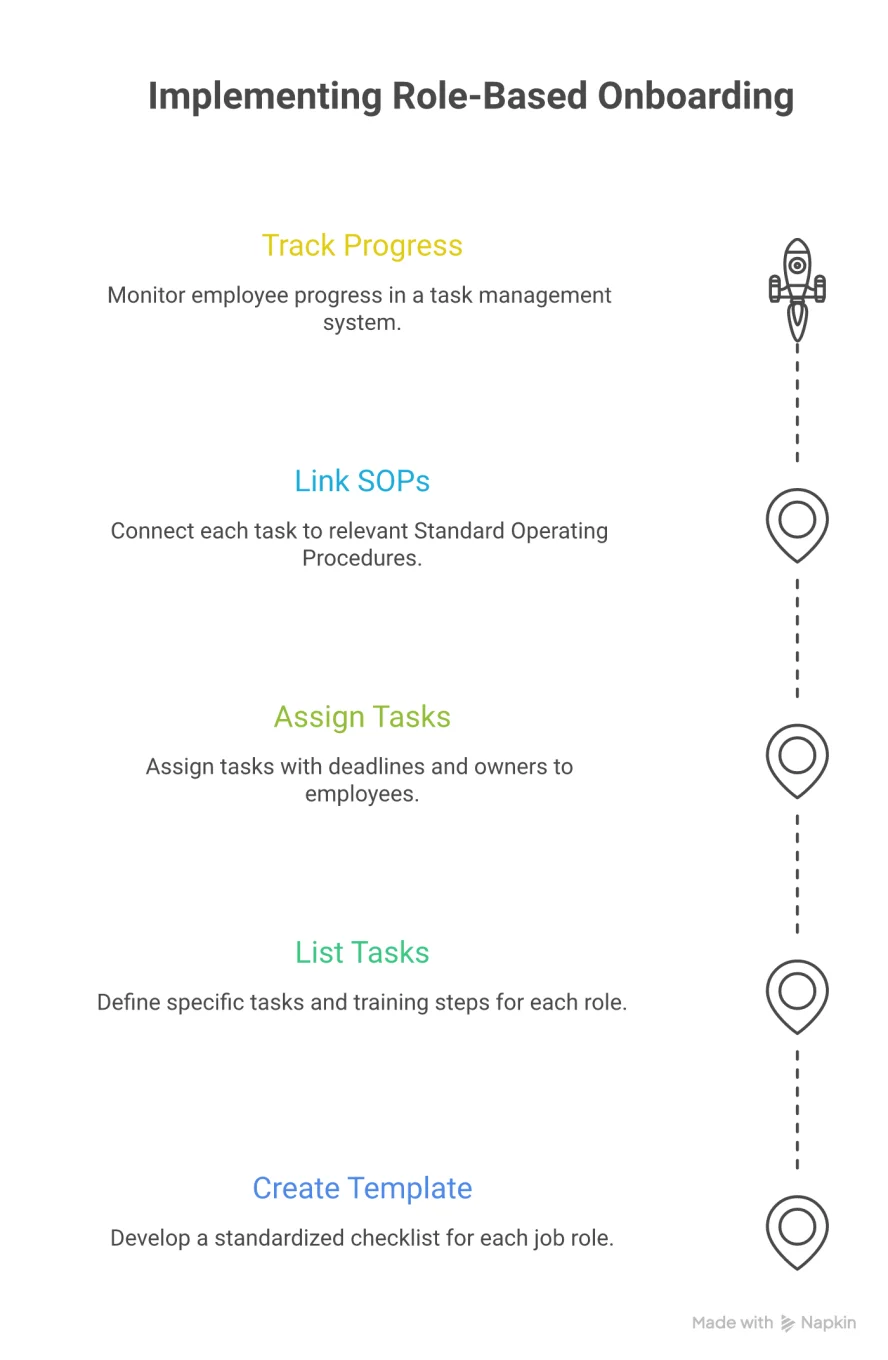
An employee onboarding checklist is a structured sequence of tasks that a new hire needs to complete during their first days or weeks. Unlike a generic welcome packet, a role-based checklist maps directly to the specific skills and knowledge required for a person's position.
The key word here is "role-based." A marketing coordinator's first week looks nothing like an account manager's. Creating separate checklist templates for each role means you can reuse them every time someone new joins that team, and each template includes only the training steps that matter for that job.
A practical training checklist template for a customer support representative might include steps such as reading the product FAQ, shadowing three live chat sessions, completing a mock ticket in the CRM, reviewing escalation procedures in the SOP library, and passing a knowledge check with their team lead. Each step becomes a task with an assignee, a deadline, and a status.
This model turns your onboarding from a vague "spend the first week getting oriented" into a trackable sequence. Managers can see at a glance which steps are done and which are stuck, without asking for status updates or digging through email threads.
Component 2: SOP Library in a Knowledge Base
Standard operating procedures are documented, with step-by-step instructions for completing recurring tasks. SOP management for teams means organizing these documents so the right people can find the right procedure at the right time - especially during training.
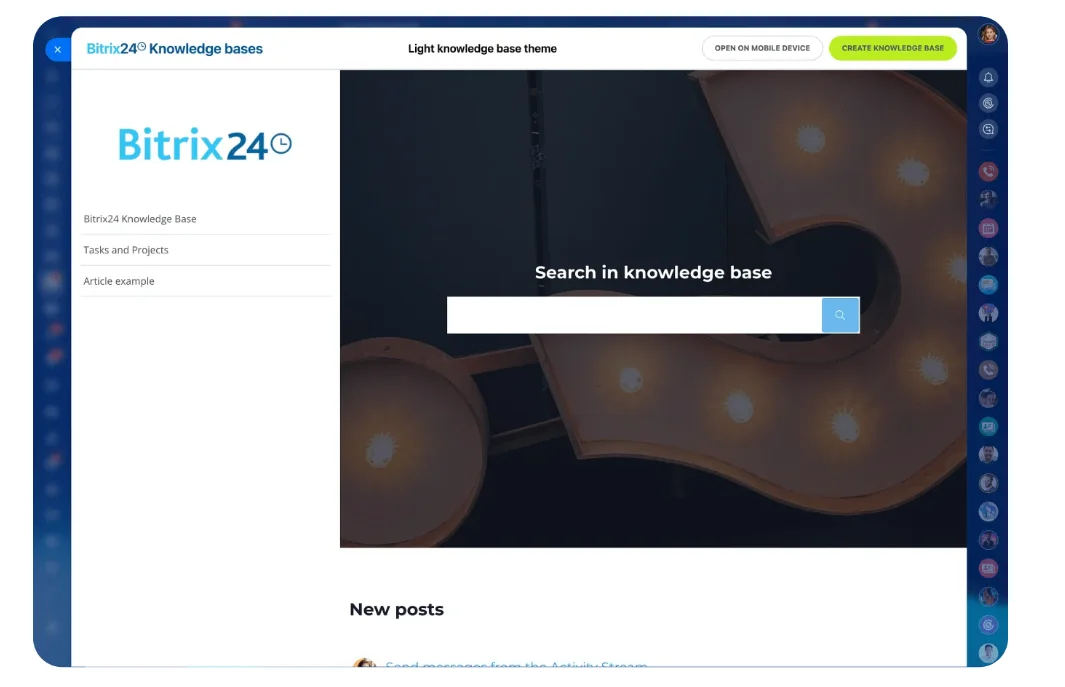
An internal knowledge base acts as your SOP library and, by extension, your training content hub. Every procedure your team follows gets documented as a knowledge base article: how to process a refund, how to set up a new client account, how to run the weekly reporting workflow. New hires work through these articles as part of their onboarding checklist; existing employees reference them whenever a process changes.
Think of your knowledge base as a digital employee handbook that actually stays current. Traditional employee handbooks get printed (or saved as a PDF) and then ignored for two years until someone rewrites them. A knowledge base is a living document - anyone with the right permissions can update an article when a process changes, and the update is immediately available to the whole team.
Organizing your SOP library by department or role makes it easier for trainees to navigate. A "New Customer Support Rep" section might link to the same articles referenced in the onboarding checklist, creating a natural connection between "what you need to do" (the checklist) and "how to do it" (the SOP).
Component 3: Progress Tracking With Task Statuses
Training progress tracking is the ability to see, at a glance, where each employee stands in their training sequence - which steps are complete, which are in progress, and which haven't started yet.
When your training lives inside a task manager, progress tracking comes free. Each training step is a task. Each task has a status: not started, in progress, completed, or blocked. A manager opens the project view, filters by assignee, and sees exactly where a new hire stands in their onboarding - no separate LMS dashboard required.
This method of tracking works well for teams under 50 people. As you scale beyond that, you may want to set up dedicated training project boards - one per department or role, so the training tasks don't get mixed in with regular project work. Kanban views are particularly useful here: columns represent training stages, and each card represents a trainee moving through the process.
The other advantage of task-based tracking is accountability. When a training step has a deadline and an owner, it doesn't get lost in someone's inbox. If a task goes overdue, the assignee and their manager get notified automatically.
Component 4: Automated Triggers for Training Milestones
Onboarding automation means using workflow triggers to move training forward without manual intervention - assigning the next batch of tasks when the previous ones are completed, notifying a manager when a new hire finishes a milestone, or sending a reminder when a training deadline is approaching.
Even simple automation saves significant time when you're onboarding multiple people simultaneously. A few practical examples of an employee upskilling workflow with automation:
- When a new employee is added to the system, a role-based training project is automatically created from a template
- When the "Week 1" task group is marked complete, the "Week 2" tasks are automatically assigned with new deadlines
- When all checklist items are done, the manager receives a notification to schedule a training review meeting
- If a training task goes three days past its deadline, the trainee and their manager both get a reminder
This kind of lightweight LMS alternative doesn't require complex rule engines. Most modern task management platforms support basic automation - "when X happens, do Y" - and that's all you need to keep a role-based training program moving without manual babysitting.
Full LMS vs. Lightweight Training System: A Side-by-Side Comparison
|
Feature |
Full LMS |
Lightweight Training System |
|---|---|---|
|
Best for |
Large enterprises, regulated industries, accredited courses |
SMBs, internal process training, fast-changing content |
|
Typical team size |
200+ employees |
5-200 employees |
|
Content format |
SCORM packages, video courses, quizzes |
Knowledge base articles, SOPs, task checklists |
|
Progress tracking |
Built-in dashboards with certification tracking |
Task statuses and project board views |
|
Compliance/audit trails |
Yes, with formal reporting |
Limited - task completion logs only |
|
Cost structure |
Per-seat licensing, often $5-$15/user/month |
Included in existing workspace tools |
|
Time to set up |
Weeks to months (content migration, configuration) |
Days (template creation, SOP writing) |
|
Maintenance burden |
Dedicated L&D admin typically required |
Managed by team leads alongside regular work |
|
Integration with daily work tools |
Varies - often a separate login |
Native - training lives in the same platform |
|
Content updates |
Formal course revision process |
Edit the knowledge base article directly |
The comparison makes the decision straightforward in most cases. If your training needs to produce formal certifications, track regulatory compliance across hundreds of users, or deliver complex multimedia course paths, choose an LMS. For everything else - and that covers the majority of internal training at growing companies - a lightweight approach using existing tools will get you further, faster, and cheaper.
When Employee Training Without an LMS Falls Short
Employee training without an LMS has clear boundaries, and being honest about them saves you from building something that breaks under pressure.
- Certification and compliance tracking. If your industry requires formal proof that an employee completed specific training - HIPAA for healthcare, SOC 2 for tech companies handling sensitive data, or OSHA for manufacturing - a task-based system likely won't satisfy auditors. These scenarios require timestamped completion records, test scores, and renewal tracking, which purpose-built LMS platforms handle natively.
- Video-heavy or interactive courseware. Knowledge base articles and SOPs are great for procedural training, but they're not ideal for teaching soft skills through video scenarios, interactive simulations, or branching decision trees. If more than half your training content is video-based, you'll outgrow the lightweight model quickly.
- Teams larger than 200 people. Task-based training tracking works well at a smaller scale. Once you're onboarding dozens of people per month across multiple departments, project boards can become crowded, and reporting often turns manual. At that point, the overhead of maintaining a lightweight system starts to approach the cost of licensing an LMS.
- Multi-language or global training programs. If you need to deliver the same training in multiple languages with localization controls, a knowledge base can handle the content side, but coordinating translations and tracking completion per locale adds complexity that LMS platforms manage more gracefully.
- Self-paced learning with assessments. A training checklist template can include a "pass knowledge check with manager" step, but it can't administer a timed quiz, grade automatically, or gate the next module based on a test score. If assessments are a core part of your training design, you'll need at least a quiz tool plugged in alongside your task system.
Recognizing these limits early means you can start with a lightweight system and know exactly when - and why - you'd migrate to a full LMS later.

Run Your Employee Training Without an LMS Using Bitrix24
Bitrix24 gives you everything you need to run employee training without an LMS - all in a single platform. Build role-based onboarding checklists using task templates with subtasks, deadlines, and assignees. Store your SOPs and process documents in a centralized knowledge base that your team can search, update, and reference during training and daily work.
Track training completion through task statuses and project views - no separate dashboard needed. Managers can monitor new-hire progress in real time without chasing updates. Each checklist can be linked directly to the relevant SOPs, so employees always know what to do and how to do it within the same workflow. And with built-in workflow automation, you can trigger task assignments, send deadline reminders, and notify managers when training milestones are reached, keeping onboarding structured and consistent across every role and cohort.
Whether you're onboarding five new hires or running a company-wide upskilling program, Bitrix24's workspace keeps checklists, knowledge, progress tracking, and communication aligned in one environment, ensuring training stays within the same environment where work happens.
Simplify Employee Training with Bitrix24
Bitrix24 offers a unified platform for effective employee training. No need for a standalone LMS; manage onboarding, upskilling and compliance training using familiar tools for improved adoption and maintenance.
Start NowFAQ
What does employee training without an LMS actually look like in practice?
Employee training without an LMS typically combines three components: task-based checklists that sequence what a new hire needs to learn, a knowledge base or shared document library that stores the actual training content (SOPs, process guides, how-tos), and task statuses that let managers track who has completed what. The training lives within the same project management platform the team uses for daily work, so there's no separate system to log in to or maintain.
How do I create an effective employee onboarding checklist?
Creating an effective employee onboarding checklist starts with mapping out every skill and process a new hire in a specific role needs to learn during their first 30 to 90 days. Break this into weekly phases. Each item becomes a task with a deadline, a responsible person, and a link to the relevant SOP or knowledge base article. Keep the checklist role-specific - a generic "welcome to the company" list is less useful than one tailored to what a support rep or account manager actually needs to know.
Can I track training progress without dedicated LMS software?
Tracking training progress without dedicated LMS software is straightforward when training tasks live in a project management tool. Each training step is a task with a status (not started, in progress, complete). Managers filter the project board by assignee to see each person's progress. Kanban views work well for this - columns represent training stages, and each card is a trainee moving through the sequence. The limitation is that this approach doesn't produce formal completion certificates or scored assessments.
What is a good SOP management approach for small teams?
A good SOP management approach for small teams centers on a shared, searchable knowledge base rather than scattered documents in folders or email attachments. Each procedure gets its own article, organized by department or workflow. Articles should include step-by-step instructions, screenshots where helpful, and a note about when the procedure was last updated. Assign one person per department as the SOP owner to review and update content quarterly.
When should I upgrade from a lightweight system to a full LMS?
Upgrading from a lightweight training system to a full LMS makes sense when you start onboarding more than 20 to 30 people per month, when regulatory compliance requires formal certification tracking with audit trails, when most of your training content shifts to video-based or interactive formats, or when you need automated quiz grading and score-based module gating. If none of these apply, the lightweight approach will continue to serve you well.
How do I automate parts of the onboarding process without an LMS?
Automating parts of the onboarding process without an LMS relies on workflow triggers built into your project management or workspace tool. Common automations include: creating a training project from a template when a new employee joins, assigning the next task group when the previous one is marked complete, sending reminders when training deadlines approach, and notifying managers when all checklist items are done. These automations require no coding and take minutes to configure in most modern platforms.
What's the difference between a knowledge base and a digital employee handbook?
The difference between a knowledge base and a digital employee handbook comes down to scope and maintenance. A digital employee handbook is typically a static document covering company policies, benefits, and general procedures; it is updated annually at best. A knowledge base is a living, searchable library of articles covering both company policies and operational procedures, updated continuously as processes change. For training purposes, a knowledge base is more useful because trainees can find current, specific instructions for the exact task they need to complete.
What makes a role-based training program more effective than generic onboarding?
A role-based training program is more effective than generic onboarding because it focuses training time on what each person actually needs to know for their specific job. Generic onboarding wastes time covering material that's irrelevant to some roles and misses skills that are critical to others. With a role-based approach, a sales rep spends their first week learning CRM workflows and objection handling, while a developer focuses on the codebase, deployment process, and code review standards. Each role gets a customized training checklist template, and nothing unnecessary gets added to someone's plate.