The Apps Your Team Adopted Without Telling You: Finding Shadow IT Before It Finds You


The day someone leaves is the day you find out what they were using. You can disable their email and wipe their laptop. You can’t close the free accounts they opened with their work address, and nobody revokes the app they connected to the shared drive months ago, because nobody knows it’s there. The client notes in their personal AI account stay where they are.
Most of those tools were harmless, and each one was a requirement nobody filed: the approved route was slower, so someone found a faster one. That’s becoming the norm. Gartner projects that by 2027,75% of employees will acquire, modify or create technology outside IT’s visibility, up from 41% in 2022. Treat it as defiance, and people stop telling you, which is how a business ends up running on tools nobody has reviewed.
This article shows you how to find what’s already in use and set up an intake process one person can run, so your tool register stays current without a security team.
TL;DR (Quick Summary)
Shadow IT is mostly unmet demand. Find it through records you already hold and conversations people can answer safely, rank it by the data it touches and how much work depends on it, then make the approved route faster than the workaround.
- What counts as shadow IT now? → Personal AI and OAuth apps too; inventory accounts and owners as well as spend
- Why do people route around approved systems? → Speed; every workaround is a requirement
- How do you find it without a crackdown? → Pull existing records, then run a disclosure window with a written no-penalty promise
- Is all shadow IT equally risky? → Rank by data tier and dependency; personal AI on restricted data goes to the top
- Sanction, replace or block? → One decision per tool, a named owner, a review date and a substitute before any block
- What keeps useful tools in the open? → Tiered review times, a pre-approved list, one page of AI rules and a register someone owns
Takeaway: Enforcement can't find what people hide. A fast, safe way to say "we're using this" surfaces more than any audit.
Shadow IT now includes personal AI accounts as well as unsanctioned SaaS
Shadow IT is any technology used for company work that skipped approval, purchasing, security or admin review. Ten years ago it was a department's subscription on a card. Today most of it is free and leaves no invoice.
The forms it takes in a small business
Each of these hides somewhere different, so the inventory has to look for all of them:
- Paid SaaS on a corporate card or an expense claim
- Free tiers signed up with a work email address
- Apps connected through a "Sign in with" button, holding OAuth access to a mailbox, calendar or drive
- Browser extensions with permission to read every page the user opens
- Personal AI accounts used with work material
- Automation accounts moving data between company systems under one person's login
- The spreadsheet that's quietly become the customer master
OAuth grants get missed most. One click through a consent screen gives a third-party app standing access to a mailbox or drive until someone revokes it. It never shows up in spend, and the user forgot about it the same afternoon.
Inventory is a recognized control, so borrow the format. Each of these frameworks asks for one, and none exempts free tools or personal accounts used for company work:
- Control 2 of the CIS Controls, covering inventory and control of software assets
- Subcategory ID.AM-02 of the NIST Cybersecurity Framework 2.0, which calls for maintained inventories of software, services and systems
- Annex A control 5.9 of ISO/IEC 27001:2022, the inventory of information and associated assets
A register with five columns (tool, owner, data touched, whose account, next review date) is the working version of all three.
The automation account is the one that bites. Someone wires the website form into the CRM through their personal automation login, and it runs untouched for a couple of years. Then they leave, the account goes with their email, and leads stop arriving. Nobody connects the two for days.
When this approach is overkill, and when it isn't enough
As a rule of thumb, under 15 people with the founder still seeing every card charge, skip the intake model. A shared list and fifteen minutes a quarter will do.
Systems holding card data under PCI DSS or health records under HIPAA don't wait for a disclosure window. Contain first, then talk.
Shadow IT Discovery Toolkit: Audit Checklist, Survey, Risk Scorecard
Enter your email address to get a comprehensive, step-by-step guide

Why people route around approved systems
Speed decides most of these. The unofficial tool takes minutes to set up. The approved route takes weeks of emails and an integration request stuck in a queue, so the process has lost before anyone breaks a rule.
Sometimes there's no approved option at all. Note capture, call summaries, quick data cleanup and lightweight automation are the usual gaps, and staff there are choosing between finishing the work and waiting for a tool that may never arrive.
What it looks like in a working week
An example in action: a sales team needs proposal drafts out the same day. The company has an approved AI tool, but access sits behind a request nobody has acted on in weeks. One rep starts drafting in a personal account, pasting in the client's brief and last year's pricing. By quarter-end, the whole team works that way, and the approver has no idea.
That's ordinary. In the University of Melbourne and KPMG global study of AI at work, almost half of employees admitted using AI in ways that contravene company policy, including uploading sensitive company information into free public AI tools, and 57% said they hide their use of AI and present AI-generated work as their own.
And it isn't only a small-business habit. In late 2025, the Dutch city of Eindhoven reported a breach after officials uploaded files with residents' and employees' personal data to public AI sites, ChatGPT among them, some from the departments handling care and support. The city couldn't establish the full scope, because the uploaded data was only kept for 30 days. It blocked public AI sites, moved staff to an internal tool and asked OpenAI to delete the files.
Read each workaround as a requirement
Each workaround names something your stack doesn't do:
|
What you find |
The gap it usually points to |
|---|---|
|
Weekly CSV exports into a personal spreadsheet |
Reporting in the system of record doesn't answer the manager's actual question |
|
A side messaging app for one client or contractor group |
Approved chat doesn't reach external people, or is painful on mobile |
|
Call notes pasted into a personal AI account |
No approved way to summarize or draft from meetings |
|
A personal automation account linking two systems |
An integration nobody prioritized |
|
A free task board run by one team |
The official project tool is too heavy for small, fast work |
Pro tip: once three or more people rely on the same workaround, treat it as a requirements document and fix the need before writing any policy about the tool.
Tell a team to stop using a free file-sharing app and they'll comply. A month later the same files travel as personal email attachments. The data hasn't changed, and you've lost even the partial view you had.
Finding shadow IT starts with signals and conversations
Without an IT department, discovery belongs to the ops lead or office manager, with read access from finance and whoever runs email. Put it on a quarterly cycle. As a rough guide, the first pull in a 30-to-80-person company takes one person a couple of days, and later pulls take an afternoon.
Pull the records you already have
No single source is complete. Together they catch most of it:
|
Source |
What it catches |
What it misses |
Who pulls it |
|---|---|---|---|
|
Card statements and expense claims |
Paid subscriptions, including small recurring charges |
Free tiers and personal cards |
Finance |
|
Your identity provider's third-party app list |
Apps signed into with work accounts, and the access they hold |
Sign-ups on personal accounts |
Email or identity admin |
|
Company mailboxes |
Free sign-ups using work addresses |
Sign-ups using personal email |
Email admin |
|
Managed browser extension list |
Extensions and their permissions |
Unmanaged devices |
Whoever manages laptops |
|
DNS or firewall logs |
Traffic to AI and file-sharing services |
Phones and home networks |
Network admin or provider |
|
Renewal notices and procurement records |
Department-led renewals and overlapping tools |
Anything never invoiced |
Finance or operations |
On card statements, filter for recurring charges just under your approval threshold. People put them there on purpose. Personal AI on a personal phone leaves almost nothing in any of these records, which is why the conversations matter as much as the pull.
Browser and network logs are employee monitoring. In the EU, that brings GDPR transparency duties, and where a works council exists, it can need the council's agreement before you start. Tell staff in writing what you look at (app names and domains, never message content) before you look. Monitoring people find out about afterward will empty your disclosure window.
Pro tip: Search company mailboxes through your email admin for the phrases vendors put in sign-up messages, such as "verify your email" or "welcome to your workspace". It's the fastest way to find free-tier sign-ups, which never touch a card statement. Check your employment policy covers admin mailbox searches before you run it.
Ask questions people can answer safely
Ask "what unauthorized apps are people using?" and you'll get a defensive shrug. Ask managers and team leads about workarounds instead:
- What tools save your team the most time right now?
- Where do people move company information to finish a piece of work?
- What manual step are people skipping with a side tool or script?
- Which tasks are easier in a personal account than in the approved systems?
Run a disclosure window
A disclosure window gives people a set period to declare tools without expecting punishment. The timings are examples. The specificity isn't optional:
- Two weeks open, announced in writing by the business owner
- One short form for submissions, kept afterward as the permanent intake route
- A plain promise that declaring a tool won't lead to discipline, with deliberate data theft as the only exception
- Weekly review by the register owner and the data approver, with every submission acknowledged within two working days
- A decision on every tool within 30 days of closing (sanction, replace, block, or tolerate to a fixed date), published with reasons
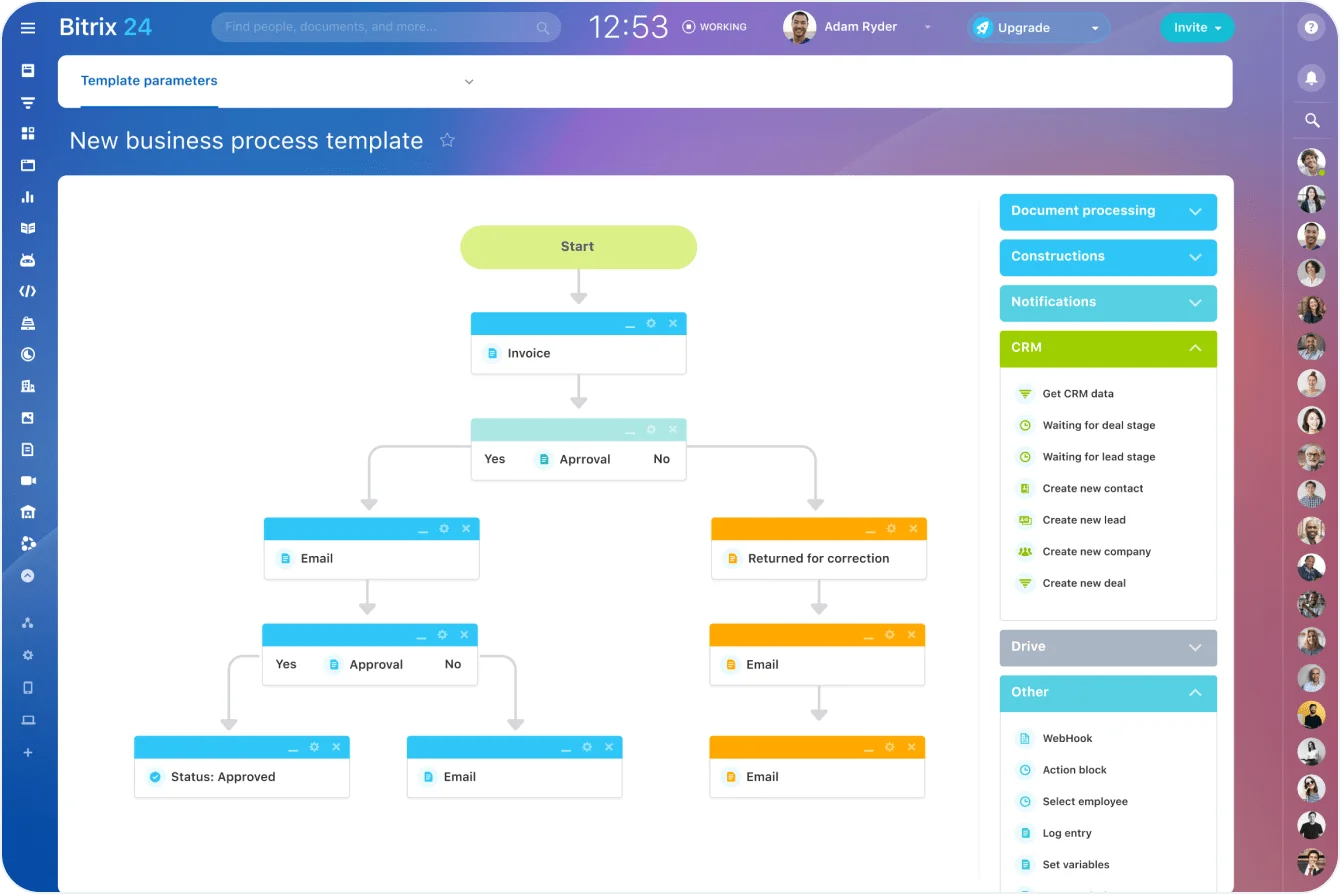
Each disclosure needs a home with an owner and a status. In Bitrix24, Robotic Process Automation builds a custom process with its own stages, so every declared tool becomes a card moving from submitted to under review to decided, with the reviewer and deadline attached. RPA is included from the Professional plan up; on lower plans, one task per disclosure with an owner and deadline does the same job.
A surprise audit produces the list of tools people assume you already know about. The ones that matter, like the personal AI account holding a year of client summaries, stay off it because admitting them feels riskier than keeping quiet.

Not all shadow IT carries the same risk, and personal AI changes the exposure profile
Two factors decide most of the risk: what data the tool touches, and how much work stops if it disappears.
Triage by data tier and dependency
Cross four data tiers with how embedded the tool is and you get a review order. The targets are examples to adapt:
|
Data tier |
Typical contents |
Side tool, easy to drop |
Embedded in a core process |
|---|---|---|---|
|
Public |
Published copy, public pricing |
Register it |
Register it and name an owner |
|
Internal |
Process notes, meeting notes without client detail |
Review this quarter |
Review within a month |
|
Confidential |
Customer records, contracts, financials |
Review within two weeks |
Review now |
|
Restricted |
Payroll, health data, card data, credentials, core source code |
Contain now |
Contain now and plan the replacement |
The tool's name tells you almost nothing. A notes app holding one person's reminders and the same app syncing a team notebook of client calls are different risks, so the register needs a data column.
What personal AI changes
With AI, the prompt is the data event. One prompt can carry strategy, source code, customer records or HR detail to a vendor under consumer terms the company never accepted. The history then lives in the employee's account, where no admin can see, export or delete it.
The cost shows up in breach data. In IBM's 2026 Cost of a Data Breach Report, security incidents involving shadow AI more than doubled in a year, from 20% to 43%, and in about one in five of them the organization ended up paying a regulatory fine.
The legal exposure is specific. Under GDPR Article 28, a vendor processing personal data on your behalf needs a written processor contract, and a personal account gives you none. US healthcare businesses need business associate agreements under HIPAA before patient data goes to a vendor.
What to check before approving an AI tool
Consumer and business plans of the same AI product run on different terms. Check the plan you'd actually buy:
- Inputs excluded from model training by default, or by contract
- Admin-controlled retention and deletion of chat history
- Business terms with a data processing agreement
- Audit logs an admin can export
- Single sign-on, plus SCIM so leavers lose access automatically
- An independent SOC 2 Type II report or ISO/IEC 27001 certificate
- Data residency options if EU or sector rules apply to you
A customer sends a data subject access request asking where their information has gone. The honest answer includes a personal AI account where an account manager pasted their file to draft a renewal summary. Nobody can retrieve it or prove it's deleted, and the response clock is already running.
Once a tool is visible, decide whether to sanction it, replace it, or block it
Sanction it when the need is real and the controls can be met
Sanctioning is four jobs, and skipping any of them leaves you with shadow IT that has a purchase order:
- Move it to a company-owned account on the company domain
- Turn on single sign-on, or at least enforced multi-factor authentication
- Sign the vendor's data processing agreement if personal data is involved
- Name a business owner and record it in the register with a review date
Replace it when the need is valid and the product isn't
Test the replacement with the person who adopted the workaround. They know exactly which missing feature drove them out of the approved tool.
Block it when the risk outweighs the value
Blocking means revoking the OAuth grants and cutting the domain at DNS or proxy level as well as canceling the payment. Cancel the card alone and the integration keeps running.
I'd block personal AI accounts for Restricted data on day one, whatever the friction. Everything below that tier gets a conversation first.
Plan the move before access changes
Replacing or blocking a tool moves people's work, and most failed replacements fail at cutover. Cover these before anything switches off:
- Export the data in an open format while the old account still works
- Set a cutover date and stop new work in the old tool a few days before it
- Tell the affected team what's changing, why, and what to use instead, in one message
- Walk the heaviest users through the replacement before cutover
- Name one person to answer questions for the first week
A yes/no check for each tool
A "no" on any of the first four points toward replace or block:
- Does it solve a business gap nobody else's tool covers?
- Can the company own the account and administer access centrally?
- Do the vendor's terms fit the data tier it touches?
- Can you audit who used it and export the data if you leave?
- Is there an approved alternative people will actually use?
- Would anything break tomorrow if it disappeared?
That last question finds hidden dependencies. A tool can pass security review and still be a liability if one person's login keeps a team running.
Where consolidation replaces several tools at once
Much small-business shadow IT covers jobs one workspace already handles: team task boards, side chats, shared files, the customer spreadsheet. Bringing them into Bitrix24 puts them under one admin and one account to deactivate when someone leaves.
- Side task boards move to task management, with deadlines and owners visible to managers
- The customer spreadsheet moves into the CRM, where records stay with the company after a rep leaves
Bitrix24 is a broad workspace by design, so specialist tools such as design suites or code repositories stay separate and connect through integrations.
A replacement gets declared because "the approved tool already does this", and nobody checks with the people using the workaround. A few weeks later the shadow tool is back under a different team's login, now with a reason to stay quiet.
Pro tip: Give every sanctioned tool an expiry. Set a review date (twelve months is a sensible default) and cancel by default if no owner renews it. A tool nobody will defend for five minutes is a tool nobody uses.
The goal is a repeatable intake model that brings useful tools into the open
Intake has one job: be faster than signing up. One person owns the queue and the register, and a named approver handles data questions, often whoever already looks after privacy. As an example cadence, open requests get thirty minutes a week and the full register gets a quarterly check.
Tier the review
Apply one heavyweight process to everything and you've rebuilt the original wait. Scale the review to the risk. The time targets are examples:
|
Tier |
What qualifies |
Review |
Example target |
|---|---|---|---|
|
Light |
Free or low cost, Public or Internal data only, no connection to company systems |
Register entry and an owner's glance |
2 working days |
|
Standard |
Paid, or touches Confidential data, or connects through OAuth or an API |
Owner and data approver check terms, admin controls and the processing agreement |
10 working days |
|
Full |
Touches Restricted data, or will become part of a core process |
Full security and legal review, plus an exit plan |
20 working days |
Keep the light tier tighter than most templates suggest. If it takes longer than signing up for the tool, shadow IT wins every time.
Keep the intake form short
Six questions cover almost every request:
- What does the tool do, and what job is it for?
- Which data tiers will go into it?
- Who's the business owner, and whose account will it run on?
- Who pays, and from which budget?
- What will it connect to (OAuth, API, browser extension)?
- What does it replace, if anything?
Pro tip: Publish a short list of pre-approved tools for common jobs, with the approved account type for each. Most light-tier requests never reach the queue, and the owner's time goes to the ones that need judgment.
Write AI rules people will actually read
Guidance written like a legal disclaimer changes nothing. One page covers it:
- Which data tiers never go into an external AI tool
- Which AI tools are approved, and on which accounts
- Which outputs need human review before they reach a customer or a decision, and who reviews them
- How to request a tool that isn't on the list
Publish it where people already work and link it from the intake form. A Bitrix24 Knowledge base page gives it one place to live and one place to update. For a reference model of the full version, ISO/IEC 42001 is the management system standard for AI; most smaller businesses need only the one-page subset.
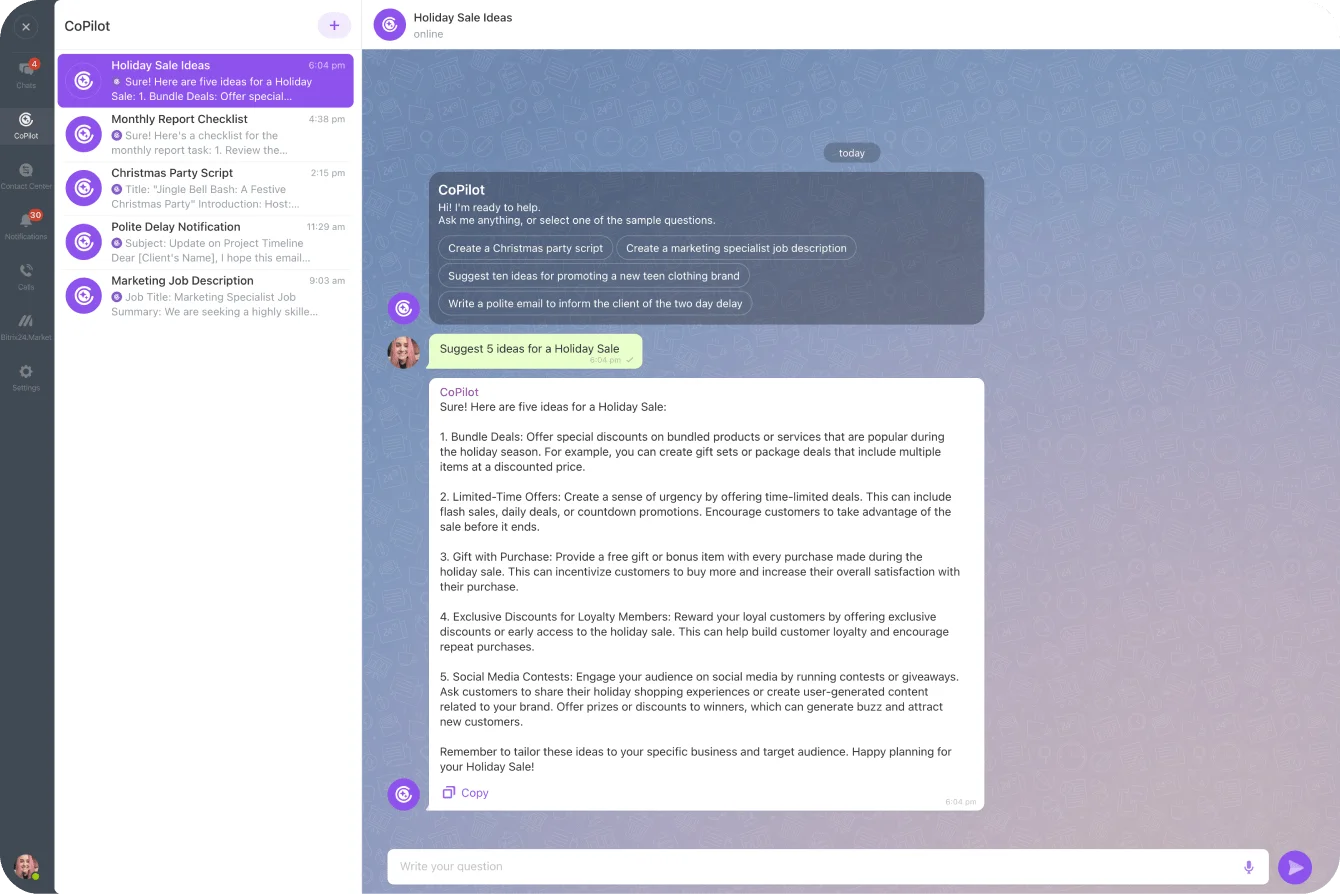
The rules stick when the approved option sits inside the tools people already use. Bitrix24's CoPilot puts AI drafting and summarizing into tasks, chat, the CRM and video calls, so the sanctioned route is also the nearest one.
Make trials legitimate
A formal trial is the middle ground between full approval and off-the-books use. Set the terms once:
- A company account, never a personal one
- A named owner who makes the call at the end
- No Confidential or Restricted data during the trial
- A fixed end date (30 days as an example)
- A decision on that date: sanction, replace or close
Keep the register alive
The register holds tool, business owner, account owner, data tier, connections, cost, review date and decision. Re-run the record pull each quarter and reconcile the two.
Requests sit for a month because the one approver is busy, and people sign up anyway "while it's pending". The register fills with tools marked under review that have been in daily use since spring, and the next disclosure window gets half the response.
FAQ
What should you do if employees are already using personal AI accounts with company information?
Skip the punitive sweep. Find the main use cases and the kinds of data going in, contain anything touching Restricted data, offer an approved alternative and publish interim rules. Prohibition alone makes the usage less visible, and no less common.
How do you announce a disclosure window without people assuming it's a trap?
Have the business owner send it, with the no-penalty promise and its single exception in the first two lines. Name the kinds of tools you expect to hear about, personal AI included, so declaring one feels normal. Then publish the first decisions fast, with some sanctions among them. Everyone watches what happens to the first person who discloses.
Which browser extensions should we treat as high risk?
Any extension with permission to read and change data on every site, because it sees everything the user opens, CRM and webmail included. Treat AI writing assistants, meeting note-takers, screen recorders and productivity add-ons with that permission as Confidential-tier until reviewed. If you manage browsers centrally, move extensions to an allowlist.
When is it better to tolerate a tool temporarily than shut it down?
When the dependency is real, the immediate risk is manageable, and a replacement or review is already underway. Put the tolerance in writing with an end date and a plan to sanction or retire the tool.
Do we need a dedicated SaaS management platform to find shadow IT?
Not below a few hundred staff. The record pull and disclosure window catch what matters. A platform pays off once you have hundreds of apps and no single person who can hold the register in their head.
Bring Hidden Apps Into One Managed Workspace
Bitrix24 centralizes tasks, CRM, files, AI rules, and app intake, helping teams reduce shadow IT while keeping work moving.
Get Started NowMake disclosure cheaper than hiding
Three months after the first disclosure window, run the record pull again. The gap between what people declared and what the records show is the honest measure of trust. A wide gap means your intake is still slower or riskier than keeping quiet, and every control in this article depends on closing it.
Bitrix24 keeps the intake pipeline, the tool register, trial deadlines and published AI rules in the same workspace as much of the work they govern, under one admin. To build your intake process there, start for free today.
Takeaway: The register you build to find shadow IT doubles as your offboarding checklist, and that's where it pays for itself first.