Ditch the App Overload: Why a Unified Work Ecosystem is the Smarter Choice


App overload (also called ‘tool sprawl’ or ‘Saas sprawl’) is what happens when one workflow gets stretched across chat, tasks, files, meetings, and customer tools — so the work exists, but the context doesn’t. People spend their day hunting for the latest thread, reposting the same update in two places, and rebuilding decisions that already happened somewhere else.
A unified work ecosystem fixes that by keeping communication, tasks, files, and workflow updates connected in one place, so decisions and next steps stay attached to the work (this is the model platforms like Bitrix24 are built around).
In this article, you’ll get a quick diagnostic, an evaluation checklist, and a phased rollout plan you can apply immediately.
The payoff is straightforward: fewer status checks, less rework, clearer ownership, and faster delivery because progress is visible in one system instead of scattered across apps.
Quick diagnostic: Do you have app overload?
App overload is likely hurting execution if your team regularly switches between tools to complete one workflow. If you recognize 4 or more signs below, consolidation will usually improve speed and clarity.
Signs your team is dealing with app overload
You open multiple apps before you can start real work
You regularly ask, “Where did we decide that?” (chat, email, comments, or a meeting recap)
You post the same update in two or three places just to make sure it’s seen
You join meetings mainly to sync context that should already be visible
You lose time hunting for the latest version of a file or link
Tasks get created, but ownership and next steps still feel unclear
Work “moves” in conversation, but doesn’t reliably move in execution
People miss updates because notifications are spread across tools
New hires take longer to ramp because there’s no clear home for work and knowledge
Teams maintain side spreadsheets or private notes because the system doesn’t feel trustworthy
Why this happens (even on high-performing teams)
Most tool sprawl isn’t the result of bad decisions. It’s usually a series of reasonable fixes:
A new app gets added to solve one workflow gap
Another tool gets adopted by a different team
Files move to a separate platform for convenience
Customer tracking lives in a CRM that operations can’t easily see
Over time, work becomes fragmented across systems. The result is predictable: more coordination, more context switching, and slower decisions.
What a unified work ecosystem is (and is not)
A unified work ecosystem is a connected workspace where your team can communicate, plan, execute, and track work without stitching together updates across disconnected tools.
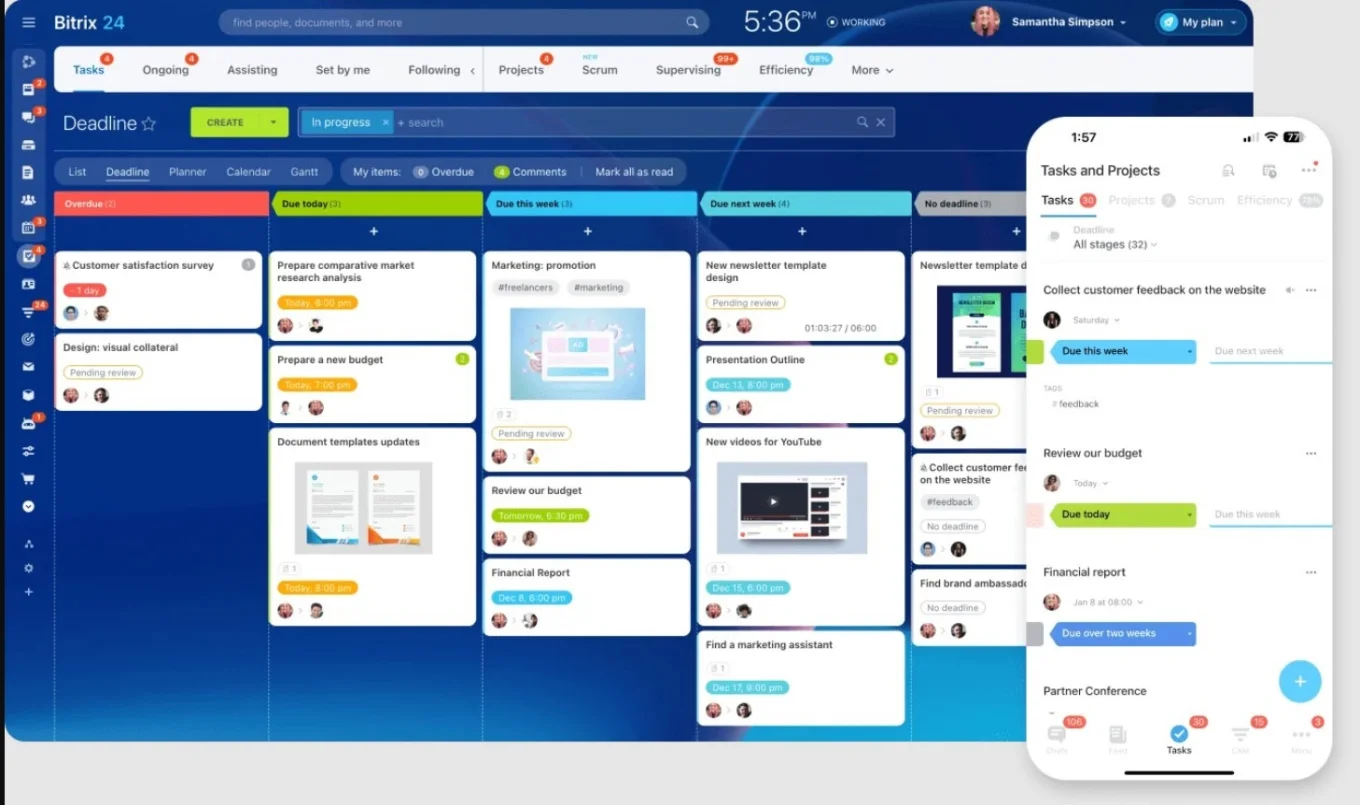
In a unified ecosystem, the parts of work that belong together stay together:
Conversations live inside the tasks and projects they relate to
Files are stored where the work happens, not buried in separate folders
Decisions are documented in context, not scattered across threads
Customer activity can trigger internal work instead of sitting in a separate system
Reporting reflects reality because work is tracked in one place
This cuts time spent searching for the latest file, decision, or task owner, so people spend less time chasing context and more time moving work forward.
Fragmented vs Unified comparison table
Problem | Fragmented tools | Unified ecosystem |
|---|---|---|
Decisions | Split across chat/email/meetings | Stored inside the work item |
Ownership | Unclear or duplicated | Assigned with visible status |
Files | Multiple versions in drives | Attached to tasks/projects |
Reporting | Manual updates | Reflects real execution |
Handoffs | Copy/paste across tools | Workflow triggers next steps |
What it isn’t: “one tool that does everything (poorly)”
A unified ecosystem is not the same thing as an old-school “all-in-one suite” that forces you into one rigid way of working.
It doesn’t mean:
Replacing every specialized tool overnight
Adopting a single workflow that doesn’t fit your teams
Settling for shallow features that don’t hold up in real execution
A strong ecosystem gives you a clear home base for everyday work, with enough depth to run core workflows properly. And if you still need a specialist tool for an edge case, you can keep it. The goal is to reduce fragmentation, not eliminate choice.
The simple test: can work flow end-to-end in one place?
When you’re evaluating platforms, focus on this question:
Can your team move from request → plan → execution → delivery without losing context?
If the answer is yes, you’re looking at a unified ecosystem.
If the answer is no — if people still have to copy updates, paste links, and chase status across multiple systems — then you’re still dealing with tool sprawl, just in a different package.
Embrace a Unified Work Ecosystem
Explore the advantages of Bitrix24, a unified platform for a seamless work experience. Boost your team's productivity by reducing app overload today!
Get Started NowEvaluation checklist: What to look for in a unified platform
Not every “all-in-one” tool fixes app overload. Some platforms just bundle features. A unified platform connects work end-to-end so tasks, updates, files, and customer activity stay in context.
Use this checklist when comparing options:Communication inside the work
Look for: comments and discussions attached to tasks, projects, and records
Verify: can someone understand a task without opening a separate chat thread?
Real project execution (not just task lists)
Look for: owners, deadlines, dependencies, templates, Kanban/calendar/Gantt, workload visibility
Verify: can you run a real project without spreadsheets?
Files and knowledge that stay organized
Look for: file storage linked to work, permissions, shared docs/wiki, strong search
Verify: can a new teammate find the latest SOP or brief in under a minute?
Customer workflows tied to delivery
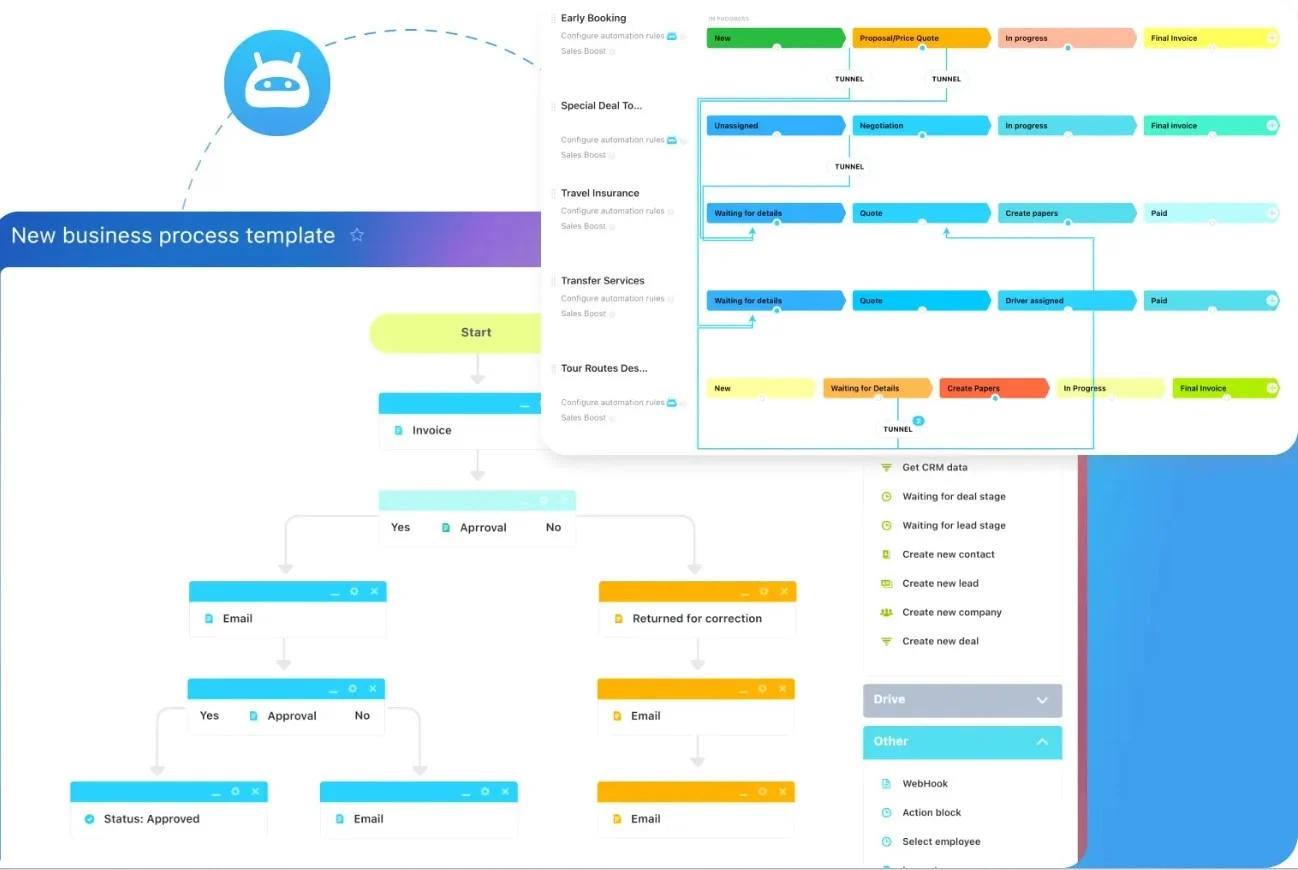
Look for: CRM activity that triggers internal tasks and handoffs
Verify: can you run lead → onboarding → follow-up without copying details across tools?
Automation that removes manual chasing
Look for: reminders, approvals, recurring tasks, form-to-task creation, status triggers
Verify: can you automate one repetitive process without custom development?
Governance and reporting you can trust
Look for: role-based access, audit trails, dashboards, consistent structure
Verify: can leadership see real status without asking for manual updates?
Once you’ve chosen a platform that passes the end-to-end test, the next challenge is rollout…
Migration plan: How to consolidate without breaking your team
Consolidation fails when teams treat it like a tool swap. They pick a platform, migrate data, and hope the problem disappears.
What actually works is a phased workflow rollout. You’re not just changing software. You’re changing where work lives and how teams stay aligned.
Here’s a simple four-phase approach you can run without disrupting execution.
Phase 1: audit your stack and cut overlap
Start by listing every tool your team uses and what it’s used for. Then identify overlap:
Where the same work is tracked in two places
Where updates are posted in multiple channels
Where people rely on side spreadsheets because the system isn’t trusted
Make a “keep / replace / stop using” decision for each tool based on three questions:
Does it support a core workflow, or is it a workaround?
Is it actively used, or mainly “just in case”?
Does it reduce coordination, or create more of it?
This phase gives you clarity. Without it, teams consolidate randomly and end up recreating the same sprawl later.
Phase 2: unify one high-friction workflow first
Don’t start by moving everything. Start by fixing the workflow that causes the most daily drag.
Common high-impact starting points are:
project coordination (tasks + communication + files)
accountability (ownership, deadlines, visibility)
customer handoffs (request → delivery → follow-up)
cross-team work (marketing ↔ sales ↔ operations)
Pick one workflow, migrate it fully into the new system, and remove the old “parallel process” for that workflow. Running two systems at once is the fastest way to kill adoption.
Phase 3: set simple usage rules (so the system sticks)
Consolidation only works if everyone uses the platform the same way.
Set a few clear defaults:
Where tasks get created and who owns them
Where project updates are posted
How files are named and where they live
How status changes are tracked and what “done” means
What happens when work is blocked
Keep rules short and practical. The goal is not governance theatre. The goal is a reliable source of truth (one place where the latest owner, status, files, and decisions live).
Phase 4: automate, then expand
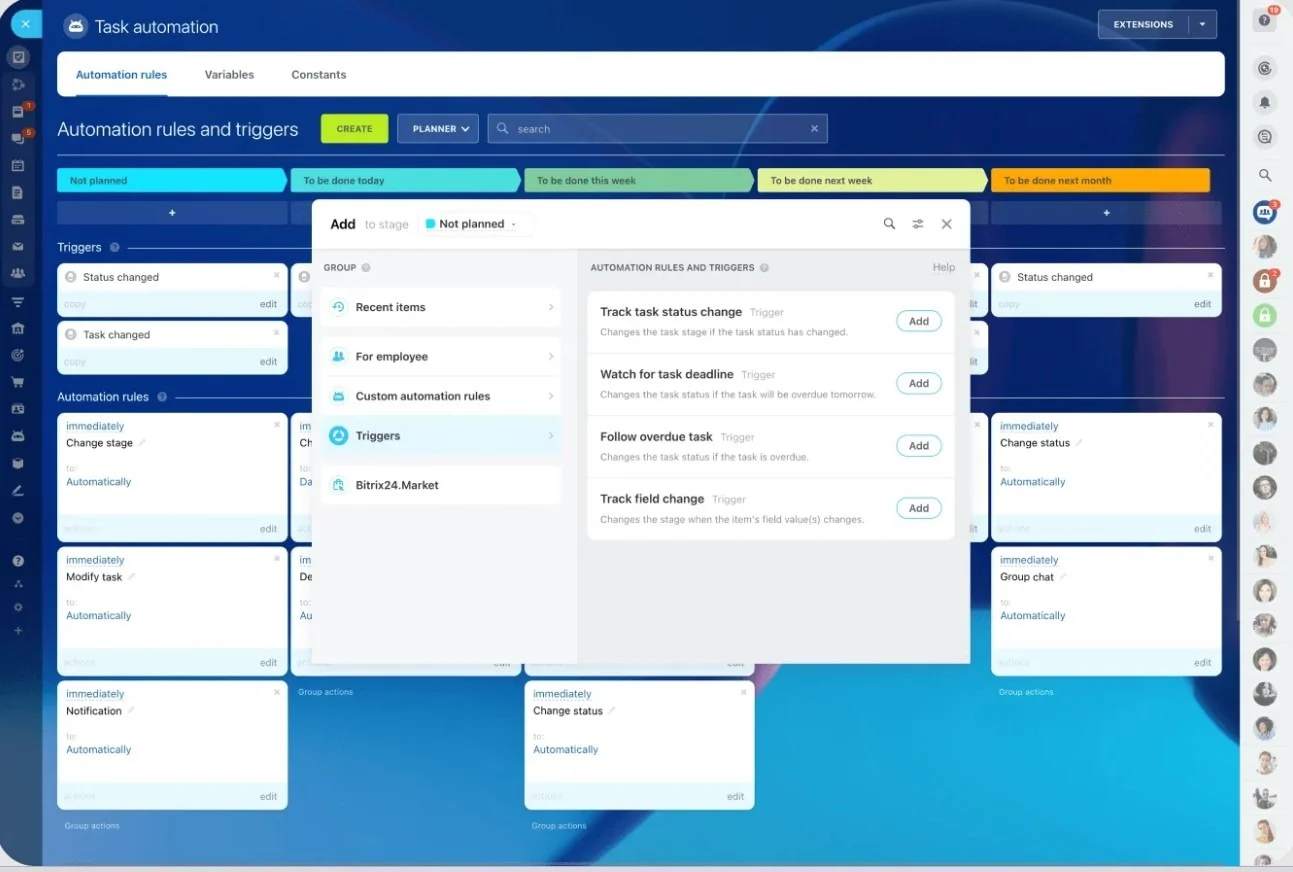
Once one workflow is stable, reduce coordination overhead with automation:
Reminders before deadlines
Recurring tasks for repeatable processes
Approvals for common decisions
Task creation from forms or customer requests
Triggers when status changes
Then expand to the next workflow. This is how consolidation becomes sustainable instead of a one-time cleanup.
Metrics to track after consolidation
Number of weekly status meetings needed to get updates
Time it takes to find the latest file or decision
Tasks that go overdue because ownership or next steps aren’t clear
Onboarding time for new hires to become productive in core workflows
Common mistakes to avoid
Doing a “big bang” rollout across every team at once
Migrating data without changing how work is run day-to-day
Letting old tools stay active “just in case” (it creates parallel truth ie two tools claiming to be ‘the latest’)
Skipping training and ownership (no champion, no adoption)
The goal is momentum. One workflow, fully unified, then the next.
When a unified ecosystem may not work (or needs extra planning)
If your team has highly regulated requirements (healthcare, finance), you may need advanced compliance controls and strict permission design.
If teams refuse to stop using old tools, you’ll end up with duplicate systems and unreliable reporting.
If your workflows are extremely specialized (engineering-heavy, custom pipelines), you may still need specialist tools and tighter integrations.
If leadership doesn’t enforce “where work lives,” adoption will stall and tool sprawl will return.
Example: What a unified workflow looks like in Bitrix24
Here’s a simple way to picture a unified ecosystem in real life: a customer request comes in, and the work moves from intake to delivery without losing context.
Customer request arrives (email, form submission, or CRM update)
The request is attached to the customer record in the CRM
A task is created with an owner, deadline, and required files
Discussion happens inside the task, so decisions stay visible
Work moves through clear stages with status tracking
Automation triggers reminders and next steps when needed
Delivery and follow-up are logged back to the customer record
In Bitrix24, this flow can live in one connected workspace. Instead of copying details into multiple tools, the task becomes the working hub where the customer context, files, decisions, and progress stay linked.
The practical result is simple: when someone asks, “Where are we on this?” the answer is already visible in one place, without chasing updates across chat threads, project tools, and drive folders.
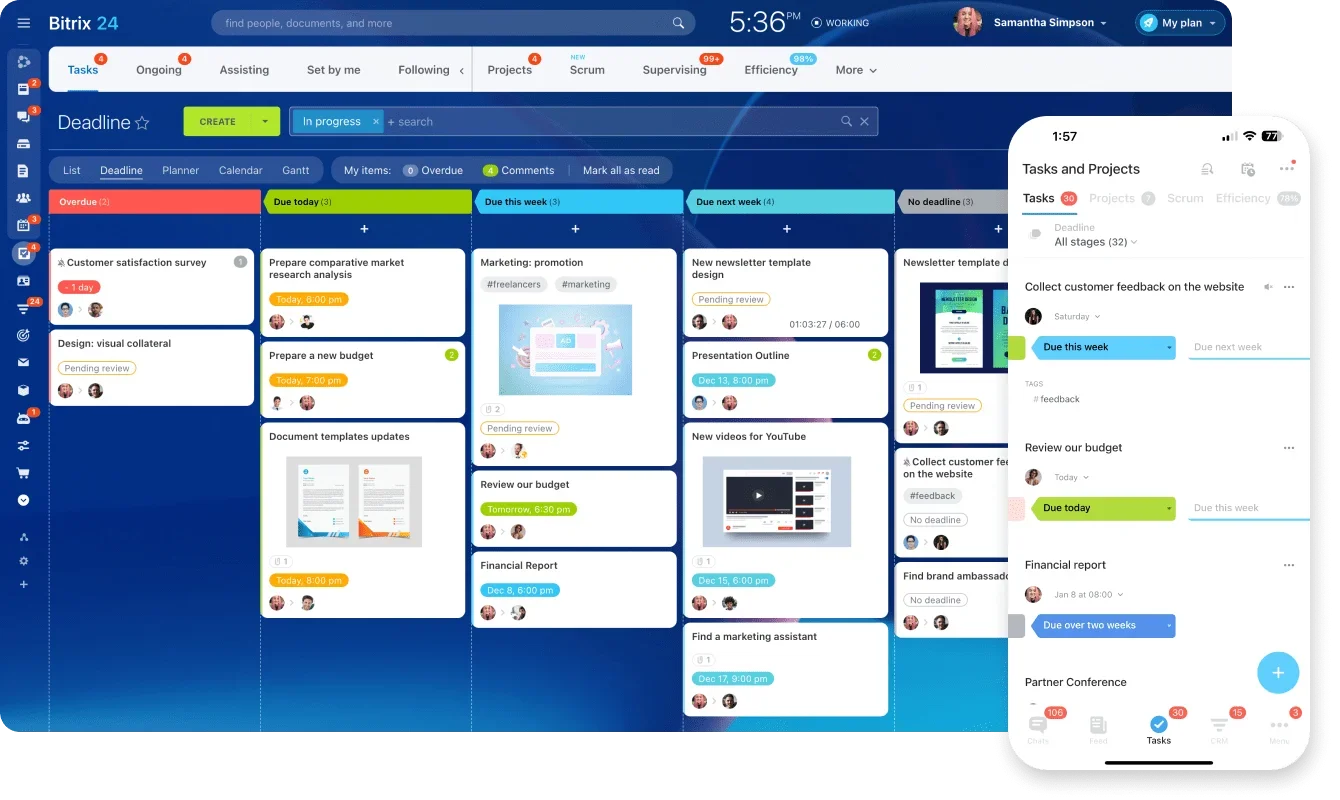
Less juggling, more execution
If your team is constantly switching tools just to complete one workflow, the problem isn’t effort; it’s fragmentation.
The fastest way to fix it is to unify one high-friction workflow end-to-end, set simple rules for where work lives, and expand only after it’s working.
Start now: pick one workflow you’re currently running across multiple apps and run it in Bitrix24 for two weeks with the old process turned off. If status chasing drops and ownership becomes clearer, you’ve got a scalable path to consolidation.
FAQs
What is app overload in a workplace?
App overload is when work is split across too many tools, so people waste time switching apps, chasing context, and duplicating updates.
What problems does a unified work ecosystem solve first?
It reduces context switching, reduces conflicting priorities caused by scattered updates, and prevents tasks from losing decisions, files, and customer context.
Do we need to replace every tool to consolidate successfully?
No. Most teams keep a few specialist tools, but move daily execution (tasks, updates, files, workflows) into one primary system.
How do I know which workflow to unify first?
Pick the one that causes the most daily friction, usually project coordination, customer handoffs, or cross-team approvals.
How long does it take to transition to a unified platform?
A practical rollout usually starts showing benefits after one workflow is fully moved and the old process is turned off, often within a few weeks.
What features matter most when choosing a unified platform?
Context-linked communication, real project execution tools, searchable file storage, workflow automation, and permission/reporting controls.