HR Automations That Triple Throughput Without New Hires

Your HR team isn't underperforming. They're drowning in process: document collection, access requests, training schedules, manager notifications… And most of it still runs through email threads, spreadsheets, and manual follow-ups!
The bottleneck isn't headcount. It's the absence of systems that handle repeatable work automatically.
Here are the automations that cut the admin and give your HR team room to breathe.
TL;DR: HR teams lose most of their capacity to manual administrative work, not strategic complexity. Automating recruitment pipelines, onboarding, document approvals, and employee requests lets small teams support a growing workforce without adding headcount.
The hidden cost of manual HR processes
According to Deel's compilation of HR automation research:
- HR professionals spend up to 57% of their time on administrative tasks
- 57% report working beyond normal capacity due to understaffing
- Only 19% expect budget authorization for additional hires
The daily culprits are predictable:
- Responding to the same employee questions repeatedly
- Tracking leave requests through email
- Manually assigning onboarding tasks across departments
- Chasing managers for performance reviews
- Managing documents across multiple folders and tools
Each task adds friction. When dozens run manually every day, the team becomes overwhelmed (and inconsistency follows). One manager follows the process correctly; another skips a step. Documents go missing, approvals get delayed, and HR spends more time fixing problems than preventing them.
What automation changes
Automation turns these processes into structured workflows. Instead of relying on memory, emails, or spreadsheets, the system:
- Assigns tasks to the right person at the right time
- Routes documents through approval chains
- Sends reminders before deadlines pass
- Tracks progress across every open workflow
The result: fewer manual tasks, faster processes, and an HR team that supports growth without constantly increasing workload.
Manual HR creates constant firefighting. Automation replaces it with predictable, repeatable systems that scale with your business.
HR Automation Planner: Workflows That Multiply Output
Enter your email address to get a comprehensive, step-by-step guide

Automated recruitment pipelines
Hiring is one of HR’s most time-consuming responsibilities. As applications increase and interviews pile up, visibility drops and strong candidates slip through while updates sit buried in inboxes.
How pipeline automation works
Instead of manually tracking every applicant, candidates move through defined stages — application, screening, interview, offer — with each stage triggering the next action automatically:
- Assigning a review task to HR or the hiring manager
- Sending interview reminders and internal notifications
- Updating the candidate record with notes and documents
- Triggering follow-ups that keep the process moving
This reduces repetitive coordination and makes hiring manageable at scale. Your team reviews more candidates, coordinates interviews faster, and keeps hiring managers aligned without manually pushing every step.
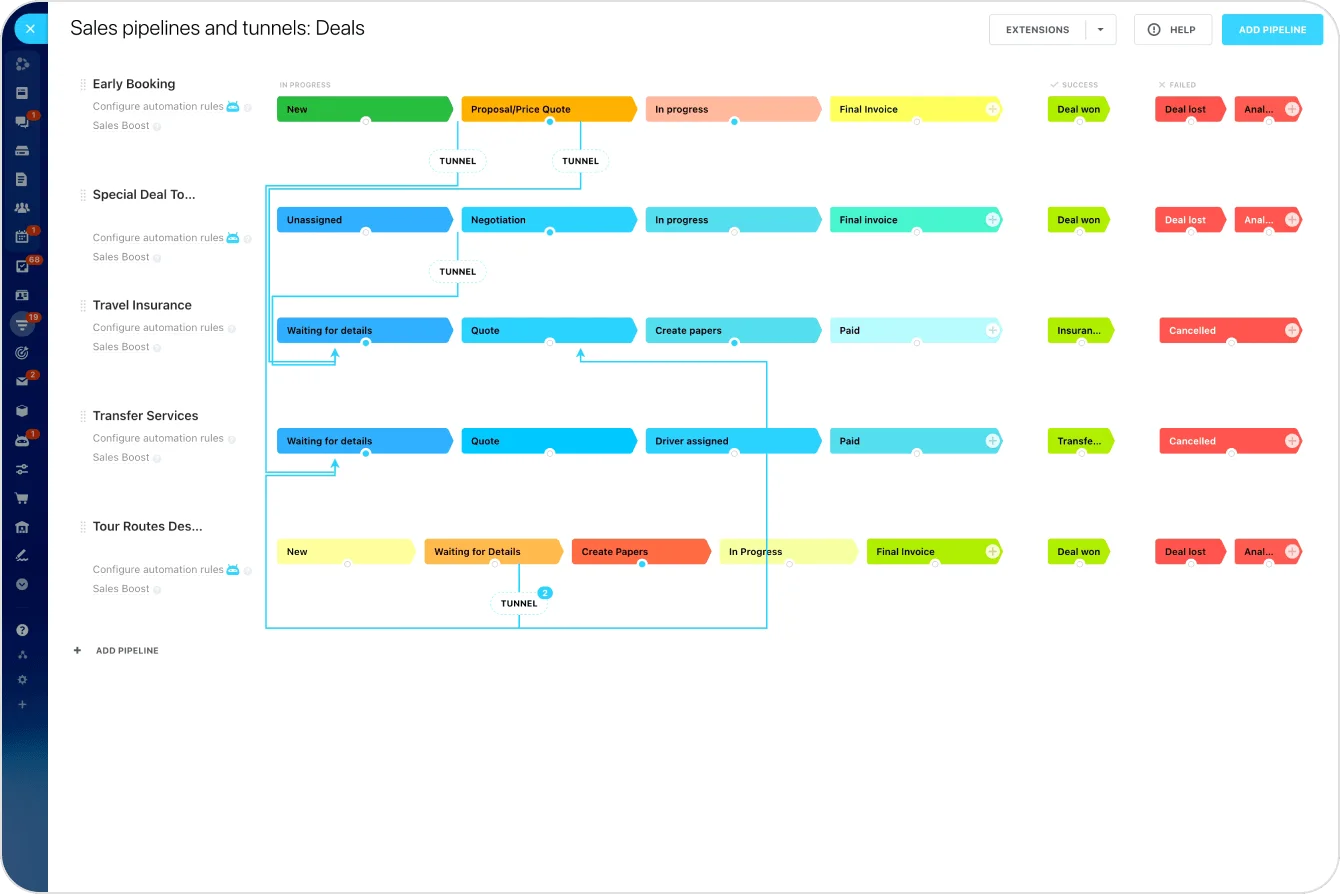
With Bitrix24 CRM pipeline management and task automation, you can build a clear recruitment flow, assign tasks automatically, and track candidate progress in real time.
Automated employee onboarding
Onboarding generates enormous coordination work. Every new hire requires document collection, system access, training schedules, and communication between HR, managers, and IT. Handled manually, tasks get missed, responsibilities are unclear, and new employees start their first week without what they need.
Why structured onboarding matters
The same Deel research found that automated onboarding can reduce time to productivity by up to 50%. When onboarding runs through a defined workflow, every new hire gets a consistent experience regardless of who manages the process.
A typical onboarding automation includes:
- Welcome messages and first-day instructions
- Automatic task assignments for HR, managers, and IT
- Orientation and training scheduling
- Document collection and approvals
- System access setup requests
Pro tip: Create a master onboarding template that triggers automatically when a new hire is confirmed. Include every department's tasks (i.e., IT setup, manager introduction, compliance documents, first-week schedule) so nothing depends on someone remembering to send an email.
With task templates, automated assignments, and shared document storage, HR teams can onboard multiple employees simultaneously without chasing updates.
For a deeper look at what's possible, see 8 revolutionary HR automation tools.
Employee self-service portals
Many HR teams spend a large part of their day answering routine questions: leave balances, policies, payroll documents, internal procedures. Each request takes only a few minutes, but the constant interruptions add up and crowd out strategic work like talent development and organizational planning.
What self-service looks like
A self-service portal gives employees a structured place to handle routine needs on their own:
- Leave and PTO requests with automated approval routing
- HR policies and internal documentation
- Employment letter and verification requests
- Request status tracking
- Answers to common HR questions
Because requests follow predefined workflows, approvals and notifications happen automatically. Employees get faster responses; HR gets a clearer overview of what's pending.
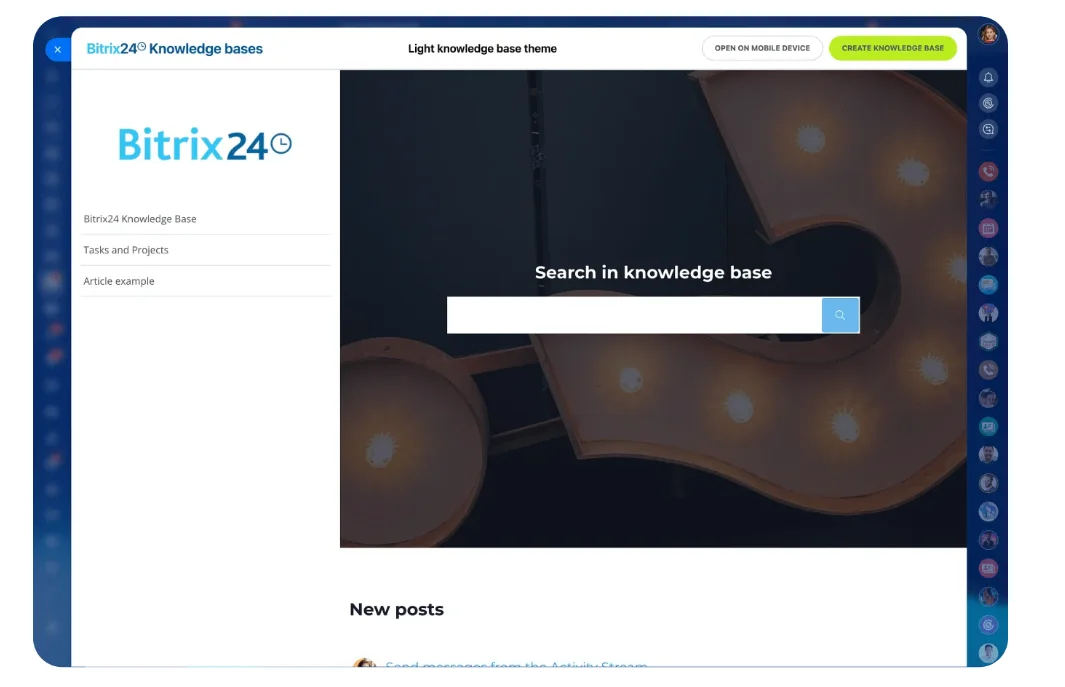
Bitrix24 supports this with custom request forms, automated approval workflows, and an internal knowledge base. And all within the same platform employees already use for daily work (including on mobile).
Automated document and approval workflows
HR handles a constant flow of documents: employment contracts, policy acknowledgments, compliance forms, internal approvals. When these rely on email attachments or scattered folders:
- Documents are easily delayed or misplaced
- HR spends time chasing signatures
- Compliance records have gaps that surface during audits
- New hire paperwork stalls because one approver didn't see the email
Manual document handling also creates compliance risk. When there's no centralized record of who signed what and when, audits become time-consuming, and gaps are harder to identify.
How document automation works
Instead of manually routing files, the system:
- Sends documents to the right approvers in sequence
- Tracks status at every stage
- Sends reminders for pending actions
- Stores completed records in a centralized repository
What to automate first
Start with the documents that have the highest volume and the clearest approval path:
- New hire contracts and offer letters — route to hiring manager, then HR director, then back to the candidate
- Policy acknowledgments — distribute to all employees with a deadline and automatic reminders for non-completion
- Leave and PTO approvals — employee submits, manager approves or declines, HR is notified of the outcome
- Internal transfer or promotion paperwork — route through the current manager, receiving manager, and HR
The benefits are immediate: faster approvals, improved compliance, fewer lost documents, and significantly less administrative follow-up.
Bitrix24 supports these workflows with built-in document management, configurable approval chains, and role-based access controls that keep sensitive HR records secure.

Performance management and feedback automation
Performance reviews are essential but frequently stall because they depend on manual coordination — HR sends reminders, collects forms, and tracks who has completed evaluations, often for weeks.
Automating the review cycle
An automated workflow can:
- Schedule review cycles for quarterly or annual evaluations
- Assign tasks to managers and employees at the right time
- Distribute structured feedback forms and evaluation templates
- Send reminder notifications for incomplete reviews
- Track completion across the entire organization
Once the cycle begins, the system manages deadlines and assignments automatically. Reviews happen on schedule, evaluation records stay organized, and employees receive more consistent feedback.
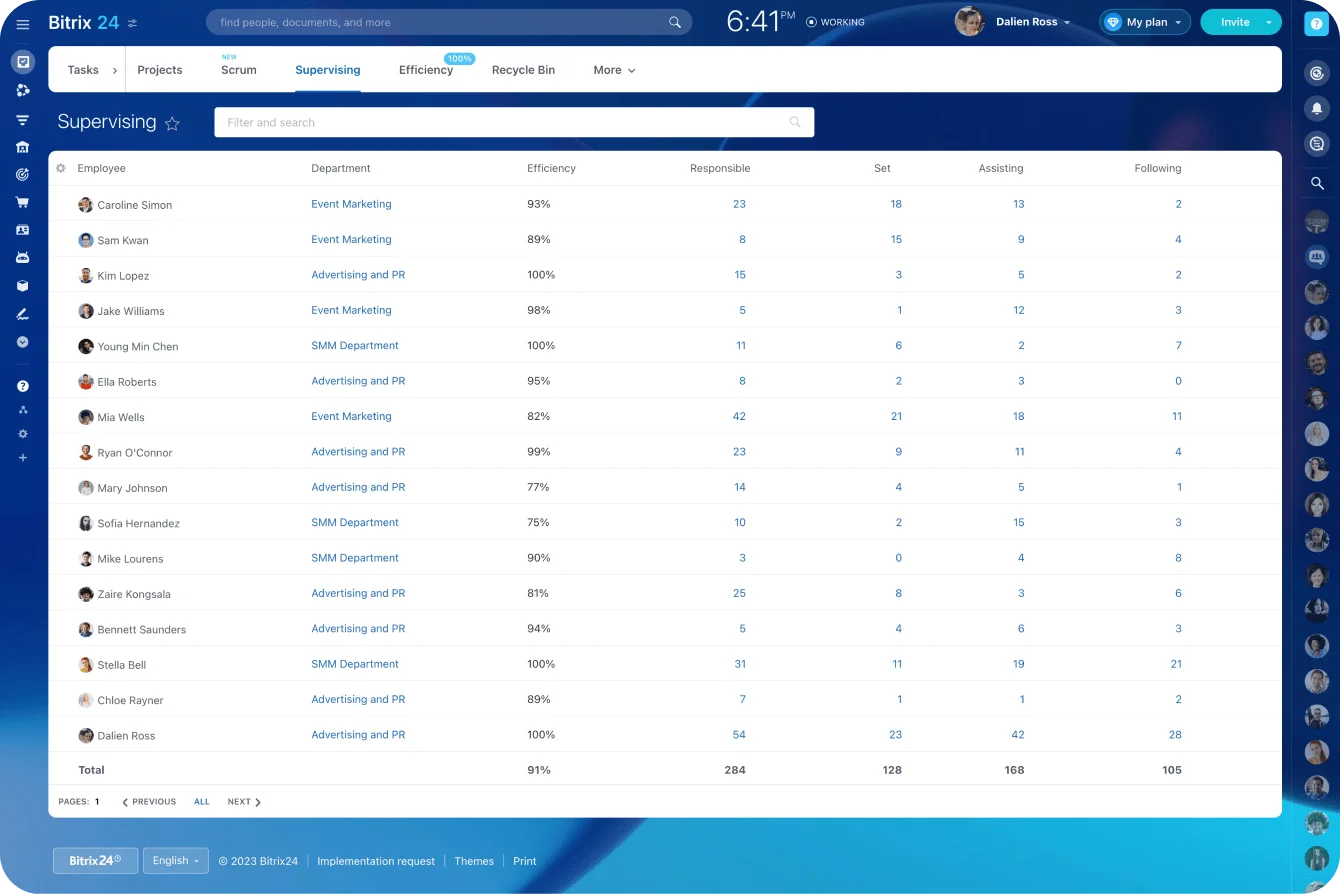
With Bitrix24's employee performance tools and task automation, HR teams can run recurring review cycles and track completion across departments without increasing administrative workload.
How to implement HR automation successfully
HR automation only works if it’s implemented in the right order. Start simple, focus on high-impact workflows, and build from there.
Start with high-volume tasks
Focus first on the workflows that consume the most time:
- Onboarding coordination
- Recruitment pipeline management
- Leave approvals
- Document routing
- Employee request handling
These deliver the fastest, most visible improvements.
Standardize before you automate
If every manager follows a different process, automation only makes the confusion move faster. Before automating, define:
- The key workflow steps
- Who owns each task
- Approval requirements
- Timelines for handoffs
Once the process is clear, automation becomes straightforward to build and manage.
Centralize your HR tools
Automation becomes harder when documents live in one system, communication happens in another, and approvals are buried in email. Fragmented tools create more manual work, not less, because someone still has to move information between systems and verify nothing was lost.
An integrated platform keeps tasks, workflows, documents, and communication in one workspace, making it possible to automate across the entire employee lifecycle without relying on disconnected tools.
Review and improve over time
HR automation shouldn't stay static. As your company grows, processes change. Review workflows regularly to spot unnecessary steps, recurring delays, and new opportunities. Small improvements compound into meaningful efficiency gains.
Get these fundamentals right, and automation stops being a tool you manage and becomes a system that runs your HR operations for you.
When HR automation may not be the right fit
Automation works best for repeatable, rule-based processes. It may need adjustment in these situations:
- Processes that aren't standardized yet. If every manager handles onboarding differently, automating the workflow amplifies the inconsistency. Define the steps and ownership first, then build the automation around the agreed process.
- Sensitive employee relations matters. Disciplinary conversations, accommodation requests, and conflict resolution require judgment, empathy, and discretion that automation can't provide. Use automation to track that these processes are followed — not to run the conversations themselves.
- Very small organizations (under 15 employees). When the HR team is one person managing a small headcount, the overhead of configuring automation may exceed the time saved. Start with templates and checklists; add automation when volume makes manual tracking unreliable.
- Highly variable workflows. Some HR processes (executive recruiting, organizational restructuring, M&A integration) are different every time. Automation works for the repeatable components (scheduling, notifications, document routing), but the decision-making and sequencing need human judgment.
Automate the predictable. Keep the human work human.
From manual overhead to operational leverage
As organizations grow, more employees bring more requests, more hiring, more documentation, and more coordination. When these processes rely on manual work, the pressure on HR quickly becomes unsustainable.
Automation offers a smarter path. Structured workflows remove bottlenecks, speed up operations, and turn small efficiency gains into meaningful capacity.
Instead of constantly working harder, you build systems that let HR scale with the organization.
Unleash HR Productivity Bitrix24
Save more time with Bitrix24's built-in HR automation. From recruitment to onboarding and document management, we empower your HR team for scalable efficiency.
Get Started NowFrequently asked questions
What HR processes should be automated first?
Start with the highest-volume, most repetitive workflows: employee onboarding, recruitment pipeline management, leave and PTO approvals, document routing, and routine employee requests. These are the processes where manual handling creates the most friction and where automation delivers the fastest return.
How much time can HR automation actually save?
Deel's research found that HR professionals spend up to 57% of their time on administrative tasks, and that automated onboarding alone can reduce time to productivity by up to 50%. The savings compound across multiple processes. When recruitment, approvals, and requests are all automated, the cumulative time freed is significant.
Does HR automation replace HR staff?
No. Automation handles repeatable, rule-based tasks: routing documents, assigning onboarding steps, sending reminders, tracking approvals. It frees HR professionals to focus on work that requires judgment, empathy, and strategy: employee relations, culture building, talent development, and organizational planning.
Can small HR teams benefit from automation?
Small teams often benefit the most because they have the least capacity to absorb manual overhead. When a two-person HR team automates onboarding, leave approvals, and document routing, they reclaim hours each week, allowing them to support a much larger headcount than manual processes would permit.
What's the risk of automating HR processes too quickly?
The main risk is automating a process that isn't standardized yet. If every manager follows a different workflow, automation amplifies the inconsistency rather than solving it. Define the steps, ownership, and approval logic first, then automate. Start with one or two high-impact workflows, validate the results, and expand from there.
How do I measure whether HR automation is actually working?
Track three metrics: time-to-complete for each automated process (onboarding, leave approvals, document routing), volume handled per HR team member per month, and error or escalation rates compared to when the process ran manually. If onboarding that took five days now completes in two, and your team is processing 40% more requests without additional hires, the automation is delivering.