Pick a CRM in a weekend: The non-technical owner’s matrix

Choosing a CRM shouldn’t feel like decoding rocket science. Yet for many small business owners, it does. Between smoke-and-mirror pricing and a cloud of buzzwords and bluster, it’s no wonder the CRM decision keeps slipping down the to-do list to “someday.”
But what if you could pick the right CRM in a single weekend—without needing a tech team, consultant, or months of research? That’s exactly what this guide helps you do.
In this article, you’ll discover The Non-Technical Owner’s Matrix: a simple, practical framework to evaluate and choose a CRM that fits your business goals. Fast.
You’ll learn how to focus on what truly matters for sales success—visibility, automation, and growth—while seeing how platforms like Bitrix24 make that decision easier.
By Monday morning, you’ll have more than a CRM—you’ll have a clear process, a confident team, and momentum on your side.
The Non-technical owner’s CRM matrix: Your weekend framework
Here’s how to use the matrix to compare your top CRM options across five dimensions that actually impact sales results.
The five CRM selection dimensions
- Ease of Setup & Onboarding
How quickly can you start using it? If you need an IT team just to set up contacts or create a sales pipeline, it’s not the right fit. Look for CRMs with guided onboarding, built-in templates, and clear interfaces.
- Sales & Lead Management Power
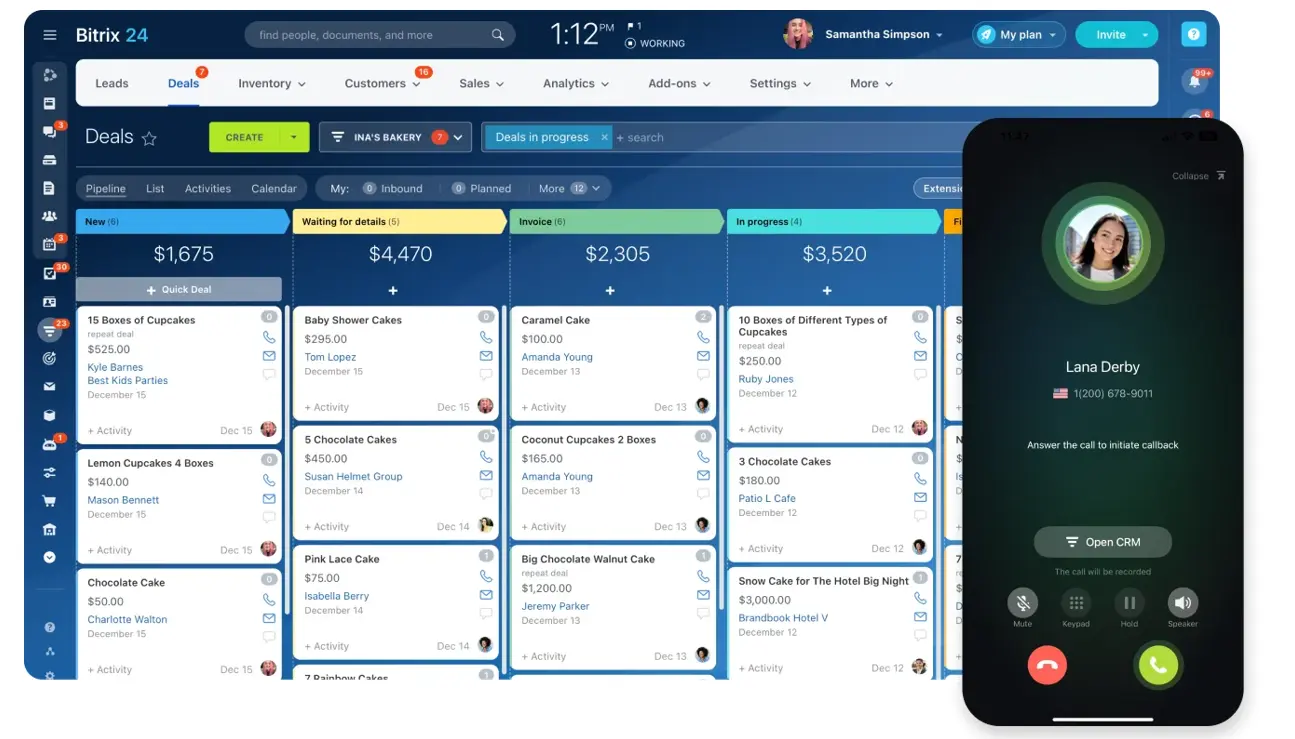
A CRM’s main job is to help you track leads and close deals efficiently. The right system should show you where every prospect stands and what your next step should be. - Automation & AI Assistance
The best CRMs don’t just store data; they work for you. Look for automation that reduces manual work, like automatic lead assignments or follow-up reminders. - Analytics & Reporting Depth
Without insights, data is just noise. You need reports that tell you what’s working and what’s not (without needing to export to spreadsheets). - Mobility & Accessibility
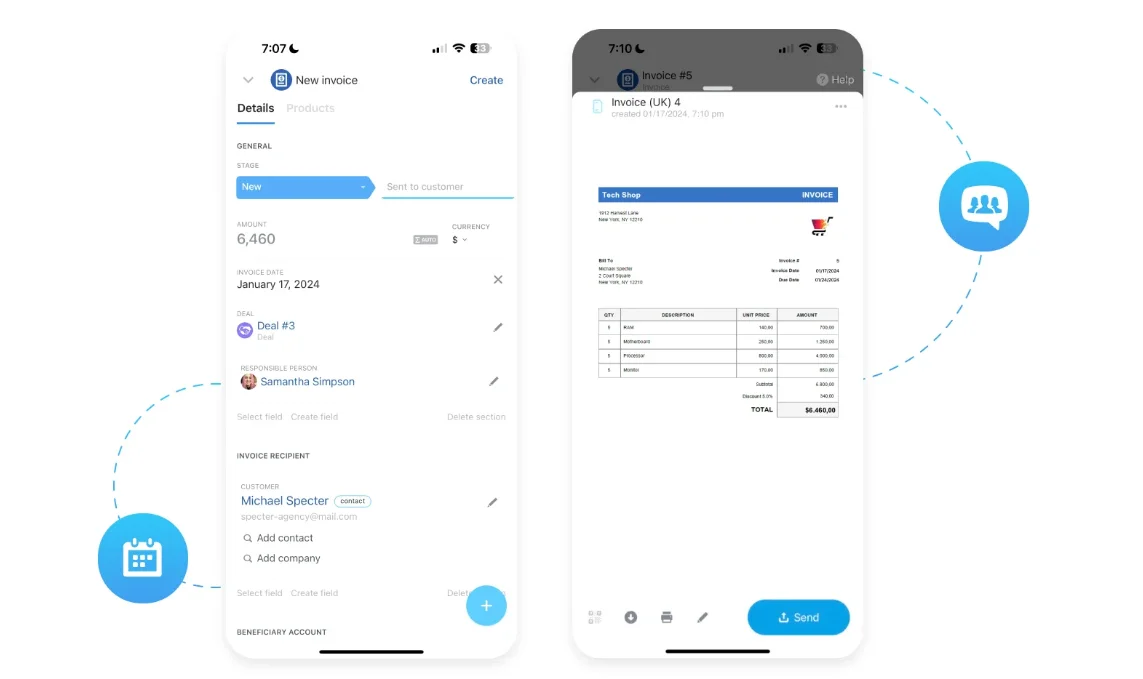
Business doesn’t always happen behind a desk. Whether you’re on a call, in a meeting, or traveling, you should be able to manage your sales from anywhere.
How to Use the Matrix
Create a simple table with these five dimensions in the first column and the CRM options you’re considering across the top. Rate each one on a scale from 1 to 5 based on how well it meets your needs.
When you’re done, the results will speak for themselves. You’ll clearly see which CRM aligns best with your goals and which ones add unnecessary complexity.
Step 1: Friday — define your sales process
Before you start comparing CRMs, take a step back. You can’t choose the right system until you understand how your sales process actually works. This is where most non-technical business owners make their first mistake—they start shopping before they know what they need.
Your Friday goal is simple: map your current sales process and pinpoint where things break down. Once you do, the right CRM choice becomes obvious.
Start with these three questions
-
Where are leads coming from?
Are they from your website, social media, referrals, or ads? A good CRM should easily capture all of them in one place. -
Where are deals getting stuck?
Do leads pile up after the first call? Are follow-ups inconsistent? This tells you what kind of automation or reminders you’ll need. -
What tools are you using now?
Many businesses juggle spreadsheets, email threads, and sticky notes. Listing these helps you see how a CRM could centralize everything.
Visualize your pipeline
Draw your sales process on paper or a whiteboard.
For example:
Lead Captured → Qualified → Proposal Sent → Negotiation → Closed Deal
This simple visualization gives you clarity. You’ll quickly see which steps take too long or where opportunities disappear.
How Bitrix24 makes this step easier
Bitrix24 helps you turn that messy sales path into a visual pipeline—complete with stages, automated triggers, and reminders. You can drag and drop deals, add new leads in seconds, and instantly see where revenue is stalling.
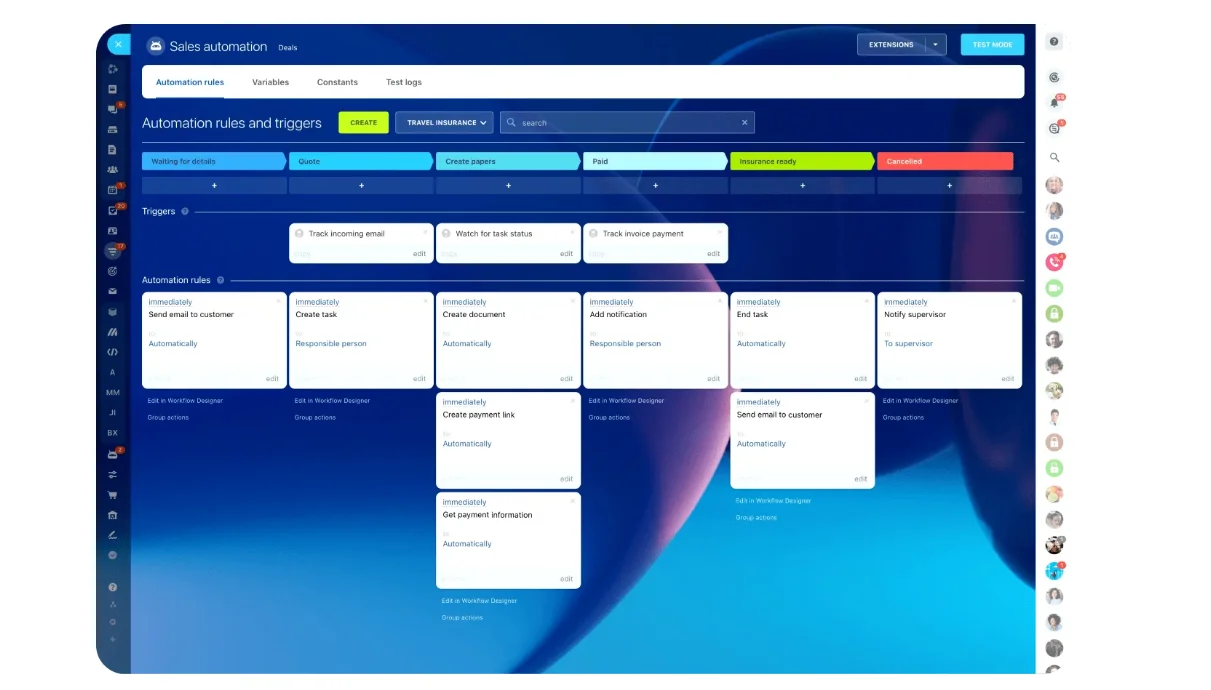
Even if you’ve never used a CRM before, the interface feels intuitive. In just a few clicks, you can mirror your real-world sales process on-screen and start tracking progress in real time.
By the end of Friday, you’ll have a clear understanding of what your sales process looks like and where you need help. That clarity becomes your CRM shopping checklist.
Step 2: Saturday — fill out the matrix
Now that you understand your sales process, it’s time to turn that insight into action. Saturday is about comparing your top CRM options using your Non-Technical Owner’s Matrix.
1. Shortlist 3 to 5 CRMs
Start small. Choose a handful of CRM platforms that match your budget and team size. Include a mix—some well-known names and one or two that feel like a hidden gem. (And, if you’re looking for the power of an enterprise system with the simplicity non-technical teams need, Bitrix24 should be on that list. Just a suggestion…)
2. Score each CRM against the matrix dimensions
Use a 1–5 scale (1 = poor fit, 5 = excellent fit). Here’s how to think about each category as you score:
-
Ease of Setup
Can you get started without calling tech support? -
Sales & Lead Management
Does it make it easy to track every lead and deal? -
Automation & AI Assistance
Does it save you time every day? -
Analytics & Reporting
Can you understand your sales performance at a glance? -
Mobility & Accessibility
Can your team manage sales from anywhere?
3. Use a comparison table
A simple table can make your evaluation easier:
| CRM | Ease of Setup | Sales & Lead Management | Automation & AI | Analytics & Reporting | Mobility |
|---|---|---|---|---|---|
| CRM A | 3 | 4 | 2 | 3 | 4 |
| CRM B | 4 | 3 | 3 | 4 | 3 |
| Bitrix24 | 5 | 5 | 5 | 5 | 5 |
You’ll instantly see which solution meets your business needs best.
4. Identify your top two contenders
Once your table is complete, highlight the two highest-scoring CRMs. These are your finalists. Your next step is to spend a few hours exploring them in action—hands-on.
Weekend CRM Buyer’s Matrix: Non Technical Owner’s Vendor Shortlist And Fit Tests
Enter your email address to get a comprehensive, step-by-step guide

Step 3: Sunday — test, decide, and launch
Sunday is where everything comes together. You’ve mapped your sales process and scored your CRM options; now it’s time to test your top choice and make the final call. The goal is simple: confirm that your chosen CRM feels natural, supports your workflow, and gives you the confidence to move forward.
1. Start with a free trial or demo
Most CRMs offer a trial, and this is where you’ll see the difference between “easy on paper” and “easy in practice.” Spend one to two hours exploring your top options. Focus on real-world actions, not just features.
Here’s what to test:
- Add a new contact and assign it to a team member.
- Create a deal and move it through your pipeline.
- Set an automation (like a reminder to follow up in three days).
- Generate a quick report to see your open deals or conversion rate.
If you can do all this without feeling lost, that’s a strong sign you’ve found the right platform.
Bitrix24 offers a free trial — in fact, a “freemium plan” so generous that many of our 15 million users never need to graduate to a paid one! See for yourself- start for free today.
2. Simulate a day in your business
Don’t just click around; use the CRM as if it’s a normal workday.
Ask yourself:
- How fast can I find a contact or deal?
- Can I see my tasks, leads, and communications in one view?
- Does it make daily work easier or add more clicks?
Bitrix24 shines here because it’s built around the way small businesses actually work. You can manage leads, send messages, and review reports in one place—without switching tabs or apps. The interface feels logical from the start, and the Mobile CRM means you can keep testing while running errands or meeting clients.
3. Test the automation and AI tools
Automation is where CRMs prove their real value. Try creating a small workflow:
- When a new lead is added, assign it to a salesperson.
- When a deal moves to “proposal sent,” trigger an automatic email reminder.
With Bitrix24’s CoPilot in CRM, you can even let AI suggest your next move, like sending a follow-up message or identifying which deals are most likely to close soon. It’s like having a sales assistant that never sleeps.
4. Review the analytics dashboard
A CRM without reporting is just a contact list. Before wrapping up your test, open the analytics or reporting dashboard. You should immediately see insights like:
- How many new leads came in.
- Your conversion rate.
- Which team member is closing the most deals.
5. Decide and commit
If one CRM feels easy, powerful, and intuitive (and gives you visibility into your sales process), don’t hesitate. Move forward. You’re no longer “shopping for software.” You’re building a sales system that scales with your business. And that’s the power of making your CRM choice the smart way—with clarity, not confusion.
The weekend that built your next chapter
You’ve made the call. That’s the step most people never take. Now the pieces start to fall into place.
Picture Monday morning. The team’s checking their dashboards instead of chasing spreadsheets. Deals are moving, follow-ups are automatic, and you finally see where the next win will come from. That’s what a good CRM does—it makes progress visible.
That’s what Bitrix24 was built for. It connects the dots you’ve spent the weekend mapping—your leads, your conversations, your momentum—and turns them into one clear system that runs quietly in the background while your business moves forward.
You’ve done the thinking. Now build on it. Keep the weekend momentum going with Bitrix24. Start for free today.
Choose the Right CRM This Weekend with Bitrix24
Stop overcomplicating CRM selection. Bitrix24 helps non-technical owners evaluate, test, and launch a CRM quickly—so you gain visibility, automation, and momentum without IT headaches.
Get StartedFAQs
What is the easiest way to get started with Pick a CRM in a Weekend?
Begin with your Friday exercise: map your sales process on paper. Then shortlist three CRMs, use the Non-Technical Owner’s Matrix to score them, and test your top choice by Sunday. This approach turns a complex decision into a simple weekend project.
How do I import leads and map fields correctly?
Export your contacts or leads into a CSV file, then use your CRM’s import tool to match each column (like name, email, and company) to the right fields. Bitrix24’s import wizard walks you through this automatically, ensuring clean, organized data from day one.
Which dashboards help me track pipeline health?
Focus on dashboards showing deal stages, conversion rates, and revenue forecasts. In Bitrix24, the visual sales pipeline and analytics reports reveal where deals stall and which reps are driving the most progress.
How can automation save time on deal follow-ups?
Set up automated reminders or trigger messages when a deal moves to the next stage. Bitrix24’s CRM automation can assign leads, send follow-up emails, or schedule calls—so nothing slips through the cracks.
What KPIs should my sales team watch weekly?
Keep it simple: track new leads added, deals won, conversion rate, and average deal value. These metrics reveal whether your team’s activity is turning into consistent revenue.
How do I connect email and phone to the CRM?
Most CRMs let you sync your business email and phone directly. In Bitrix24, you can link accounts like Gmail or Outlook and log calls automatically—keeping every message and conversation in one place.
How do I keep data clean without slowing reps down?
Make data entry effortless. Use automation to update records and create mandatory fields for essentials only. Bitrix24 helps by logging interactions automatically, so your team stays focused on selling, not spreadsheets.