Project Communication Rules That Reduce Status Meetings


TLDR: if your team's using meetings to compensate for messy communication, the fix isn't more calls. It's clearer rules for where updates, decisions, requests, and files belong so people can find what they need without chasing each other.
Nobody schedules a status meeting because they enjoy it. They schedule it because the alternative feels worse: hunting through chat history, chasing three people for an update that should already be visible, and still not being sure the answer you got is current.
The calendar is just where that dysfunction shows up. This article gives you a six-step system to fix the underlying cause, so meetings become a last resort instead of the only place work actually gets resolved.
Most teams could cut their meeting load in half without losing a thing. They just need to give information somewhere better to live.
What project communication rules actually are
Project communication rules are shared norms for where different kinds of information belong. Where updates get posted, where decisions are recorded, where files live, and when a meeting is actually necessary.
This is different from choosing tools. A team can run well on Asana, Slack, Notion, or a basic mix of whatever they already use. The tool matters less than whether everyone uses it the same way. A good app used inconsistently still creates confusion.
Here's what that looks like in practice:
A product team has Jira for tasks, Slack for chat, Confluence for docs, and Zoom for meetings. Solid stack. But the product manager updates launch dates in Slack threads, designers drop mockup links in Jira comments, and engineering keeps technical decisions in Google Docs that nobody links to the relevant tasks.
Three months later, when the CFO asks for a timeline review, it takes two days to reconstruct what was actually decided and when.
The tools weren't the problem. The rules were.
Why project communication breaks without clear rules
Decisions go undocumented. A manager says "let's do option B" in a meeting, but the task still shows option A. Two weeks later a designer builds the wrong feature because they checked the task board, not the meeting notes that were never written down.
Blockers stay hidden. An engineer drops "waiting on API docs from vendor" in a side channel at 3 PM on Friday and goes offline. The project manager doesn't see it until Monday's standup. Now the deadline's at risk.
Response expectations are unclear. One person treats chat like email while another expects a five-minute turnaround. The sales director sends "need the pricing deck by EOD" at 4:45 PM and gets frustrated when there's no response. The recipient checks Slack once daily for non-urgent items.
All three are fixable with the same thing: a clear rule for where each type of communication belongs. Here's how to build that.
One-Page Async Update Template for Faster Alignment
Enter your email address to get a comprehensive, step-by-step guide

Step 1: Map your communication channels to specific job types
Start by assigning each channel a clear job. Keep it simple enough that people can remember it without checking a policy doc. If one channel does too many things, people will keep guessing.
At a minimum, most teams need rules for five channel types: tasks, chat, comments, documents, and meetings. The key is to separate execution tracking from quick discussion and long-form reference material. Tasks should manage work. Chat should help people move quickly. Documents should preserve durable context. Meetings should handle issues that need live discussion.
A one-page channel matrix works well because the team can scan it fast. Here's a practical version:
|
Channel |
Primary job |
Use for |
Do not use for |
|---|---|---|---|
|
Tasks |
Execution tracking |
Owners, deadlines, status, dependencies, next steps |
Loose brainstorming or hidden decisions |
|
Chat |
Fast coordination |
Quick questions, urgent alerts, lightweight alignment |
Final project record |
|
Task comments |
Work-specific discussion |
Clarifications, progress notes, handoffs tied to one task |
Broad team announcements |
|
Documents |
Durable context |
Plans, requirements, SOPs, decision logs, reference material |
Minute-by-minute execution tracking |
|
Meetings |
Exception handling |
Decisions, tradeoffs, risk review, complex blockers |
Routine status collection |
Once this is defined, publish it in a place every team member can find easily. If the matrix is hard to access, people will ignore it and fall back to habit. Many teams pin it to the top of their main project channel or add it to the onboarding checklist.
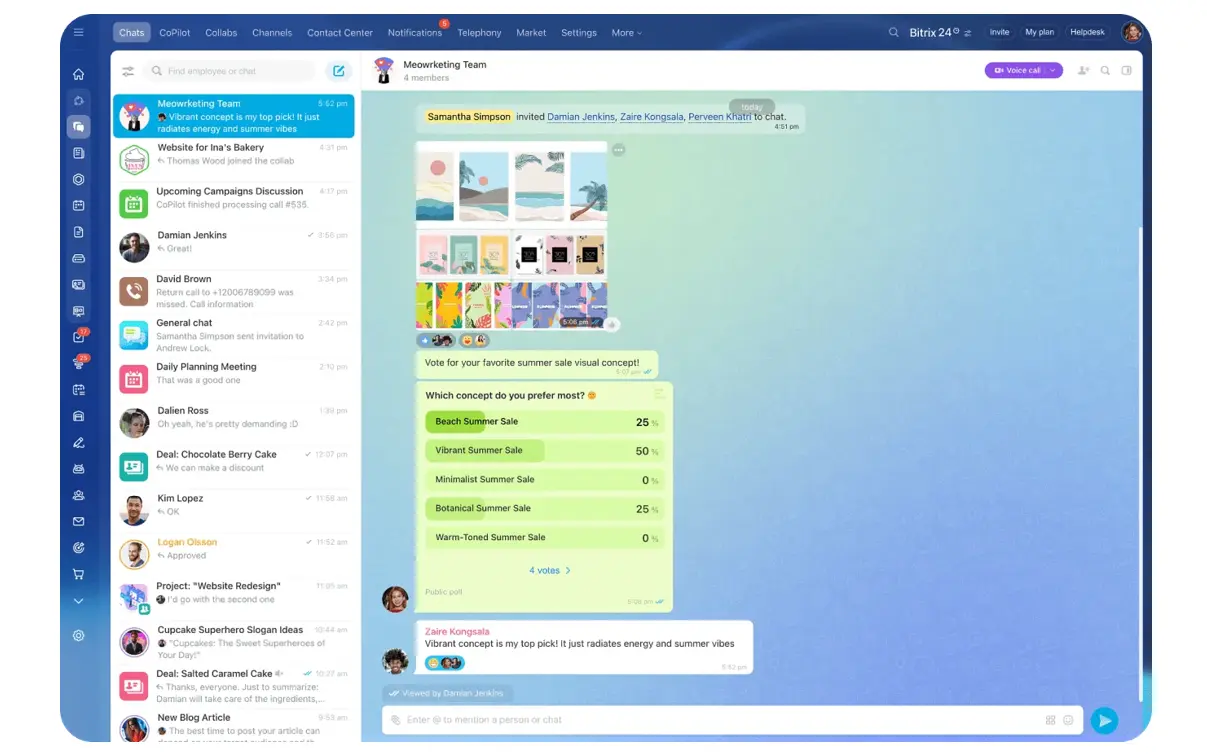
Platforms like Bitrix24 let you keep communication, tasks, and documents in one connected workspace, so the team doesn't have to hunt across multiple apps to remember where things belong.
Step 2: Define what must live inside every task
If you want fewer status meetings, tasks need to carry enough information to answer basic execution questions without a call. That means standardizing what every active task must include.
Required task fields
At a minimum, require these fields:
- Owner: one directly responsible person
- Due date: a real deadline or review date
- Status: not started, in progress, blocked, in review, done
- Next action: the immediate next step
- Dependencies: what must happen first or who's waiting
Split stable info from active discussion
Then define what belongs in the task description versus task comments:
- Task description holds stable information: scope, acceptance criteria, links, key requirements, and expected outcome
- Task comments hold activity around the work: updates, questions, handoffs, and notes about changes during execution
Why this matters
Teams often put evolving updates in the description (which turns it into a cluttered wall of text). Or they put key requirements only in comments (where nobody sees them later!). Splitting stable context from active discussion keeps tasks usable.
Make tasks your single source of truth
Make tasks the source of truth for deliverables and day-to-day execution:
- If a deadline changes, the task changes
- If ownership changes, the task changes
- If something's blocked, the task shows it
That way project leads can review the board and see reality without asking each person separately.
Task standard: If someone can't understand who owns the work, when it's due, and what happens next by opening the task, the task is incomplete.

Step 3: Set rules for chat, mentions, and response times
Chat's useful because it's fast. It becomes a problem when teams treat it as both a control room and a filing cabinet. The fix is to define when chat's appropriate and how long people are expected to take action there.
When to use chat
Use chat for quick questions, urgent alerts, and lightweight coordination. Examples:
- "Can you review this before 3 PM?"
- "Vendor delivery slipped by one day. I'm updating the task now."
- "Client just approved the mockups. Moving to dev."
That kind of communication helps work move without creating a permanent record burden.
Set clear response windows
Set response windows by message type, not by personality. For example:
- Urgent alerts: acknowledge within 30–60 minutes during working hours
- Project questions: same day or within one business day
- Non-urgent FYIs: no reply needed unless tagged
Define clear escalation paths
Also define escalation paths. If a chat message affects a deadline, owner, scope, or blocker, move it into the relevant task. If the issue affects multiple tasks or teams, add it to the project document or meeting agenda as needed.
Chat can start the conversation, but it shouldn't be the only place the change exists.
Reduce noise
To reduce noise, limit broad-channel updates and unnecessary tagging:
- Not every progress note needs a full-team post
- Not every message needs three @mentions
- Tag only the person who must act, decide, or stay informed for a clear reason
The hidden cost of notification overload
Research shows 68% of people say they don't have enough uninterrupted focus time during the workday because of frequent meetings and communication. When chat's treated like an always-on backchannel, context switching kills productivity even more than the meetings themselves.
Step 4: Decide where decisions, context, and documentation belong
Documents should hold information that needs lasting visibility. That includes plans, process references, requirements, decision logs, and project context that multiple people will need later. If the team will ask for it again next week, it probably belongs in a document.
Use comments for task-specific discussion
Comments are different. Use task comments for discussion tied to one piece of work:
- Clarification questions
- Progress notes
- Implementation questions
- Short explanations of why something changed
That keeps execution-related conversation close to the task itself.
Elevate important decisions to documents
When a discussion produces a final answer with broader importance, record it in a document. For example, if a comment thread debates launch timing, the final approved date and reasoning should go into the project plan or decision log, not stay buried in comments. The team shouldn't have to reread a thread to find the official outcome.
The two-way link rule
Create one clear linking rule: every important document must be linked from the relevant task or project record, and every task that depends on a document should link back to it. That two-way link keeps context easy to find. It also reduces the "I know there was a doc somewhere" problem that burns time on larger projects.
When project documentation's scattered or incomplete, teams make assumptions that derail work. Clear documentation prevents those invisible gaps.

Step 5: Redesign meetings around exceptions, not routine updates
Once tasks and dashboards are reliable, meetings no longer need to function as status collection. Instead of asking ten people to verbally repeat what's already visible, use async updates pulled from the task board or project dashboard.
That shifts meetings toward exceptions. In this context, an exception is anything that can't be resolved through normal execution: a major blocker, a decision with tradeoffs, a risk to deadline or scope, or a cross-functional conflict that needs live discussion. Those are worth real-time attention.
A better meeting structure
A simple meeting agenda helps reinforce this shift:
- Review exceptions first: what's blocked, late, at risk, or awaiting a decision
- Resolve tradeoffs: timeline, resourcing, scope, sequence
- Assign follow-up actions: owners and deadlines captured back in tasks
- Skip round-robin reporting: no "go around the room" updates unless something's off track
This changes the tone of meetings. They become smaller, shorter, and more useful because they focus on issues that need discussion rather than updates that could have been read. In many teams, a weekly 60-minute status call can shrink to a 20-minute decision review once the board's trustworthy.
Research backs this up. Only 37% of meetings use an agenda, and just 37% result in an actual decision. When you redesign meetings around exceptions, both those numbers improve dramatically.
Meeting rule: If the purpose is only to collect updates, don't schedule a meeting. Pull the update from the system of record.
Step 6: Roll out the rules, audit adoption, and adjust
Good communication rules fail when they're announced once and then left to self-manage. Roll them out with a short playbook, a few concrete examples, and active reinforcement from managers and team leads. People need to see what "good" looks like in real project work.
Start with a lightweight playbook
Keep the playbook lightweight. Show:
- One example of a well-formed task
- One example of a chat message that should be turned into a task update
- One example of a documented decision
- One example of a meeting that shouldn't happen
That's usually more effective than a long policy page.
Audit after two weeks
Then audit adoption. After the first two weeks, sample a set of active tasks, chat threads, and recurring meetings. Look for predictable problems:
- Tasks missing owners
- Deadline changes made only in chat
- Decisions not recorded in docs
- Status calls still being used for routine updates
Refine based on reality
Use those findings to refine the norms after two to four weeks. If people keep breaking a rule, either the rule's unclear, too hard to follow, or not supported by the tool setup. Adjust the system based on actual friction and missed handoffs, not theory.
What an audit looks like in practice
A typical audit might reveal that engineering tasks have clear owners and deadlines, but marketing tasks don't. Or that the design team updates tasks religiously, but sales keeps everything in chat. Those patterns tell you where to focus training and where to adjust the rules to match how people actually work.
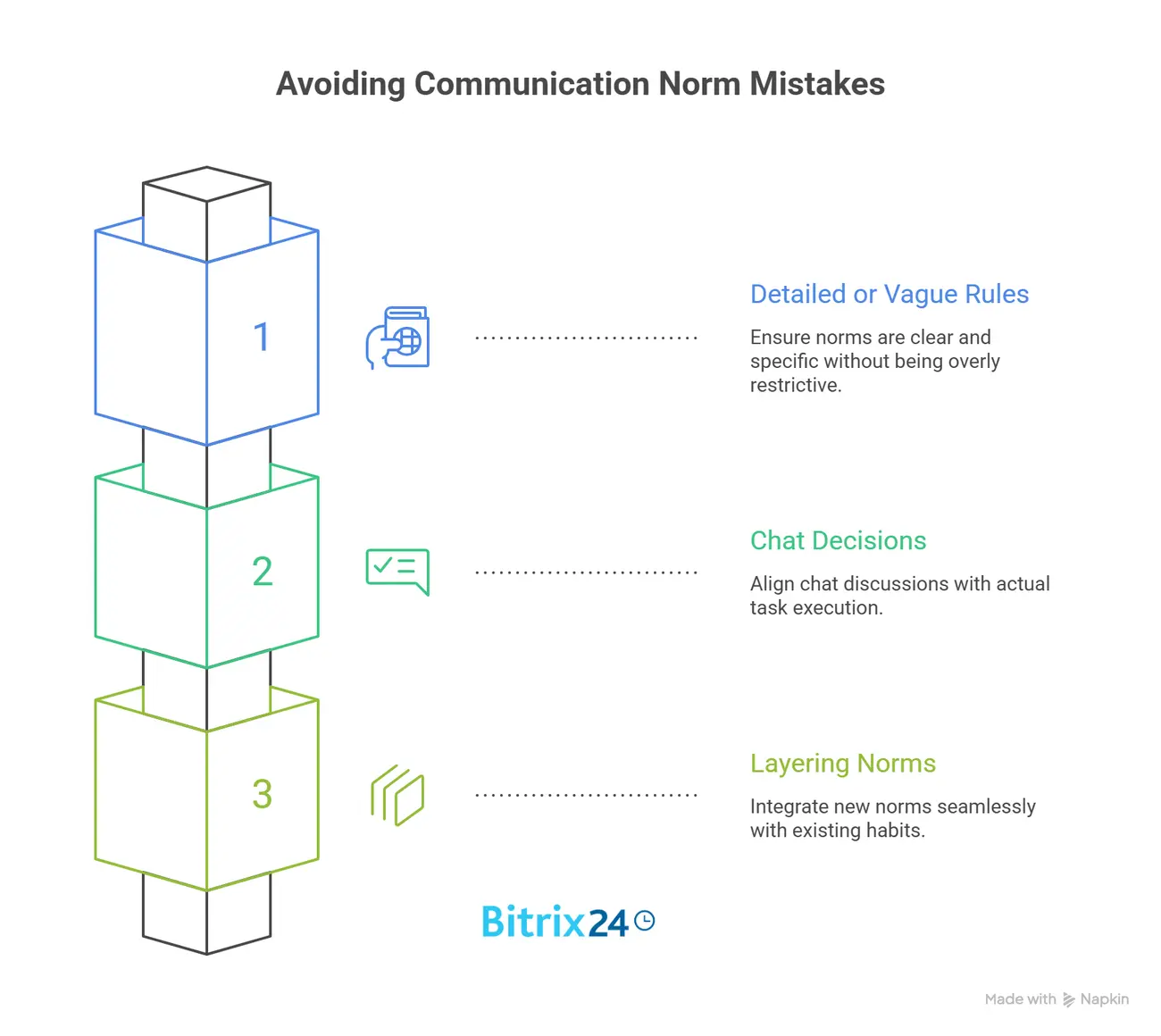
Common mistakes teams make when setting communication norms
Mistake 1: Making rules too detailed or too vague
One common mistake is making rules too detailed to remember. Teams create a long matrix with edge cases for everything, and nobody uses it. The opposite mistake is making rules so vague that every message still feels open to interpretation. Aim for rules people can apply quickly under pressure.
Mistake 2: Keeping decisions in chat while expecting tasks to reflect reality
That gap breaks trust in the system. If people learn that "the real answer's usually in Slack," they'll stop relying on tasks and docs, and meetings will creep back in to fill the uncertainty.
Mistake 3: Layering new norms on top of old habits
Teams say they want async updates, but they keep the same status meeting, the same weekly summary email, and the same manual check-ins. That creates duplicate reporting instead of simplification. If you add a new rule, remove the outdated process it replaces.
How to make the system reliable as the team grows
As the team gets larger, reliability depends less on memory and more on structure. Here's how to build that in:
Build structure into your tools
- Use templates so tasks start with the right fields
- Set naming conventions for projects, documents, and channels so information's easier to scan
- Create recurring workflows for common handoffs, approvals, and review cycles
Make team leads reinforce the norms
Team leads play a big role here. They should reinforce the norms during onboarding, in weekly operating rhythms, and during project reviews. New hires and part-time contributors usually copy what they see, not what's written. If leads consistently ask, "Is this updated in the task?" the standard sticks.
Track key reliability signals
It also helps to track a few reliability signals over time:
- Overdue tasks: a sign that owners, dependencies, or blockers aren't visible early enough
- Meeting count: especially recurring status meetings that should be shrinking
- Decision retrieval speed: how long it takes to find the current answer to a project question
When those signals improve, the communication system's doing its job. Work becomes easier to manage because the team can trust where information lives, even as more people and projects get added.
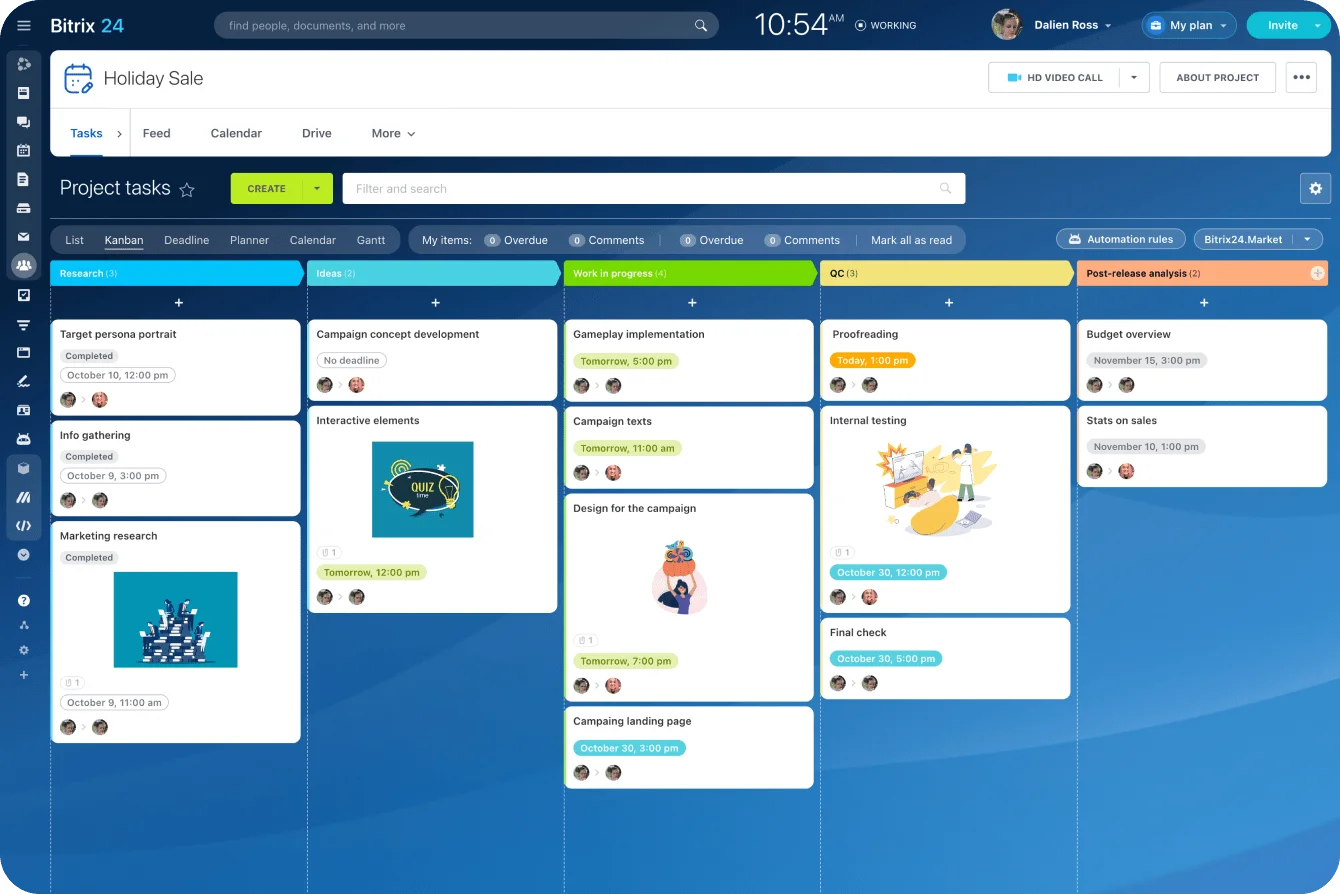
Bitrix24's project management tools give teams a single place to track these patterns. You can see which tasks are stuck, which meetings keep recurring, and where documentation gaps slow people down. That visibility makes it easier to spot problems before they turn into coordination nightmares.
Clear rules make communication lighter, not heavier
Teams don't reduce meetings by communicating less. They reduce meetings by being more disciplined about where communication happens. That's what makes updates easier to find and less dependent on live conversation.
Start small. Define channel rules, standardize your task fields, and set a clear test for what deserves a meeting. You don't need a perfect system on day one. You need a version the team can follow consistently.
The payoff is operational, not cosmetic.
Clearer ownership, faster updates, more predictable delivery. When people know where work lives and how decisions get recorded, the calendar stops being the solution to every coordination problem.
Run projects with fewer status meetings
Bitrix24 brings tasks, chat, docs, and meetings together so updates, owners, and decisions stay clear and easy to find.
Get Started NowFAQ
How do we handle client-facing projects when clients prefer email but the team works in tasks and chat?
Treat email as the external intake and delivery channel, not the team's internal source of truth. When a client sends a request, decision, or file by email, log the action in the relevant task or document. Then reply to the client from email as needed. The team shouldn't rely on inboxes to manage execution.
What should we do when a decision starts in a meeting, changes in chat, and needs a final record?
Use a final-record rule. The moment the decision's confirmed, capture it in the designated project document or decision log, then update the affected tasks. Meeting discussion and chat debate can happen anywhere, but only one place should hold the official current decision.
How long should we test new communication rules before deciding whether they reduce meetings?
Usually two to four weeks is enough for an initial test. That gives the team time to form habits and gives managers enough activity to audit. Look at meeting count, task completeness, and whether people can find decisions faster. Don't judge it after only a few days.
Which low-cost tools work well for SMB teams that need simple rules across chat, tasks, and docs?
Many SMB teams do well with a basic stack such as Trello or Asana for tasks, Slack or Teams for chat, and Google Docs or Notion for documentation. The exact mix matters less than having clear rules for how each one's used and linked together. Bitrix24 offers task management, communication tools, and document management in one platform, which can simplify rule enforcement for smaller teams.
How do we keep part-time contributors or contractors aligned if they're not active in every channel?
Reduce the number of channels they must monitor. Give them clear task assignments, a small set of required documents, and one defined escalation path for questions or blockers. If they're not present in chat all day, task updates and linked documentation become even more important.