Vibe Coding: How to Build Apps with AI

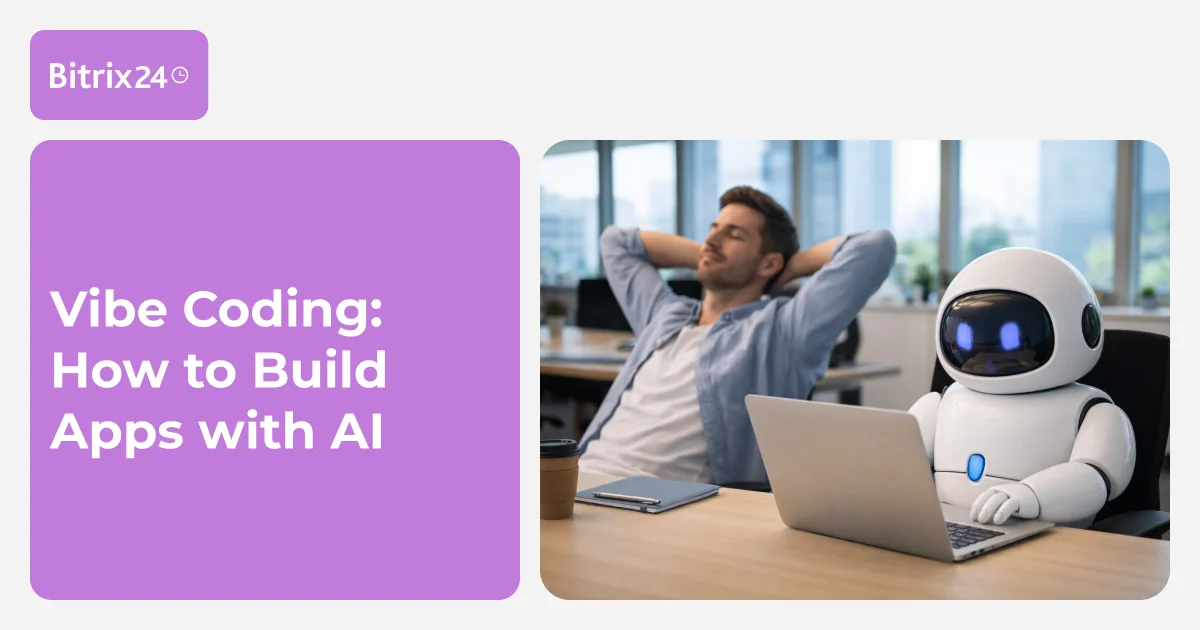
Just a few years ago, building an app required hiring an experienced programmer or spending months learning how to code. Today, it is enough to describe the task in detail, and AI will write the code. This approach is called vibe coding. It speeds up app development tenfold and opens up programming to people who have never done it before.
This article explains what vibe coding is, what tools are available for it, and how to use them to build a working app in a single day.
What is Vibe Coding?
Vibe coding is the process of developing apps through a conversation with AI. Instead of writing code manually, a user describes what they want, and the AI generates the ready-made solution.
The main difference from traditional programming is that the user only needs to describe the desired outcome, not the implementation details. There is no need to know SQL, HTML, or React. It is enough to explain, for example, that the app needs a form with date and time selectors and a confirmation button. The AI will figure out how to build it.
The term "vibe coding" emerged in February 2025 when Andrej Karpathy from OpenAI described this approach. In November, Collins English Dictionary chose vibe coding as its Word of the Year. The method continues to gain popularity and is increasingly used by entrepreneurs and programmers alike.
Professional developers use this approach for speed: they can quickly build prototypes, generate standard blocks of code, and write tests. Meanwhile, entrepreneurs and managers can now build tools without hiring developers.
What Problems Does Vibe Coding Solve?
Vibe coding is suitable for a wide range of solutions—from simple landing pages to complex internal systems. Below are the specific tasks that can be accomplished using this approach.
Simple Tasks:
-
Building landing pages, calculators, Telegram chatbots, and survey forms in hours instead of weeks. This allows ideas to be quickly tested on real users to see if there is interest in a product or demand for a service.
-
Prototyping interfaces before full-scale development begins. This helps show the team how the app will look, gather feedback, and refine the concept.
-
Automating routine work: automatically collecting and organizing information from public sources using scripts (such as tracking competitor prices, scraping data from websites, or generating reports). A script that tracks daily prices and sends a summary can be created in just half an hour.
Example: A marketer used to spend three hours every day collecting statistics from five different ad platforms. Data had to be entered into Excel manually to calculate metrics and build charts. Using vibe coding, the marketer built a dashboard that automatically connects to the advertising systems via API and collects the data. The screen now displays key metrics like impressions, clicks, conversions, and cost per lead. Report preparation time dropped to just 15 minutes—the marketer only needs to open the dashboard and check the numbers.
Complex Tasks:
-
Developing internal tools: inventory systems, analytics dashboards, and team software. Such solutions save dozens of hours a month on routine operations.
-
Creating an MVP (Minimum Viable Product): a basic version of a product allows a hypothesis to be quickly tested and feedback gathered from early users without major investments in development.
-
Integrating APIs from different services: connecting payment systems, sending notifications, or linking multiple programs into a single system.
-
Automating business processes: processing orders, sending email newsletters, and analyzing data.
Example: A fitness studio owner wanted to launch an online booking system. Previously, clients could only book by calling the receptionist, which was not convenient for everyone. Over the course of a week, using vibe coding, the entrepreneur independently built a website featuring a class calendar, a booking system, and online payment options. Clients can now choose workouts and pay by card, while the instructor sees an up-to-date schedule and the number of attendees. After testing the system on the first clients, the owner hired developers only to fine-tune the final details.
How to Create an App Using Vibe Coding
An app can be built in just four steps: clearly define the idea, write a prompt for the AI, test the result, and refine it. Below is a detailed breakdown of each stage.
Step 1. Formulate the Idea
Before working with AI, the purpose of the app must be defined. The more specific the goal, the better the final result. AI cannot read minds—it only works with the provided description. Therefore, vague phrases should be avoided, such as: "I want a business app to make it convenient to work and control processes."
Instead, the description of the idea should follow this structure:
-
Who the app is for: Describe the target audience and their needs. Who will use the product and in what situations?
-
What problem it solves: Explain exactly why the app is needed and why the task cannot be done without it.
-
What result the user gets: Detail what will change after using the app—how much time it will save, what processes it will automate, or what information it will provide.
Example: A well-formulated idea looks like this: "An app for coffee shop owners. It helps track inventory levels of coffee, milk, and syrups in the warehouse. It automatically generates an order for the supplier when stocks run low. As a result, the owner always has the necessary products on hand and saves two hours a week on inventory tracking and ordering."
Step 2. Describe the Task for the AI
A prompt is the text description of the task given to the AI assistant. The quality of the final result depends on the accuracy of the prompt, so it is best to follow these principles:
-
Be specific. Instead of writing "create a coffee shop website," write "create a single-page website for a coffee shop featuring a hero section, a menu, and a booking form."
-
Describe the structure in detail. List all the interface elements that should be in the app. Specify how they connect to one another and what happens after each user action.
-
Specify the technologies. If there are preferred tools, they should be mentioned. For example: "Use React for the frontend interface and store data in the browser's local storage so that information is saved after a page reload."
-
Provide examples. Show the AI what the result should look like by referencing similar services: "Make the calendar interface look like Google Calendar, but with three columns instead of seven and without unnecessary buttons."
Example: A good prompt looks like this: "Create a personal expense tracking app. It needs a form with the following fields: date (calendar selector), category (dropdown menu with options: food, transport, entertainment, health, other), amount (number input), and description (text input). Below the form, display a table of all expenses. When the user clicks the 'Date' column header, the expenses should sort in ascending or descending order. Add a filter by category and show the total sum for the month. Use React and localStorage so that the data persists after a page reload."
Step 3. Test the App
AI can make mistakes—it can generate buggy code, misunderstand tasks, or design awkward user interfaces. Therefore, a thorough review of the result is mandatory:
-
Check the main user paths: test registration, logging in, creating an entry, editing data, and deleting information.
-
Try entering incorrect data: leave fields empty, type in text that is too long, or use special characters. The app should display an error message rather than crashing.
-
Test on different devices: check how it looks and works on a computer, phone, and tablet. Test the app across various web browsers.
-
Ask friends or colleagues to use the app and gather their feedback. A fresh set of eyes often catches issues that were previously missed. All found issues should be written down in a list or notebook. This ensures nothing is forgotten, allows the bugs to be prioritized, and makes it easy to verify that the AI has successfully fixed each error.
Step 4. Refine the Result
The code can be adjusted using specific follow-up prompts. Both the problem and the desired outcome should be described in detail.
Example: Follow-up prompts can look like this:
-
"The 'Add' button in the expense form is not working. After clicking it, the data is not saved to the table. Fix it so that the new entry appears at the bottom of the list."
-
"Add the ability to edit expenses. Clicking a row in the table should open a form pre-filled with that entry's data. After editing and clicking 'Save,' the updated entry should appear in the table."
-
"Make the form more compact. Arrange the fields into two columns: date and category on the left, amount and description on the right. Reduce the spacing between elements."
What are the Limitations of Vibe Coding?
While vibe coding is a useful tool, it is not a magic wand. The approach has boundaries that are important to keep in mind.
AI Can Make Mistakes
Sometimes, AIs generate code with bugs that only show up when incorrect actions are taken—for instance, when fields are left blank, special characters are used, or too much data is entered at once. The code might work initially, but it may ignore proper architecture patterns and slow down as the workload grows.
Thorough testing helps solve this: check all possible scenarios, including user errors, and immediately describe the specific problems to the AI for refinement.
Basic Programming Knowledge is Required
For simple tasks—like forms, landing pages, or calculators—no prior programming knowledge is needed. However, complex projects require an understanding of how web applications work (the client side that requests and displays data, the server, and the database), as well as the basics of HTML, CSS, JavaScript, and security principles. Without this, it is difficult to evaluate the quality of the AI-generated code and find errors.
The solution is simple: spending 2 to 3 weeks on a basic introductory course allows a user to formulate tasks more accurately, spot flaws faster, and use vibe coding much more effectively.
Code Can Be Insecure AI does not always take security into account. It can generate code with vulnerabilities like SQL injections or XSS attacks, encrypt passwords incorrectly, or store data insecurely.
An audit helps solve this: developers should be brought in when working with personal data, the code must be checked before launch, and pre-built libraries should be used for authentication.