A CRM So Simple It Trains Itself: 6 Steps to Adoption Without a Training Day

Your sales team just groaned when you mentioned implementing a new CRM. You've seen this movie before - weeks of training sessions, months of poor data entry, and eventually, spreadsheets creeping back into daily workflows. But what if CRM adoption didn't require a single training day? What if your system could essentially teach itself to your team through intelligent automation and intuitive design?
The traditional approach to CRM adoption treats software like a complex machine that needs extensive instruction manuals. Sales reps sit through PowerPoint presentations about fields they'll never use while managers hope for clean data that never materializes. This backwards thinking explains why 70% of CRM implementations underperform - they focus on teaching software features rather than enabling natural workflows.
Why Most CRM Rollouts Fail
Picture this scenario: your sales team enters Q4 with aggressive targets, and you decide to roll out a new customer relationship management system. You schedule mandatory training sessions, create documentation, and assign champions. Two months later, half your team still updates deals in Excel first, then copies data into the CRM when managers ask for reports.
This pattern repeats across organizations because traditional CRM adoption strategies overlook a fundamental truth: sales professionals prioritize selling over administrative tasks. When you force them to choose between closing deals and learning new software, revenue activities always win. The solution isn't more training or stricter enforcement; it's designing a system that requires zero learning curve.
Sales teams need tools that work the way they already work, not platforms that demand behavior change. A simple CRM eliminates friction by automating data capture, suggesting next actions, and presenting information exactly when reps need it. This approach transforms adoption from a management challenge into a non-issue.
Beyond wasted training time, complicated CRM platforms create hidden costs that compound over quarters. Sales reps spend hours navigating cluttered interfaces, managers receive incomplete data for forecasting, and customer information fragments across multiple tools. These inefficiencies don't just slow down individual contributors - they corrupt the entire revenue engine.
Ditch the training sessions and data chaos.
Bitrix24 simplifies migration, enhances daily workflows, and keeps data clean and reliable.
Try Bitrix24 Free Today6 Steps to a CRM That Trains Itself
Step 1: Choose Mobile-First Architecture
Sales happen everywhere except at desks. Your reps meet clients over coffee, update opportunities from airport lounges, and check dashboards between meetings. Yet, most CRM platforms still treat mobile as an afterthought, offering stripped-down apps that force users back to laptops for critical tasks.
Mobile CRM capabilities should mirror desktop functionality completely. Reps need to create detailed meeting notes using voice transcription, attach photos of whiteboard sessions, and update multiple deals without switching contexts. The interface must respond instantly to touches and swipes, loading new screens faster than reps can think about their next action.
Location-based features transform a mobile CRM from a data entry tool into an intelligent assistant. The system can automatically check reps into meetings, surface nearby prospects when they're traveling, and remind them about follow-ups based on their calendar and geography. These automated touches eliminate manual updates while naturally improving pipeline hygiene.
Step 2: Automate Every Possible Data Entry Point
Manual data entry kills CRM adoption faster than any other factor. Every field a rep must complete represents a moment they're not selling, and those moments accumulate into hours of lost productivity weekly. CRM automation should eliminate 80% of manual updates through intelligent capture and inference.
Email and calendar integration form the foundation of automated data capture. When reps send emails through their normal client, the CRM should automatically log those touches, extract the mentioned dates for follow-ups, and identify new contacts from signatures. Calendar appointments sync bidirectionally, creating CRM activities that update based on actual meeting attendance rather than scheduled times.
Phone systems must connect directly to your CRM for automatic call logging and recording. The system should transcribe calls using AI, extract action items, and suggest deal stage changes based on conversation content. These suggestions appear as simple approve/reject prompts that take seconds to process while keeping CRM data accurate and current.

Step 3: Design Interfaces That Disappear
The best CRM interface is invisible. Reps shouldn't need to navigate through menus, remember where features live, or decode cryptic field names. Information should appear exactly when needed, actions should be obvious, and the system should adapt to each user's patterns over time.
Progressive disclosure reduces overwhelming new users while providing power features for experienced reps. Initially, the CRM surfaces only essential fields: contact name, company, deal value, and next step. As reps engage with the system, additional capabilities reveal themselves contextually. Someone who frequently attaches contracts sees document management features prominently, while social sellers get LinkedIn integration suggestions.
Natural language processing enables reps to interact with the CRM using their own words, with no need to learn specific commands. They can type “Show me all deals closing this month over 50K” or “Add John from Acme to my pipeline,” so they don’t have to navigate through filters and forms. This conversational interface makes the CRM feel like a knowledgeable assistant, not software that requires training.
Step 4: Enable Instant Value Through Sales Enablement
Traditional CRM adoption strategies often focus on long-term benefits, such as reporting and forecasting; however, representatives need immediate wins to fully embrace new tools. Sales enablement features deliver value from day one by prioritizing effective selling over activity logging.
Content recommendations put the right materials in front of reps exactly when needed. During a healthcare demo, the CRM automatically surfaces relevant case studies, compliance documentation, and ROI calculators specific to that industry. This contextual intelligence eliminates the need to search through shared drives or ask marketing for resources.
Competitive intelligence integrated directly into opportunity records arms reps with battlefield insights. When a prospect mentions a competitor, the CRM instantly displays battlecards, pricing comparisons, and win/loss analysis from similar deals. This real-time intelligence transforms CRM adoption from an administrative burden into a competitive advantage reps actually want.
Step 5: Build Trust Through Data Accuracy and Transparency
Nothing destroys CRM adoption faster than bad data, even with a simple CRM. When reps encounter duplicate records, outdated contact information, or incorrect territory assignments, they lose faith in the system immediately. Building trust requires obsessive attention to CRM data integrity from implementation day forward.
Automated deduplication runs continuously in the background, merging redundant records while preserving all historical information. The system uses multiple matching criteria - email domains, phone numbers, social profiles - to identify duplicates that simple name matching would miss. When potential duplicates require human judgment, the CRM presents them as quick decision cards during natural workflow moments.
Data verification happens automatically through third-party enrichment services and user confirmations. Email addresses are validated upon entry, phone numbers are checked against carrier databases, and company information updates are received from authoritative sources quarterly. The system never overwrites user-entered data without permission; it suggests updates that reps can accept or decline with a single click.
Step 6: Measure Adoption Through Activity, Not Compliance
Traditional adoption metrics focus on login frequency and data completeness, which can drive box-checking at the expense of value creation. Smart organizations track CRM adoption through business outcomes and natural usage patterns that indicate genuine platform integration into daily workflows.
Activity velocity provides the clearest signal of true adoption. Track how quickly reps log customer interactions after they occur - not whether they log them at all. When call notes appear within minutes rather than days, and email threads sync in real-time, you know the CRM has become part of the natural workflow.
Pipeline hygiene metrics reveal whether your simple CRM actually accelerates selling. Monitor how often deal stages update, whether close dates shift gradually or jump suddenly, and how many opportunities have recent activity. Healthy pipelines show consistent movement and regular touches, indicating reps actively use the system for deal management.
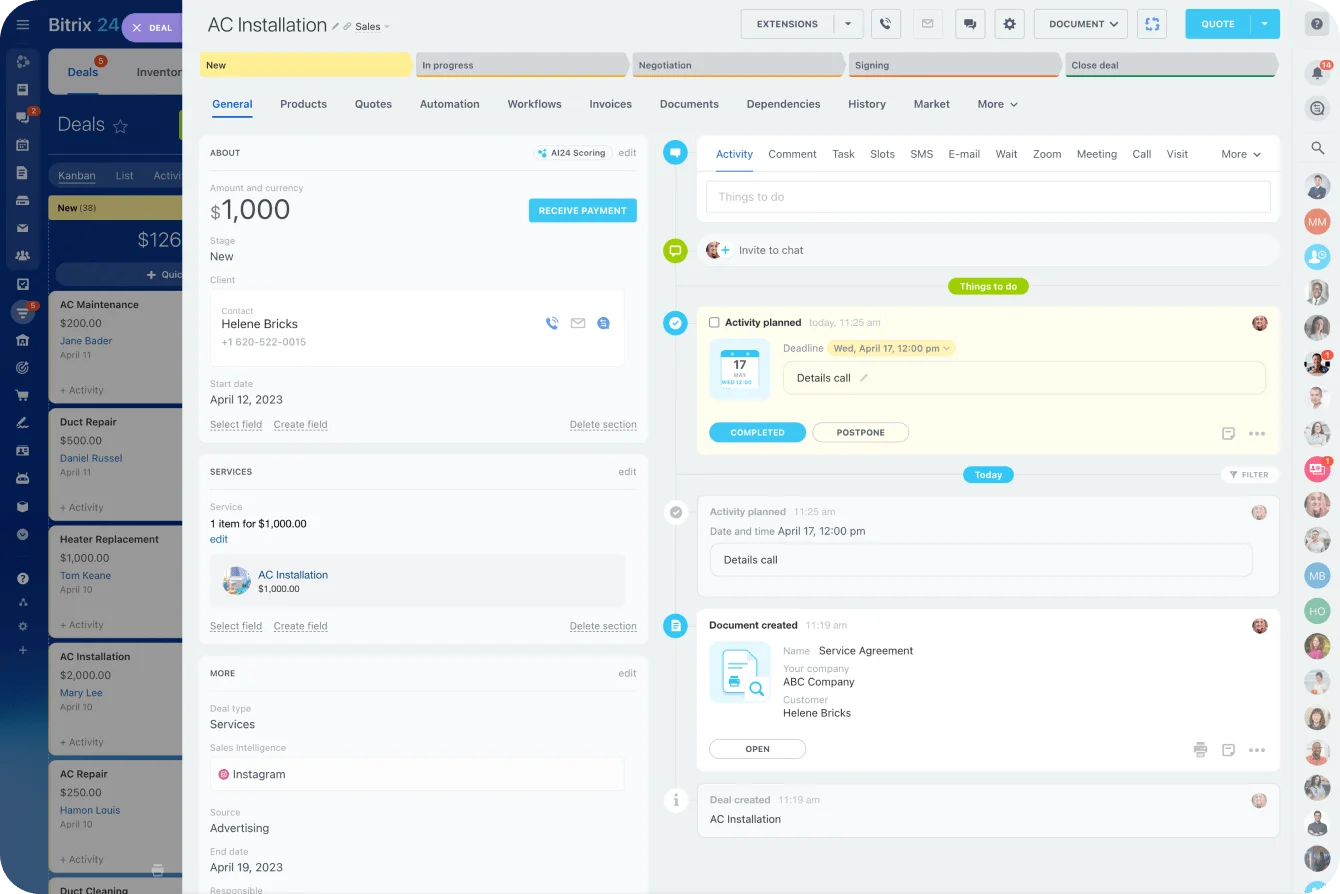
How Automation Replaces Instruction
People adopt tools that make their lives easier, not systems that require extensive training to understand. This psychological principle explains why consumer apps achieve billions of users while enterprise software struggles with internal adoption. Your CRM should borrow from consumer design patterns that create intuitive experiences requiring zero instruction.
Habit formation happens through consistent small wins, not comprehensive training programs. Each time CRM automation saves a rep from manual data entry, suggests the perfect email template, or surfaces a critical insight, it reinforces platform value. These micro-moments of success accumulate into unconscious usage patterns where reps reach for the CRM naturally.
Email-centric workflows acknowledge that most sales communication happens in the inbox. Instead of requiring reps to copy information between email and CRM, integrate them completely. Emails sent to prospects automatically log to CRM records, responses trigger notifications, and deal updates can happen directly from email threads. This integration makes CRM adoption invisible - reps continue working in email while the platform captures everything automatically.
Calendar-based deal management aligns with how reps actually track opportunities. Reps skip abstract stage fields and schedule the next meeting with the prospect. The CRM infers deal progression from calendar patterns - frequent meetings indicate momentum, extended gaps suggest stagnation. This temporal approach to pipeline management feels natural because it reflects real selling behavior.
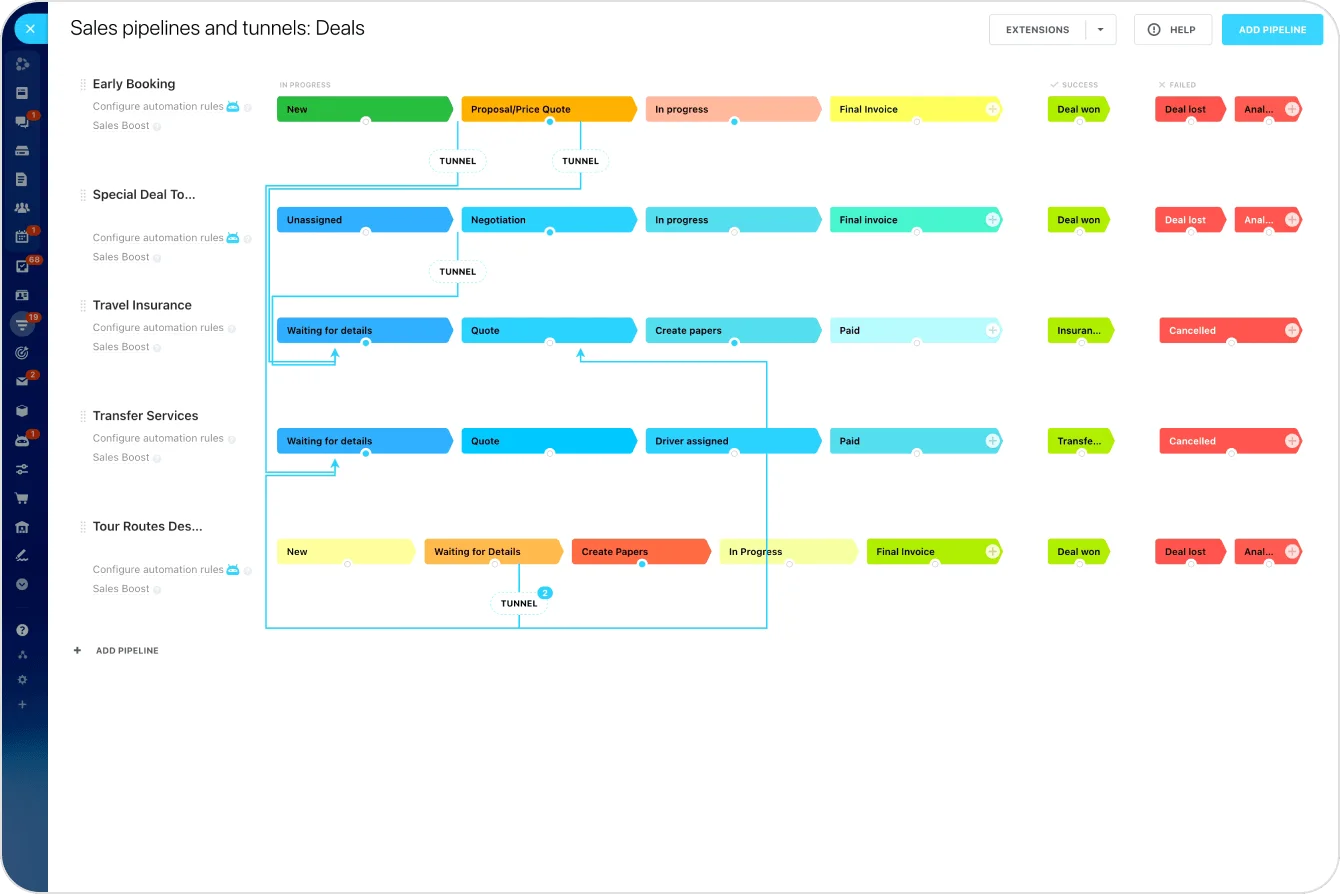
The Lazier the Input, the Cleaner the Data
Counterintuitively, reducing data entry requirements improves CRM data accuracy significantly. When systems demand extensive information, reps either enter placeholder data to bypass requirements or delay updates until details fade from memory. Minimal input requirements capture essential information immediately while it remains fresh and accurate.
The principle of least effort governs how humans interact with technology. Given multiple options, people consistently choose paths requiring minimal energy expenditure. CRM platforms that recognize this reality design for laziness - using smart defaults, inferring relationships, and accepting partial information rather than demanding completeness. This approach produces cleaner data because reps enter what they actually know.
Quality gates should validate data accuracy without creating friction. The CRM should accept partial entries and flag gaps for later completion, not block record creation for missing information. Gentle reminders during natural interactions achieve better results than mandatory fields that frustrate users and encourage fake data entry.
Behind minimal interfaces, advanced algorithms process massive data volumes, identify patterns, and make intelligent decisions that would overwhelm users if exposed directly. Machine learning models continuously improve data capture accuracy by learning from user corrections. When reps consistently change auto-detected job titles or company names, the system adjusts its recognition patterns.
Predictive analytics power proactive suggestions that feel magical to users. The CRM anticipates which deals need attention based on engagement patterns, suggests optimal outreach timing from response rate analysis, and identifies cross-sell opportunities by recognizing buyer signals. Advanced findings are delivered as simple notifications, not as complex reports, making advanced analytics accessible to every rep.
Self-Training CRM Playbook: 6-Step Adoption
Enter your email address to get a comprehensive, step-by-step guide

Smart Implementation for CRM for Small Teams
Small sales teams face unique challenges that enterprise CRM platforms often ignore. They lack dedicated administrators, operate with minimal budgets, and need systems that work immediately without configuration. A CRM for small teams must be completely self-service while delivering enterprise-grade capabilities.
Role-based templates eliminate setup complexity for small teams. Instead of configuring fields, workflows, and permissions from scratch, teams select their industry and sales process, and the CRM automatically configures itself with proven best practices. These templates include pre-built pipelines, email sequences, and reporting dashboards that work immediately.
Moving to a new CRM platform typically requires extensive planning, data mapping, and business disruption. But modern CRM automation enables seamless transitions that preserve business continuity while improving operations immediately. Bidirectional sync allows teams to migrate gradually, avoiding the need to choose a specific flag day. The new CRM connects to existing systems, synchronizing data continuously while reps work in either platform comfortably.
Historical data imports happen intelligently, preserving relationships and context rather than dumping records. The CRM analyzes existing data to identify patterns, deduplicate records, and establish hierarchies automatically. AI-powered matching links related records across systems, ensuring no customer intelligence gets lost during migration.
Ready to Simplify Your CRM Flow with Bitrix24?
The path to effortless CRM adoption starts with choosing a platform designed for simplicity from the ground up. Bitrix24 delivers exactly this: an all-in-one workspace that adapts to your business, automates repetitive tasks, and provides immediate value with minimal setup. Bitrix24 CoPilot enhances daily workflows by suggesting next steps from calls and messages, auto-logging activities, and helping teams follow up faster. Its mobile CRM mirrors desktop functionality, allowing users to record notes, attach photos, update deals, and trigger automations from anywhere. The integrated Contact Center brings together phone, chat, email, and messaging apps like WhatsApp through Open Channels, so every interaction stays visible in one place. Built-in deduplication and two-way sync keep records clean and reliable, while migration tools and templates help teams move data and start working without long setup phases.
Start your free trial today and see how Bitrix24 makes CRM adoption smoother, faster, and more intuitive for growing sales teams; no complex onboarding, no hidden costs, and no steep learning curve.
Is your CRM ready? Check the guide
Enter your email to download a guide that will help you get started with any CRM system.
FAQs
What's the minimal setup for reps to use CRM daily?
The minimal setup for reps to use CRM daily requires just three elements: email integration for automatic activity logging, calendar sync for meeting tracking, and mobile app installation for on-the-go updates. With these basics connected, reps can start working immediately while the CRM captures their activities automatically in the background. Most modern CRMs accomplish this setup in under five minutes per user, with no technical expertise required.
How do we migrate mid-quarter without data loss?
Migration mid-quarter without data loss happens through parallel running and gradual transition instead of hard cutoffs. Your new CRM syncs with existing systems bidirectionally, allowing reps to work in either platform while data flows between them automatically. This approach preserves all historical information, maintains reporting continuity, and lets teams transition at their own pace, avoiding disruption to active deals and commission calculations.
How can managers coach with minimal reporting overhead?
Managers can coach with minimal reporting overhead by leveraging automated insights rather than building manual reports. Modern CRMs analyze rep activity patterns, identify coaching opportunities, and surface them proactively through alerts and recommendations. Real-time dashboards show performance trends, so report generation isn’t required, while AI-powered analytics highlight which reps need support and exactly where they're struggling.
Which integrations boost CRM adoption for mobile reps?
Integrations that boost CRM adoption for mobile reps include GPS-based check-ins, voice-to-text note capture, mobile signature collection, and instant messaging platforms. Email and calendar sync prove essential, while integration with expense tracking, route planning, and document scanning apps eliminates administrative burden. The key is choosing integrations that reduce friction in mobile workflows rather than adding complexity.
What data proves CRM adoption without training sessions?
Data proving CRM adoption without training sessions includes rapid user activation rates, organic feature discovery metrics, and natural usage growth over time. Look for indicators like time-to-first-value (how quickly reps close their first deal in the system), voluntary adoption rates among optional users, and peer-to-peer feature sharing. These metrics demonstrate genuine digital adoption, reflecting authentic engagement instead of obligation, proving your CRM truly trains itself.