Onboarding That Pays for Itself in 21 Days

Your new hire’s first few weeks quietly set the tone for everything that follows.
Either build confidence through early wins and start contributing real work, or they spend their time asking basic questions, waiting for guidance, and trying not to get in the way. By the time onboarding “finishes,” momentum is already lost.
This gap isn’t so much about talent as system design.
Most teams still rely on scattered documents, repeated explanations, and long stretches of shadowing. Managers become bottlenecks. New hires hesitate to act. Progress slows for everyone.
High-performing teams design onboarding as a system that guides new hires toward meaningful work early, reduces supervision, and builds confidence through visible progress.
This guide shows how to build that system inside Bitrix24’s integrated workspace.
Build a knowledge base that teaches without constant supervision
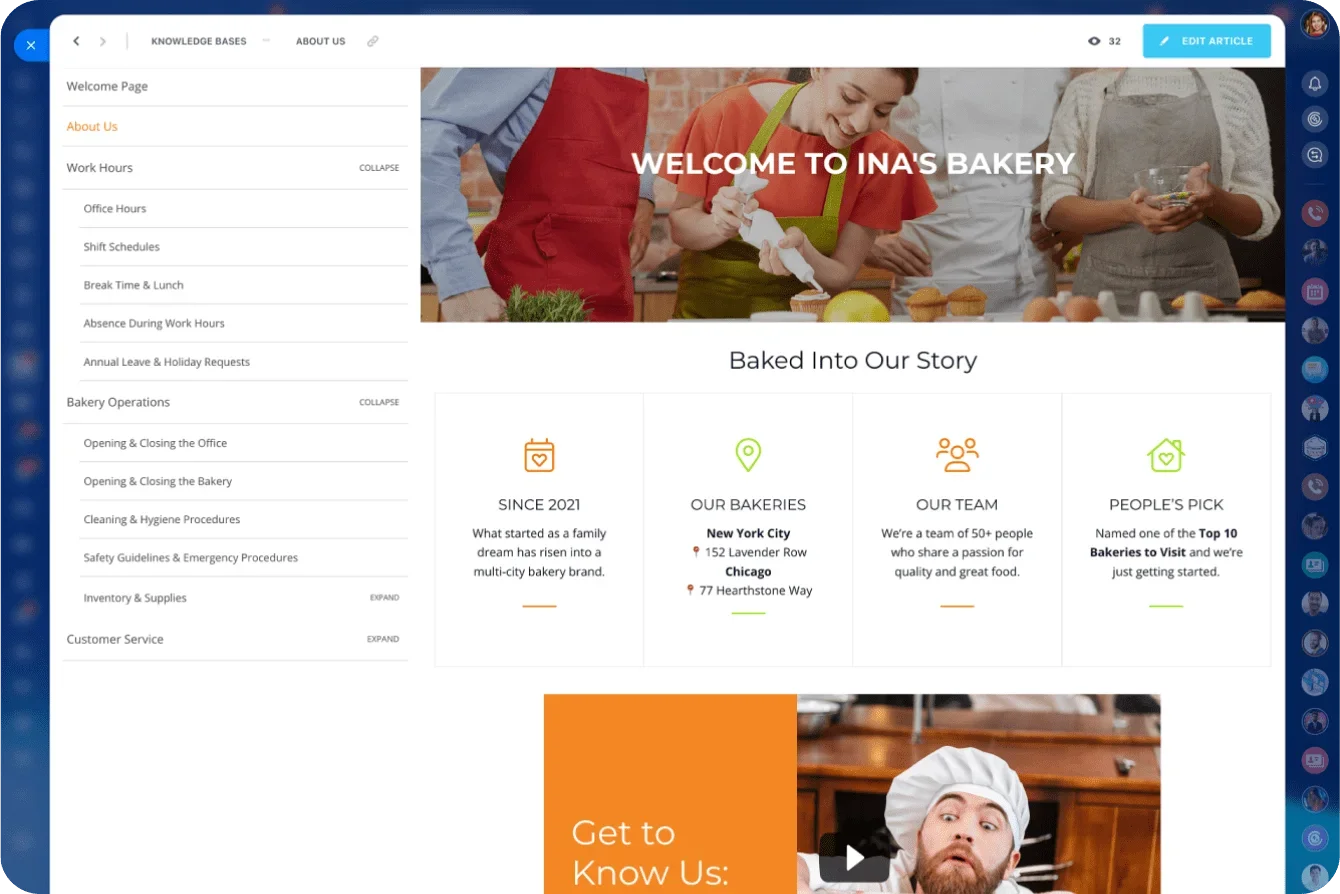
New hires need to understand how things work, what's expected, and where to find accurate information. Quickly. When you document processes in a well-organized Knowledge Base, you remove the guesswork that slows people down and prevent your team from repeating explanations.
In Bitrix24, the Knowledge Base includes step-by-step SOPs, process maps, role-specific tutorials, and best practices. Everything lives in one workspace—no bouncing between emails, chats, and outdated files.
Instant personalization through role-based access
Connect your Knowledge Base to Bitrix24's HR management tools, and every new hire automatically receives content relevant to their role. A marketer sees marketing workflows. A support agent sees ticket-handling procedures. No clutter, no confusion.
This significantly reduces shadowing. Instead of sitting beside someone for hours, new hires walk through documented tasks at their own pace and begin contributing within days.
Start with HR management: Roles, access, automations
Fast onboarding begins before your new hire logs in. When you set up roles in Bitrix24, you're building a blueprint that controls access rights, preassigned tasks, Knowledge Base visibility, and required compliance steps. The moment you add a new employee, Bitrix24 applies these rules automatically.
Automate early touchpoints
Turn repetitive onboarding steps into automated sequences. Every new hire follows the same consistent process without adding work for HR or managers.
Automations trigger:
-
Welcome messages
-
Access to role-specific materials
-
Initial training tasks
-
Notifications for managers and team leads
Instead of juggling spreadsheets, emails, and checklists, you manage everything in one workspace.
Centralize admin with Online Documents
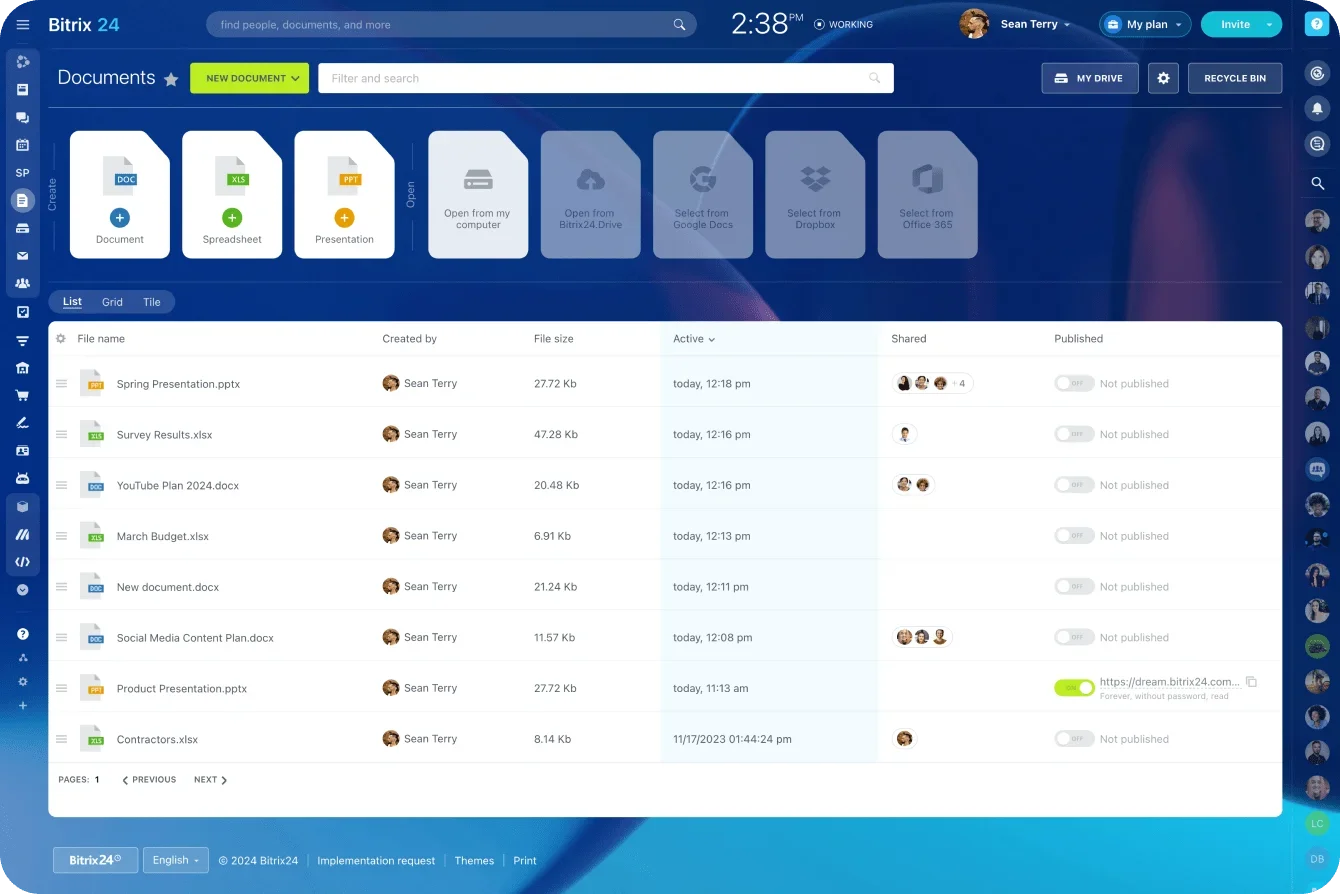
New hires shouldn't spend their first week completing forms or searching for files. Bitrix24's Online Documents gather contracts, compliance, tax forms, and policy acknowledgments in one secure place. Share templates, collect signatures, track completion, and store everything in the employee profile.
When structure and administration are handled early, new hires can hit the ground running. They know where to start, what to do next, and how to begin contributing. Because Bitrix24 connects HR management with tasks, the Knowledge Base, and communication tools, the entire experience feels coordinated from minute one.
Auto-assign a 21-day onboarding plan with task management
Once a new hire's role and access are set, you need a clear path from orientation to productivity. Bitrix24's task templates let you build the plan once and reuse it for every hire.
Outline the full onboarding journey:
-
Learning tasks
-
Process walk-throughs
-
KPI-oriented micro-projects
-
Tool and system checklists
-
Manager touchpoints
Each task includes explanations, videos, Knowledge Base links, and step-by-step instructions. Your new hire always knows what comes next.
Create predictable progress
Dependencies ensure tasks appear in the right order—learning modules before practice tasks, practice before real assignments. Deadlines reinforce momentum. Short tasks create early wins; longer tasks build deeper understanding.
Managers see where each new hire stands instantly. Task analytics show completed tasks, overdue items, where someone is stuck, and tasks that consistently take longest. This visibility helps you intervene before delays compound.
Tie tasks to real output
A valuable 21-day plan doesn't stop at reading materials. It includes micro-projects that deliver measurable outcomes: a sales rep qualifies their first leads, a marketer publishes a content asset, a support agent resolves low-risk tickets.
Bitrix24 makes it easy to build output-driven work directly into the onboarding plan. Once new hires complete foundational learning, they move immediately into producing real results that contribute to team KPIs.
Use CoPilot as your always-on onboarding coach
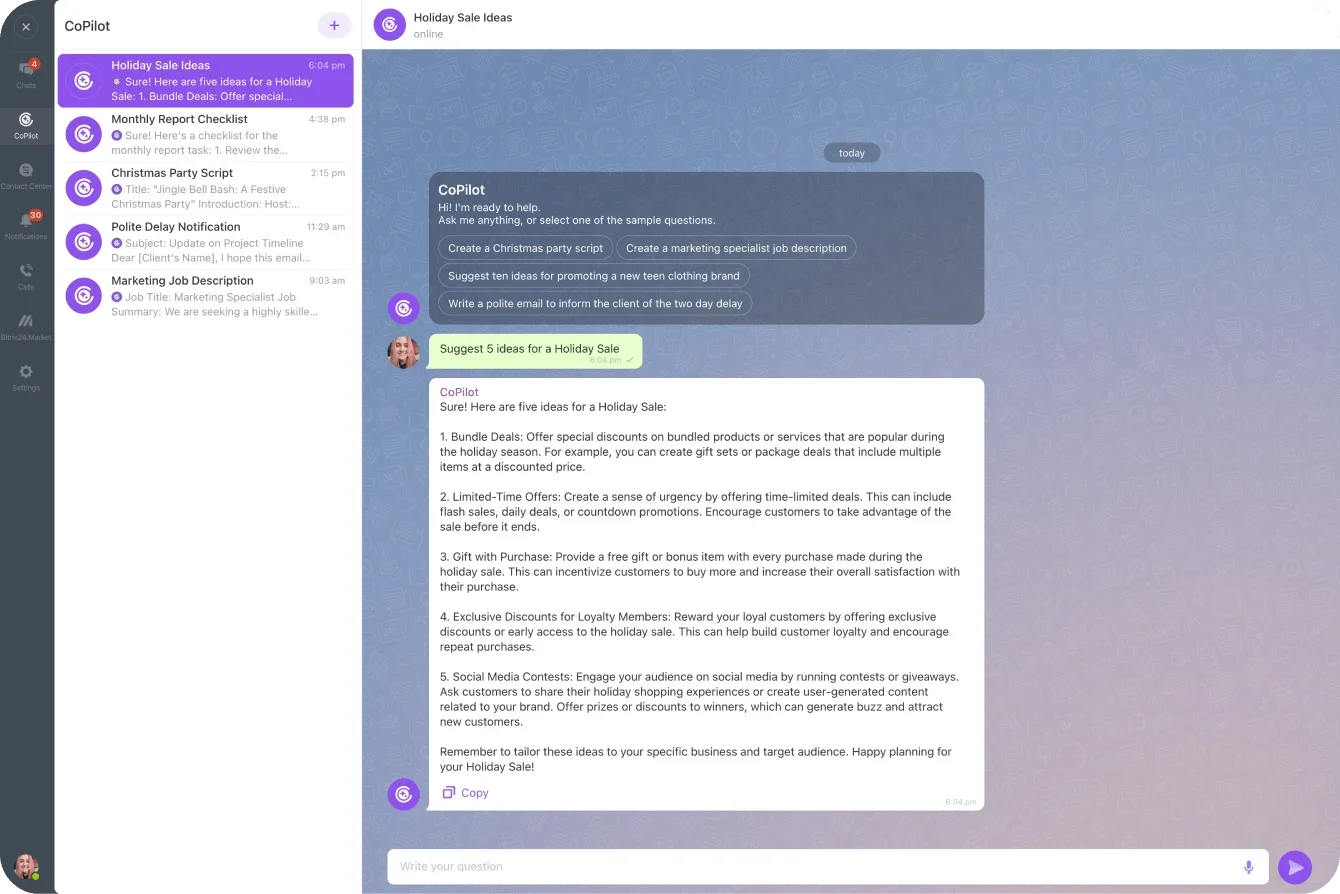
Even with the best documentation, it’s natural that new hires will have questions. Traditionally, every question interrupts someone's day. With CoPilot in the Activity Stream, new hires get immediate guidance without slowing the team down.
Ask CoPilot about SOPs, company policies, product details, internal workflows, where documents live, or how to complete tasks. CoPilot draws on your Knowledge Base, tasks, messages, and documentation to deliver accurate, context-aware answers inside the same workspace.
Reduce repetitive questions
Most organizations see the same early questions cycle through every month. CoPilot becomes the first stop for these basics. Managers step in only when judgment or deeper context is required, saving hours of low-value interruptions.
Build confidence from day one
Starting a new job feels overwhelming. CoPilot helps new hires explore, learn, and try things without hesitation. When they get instant answers, they stay in momentum and feel more comfortable experimenting on their own.
CoPilot's answers come from materials your team has already vetted, so guidance stays current, consistent, and aligned with internal standards.
Schedule peer sessions and checkpoints using Shared Calendars
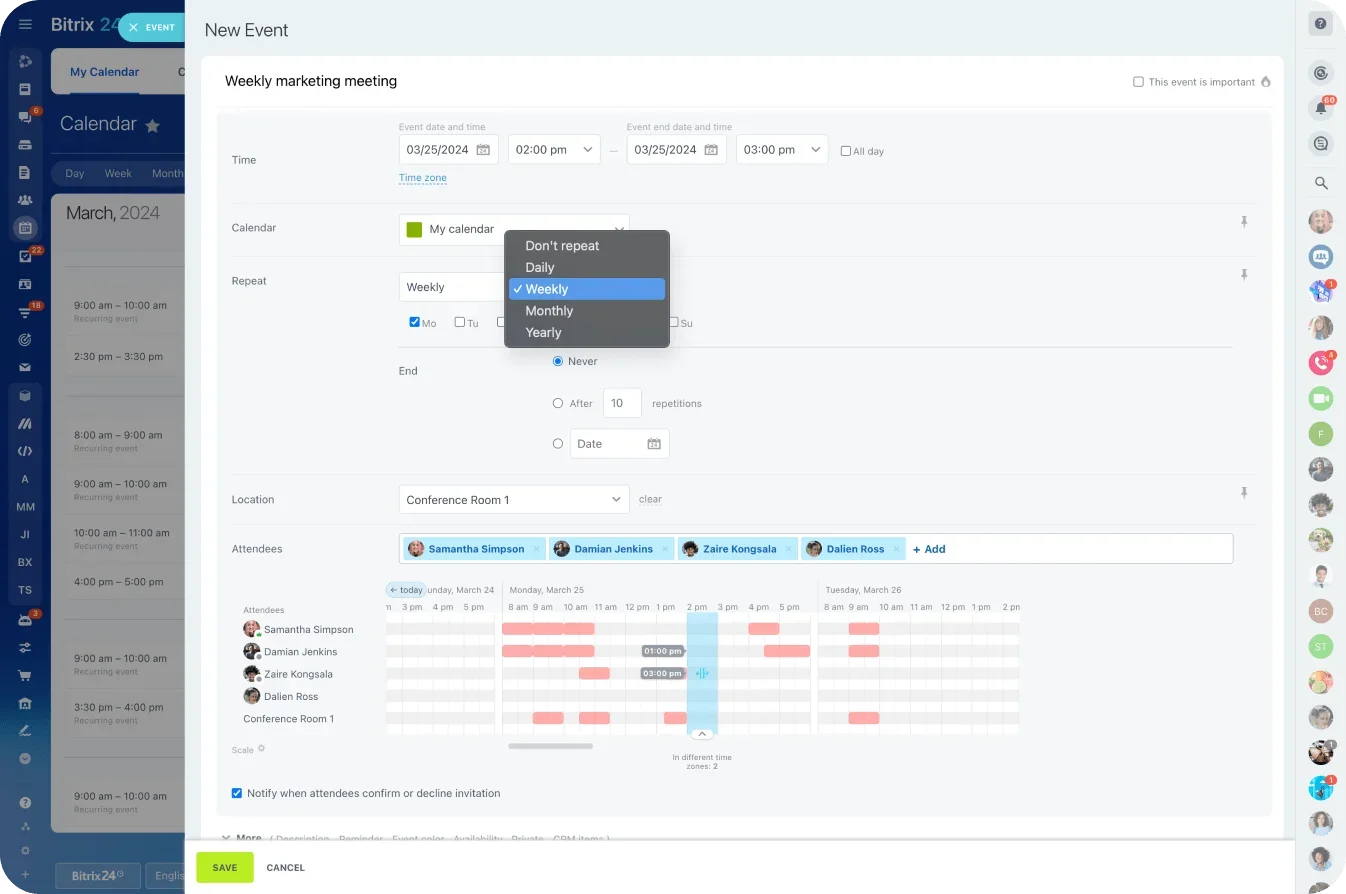
Shared Calendars in Bitrix24 make coordination simple. Schedule training sessions, check-ins, and peer meetings in a single timeline that updates automatically for every participant.
New hires see their full 21-day schedule at a glance; managers stay aligned without constant reminders.
Reduce shadowing without losing human connection
Shadowing is useful but time-consuming. With clear SOPs, CoPilot support, and structured tasks carrying most of the onboarding load, shadowing becomes shorter and more purposeful.
Instead of multi-hour sessions, schedule focused, high-impact interactions:
-
Weekly peer check-ins
-
Product walkthroughs
-
Short role-play or practice sessions
-
Q&A with team leads
-
Feedback conversations at week-end
These sessions give new hires human context while reducing shadowing time by half.
Use calendar templates to standardize
Create a reusable onboarding calendar template in Bitrix24. Assign it to new hires, and all recurring meetings and reminders appear automatically. Every new hire receives consistent touchpoints, clear expectations, and a predictable ramp-up experience.
Shared calendars help your team stay involved. Mentors know when they're needed. Managers see upcoming checkpoints. HR monitors the schedule without chasing updates across tools.
Create a private Workgroup for each new hire's journey
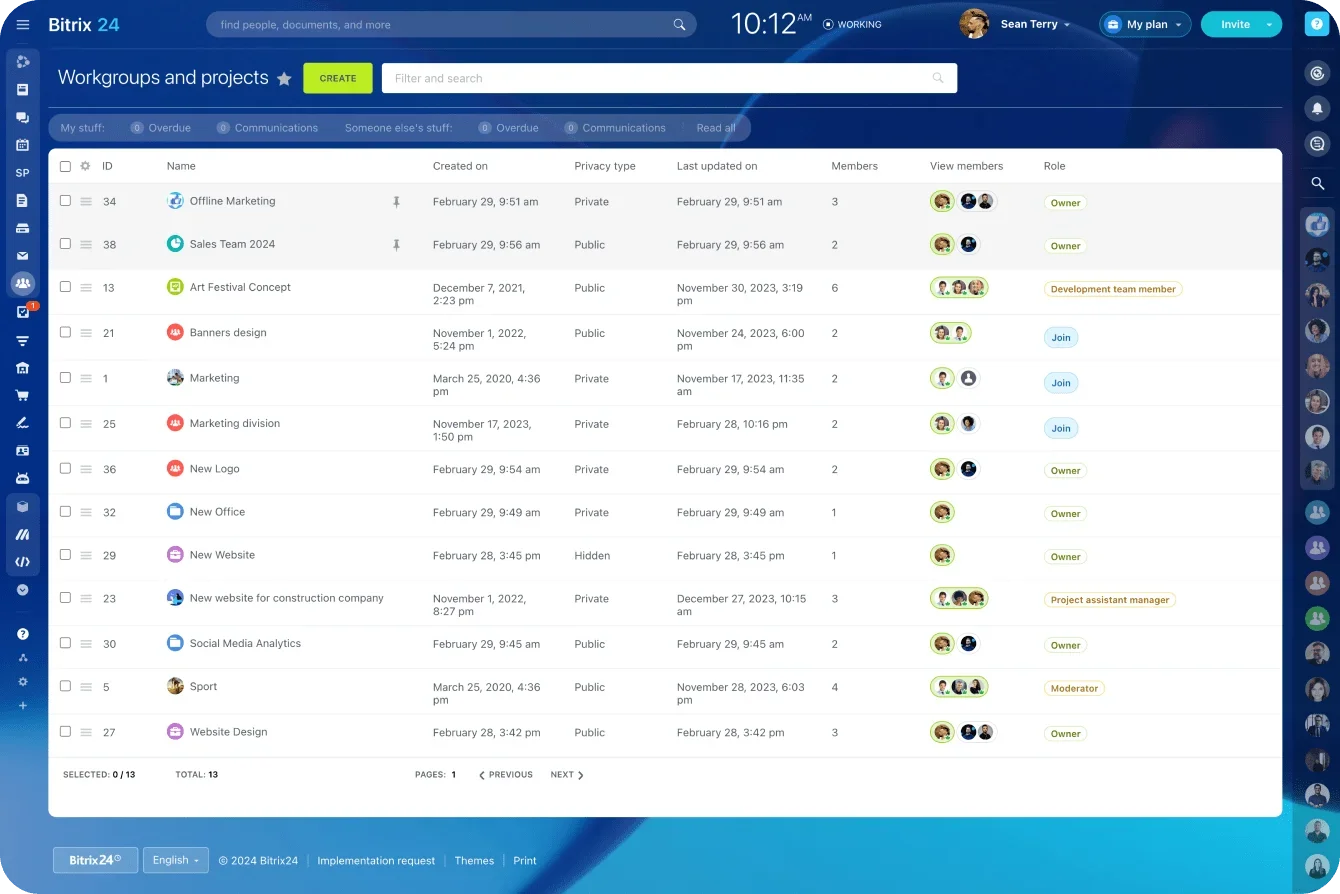
Bitrix24 Workgroups provide a centralized hub for communication, tasks, files, meetings, and feedback. Create a private Workgroup for each employee, and they have a home base for their full 21-day plan. Everything they need is already in front of them—no digging through chats, emails, or folders.
Keep conversations focused
Inside the Workgroup, new hires ask questions, share progress, and discuss challenges without feeling like they're interrupting the wider team. It's a safe, structured environment where learning happens naturally.
All communication stays contained, preventing scattered messages across multiple tools.
Run weekly retros to accelerate learning
A brief weekly retro inside the Workgroup dramatically improves outcomes. Each retro prompts the new hire to reflect on: what they learned, what went well, what felt unclear, where they slowed down, and what support they need next.
Managers use these insights to adjust the onboarding plan and remove friction for future hires. Over time, retros create a data-driven improvement cycle.
Centralize files and projects
Store SOPs, checklists, training exercises, micro-project briefs, and meeting recordings directly in the Workgroup. New hires always know where to look.
Workgroups give managers a high-level view of progress without constant check-ins. They see completed tasks, follow discussions, and spot where someone may need help—all without hovering!
Track real ramp-up progress with employee productivity tools
Once your onboarding plan is in motion, you need to know if it's working. Bitrix24's Employee Productivity tools give you clear, data-driven insight into how new hires are progressing, where they're gaining momentum, and where they need extra support.
Spot bottlenecks early
If a new hire consistently gets stuck on certain tasks, misses deadlines, or shows unusual activity patterns, Bitrix24 highlights it early. You can step in with support long before a small issue becomes a bigger setback.
New hires also see their own progress, which boosts motivation. When they track completion rates, upcoming tasks, and learning milestones, they feel more in control. This transparency strengthens alignment, so they know what's expected, and managers reinforce the right habits early.
Tie performance to real outcomes
Productivity tracking isn't about monitoring busywork. Your 21-day plan includes micro-projects and KPI-driven tasks, and Bitrix24 helps you measure their impact: a support agent's first resolved tickets, a marketer's first published asset, a sales rep's qualified leads.
These outputs show whether onboarding is moving in the right direction and whether the new hire is becoming a contributing team member.
Improve your program over time
Consistent tracking reveals patterns across multiple hires: tasks that create slowdowns, SOPs needing clearer instructions, roles requiring different milestones, and areas where CoPilot reduces friction.
This feedback loop helps you refine the onboarding blueprint so each cycle becomes smoother, faster, and more predictable.
What “value in 21 days” looks like: KPI-based early wins
Productive onboarding isn't measured by completed forms or watched videos. It's measured by output, real work that moves the business forward. With a structured plan supported by Bitrix24, new hires achieve meaningful results within their first 21 days.
Define early wins that match each role
Every role includes tasks that provide value without requiring full mastery. Build these into your 21-day plan as KPI-aligned micro-projects:
-
Sales: Qualify 10–15 leads, complete early discovery calls, build a personalized outreach sequence, log initial opportunities
-
Marketing: Draft or publish 1–2 content assets, update website copy or social posts, assist with email campaign setup, analyze a small performance dataset
-
Customer support: Resolve 20–30 low-level tickets, learn escalation paths, apply standard replies, assist during peak hours
-
Product/Engineering: Fix a small bug, tackle an entry-level feature, review code with a mentor, contribute to sprint planning
These tasks create momentum. New hires feel like contributing team members, and managers gain objective proof of progress.
Use Bitrix24 to reinforce output over activity
Because Bitrix24 integrates task management, HR management, Knowledge Bases, and productivity insights, you get a unified view of how new hires are performing. You don't guess whether they're ready for more responsibility—the data shows it.
Create momentum that carries beyond the first month
Early wins shape how engaged and confident new hires feel. When they see themselves contributing this soon, they're more motivated and aligned with expectations. By prioritizing KPI-based achievements through Bitrix24, you turn the first 21 days into a strong launchpad for long-term success.
Onboarding that pays for itself isn’t a dream — it’s configuration
When onboarding is designed as a system, results don’t take months to appear. With clear expectations, coordinated workflows, and a single workspace, new hires begin creating real value within their first few weeks.
Bitrix24 brings your SOPs, HR processes, tasks, automation, and built-in guidance together in one place. New hires know exactly where to start and what comes next. Managers stop chasing updates. Shadowing gives way to focused coaching.
The result is earlier contribution, not busywork. First wins tie directly to KPIs that matter, building confidence and momentum from day one.
A 21-day onboarding blueprint doesn’t rely on effort or luck. It relies on consistency. And with Bitrix24, each cycle becomes easier to run, easier to improve, and easier to scale.
Cut ramp time by 35%. Reduce shadowing by half. Build an onboarding system that pays for itself — start for free today
Streamline Your Onboarding Now
Leverage Bitrix24's integrated tools for fast, systemized onboarding that drives KPI results in just 21 days.
Start TodayFAQs
What’s the minimal viable onboarding plan?
A minimal plan includes role-based access, a small set of SOPs, and a short sequence of tasks that move new hires from learning to real output. The goal isn’t completeness; it’s clarity and early contribution. You can refine the plan after the first few onboarding cycles.
How do we maintain SOPs without a dedicated owner?
Treat SOPs as living documents tied to real work. When tasks or retros surface confusion, update the source directly in the Knowledge Base. Over time, small corrections from the people doing the work keep documentation accurate without a single “librarian.”
Can AI answer domain-specific questions accurately?
Yes, when it’s grounded in your internal materials. Bitrix24’s CoPilot draws from your SOPs, tasks, messages, and documents, so answers reflect how your team actually works (not generic internet guidance).
Which KPIs show ramp time is shortening?
Look for earlier task completion, faster movement into KPI-linked micro-projects, and reduced time to first meaningful output. Decreases in shadowing hours and fewer repetitive questions are strong supporting indicators.
How do we personalize onboarding for different roles?
Use roles to control access, task templates, Knowledge Base visibility, and onboarding schedules. Each hire follows a consistent structure, but sees only what’s relevant to their responsibilities — reducing noise while preserving standardization.