9 Remote Work Challenges Small Companies Face — and How to Fix Them Before They Slow Growth


The case for remote is obvious. Hire anywhere. Cut overhead. Build a team that works the way people actually want to.
The catch is less obvious: everything informal that holds a five-person team together quietly breaks at twenty. The Slack message onboarding. The process nobody wrote down. The decision that lived in one call and then vanished.
None of it announces itself; it just shows up later as a missed deadline, a confused new hire, or a resignation you didn't see coming.
Nine failure points, nine fixes. Here's the system.
1. Remote onboarding feels inconsistent
Imagine two new hires starting on the same day at your company. One gets a detailed first-week playbook with checklists, video introductions, and scheduled check-ins. The other receives a few scattered Slack messages, a link to a shared folder, and "good luck figuring it out." Both are part of your team. Both affect your growth.
The cost of inconsistent onboarding
This inconsistency is common in remote startups. Onboarding often depends entirely on the hiring manager's bandwidth and memory. When the manager is busy, new employees suffer. Research shows that 60% of managers struggle with reduced visibility into remote employee performance, and part of that problem starts on day one — when onboarding is chaotic, new hires take longer to become productive, and managers end up repeating information.
For a small company, this adds up fast. A new employee who takes 6 weeks to hit full productivity instead of 3 is lost capacity you can't afford.
How to fix it
Create a repeatable onboarding process that every manager can follow.
Start with these essentials:
- A first-week checklist covering logins, tools, documents, initial meetings, and key contact people
- Role-specific task templates so each new hire knows what to focus on in week one (not just "get familiar with the codebase" but "fix one bug and document the process")
- Centralized training materials — processes, policies, video walkthroughs, and decision trees stored in one place
- Scheduled check-ins after day one, end of week one, and month one, with specific questions asked each time
- Clear success goals so the employee knows what a good start actually looks like
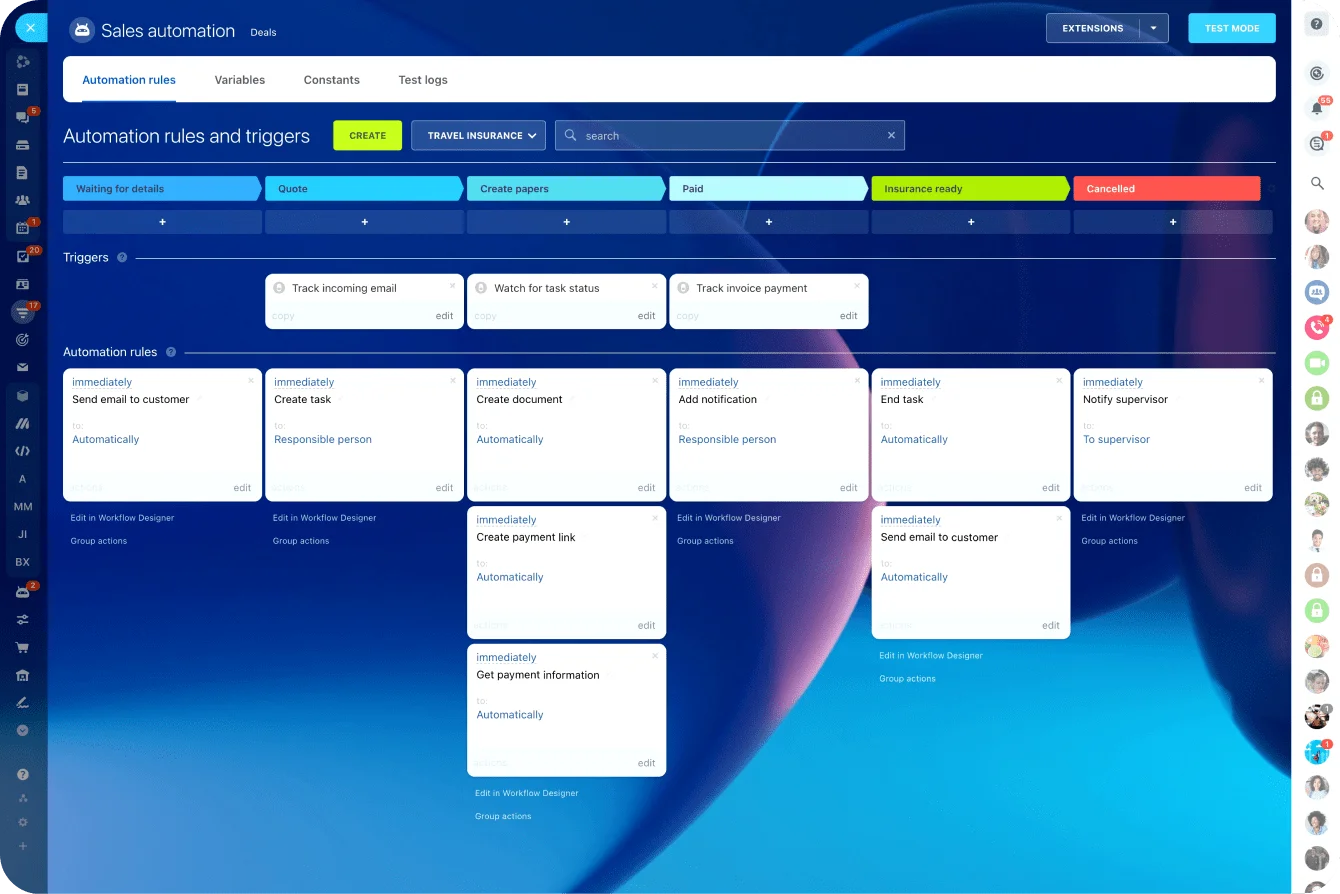
Bitrix24's task and project tools let you create this structure once and reuse it for every new hire. You can build task templates with all the pieces of your onboarding process, set deadlines for each step, and keep new employees connected to the team through shared calendars and check-in reminders. The manager doesn't have to recreate the process each time, and new hires get consistency.
2. Communication gets scattered across too many channels
A client request comes in via email. The team discusses it in a Slack thread. Someone updates a spreadsheet. A decision gets made in a video call, but the notes end up in someone's personal OneNote. By the time the work starts, three people have different understandings of what "done" looks like.
How to fix it
Create clear rules for where each type of communication belongs. This takes 30 minutes to document and saves hours every week.
For example:
- Chat for quick questions and short updates that don't need ownership (Slack, Teams, Bitrix24)
- Tasks for work that needs a name, a deadline, and follow-up (the task system in your platform)
- Shared documents for processes, policies, meeting notes, and decisions that others need to reference later
- Video calls for complex discussions, disagreements, or sensitive conversations — text doesn't cut it
- Project workspaces for all discussion related to that specific initiative, not scattered across email
Document key decisions right after meetings. A one-paragraph summary prevents the "I thought we decided..." arguments that waste days later.
Bitrix24's communication tools bring chats, video calls, tasks, projects, calendars, and file storage into one workspace. Your team doesn't have to jump between five apps to understand what's happening. The conversation, the task, and the files all live together, so context is always there.
Remote Team Health Check Scorecard + 30-Day Fix Plan
Enter your email address to get a comprehensive, step-by-step guide

3. Employees feel isolated and disconnected
Remote work gives people autonomy, which is usually good. But isolation is the silent cost. It creeps up slowly: someone stops speaking in meetings, new hires take weeks to build relationships with teammates, and people only reach out when there's an urgent problem.
Why isolation costs more than you think
Remote work has negatively affected 76% of workers' mental health, with loneliness increasing by 67% for those working fully remote. For small companies, this isolation risk is especially sharp because every person matters. When someone checks out emotionally, the whole team feels it. They're also more likely to leave — and replacing them costs you time and money you don't have.
How to fix it
Build connection into your remote routine intentionally. It won't happen by accident.
- One-on-ones that matter: Schedule them weekly or bi-weekly, but don't fill them with task updates. Ask "What's going well?" "What's frustrating you?" "What do you need support with?" (the things that build actual relationships)
- Team rituals: A weekly wins call where people share what they shipped, a monthly lunch-and-learn where someone teaches the team something, or just 15 minutes of casual conversation before the real meeting starts
- Public recognition: When someone solves a problem or does good work, mention it in a team channel where everyone sees it
- Cross-team projects: Put a frontend person and an ops person on something together, outside their normal silos. Relationships form through collaboration
- Clear spaces for informal chat: A dedicated Slack channel for memes, a "watercooler" workspace, or a space that's explicitly not about work. People need to be people, not just contributors
Connection won't happen by accident in a remote team. It happens because someone built the time and the spaces for it on purpose. The same way you'd build any other system that matters.
4. Knowledge becomes hard to find
In a remote team, critical information scatters everywhere. Client notes live in a private Slack message. A process that three people understand is written down nowhere. Templates get saved in personal drives. Decisions made in old calls are lost when people leave.
Why scattered knowledge becomes a bottleneck
This works for a while when your team is very small. But as you grow, it becomes a bottleneck. New people ask the same questions repeatedly. Your experienced team members become the go-to for every answer. A key person leaves, and you realize half of what they knew wasn't documented. Growth stops because you've created too much dependency on individual people instead of shared systems.
How to fix it
Build a simple knowledge system that works.
Focus on documenting:
- Core processes you repeat often (client onboarding, new hire onboarding, how you run a sprint)
- Templates and checklists for routine work (proposal template, project kickoff agenda, code review checklist)
- Company policies — what does work-from-home look like? How do you handle vacations? What's the process for getting a tool approved?
- Client or project context that teammates might need to reference later (contract terms, known quirks of a client, why you made a certain architecture decision)
- Frequently asked questions from new hires and team members
Keep the format simple. A short checklist usually helps more than a long document nobody reads. Make one person responsible for keeping each important piece accurate — they're the owner, and when something changes, they update it.
A single knowledge base keeps these documents organized and searchable, so people find what they need without asking anyone (and updates happen in one place, so nobody's working from a version that's six months old). Bitrix24 gives that a home alongside the work it supports.

5. Managers struggle to track performance without micromanaging
Research shows that 80% of leaders say remote work makes it harder to have confidence employees are productive, and 37% of remote companies have tried requiring employees to stay on live video. However, that kind of surveillance damages trust and actually reduces productivity.
The surveillance trap
The real issue isn't that people are working less. It's usually that work isn't clearly assigned, deadlines are fuzzy, and nobody sees progress until something's overdue. When a manager can't see the work, they start watching the worker instead.
How to fix it
Focus on outcomes, not online presence.
Make sure every important task or project has:
- A clear owner (this person is responsible)
- A realistic deadline (not "ASAP" — a specific date)
- A priority level (P1, P2, P3 — so people know what matters most when priorities clash)
- Defined deliverables (what does "done" actually look like?)
- A visible status (not yet started, in progress, blocked, done)
- A place to discuss blockers (if something's stuck, the team can see it and help)
Use one-on-ones to review progress, remove obstacles, and clarify priorities. Don't use them to interrogate what someone did yesterday. Research shows that managers' top concerns with remote employees are maintaining engagement (29%) and reduced visibility into activity (27%) — but visibility into work (task status, deadlines, deliverables) isn't the same as visibility into the person.
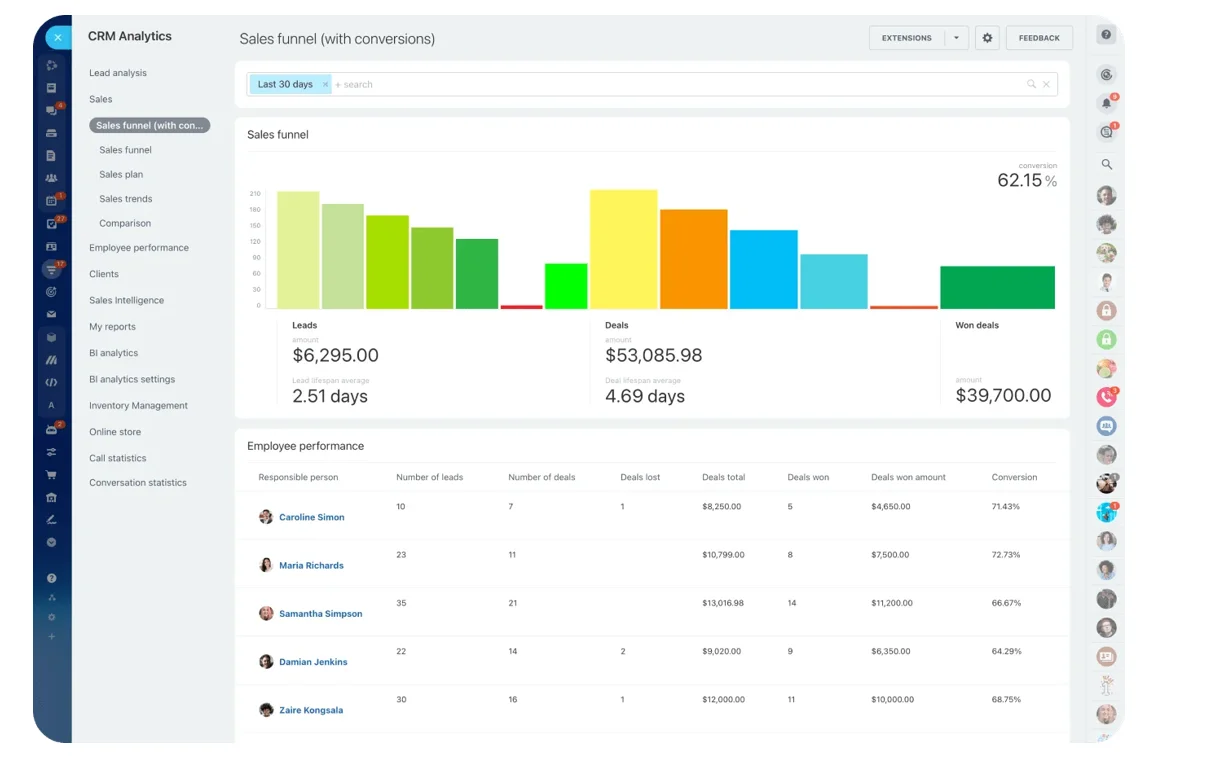
Bitrix24's tasks, project boards, and reporting tools give managers exactly what they need. You can see what's moving, what's stuck, where the team needs support, and what's coming due. Without watching anyone's screen. That's accountability without micromanagement.
6. Collaboration slows across time zones and flexible schedules
Your designer is in Austin, your developer is in Kyiv, and your customer success person is in Manila. Someone makes a decision in the morning. By the time the person in a later time zone sees it, they have questions. But then they're asleep by the time the decision-maker responds. A simple approval takes a full day. A project pauses because one person is offline. Meetings become impossible to schedule.
The hidden cost of synchronous workflows
For small companies, these delays add up. A project that should take two weeks starts stretching to three. Customers wait for answers. Work feels slower, not because people are less productive, but because you've built systems that require everyone to be online at the same time.
How to fix it
Design your workflows for asynchronous collaboration. This means people should be able to understand work, take action, and leave useful updates without needing a live conversation every time.
- Clear task briefs that include the goal, deadline, owner, relevant files, and what "done" looks like
- Handoff notes so the next person knows what changed, what's blocked, and what to do next
- Shared calendars showing who's available when, upcoming meetings, and time-off
- Response-time expectations so people know what's truly urgent (customer issue = respond within 4 hours) versus what can wait (feedback on a proposal = 24 hours)
- Automated workflows for repeated steps that currently slow things down (approval chains, status updates, handoffs)
Bitrix24 supports this with task comments, project timelines, shared calendars, notifications, and workflow automation. Work keeps moving even when people are offline. The next person wakes up to clear context, completes their part, and leaves clear notes for whoever's next.
7. Company culture becomes accidental
In a physical office, culture happens naturally. You see how leaders speak to customers. You pick up norms from colleagues. You learn when to ask for help and what good work looks like just by being there.
The culture vacuum
In a remote team, those signals disappear. If you don't deliberately define your culture, each department or manager will create their own version of it. Different communication styles, inconsistent expectations, weak recognition, and employees who feel like they don't belong.
Gallup's 2024 research found that only 28% of fully remote employees felt strongly connected to their company's mission, compared to 38% of hybrid workers. And that gap matters because ‘disconnected’ people leave.
How to fix it
Turn your culture into visible, repeatable habits.
Start by defining what your values actually mean in daily work. If you value "ownership," what does that look like? Does it mean pushing back on unrealistic deadlines? Asking questions instead of assuming? Documenting your decisions so others can learn from them?
Then build simple rituals that reinforce the culture you want:
- Weekly team updates to keep everyone aligned on what's happening and why
- Public recognition for strong work and helpful behavior — call it out in a team channel, not just in a private message
- New hire introductions so people feel welcomed and seen, not just onboarded
- Project retrospectives after big things ship (what went well, what would we do differently)
- Leadership updates that explain goals, changes, and decisions
Culture in a remote team isn't what you say in the all-hands. It's what shows up, again and again, in how the company actually runs. Leave it to chance, and you don't get ‘no culture’; you get nine different versions of it (one per manager).
8. Burnout becomes harder to spot
Burnout is nearly invisible in a remote team. Someone can attend every meeting, respond to every Slack message, and still be completely overwhelmed. In an office, you notice when someone looks exhausted or unusually quiet. Remote, those signs are gone. You only realize there's a problem when someone quits or misses a deadline.
Why it's a bigger risk for small companies
This is especially risky in small companies where people wear multiple hats. When priorities shift fast, employees keep saying yes even when their workload is already too heavy. Among remote workers, 86% report experiencing burnout in their current positions, compared to 70% of in-person workers. The warning signs (missed deadlines, slower responses, lower-quality work) often look like underperformance when they're actually a cry for help.
How to fix it
Make workload and pressure visible.
Start by regularly reviewing:
- How many tasks each person owns right now
- Which deadlines are clustered together (crunch periods)
- Which projects keep getting delayed or deprioritized
- Who's handling repeated urgent requests (usually means priorities aren't clear)
- Whether people are working outside normal hours (early mornings, late nights, weekends)
- Where responsibilities are unclear (people spend energy deciding who should do something instead of doing it)
Discuss workload directly in one-on-ones. Ask "What feels realistic to you?" "What do you need support with?" "What could we delegate, delay, or remove?" (not just "Are you okay?")
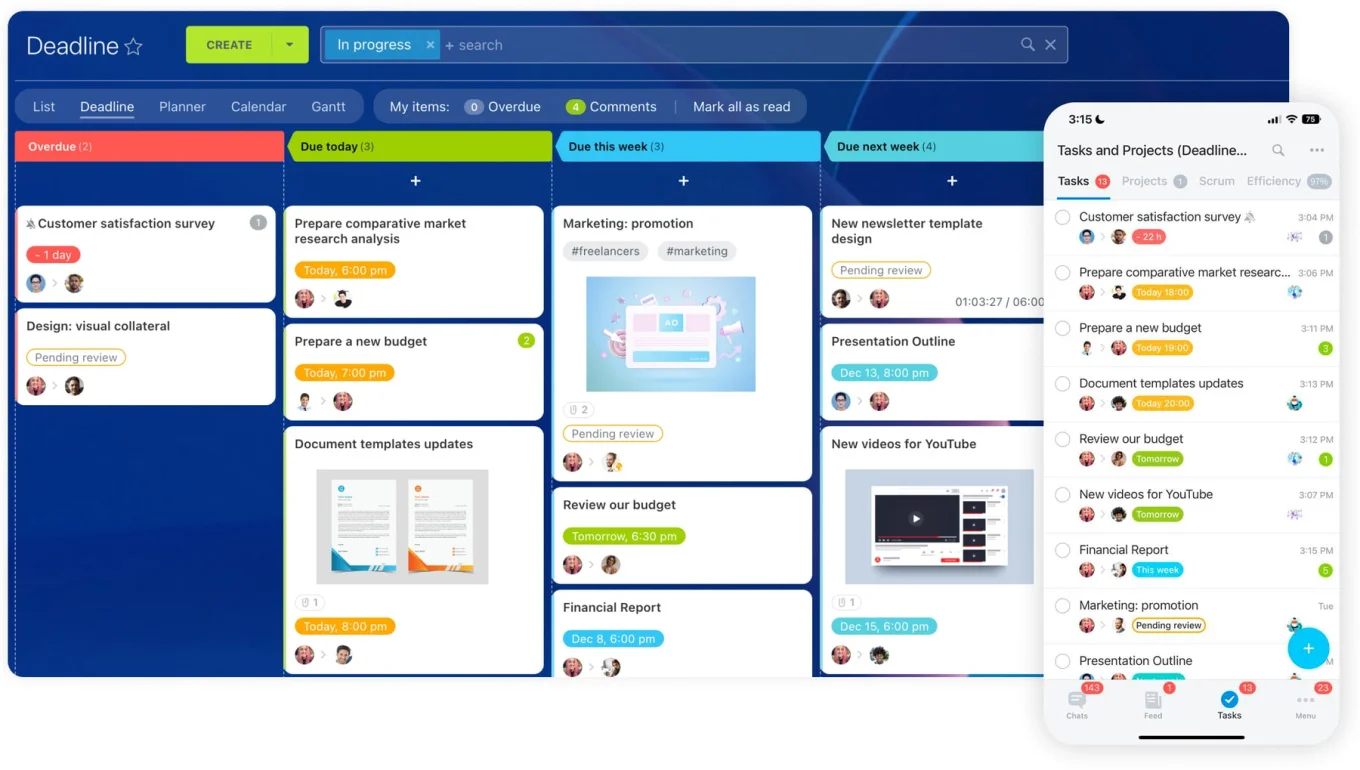
Bitrix24 lets managers see workload, deadlines, and project progress in one view. You can spot when someone's overloaded before burnout happens. You can balance work more fairly and protect productivity before it breaks down completely.
9. Security and process control get messy as the team grows
Remote work often starts with loose practices. Someone shares a file via chat. A password gets sent in a message. Client data lives in a personal folder. A team member leaves and nobody remembers to remove their access to systems.
Why security slips when you're scaling fast
These feel like small issues when your team is tiny. But they create real risk as you scale. Sensitive information ends up in too many places. Access controls are unclear. Offboarding is haphazard. You have no documented process for client onboarding, contract reviews, or how data flows through your company. Scaling without security is how you lose a customer's trust.
How to fix it
Create simple rules for access, data, and repeatable processes.
Focus on:
- Role-based access so people only see what they need (a developer shouldn't have access to financial records; a new employee shouldn't see client contracts until their first week is done)
- Centralized file storage for company and client documents, not scattered across personal drives or email
- Offboarding checklists that run automatically when someone leaves (remove system access, get back equipment, transfer ownership of projects)
- Clear approval workflows for important decisions (who can approve a contract? A new client? A significant purchase?)
- Centralized customer data so customer information isn't scattered across email, notes, and spreadsheets
- Documented processes for recurring work — client onboarding, performance reviews, change management — so you're not reinventing the wheel every time
A single workspace handles this better than scattered tools: files, tasks, workflows, and permissions in one place, so the structure holds as you scale. Permissions are clear. Handoffs are documented. Access is removed when someone leaves. Data isn't spread across six personal drives. Bitrix24 is built for that.
Scale remote work without hidden drag
Bitrix24 unifies tasks, chat, docs, calendars, and workflows so small teams stay aligned, visible, and secure as they grow.
Get Started NowBuild the systems that let you scale
None of these nine problems announce themselves. And that's the trap. They stay invisible while the team is small, then surface all at once around twenty people: the missed deadline, the burned-out engineer, the new hire who never quite got up to speed.
By the time you see them, they've already cost you.
The fix isn't working harder or hiring slower. It's structure: clear processes, visible work, one place the team actually collaborates. Put that in early, and the failures don't get a chance to compound.
Do it, and the math flips. Onboarding gets fast and consistent. People hit productivity weeks earlier. Managers lead with confidence instead of surveillance. Knowledge stops walking out the door when someone quits. Burnout shows up while you can still do something about it.
That's the difference between a remote team that scales and one that quietly comes apart. Not talent. Not effort. The systems underneath.