Customer Retention Workflows After the Initial Sale


After the deal closes, momentum collapses. The customer enters a vague middle ground where nobody quite owns what comes next: sales assumes CS is leading, CS thinks implementation is already moving, support waits for tickets to arrive, and the customer has no idea who's actually driving progress.
The numbers are brutal.
44% of subscription cancellations happen within the first 90 days, and poor onboarding drives churn up 30% in that same window. By the time leadership notices an account is at risk, it's usually already cold or actively unhappy.
The fix is a retention workflow: a system that keeps customers moving after the sale instead of drifting until they cancel. Clear ownership, timed actions, and follow-up that doesn't depend on anyone remembering. Onboarding, check-ins, risk triggers, renewals, and health reviews — five workflows that each run on their own, so no account goes quiet just because someone got busy.
What are customer retention workflows?
Customer retention workflows are repeatable post-sale sequences triggered by customer milestones, timelines, or risk signals. They're structured sets of tasks, messages, and ownership rules that spell out what happens after the deal closes (and who's accountable for it).
The scope usually covers five core areas: onboarding, regular check-ins, support-related risk signals, renewal reminders, and account health reviews. Each workflow answers four essential questions:
- What event starts this process?
- Who owns each step?
- What customer outcome are we trying to create?
- What happens if the customer stalls or risk appears?
This approach differs sharply from one-off follow-ups or reactive support. A one-off follow-up depends on memory or personal habit. Retention workflows don't. Reactive support only kicks in when a customer asks for help. Retention workflows create proactive motion before issues become churn risks.
Why post-sale retention processes break down
The fragmentation problem
Post-sale work scatters across teams and systems. Handoff notes live in email, product usage sits in one platform, support data in another, renewal dates in a contract tracker few people check.
When the data's fragmented, the touchpoints are too. One customer gets strong onboarding and regular follow-up; another gets a welcome email and then six weeks of silence. The experience starts to depend on which team member remembered which detail, not on any reliable system.
The memory trap
If a check-in only happens because an account manager remembers it, it will eventually slip. The same pattern kills renewal prep. Teams assume renewal deadlines are far off until suddenly they're here, and it's too late to have the conversation.
The measurement gap
If your team never defined what "healthy adoption" or "successful onboarding" actually looks like in measurable terms, it's hard to know when an account needs intervention. That ambiguity also weakens renewal planning because no one has a shared view of the value delivered or health status.
30-Day Post-Purchase Workflow Template With Copy Prompts
Enter your email address to get a comprehensive, step-by-step guide

Step 1: Map the post-sale journey and assign workflow ownership
Start by mapping the actual path your customers take after close. Don't make this abstract—list the stages in the order they actually happen for your business.
Example post-sale journey:
- Closed-won and internal handoff
- Welcome and kickoff scheduling
- Implementation or setup
- Training and adoption
- Early value confirmation
- Ongoing check-ins
- Risk intervention when triggered
- Pre-renewal review
- Renewal or expansion decision
Then assign an explicit owner for each stage, trigger, and communication. One person may own multiple parts (especially on a small team), but ownership must be named. "The team" is not an owner.
It helps to segment workflow entry points by customer type. A self-serve, low-touch annual account shouldn't follow the same process as a complex, high-touch implementation. Segment by customer size, contract type, implementation complexity, or service model so the workflow matches reality.
Example Workflow Element Mapping
|
Workflow Element |
Example |
|---|---|
|
Trigger |
Deal marked closed-won in CRM |
|
Owner |
Customer success manager |
|
Customer communication |
Welcome email within 1 business day |
|
Internal action |
Handoff review with sales within 24 hours |
|
Fallback rule |
If no kickoff scheduled by day 5, manager is alerted |
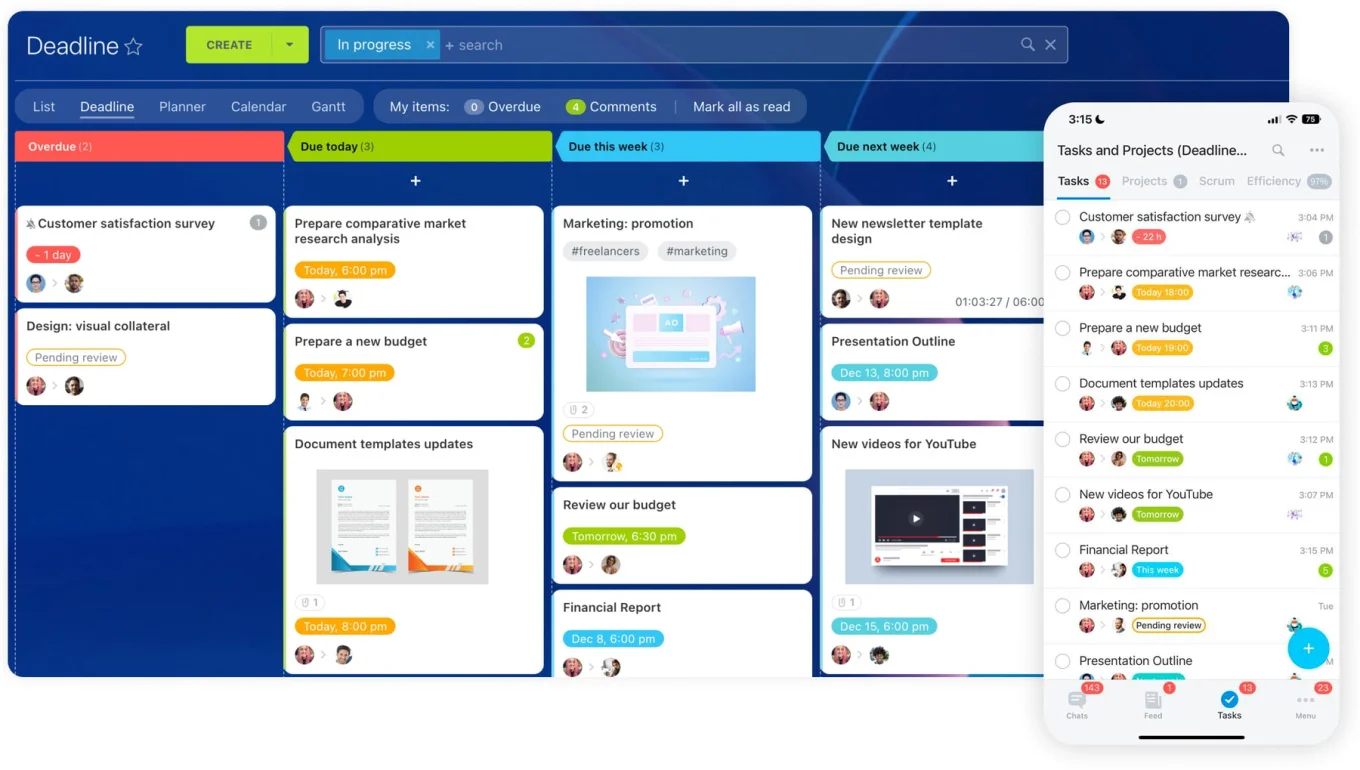
Quick takeaway: Before automating anything, decide the stages, owners, and entry rules. Otherwise you're just automating confusion. Tools like Bitrix24 keep post-sale tasks, reminders, and customer history in one place, so ownership and the next step stay visible no matter who picks the account up.
Step 2: Build an onboarding workflow around early value delivery
The onboarding workflow should solve one problem: getting the customer to first value fast. First value means the moment the customer sees a clear, useful result from your product or service. That definition should be short and specific for each segment.
Set the kickoff timing
Start with pace. Welcome email within one business day, kickoff booked within five, implementation plan sent after the kickoff, milestone review at day 30. A shared timeline like this gives both your team and the customer a sense of momentum and a way to tell when things are slipping.
Design the task and message sequences
Build sequences for setup, training, and stakeholder alignment. Setup tasks might include data collection, account configuration, integrations, or necessary approvals. Training covers admin setup, end-user sessions, and follow-up resources. Stakeholder alignment confirms who decides, who uses the product daily, and what success looks like for them.
Add escalation rules early
If a customer misses kickoff, stalls on setup, or doesn't complete required actions, the workflow should trigger a specific response: a second outreach, a manager escalation, or a focused activation path that cuts scope down to minimum viable value.
Example escalation triggers
- Kickoff miss: Customer doesn't schedule within 5 days → Account manager checks in directly
- Setup stall: Required tasks incomplete after reminder → Escalate to manager for handoff issue
- No-show risk: Customer misses implementation session → Immediate re-engagement and rescheduling
- Escalation owner: Account manager or team lead (clear accountability)
The research is clear: customers who don't complete initial onboarding milestones are 2–3x more likely to churn in the first 90 days. This isn't a product problem; it's a process problem. Good onboarding workflows don't just send reminders. They reduce friction, surface blockers fast, and keep everyone aligned on early value.

Step 3: Create scheduled check-in workflows that match customer needs
Once onboarding succeeds, the next job is keeping the relationship active without turning check-ins into busywork. Start by setting a check-in cadence that fits the account, not the other way around.
Large or complex accounts with multiple stakeholders, active implementation dependencies, or high contract value usually need monthly reviews. Stable, straightforward accounts with steady product usage may only need quarterly or milestone-based outreach.
Cadence should reflect customer reality:
- High-touch: Monthly (implementation active, multiple users, high value)
- Mid-touch: Quarterly (established usage, 2-3 stakeholders, medium complexity)
- Low-touch: As-needed or milestone-based (self-serve, single user, stable)
Each check-in should cover the same core topics so conversations stay useful and you build a baseline for spotting risk. Use a consistent structure:
Check-in template
- What has improved or changed since the last review? Progress against goals, new use cases, team adoption changes.
- Where is adoption strong and where is it lagging? Feature usage patterns, bottlenecks, underutilized areas.
- What blockers need action from either side? Technical issues, training gaps, budget or approvals needed.
- What are the next agreed steps and deadlines? Concrete next actions with dates so momentum continues.
Templates help enormously here. Use a standard agenda, recap structure, and follow-up format. Consistency matters more than polish. Your customer should feel your team is prepared, not reading from a script.
Build reminders around this workflow so outreach happens on time, even when calendars get crowded. Consistency is the retention lever here, not perfection.
Step 4: Turn support and usage signals into retention triggers
Retention risk often surfaces in operational signals long before a customer says they're unhappy. A mature retention workflow captures those signals and turns them into action triggers.
Common examples: a spike in support tickets, prolonged inactivity, falling usage, repeated complaints around the same issue, failed implementation steps, or sudden disengagement from key users. These aren't all equal, so define thresholds that fit your product and customer base.
For example: trigger an alert if ticket volume doubles within 30 days, if no one logs in for 14 days, or if a key feature hasn't been used in a full month. The goal isn't to flood the team with noise, it's to catch meaningful deviations that deserve intervention before they become churn.
Once thresholds are set, assign who responds to each type of signal. A support issue trend may go first to customer success. A product usage drop may reach the account manager. A severe account-wide problem may need a save play involving support, CS, and leadership together.
Useful retention triggers
- Support ticket spike above normal baseline
- No product activity for a defined period (e.g., 14 days)
- Repeated issue themes across multiple contacts
- Loss of engagement from the main sponsor or admin user
- Feature adoption below minimum expected level
Route these alerts into recovery plays before renewal risk becomes obvious. The best time to address dissatisfaction is when it first becomes detectable, not when the renewal quote is already out and the customer is considering alternatives.
Step 5: Operationalize renewal reminders and account health reviews
Renewal timing by contract type
Renewals should never begin when the contract is about to expire. For annual contracts, most teams start formal renewal motion 90–120 days out. For complex accounts, earlier is better. For monthly contracts, light renewal-risk monitoring should happen continuously. For multi-year contracts, strategic review should start 6–9 months out if budget approvals or expansion planning are involved.
The workflow should specify who reviews the account, who contacts the customer, when commercial terms are confirmed, and when leadership gets involved if risk is high.
Standardizing account health assessment
An account health review is a structured assessment of whether the customer is actually getting value and whether the relationship is stable. Use a short scorecard that combines usage data, support history, business outcomes, engagement quality, and open risks.
Account health scorecard
|
Health Input |
What to Look For |
|---|---|
|
Usage |
Active users, feature adoption, trend direction |
|
Support |
Ticket volume, issue severity, repeated themes |
|
Business outcomes |
Progress toward goals set during onboarding |
|
Stakeholder engagement |
Meeting attendance, responsiveness, sponsor stability |
|
Risk notes |
Budget pressure, unresolved blockers, organizational changes |
The health review should lead to a clear next move. Healthy accounts enter standard renewal or expansion planning. At-risk accounts may need a save plan, executive outreach, or a targeted adoption push. The workflow only works if the review changes what your team does next, not if it's just a report that sits unread.
Step 6: Document, measure, and improve the workflow system
Once workflows are live, document them in one place so teams don't guess how the process works. Keep documentation practical: trigger, owner, timing, required actions, escalation path, and success criteria.
Then measure the system. Focus on metrics that show whether customers are advancing and whether your team is following through:
- Onboarding completion rate (% reaching first value milestone)
- Kickoff attendance rate
- Training completion rate
- Product adoption rate
- Check-in completion rate
- Risk response time (how fast alerts get actioned)
- Renewal rate
- Expansion rate
Review where customers stall. Maybe kickoff scheduling works fine, but setup completion lags. Maybe check-ins happen, but agreed next actions don't get captured. Maybe risk alerts fire too often and create noise instead of action.
Use those insights to refine the workflow by segment. Change sequences, tighten ownership, simplify steps, or adjust alert thresholds. Improvement should tie to retention outcomes, not just internal activity volume.
Common mistakes when building retention workflows
One workflow for every account
A lightweight SMB customer, a complex implementation client, and a strategic enterprise account don't need identical timing, touchpoints, or escalation rules. One-size-fits-all workflows end up too thin for high-risk accounts and too heavy for simple ones. Segment the entry points instead.
Automating messages without defining the human follow-up
Automated outreach supports retention; it can't carry the whole thing. If a customer doesn't respond, there has to be a clear follow-up path. If a risk signal fires, someone has to own the response. Automation without accountability just creates motion that looks like progress.
Reminding instead of delivering outcomes
Sending emails on schedule isn't the same as delivering value. A workflow built only to prompt conversations is incomplete—design it around activation, adoption, issue recovery, and renewal readiness, so each touch moves the account somewhere.

How to scale retention workflows without losing reliability
1. Keep the framework consistent, vary the application
Scaling works best when you use a core workflow framework with controlled variations. Keep the main structure consistent across the business, then adjust cadence, milestone timing, and touchpoint depth by segment, service tier, or contract type. That gives you consistency without forcing every account into the same pattern.
2. Centralize definitions and standards
Centralize key operating pieces across customer success, support, and sales. This includes core data fields, trigger definitions, account status labels, and communication templates. If different teams define "at risk" or "onboarded" differently, reliability breaks fast. A connected system like Bitrix24 keeps every team working from the same customer history, tasks, and status definitions, so "at risk" and "onboarded" mean the same thing across success, support, and sales.
3. Add QA checks and spot verification
As volume grows, add QA checks. Periodically verify that handoffs happen on time, renewal milestones are being hit, and escalations get resolved. Dashboards help, but they're not enough alone. Someone should spot-check whether the workflow is actually being used correctly.
4. Plan for exceptions and personnel changes
Build fallback rules into the workflow. People leave, accounts get reassigned, and systems fail to update. Simple exception handling—like backup owners, overdue alerts, and reassignment rules when the primary owner changes—prevents gaps. Reliable scaling depends on planning for the messy parts, not just the ideal flow.
Make retention visible, repeatable, and proactive
Retention improves when post-sale work is structured instead of improvised. Define what happens after the sale, name an owner for each part, and tie actions to milestones and risk signals, and customer progress gets much easier to sustain.
Start small. Build the five pillars in their simplest form, measure them, and fix the weak spots before adding automation or complexity. A small workflow that runs reliably beats an impressive one nobody follows.
The payoff doesn't land this quarter. It shows up later, in the accounts that renew without a fire drill — the customer who'd have gone quiet at day 60 and churned at 90, still there at the next renewal because the system caught them first.
Keep every post-sale account moving
Bitrix24 unites CRM, tasks, reminders and customer history so teams catch risks, guide onboarding and renew without last-minute chaos.
Get Started NowFAQ
How early should a renewal reminder workflow start for monthly, annual, and multi-year contracts?
For monthly contracts, start light renewal monitoring continuously and trigger save or expansion outreach 15–30 days before the decision point. For annual contracts, 90 days is a solid baseline; 120 days is better for complex accounts. For multi-year contracts, begin strategic review 6–9 months out if budget approvals, procurement, or expansion planning are involved.
What tools can SMB teams use if they don't have a full customer success platform?
SMB teams can run solid retention workflows with a CRM, shared inbox, calendar automation, project management tool, and basic reporting. The category label doesn't matter. What matters is whether you can track dates, ownership, customer status, task completion, and triggers in one workable process. Bitrix24 brings these together (post-sale tasks, reminders, and customer history in one place) so you're tracking dates, ownership, and status in a single system instead of stitching tools together.
How do you run account health reviews when usage data is incomplete or spread across systems?
Start with a simple scorecard using what's available now: meeting attendance, support trends, milestone completion, stakeholder responsiveness, and any partial usage data you trust. Don't wait for perfect instrumentation. Just document the confidence level of each score and improve data quality over time.
What should happen in the workflow when the buyer leaves and a new stakeholder takes over?
Trigger a stakeholder transition workflow—it's not a normal check-in. Confirm the new owner, restate goals, recap current progress, and schedule a reset conversation quickly. This change event often affects renewal risk and requires revalidation of value and decision authority.
How many customers can one account manager handle before retention workflows start breaking?
There's no universal number because it depends on account complexity, expected touch frequency, and automation support. A better test is operational: when check-ins slip, risks are identified late, or renewal prep starts inconsistently, capacity has already been exceeded. The coverage model needs to change.