Rethinking Whiteboard Collaboration: The Digital Shift for Remote Teams
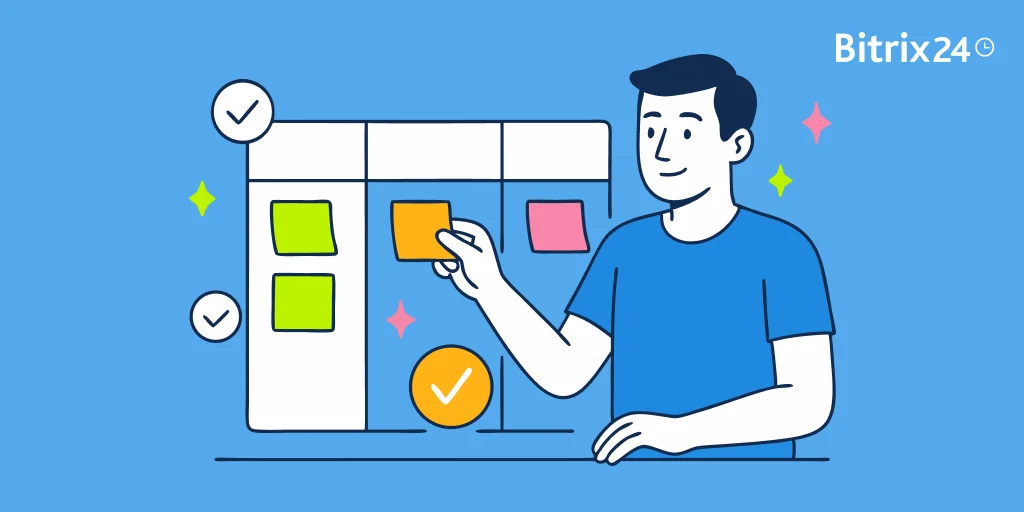
Whiteboards used to be the heartbeat of a team. Ideas went up, discussions took shape, and plans turned into action.
But work has changed. Teams are scattered across time zones. Meetings happen online. Projects move too fast for notes that disappear when the meeting ends. A physical whiteboard can’t keep up—it can’t travel, record, or evolve with the work.
That’s why digital whiteboards matter. They’re not just about sketching boxes and arrows. They create a shared space where ideas live, grow, and connect directly to the tasks that follow.
In this article, we’ll explore why businesses are making the switch, how you can get the most from digital whiteboards, and how Bitrix24 turns whiteboarding into part of a bigger, connected system.
Why traditional whiteboards no longer cut it
Whiteboards used to be the go-to tool for spontaneous collaboration. Quick sketches, flowing ideas, real-time input—it all happened in the same room.
But that magic doesn’t translate when your team is spread across cities or time zones. Today, those boards feel stuck in the past.
Here’s why the old model no longer fits modern teamwork:
- They’re locked to one location
If you’re not in the room, you’re out of the loop. Remote teammates can’t join the conversation meaningfully, and hybrid teams are left juggling in-person scribbles and scattered screenshots. - They don’t preserve your ideas
Erase the board, and the work disappears—unless someone remembered to take a photo. Even then, it’s often buried in a folder, unreadable, or incomplete. There’s no version history, no search, and no easy way to revisit what mattered. - They stall momentum
Want to pick up where you left off? Too bad—the board’s been wiped clean. Traditional whiteboards aren’t built for iteration, which makes it harder to evolve concepts or track progress over time. - They limit participation
In a group setting, louder voices often dominate. Others—especially remote or quieter team members—may not get a chance to contribute. That means missed ideas and uneven collaboration. - They don’t connect with your tools
A physical whiteboard lives in isolation. You can’t turn a note into a task, link it to your CRM, or tag a teammate. It’s disconnected from your workflow—and that costs clarity and time.
Without a way to connect, preserve, and build on ideas, the physical whiteboard has become a bottleneck in a world that demands flexibility and inclusion.
Turn Ideas into Action with Bitrix24 Whiteboards
Bring your remote team’s ideas to life with Bitrix24’s digital whiteboards. Collaborate in real-time, save every idea, and link them to tasks for seamless execution.
Get StartedThe digital whiteboard advantage
Digital whiteboards don’t just mimic the physical experience—they elevate it. Instead of being limited by location or space, your team gets a shared canvas that’s accessible, flexible, and built for creative momentum.
Here’s how digital whiteboards give remote and hybrid teams a serious edge:
- Collaborate in real time, from anywhere
Whether you're spread across time zones or working from home, your team can contribute simultaneously. You’ll see each person’s cursor, track edits as they happen, and leave notes for async updates. It feels like you’re in the same room—even when you're not. - Think big with an infinite canvas
You’re never boxed in. Zoom out, spin off new ideas, and organize clusters of thoughts without erasing anything. The board grows with you, making room for complex workflows or quick pivots. - Never lose a great idea
Every change is saved automatically. You can revisit earlier versions, see who added what, and keep all your thinking in one place—safe, searchable, and always up to date. - Embed more than just notes
Go beyond scribbles. Add images, videos, links, documents, tasks—even data from other tools. Your whiteboard becomes a dynamic, interactive hub, not just a digital notepad. - Stay connected to your workflow
The best boards plug directly into your existing tools—project platforms, calendars, chat apps, CRMs. Turn a sticky note into a task, link ideas to your sprint board, or tag a teammate to take action. - Support every voice
Whether someone prefers typing, sketching, commenting, or reacting, digital boards give everyone a way to participate. That creates more inclusive, balanced collaboration—especially in remote setups.
Bottom line? Digital whiteboards unlock faster thinking, richer communication, and more connected teams.
Remote Whiteboard Collaboration Pack: Sprint Canvases Decision Maps and Facilitation Scripts
Enter your email address to get a comprehensive, step-by-step guide

Top digital whiteboard use cases for remote teams
Digital whiteboards really shine when teams need to move fast, think visually, and stay aligned across distance. They’re more than just brainstorming tools—they support a wide range of remote work scenarios.
Here are some of the most effective ways to put them to work:
- Run creative brainstorming sessions
Kicking off a project? Tackling a tough challenge? Digital whiteboards give your team a space to drop sticky notes, sketch mind maps, or vote on ideas—together, in real time.
You can start with a blank canvas or use a template to guide the session. And because everything’s saved, you can review or act on it later with zero loss. - Plan sprints and track agile workflows
For remote Agile teams, digital boards are perfect for sprint planning, backlog grooming, and daily standups. You can lay out user stories, shift tasks across swimlanes, tag teammates, and keep everyone aligned—all in one shared space. - Map strategy and align teams
Whether you’re setting goals or clarifying team priorities, visual boards help you map out timelines, org charts, and workflows. They’re especially helpful for cross-functional planning or remote leadership alignment during quarterly reviews. - Onboard and train new hires
Digital whiteboards can make remote onboarding more interactive. Use them to walk through processes, introduce team members, or map out company values.
You can also build reusable templates for product tours or training checklists—giving new team members a clear, engaging way to learn. - Host retrospectives and feedback sessions
Tired of awkward retros over Zoom? Use a whiteboard for “Start, Stop, Continue” exercises, mood check-ins, or quick polls. Team members can post anonymously or in real time, vote on key themes, and track follow-up items visually.
As your team gets more comfortable, you’ll likely find even more use cases—like design reviews, stakeholder workshops, or planning off-sites. A flexible digital board quickly becomes your go-to space for collaboration that sticks.
What to look for in a digital whiteboard solution
The right digital whiteboard can transform how your team collaborates—but not all tools are built the same. Some are simple sketch pads. Others are packed with features but hard to use.
The best solution is the one that fits how your team works—now and as you grow. Here’s what to look for:
- An intuitive, flexible canvas
Your team should be able to jump in and start working—no tutorials needed. Look for a board with:
- Drag-and-drop ease
- An infinite, zoomable canvas
- Sticky notes, drawing tools, connectors
- Real-time editing and visual feedback
- Templates that guide the process
A blank screen can be intimidating. Built-in templates for retros, journey mapping, or brainstorms help keep sessions focused and repeatable.
Even better? Tools that let you create and reuse your own. - Built-in collaboration features
To truly support teamwork, your board should offer:
- Live multi-user editing
- Visual indicators of who’s doing what
- Comments, mentions, and reactions
- Voting or prioritization tools
- Easy sharing and permission settings
- Seamless integration with your workflow
Your whiteboard shouldn’t be an island. Look for connections to:
- Project management tools (like Bitrix24, Trello, Asana)
- Chat apps (Slack, Microsoft Teams)
- Video conferencing (Zoom, Meet)
- CRM and file storage platforms
- Security and admin control that scales
Especially for larger or regulated teams, you’ll want:
- Role-based permissions (view, comment, edit)
- Secure storage and encrypted sharing
- SSO and two-factor authentication
- Admin dashboards to manage access and usage
- A balance of simplicity and power
Some boards are too barebones. Others are overwhelmed with features. The sweet spot is a tool that’s easy for anyone to use, but deep enough for planning, strategy, and visual workflows.
When you find that balance, your digital whiteboard becomes more than a collaboration tool—it becomes a thinking engine for your team.
Getting started with tasks & projects
Enter your email to download a guide that will get you started with any project management software.

The Bitrix24 perspective: unified collaboration that includes whiteboarding
Choosing a great digital whiteboard is one thing. Embedding it into your team’s daily flow is another. That’s where Bitrix24 truly shines.
Sharp improvements—trusted everyday tools
Bitrix24 doesn’t offer whiteboarding as a standalone feature. Instead, it integrates Bitrix24 Boards—the visual workspace—directly into the platform you already use for messaging, projects, docs, and meetings.
Here’s how Bitrix24 Boards enhance teamwork:
- Unlimited boards—and collaboration that scales securely
You can create as many boards as needed, invite both team members and external guests, and manage access dynamically. If someone leaves, their permissions are automatically revoked. - Get started—fast—thanks to ready-made, customizable templates
Whether you're kicking off a strategic plan, mapping journeys, or running a Kanban session, Boards come with templates that get you started instantly—and can be tailored to fit your workflow. - Structure and protect work with layering, grouping, and locks
Organize complex layouts by sorting objects into layers, moving groups of objects together, or locking key elements to prevent accidental edits. - Seamless integration across your tools—without jumping platforms
- Tasks: Embed Boards into tasks so you can visualize progress directly alongside your to-do items.
- Chats & video calls: Open and edit Boards live while discussing ideas.
- Drive: Store Boards with related files for logical organization and easy navigation.
Bitrix24 Boards don’t just make ideation visual—they keep your thinking connected, organized, and actionable, all within a single, secure workspace.
Work from anywhere with Bitrix24!
Stay productive and connected with cloud-based tools for remote teams from Bitrix24: tasks, projects, messenger, video calls, file storage, calendar, and more.
START NOW FREETips to drive adoption and get the most out of digital whiteboards
Even the best whiteboard won’t make an impact if your team isn’t using it—or if they’re using it without direction. To make visual collaboration stick, you need more than just a tool. You need habits that turn it into a natural part of how your team works.
Here’s how to build that momentum:
- Set clear team norms early
Agree on when and how you’ll use whiteboards. Are they for weekly planning? Brainstorms? Onboarding?
Clear expectations remove guesswork and build shared accountability. Everyone knows when to show up and how to contribute. - Use templates to create structure
Blank canvases can feel overwhelming. Templates give sessions shape and purpose.
Start with built-in ones—like retros, user journeys, or strategy maps—or build your own for recurring workflows. They also make it easier for new teammates to join in with confidence. - Train facilitators—not just users
Someone should guide the session, not just run the tool. A good facilitator will:
- Keep the session focused
- Prompt contributions from everyone
- Move ideas toward actionable outcomes
- Encourage different ways to contribute
Not everyone is a sketcher or a speaker. Let your team engage however they’re most comfortable—typing notes, adding comments, voting, or reacting. This helps more voices show up, especially in hybrid or async settings. - Archive and organize your boards
Don’t let great ideas disappear. After a session:
- Add a title and date
- Summarize key decisions or next steps
- Link related files or tasks
- Save the board in a shared folder
Small changes go a long way. With the right habits, your whiteboard becomes more than a creative space—it becomes part of your team’s rhythm.
The whiteboard isn’t dead — it just went digital
Great ideas don’t just appear. They’re sparked in conversation, shaped in collaboration, and brought to life through action.
The classic whiteboard helped with part of that journey—when everyone was in the same room. But now your team is everywhere, and the work has to move with them.
Digital whiteboards open that space to everyone. They capture ideas in real time, preserve them for the future, and connect them to the people and projects that need them.
With Bitrix24, your whiteboard lives right alongside your chats, tasks, files, and calendars. That means the moment inspiration strikes, it’s already connected to the tools that make it happen.
It’s not just about replacing what’s old—it’s about giving your team a place where ideas turn into results, no matter where they start.