Shared Calendars, Tasks, and Chat: Design One Daily Operating Loop


Most teams run their day across three systems that don't talk to each other. The calendar says where to be. The task board says what to finish. Chat says what just changed. None of them agree on what actually matters right now, and nobody's job is to keep them aligned.
That's where work gets lost. Not in any one tool, but in the gaps between them.
This guide shows you how to build a daily operating loop that connects all three: clear checkpoints, real ownership, and a shared rhythm that keeps customer priorities visible without adding another meeting to the day.
Why daily work feels scattered across calendars, tasks, and chat
A customer complaint comes in over chat at 10am. Someone flags it verbally on a call at 11. A task gets created at 2pm. By 4pm nobody's sure who owns the response, whether the customer's been updated, or which version of the fix is current. The work existed all day. It just never had a clear owner or a single home.
That's the gap the daily operating loop is designed to close.
Why hybrid teams feel it worse
Hybrid and distributed teams feel this more sharply. People aren't overhearing each other. They aren't sitting near the person who can clarify a decision in ten seconds. If an update's vague or buried, the next handoff often slips by a few hours or a full day.
The cost's practical, not abstract:
- Customer replies go out late because the next action was never clearly assigned
- Managers ask for updates that already exist somewhere else
- Team members duplicate work because chat made something sound urgent but not specific
- 28% of missed deadlines are caused by miscommunication alone
A daily operating loop solves this by creating one shared rhythm for how work enters the day, gets owned, gets updated, and gets closed.

What a daily operating loop means in practical terms
A daily operating loop's a repeatable system that links four things: scheduled time, named task owners, fast communication, and customer priorities. In plain terms, it answers what matters today, who owns it, where updates go, and what happens if something gets blocked.
It's a pattern, not a platform
The key point's that this isn't "one app for everything." Most teams already have a calendar platform, a task or ticket system, and a chat tool. The loop creates a shared way to move work across those tools without losing context.
That matters because tools don't create execution discipline by themselves. A well-configured task board still fails if urgent issues only live in chat. A busy calendar still fails if scheduled work never becomes owned deliverables.
How it differs from status meetings
A status meeting's often just a conversation about work. A daily loop has consistent triggers and outcomes:
- A customer escalation always becomes an assigned task
- A blocker always gets surfaced at a defined checkpoint
- A decision made in chat always gets recorded in one agreed place
- End-of-day handoff always includes owner, status, and next step
In practice, the loop should be boring. If people have to improvise where work lives every day, the system's already too loose.
Daily Operating Loop Blueprint: Calendar-Task-Chat Sync Template
Enter your email address to get a comprehensive, step-by-step guide

Why the process breaks in most teams
Take a software team handling support escalations. A customer reports a critical bug in Slack at 9 a.m. The support lead acknowledges it and says engineering will look at it. An engineer sees it at 10 a.m. and starts investigating but doesn't update the ticket. At 11 a.m., the support lead checks the ticket, sees no update, and pings in Slack again. The engineer's already working on it but now has to stop and explain.
That's 15 minutes lost to coordination that shouldn't have been needed.
Three common break points
Ownership confusion: A task might have participants, watchers, and commenters, but no clear single accountable owner. When a due date slips, the team realizes too late that several people were involved and no one was directly responsible for the next move.
Decision amnesia: Chat's great for speed, bad for finality. Teams discuss tradeoffs in a thread, react with emojis, and move on. A week later, someone asks what was decided and finds four opinions but no documented answer.
Urgency noise: 64% of employees waste at least three hours per week due to poor collaboration practices like these. The newest message feels more important than the planned task list, even when it isn't.
What makes hybrid teams vulnerable
Hybrid teams also face structural friction:
- Time zone gaps – A question asked late in one region can block work until the next day elsewhere
- Tool switching – People miss context when action moves from meeting to task board to chat thread
- Weak handoff habits – Work pauses at shift changes or between teams because the next person gets partial information
When those failure points stack up, work doesn't stop completely. It just becomes slower, noisier, and less reliable than it should be.
Step 1: Map the daily work that must stay connected
Start by identifying the workflows that regularly move across calendar events, tasks, and chat. You're looking for work that has multiple touchpoints in a single day or over short handoffs. Don't map everything. Focus on the work that breaks when context gets split.
Find the visible pain points
A good place to start's customer-facing and time-sensitive work. These workflows usually expose coordination gaps quickly because delays are visible to customers or revenue teams.
Look for recurring moments like these:
- A sales call creates a follow-up request for operations
- A client meeting leads to a deliverable due the same day
- A support issue gets escalated to engineering or leadership
- An approval request sits in chat while the deadline gets closer
- A service team hands work off at end of shift
Make the gaps specific
Next, list where missed context causes real delay. Be specific. "General communication issues" is too vague. "Customer onboarding files are discussed in chat but not attached to the task" is useful. So "renewal commitments are made in meetings but don't appear on the implementation schedule."
Then choose a small set of work types to include first. Three's usually enough for a pilot.
|
Work type |
Why it belongs in the loop |
Typical risk if unmanaged |
|---|---|---|
|
Support escalations |
Fast-moving, cross-functional, customer-visible |
Delayed response or duplicate handling |
|
Client deliverables |
Scheduled, deadline-based, often dependent on handoffs |
Missed due dates or unclear next steps |
|
Approvals |
Often stuck between chat, meetings, and task tools |
Work stalls waiting for sign-off |
Key takeaway: Map only the daily workflows where broken coordination causes visible pain. Start narrow. If the work doesn't cross tools or teams, it probably doesn't need to be in the first version of the loop.

Step 2: Assign a home for each signal, task, and decision
Once you know which workflows matter, define what each tool's for. This is where many teams get immediate relief. People stop guessing where things belong.
The three-system separation
Use a simple separation:
- Calendar – Scheduled events, protected work blocks, and time-bound commitments
- Task system – Owned work, due dates, status, dependencies, and completion
- Chat – Quick clarification, fast coordination, and time-sensitive questions
That sounds obvious, but teams often let the same item live in all three places with different levels of detail. Instead, the rule should be: if work must be completed, tracked, or handed off, it becomes a task with an owner. Chat can point to it, but chat doesn't replace it.
Establish the source of truth
You also need one source of truth for ownership, due dates, and final status. In most cases, that should be the task system, not chat and not the calendar. A calendar can reserve time to do the work. It shouldn't be the place where the team checks who owns the outcome.
Making decisions stick
For decisions, create one simple documentation rule. For example: "Any decision made in chat that affects delivery, customer expectations, or priority order must be summarized in the task or ticket before the thread closes." That summary doesn't need to be long. It just needs to capture the final answer.
Here's a practical version teams can adopt quickly:
- If it needs doing, assign a task
- If it needs discussion, use chat
- If it needs time protection, use the calendar
- If it changes direction, record the decision in the task
This is the foundation of the loop. Without it, every checkpoint later in the day turns into a search exercise.
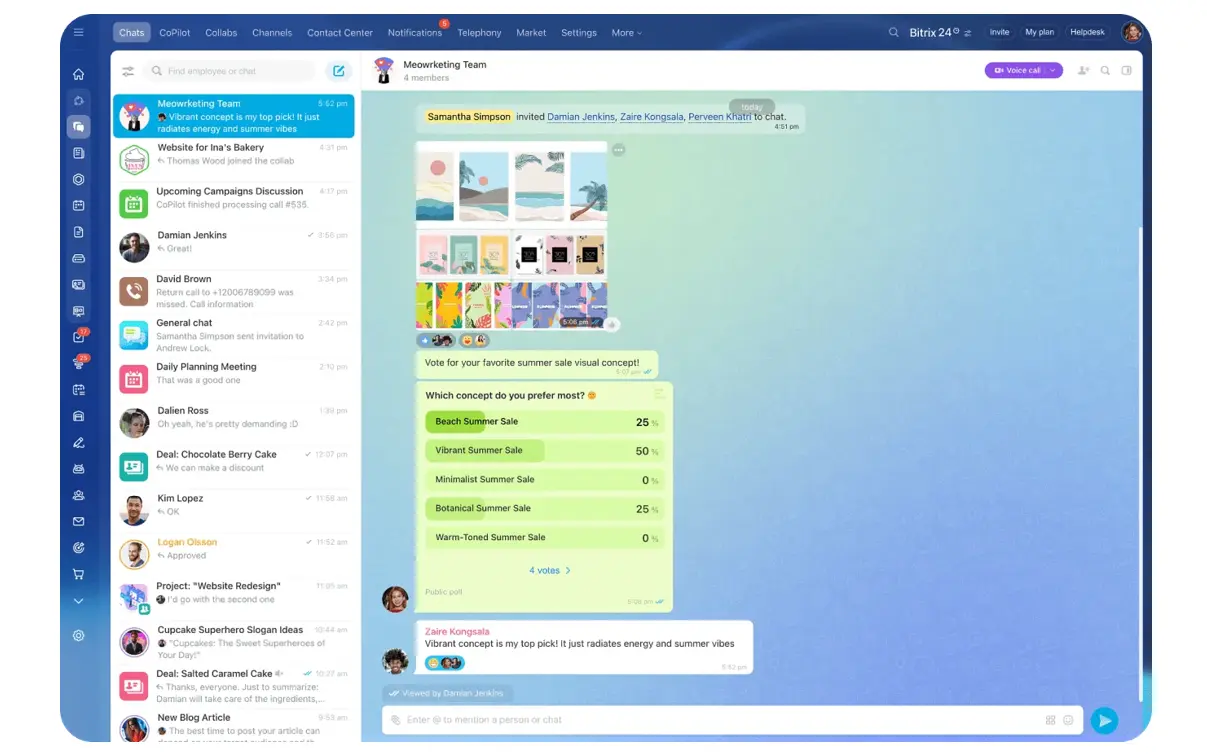
For teams using Bitrix24, this separation comes built-in. The platform connects calendars, task management, and team chat in one workspace, so you're not juggling three separate systems to keep work visible.
Step 3: Build the daily loop with clear checkpoints and response rules
Now build the day itself. The goal isn't to add meetings. It's to create a lightweight sequence that keeps priorities visible and blockers moving.
A simple daily loop usually has three checkpoints:
- Morning triage – Review today's priority work, confirm owners, and surface anything customer-critical
- Mid-day update – Flag blockers, shifts in priority, or overdue items that need intervention
- End-of-day handoff – Close completed work and leave clear next steps for anything still open
Morning triage (15 minutes)
Morning triage should be short and operational. What must move today? Who owns each item? What needs calendar protection? If a task has no owner by the end of triage, it's not really in motion.
Here's what it looks like in practice.
A marketing team does a 9 a.m. standup. They pull up their shared task board. The lead asks three questions for each priority item: Who's on it? Is anything blocking it? Does the owner have time protected to finish it today? If someone says "I'll try to get to it," that's a signal the task needs to be either reprioritized or assigned to someone with actual capacity.
Mid-day checkpoint
Mid-day's where you prevent quiet drift. This isn't a full status review. It's a checkpoint for exceptions: blocked work, missed dependencies, customer changes, or urgent requests that alter the plan.
For most teams, this doesn't need to be a meeting. It can be a Slack check-in or a quick sweep of the task board. The question's always the same: Is anything stuck that shouldn't be?
End-of-day handoff
End-of-day handoff matters most in distributed teams. A good handoff includes current status, what changed, what's waiting, and who picks it up next. If another person or region starts work after you, this checkpoint saves hours.
For a customer service team spanning US and APAC time zones, the US team's end-of-day ritual takes 10 minutes. They update every open ticket with current status, what the customer was told, and what step comes next. The APAC team starts their day by reviewing that handoff log, not by reading through chat history trying to piece together what happened.
Response rules that make the loop usable
Response rules make the loop usable. Without them, everything gets marked “urgent”.
|
Type of request |
Expected response |
Handling rule |
|---|---|---|
|
Urgent request |
Fast acknowledgment |
Escalate in chat, assign task immediately, confirm owner |
|
Routine question |
Answer within normal working cadence |
Keep in chat unless action's required |
|
Customer-critical issue |
Priority review same checkpoint cycle |
Reorder tasks and protect calendar time if needed |
Key takeaway: A useful loop has fixed checkpoints and clear response expectations. If people still have to guess when to escalate or when to wait, the loop's incomplete.
Step 4: Tie customer priorities to scheduling and execution
Not all work should be treated equally. Some tasks have direct customer impact, tied revenue, SLA commitments, or account risk. Those items need to appear in both team planning and individual schedules, not just on a generic board.
Flag and protect customer work
Start by flagging customer-impacting work in a visible, consistent way. That might be a priority label, SLA tag, account tier marker, or delivery deadline field. The point's to make these tasks easy to spot during triage and hard to bury under internal work.
Then connect those flags to actual scheduling. If a task affects a customer commitment, the owner should protect time on their calendar to do it. Otherwise, the task looks important in theory but still competes with meetings and interruptions all day.
How it works in practice
Consider a services team managing onboarding projects. Each project has a committed launch date. In the old system, those dates lived in a spreadsheet that the team lead checked weekly. By the time a delay surfaced, they'd already missed two checkpoints with the customer.
Now they flag every onboarding task with a customer deadline in their task system, and those deadlines sync to individual calendars. When someone books a meeting during time that's supposed to be protected for a customer deliverable, they see the conflict immediately and can decide whether to move the meeting or reassign the task.
Making cross-functional handoffs explicit
Cross-functional handoffs need the same clarity. When customer work moves between sales, service, operations, or leadership, make the transfer explicit. That means naming the next owner, expected timing, and required context. "Ops will take it from here" isn't a handoff. It's a hope.
In practical terms, customer-priority work should always answer these questions:
- What customer or account's affected?
- What commitment or deadline applies?
- Who owns the current step?
- When's the next action scheduled?
- Who receives it next, if it moves?
When customer priority's visible in both the plan and the schedule, teams make better tradeoffs during the day. They stop treating every interruption like a top priority and start protecting the work that actually matters most.
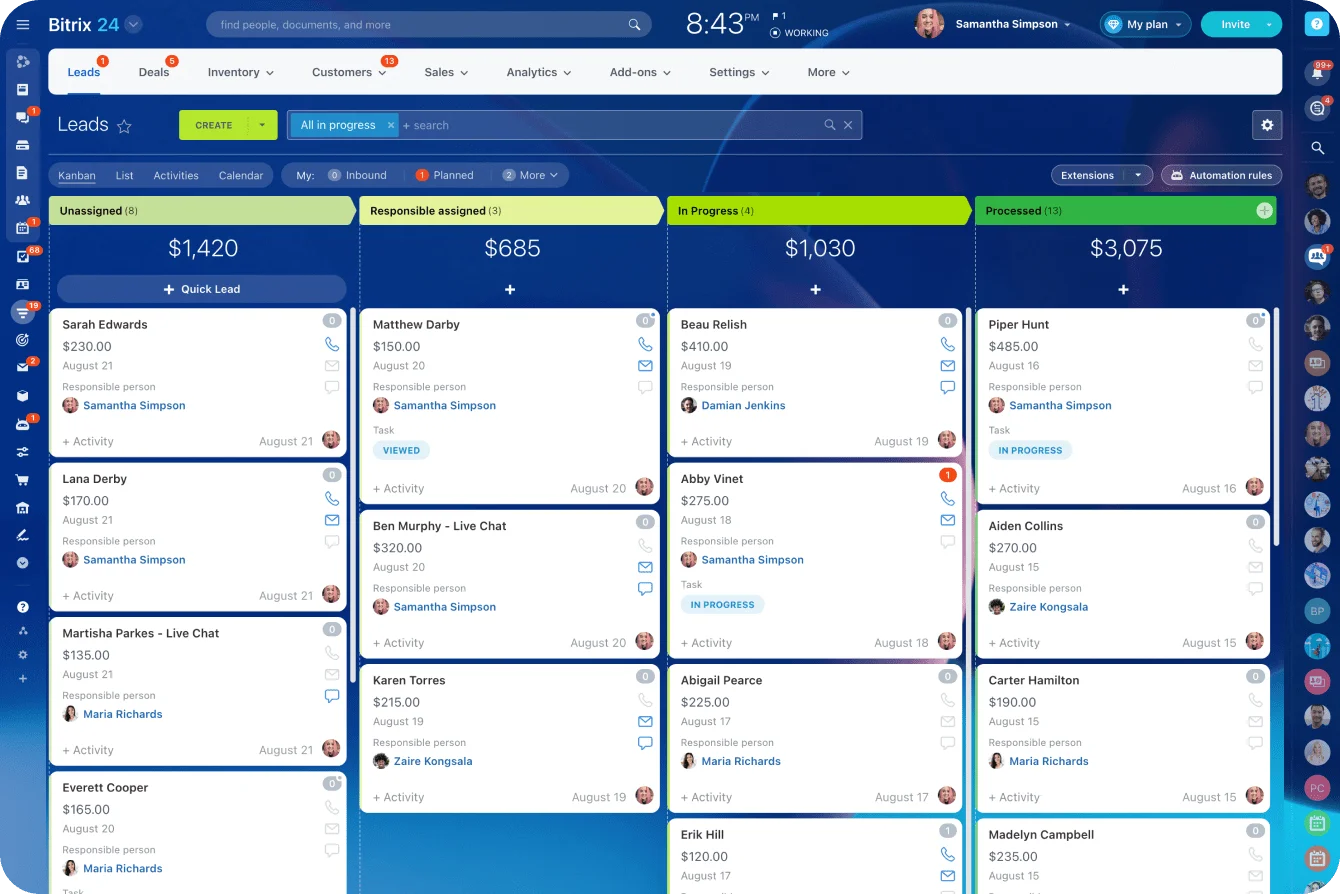
Tools like Bitrix24's CRM help here by connecting customer records directly to tasks and calendar events, so the context travels with the work instead of living in someone's memory.
Step 5: Reduce friction with operating rules, then avoid common mistakes and scale the loop
The goal is enough structure to reduce friction, not so much process that people work around it. A few non-negotiables go a long way:
- Tasks use a standard naming format people can scan quickly
- Each task has one owner, one due date, and one current status
- Urgency tags mean something specific, not just "important"
- Closed work gets marked complete in the system, not left hanging in chat
Common mistakes
Using chat as a task list feels fast but ownership stays invisible. When the thread moves on, so does the work. Overscheduling focus time is the opposite problem: the calendar looks productive but there's no slack to absorb the day's actual changes.
The most damaging mistake is allowing too many exceptions. If every request gets a custom path, the loop stops being a loop.
Scaling the loop
Use templates and shared conventions so repeatable workflows start with prebuilt task structures and standard handoff fields. Build in coverage for absent owners so active customer work and pending approvals don't stall when someone's out.
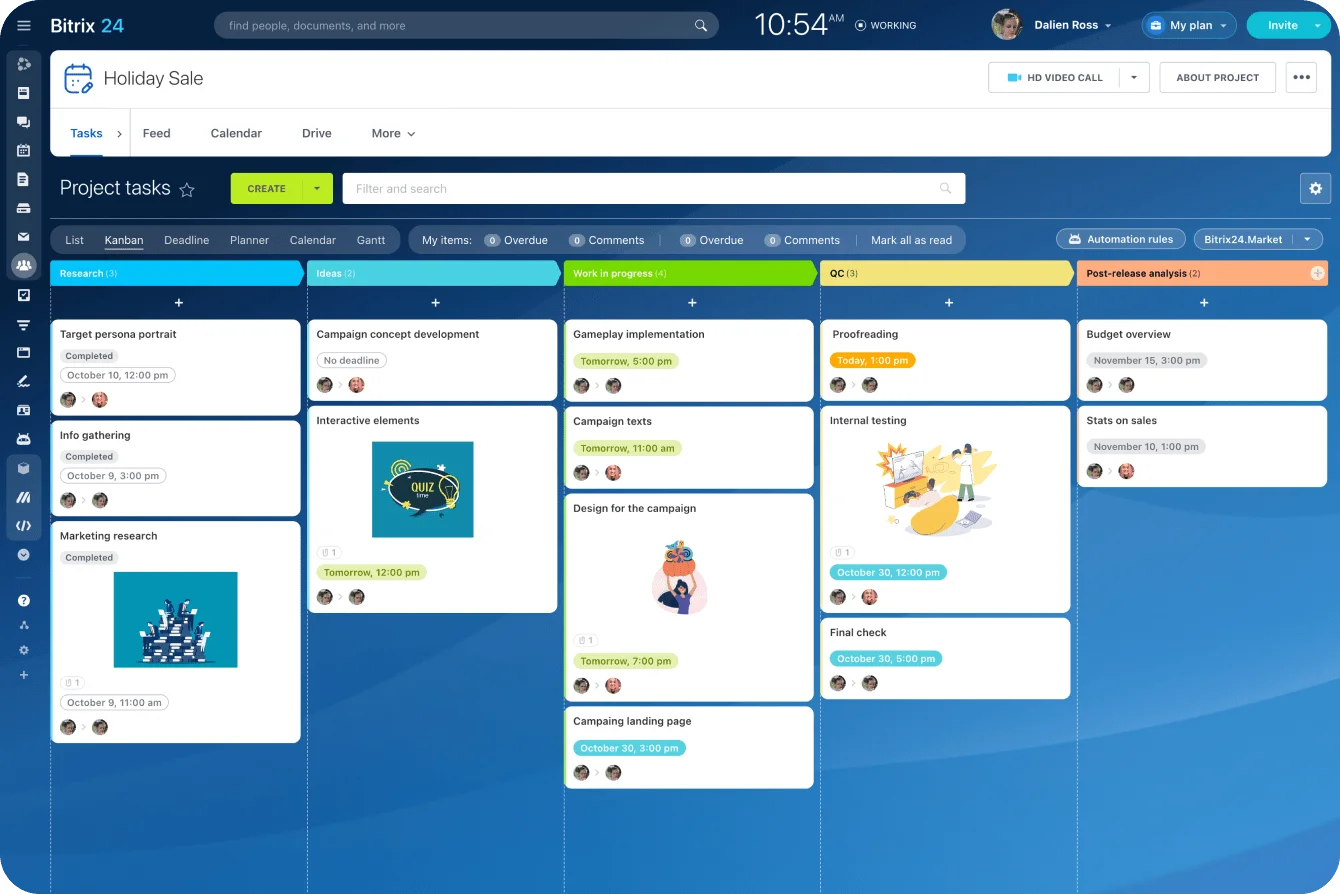
Run a weekly audit. Check for unowned tasks, stale statuses, and decisions still trapped in chat. Bitrix24's project management tools include templates and task automation that enforce these standards without requiring manual setup each time, which makes the audit considerably lighter as volume grows.
FAQs: Practical constraints, edge cases, and how to start small
What if the team uses different tools?
That's fine. The loop's a shared operating rhythm, not a single software stack. You just need clear rules for where ownership lives, where fast coordination happens, and where final decisions are recorded.
How fast should updates happen?
Fast enough to support the next action, not so fast that people spend the day reporting. For most teams, update at checkpoints, when status changes materially, or when a blocker affects someone else.
How do you handle rotating shifts?
Make end-of-day handoff non-optional. Shift-based teams need a visible queue of open work, current status, next step, and receiving owner. If that handoff lives only in memory or chat fragments, delays are almost guaranteed.
What metrics show the loop's working?
Track a few simple signals: fewer missed handoffs, faster response on customer-critical items, lower volume of duplicate update requests, better on-time completion for selected workflows, and fewer tasks without owners.
What about mobile-first staff or contractors with limited access?
Keep the loop light. If some people can't access every system easily, make sure the source of truth's reachable and updates can be submitted in a simple format. Don't design the process around desktop-heavy behavior if the team doesn't work that way.
What if the team spans multiple time zones?
Use asynchronous checkpoints where needed. Morning triage and handoff don't have to be live meetings. What matters is a consistent sequence and complete information for the next region or shift.
For globally distributed teams, platforms like Bitrix24's mobile app ensure everyone can participate in the daily loop regardless of device or location.
Run Your Team’s Day in One Connected Workspace
Bitrix24 links tasks, calendars, chat, and CRM so teams align owners, protect priorities, and move customer work forward.
Get Started NowStart small and build momentum
Run a two-week pilot with one workflow, one owner rule set, and one end-of-day handoff habit. Pick something visible, like support escalations or client deliverables. Define the tool rules. Set the checkpoints. Review what broke after one week and tighten only what's necessary.
If the loop works, the day starts to feel less scattered almost immediately. People know where work belongs, who owns the next move, and how customer priorities affect the plan.
The teams that get there fastest tend to be working from one place. When tasks, calendars, and chat are connected in a single workspace rather than three separate tools, the loop has somewhere reliable to live.
That's what Bitrix24 is built around: CRM, task management, calendar, and team communication in one place, so the daily operating rhythm doesn't depend on everyone remembering which tool holds the current version of the truth.