Prioritization Interviews That Predict Roadmaps


Your backlog has 200 items. Sales just escalated three "must-have" features from different prospects. Support flagged the same complaint for the fourth time this quarter. Leadership wants to know why last quarter's roadmap didn't move the retention number.
Everyone has input. No one agrees on what matters most.
Prioritization interviews are structured user conversations that help you identify and rank problems based on frequency, impact, and business value — so you can confidently decide what deserves roadmap space and what doesn’t.
Instead of reacting to the loudest requests, they give you a repeatable way to uncover what users are actually trying to accomplish, where their workflows break down, and which issues are worth solving at scale.
In this guide, you’ll learn how to run these interviews, spot patterns quickly, and turn insights into roadmap decisions you can stand behind.
TL;DR: Prioritization interviews are structured conversations that uncover which user problems matter most (not just which features are requested loudest). A repeatable five-step framework turns qualitative interviews into reliable roadmap signals. The key is consistent documentation and cross-team visibility.
The hidden problem with feature-driven roadmaps
According to a 2024 product management survey, qualitative interviews are the most common discovery method (used by 82% of product teams), yet 67% still prioritize primarily by customer requests rather than structured problem analysis.
That gap is where roadmaps break down.
Requests that look different often share the same root cause
Customers ask for advanced reporting, export options, or custom dashboards. These appear unrelated, but they may all point to the same underlying issue: people can't easily find the information they need. Building each request individually adds complexity without solving the real problem.
Every team pushes in a different direction
- Sales wants features that close deals
- Support highlights repeated complaints
- Leadership pushes strategic priorities
Without a clear way to evaluate these signals against each other, prioritization becomes reactive — driven by urgency or influence rather than evidence.
The result is feature bloat
The product gets harder to navigate, adoption drops, and development effort spreads across too many partial solutions.
Prioritization interviews exist to prevent exactly this outcome.
What are prioritization interviews?
A prioritization interview is a structured conversation designed to identify which user problems matter most. Instead of asking what features customers want, you focus on:
- How they work day-to-day
- Where friction appears in their workflows
- How often that friction occurs
- What impact those challenges have on their results
The Maze 2025 research report found that 42% of product managers now conduct user research directly — a signal that discovery is becoming a core PM responsibility, not just a UX function.
Why these interviews work better than passive feedback
|
Discovery method |
What it captures |
What it misses |
Best used for |
|---|---|---|---|
|
Support tickets |
Specific complaints and bugs |
Context about why the issue matters or how often it affects the workflow |
Identifying surface-level pain points |
|
Feature request logs |
What users think they want |
The underlying problem the request is trying to solve |
Tracking demand volume |
|
NPS/CSAT surveys |
Sentiment at a single moment |
Why someone gave that score or what would change it |
Measuring satisfaction trends |
|
Usage analytics |
What users do inside the product |
Why they do it, or what they tried and gave up on |
Spotting behavioral patterns |
|
Prioritization interviews |
The full workflow context — frequency, impact, workarounds, and root cause |
Scale (can’t interview thousands) |
Identifying roadmap-worthy problems with high confidence |
This difference becomes clear in practice.
When someone asks for a custom report, a survey captures the request. An interview reveals the real issue: they can’t track cross-team progress. So the solution isn’t another report; it’s better visibility.
The 5-step framework
Prioritization interviews only work if they’re consistent. Without a clear structure, conversations vary, insights get lost, and patterns are hard to compare.
This five-step framework gives you a repeatable way to run interviews, capture what matters, and turn qualitative input into signals you can actually use for roadmap decisions.
Step 1: Select the right participants
If you only speak with one type of user, your findings will be narrow. Interview across the customer journey:
- Power users — reveal advanced workflow gaps
- New customers — expose onboarding friction
- Churned users — identify the problems that drove them away
- Prospects comparing solutions — show where competitors are perceived as stronger
- Internal teams (support, success, sales) — surface patterns from frontline conversations
Using a CRM, segment contacts by lifecycle stage, deal size, or product usage to build a balanced interview list.
Prioritization Interview Templates: Questions That Reveal Real Priorities
Enter your email address to get a comprehensive, step-by-step guide

Step 2: Ask problem-focused questions
Focus on real situations, not hypothetical features:
- What task takes the most time in your workflow?
- Where do you experience the most frustration?
- Which steps feel more complicated than they should be?
- How often does this issue occur?
- What workaround do you use today?
These questions uncover context that feature requests alone never provide.
Step 3: Identify the root cause behind requests
Customers suggest features because they believe those changes will solve their problem. But the feature they request may not address the underlying issue.
Example: A user asking for a new export function, additional reporting options, and custom dashboards may really be saying they can't easily access the data they need. Building each request adds complexity. Solving the root problem — data accessibility — solves all three.
Step 4: Capture insights systematically
Interview insights lose value when documented inconsistently. Capture the same details every time:
- Problem described
- Workflow involved
- Frequency of occurrence
- User segment affected
- Current workaround
Teams that store notes in a shared knowledge base (rather than private docs or email threads) make discovery visible to product managers, engineers, and customer-facing teams throughout prioritization.
Step 5: Look for patterns across interviews
Individual interviews provide context. The real value appears when you review multiple conversations together:
- Which workflows consistently slow people down?
- Which challenges appear across different roles and segments?
- Which issues require manual workarounds every time?
Those patterns point to roadmap-worthy opportunities rather than one-off requests.
Followed consistently, this process turns scattered conversations into clear patterns. Instead of reacting to individual requests, you start seeing which problems appear across users, workflows, and segments.
Turning insights into roadmap priorities
Running interviews is only half the job. The real value comes from turning what you learn into clear, defensible roadmap decisions.
This process shows how to move from raw interview insights to prioritized initiatives and deliverable work.
Identify the most common problems
Review insights from multiple interviews together. When the same challenge surfaces across several conversations and user segments, it signals a meaningful product opportunity (not just a vocal customer).
Evaluate impact before committing roadmap space
Not every repeated problem deserves immediate attention. Score recurring issues on:
- Frequency — how often it occurs
- Scope — how many users are affected
- Severity — how disruptive it is to daily work
- Business value — whether solving it improves retention, efficiency, or adoption
A simple scoring system keeps prioritization grounded in evidence rather than stakeholder pressure.
Translate problems into product initiatives
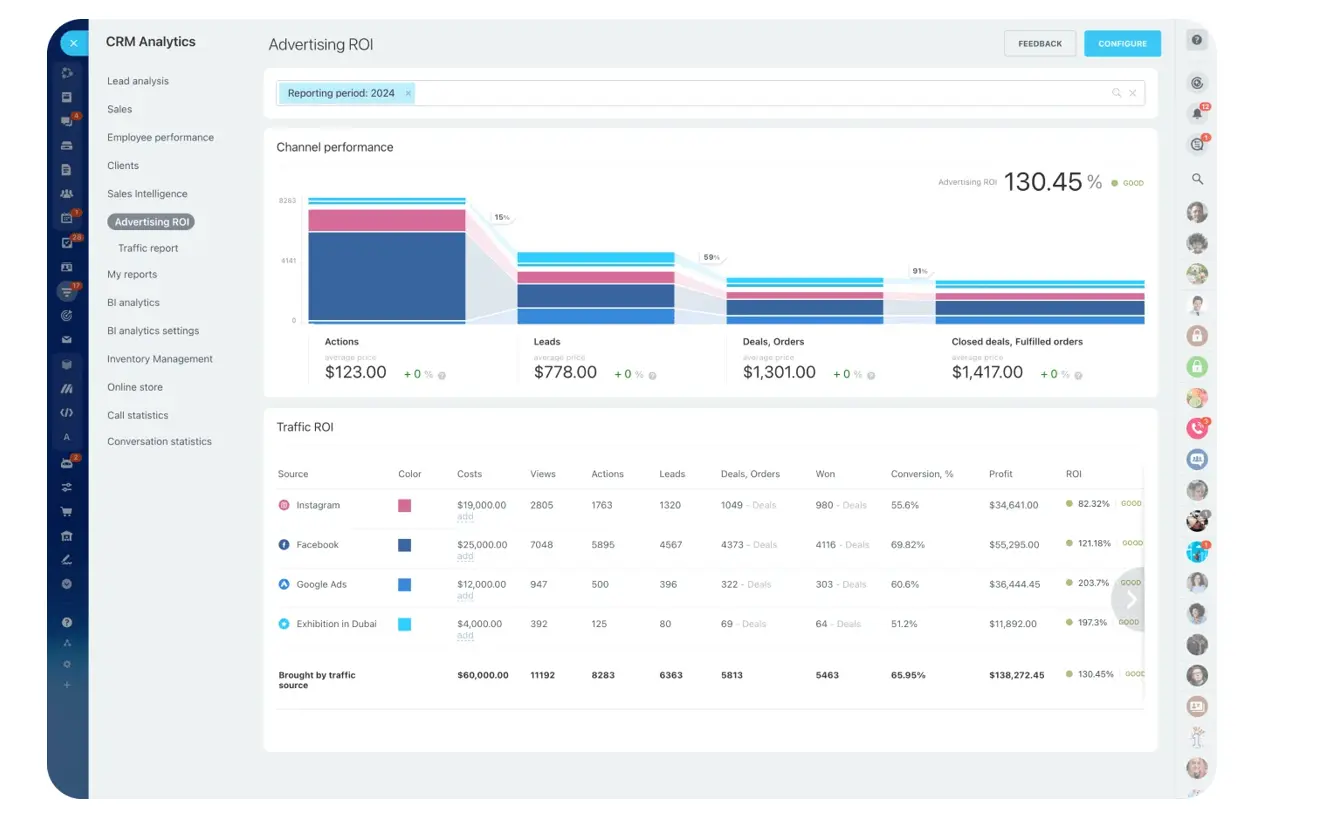
Frame initiatives around the broader problem, not individual requests. If interviews reveal that managers cannot track project progress across teams, the initiative isn’t “add a report,” but improving how progress is visible through analytics dashboards, cross-project views, or automated updates.
Convert priorities into roadmap projects
Turn prioritized initiatives into deliverable work:
- Define scope and success criteria
- Assign to a development cycle
- Create tasks for cross-functional teams
- Track progress and dependencies with Gantt-based milestone tracking
When discovery insights stay linked to execution, teams can trace every roadmap decision back to a real user problem.
When this process is applied consistently, prioritization becomes far less subjective. Decisions are based on patterns, not opinions, and every initiative is tied to a clearly defined problem.

Making this a continuous practice
The real advantage appears when interviews become ongoing rather than tied to quarterly roadmap reviews. Successful product teams:
- Talk to active customers, new users, and internal teams regularly
- Spot workflow issues before they become product-level limitations
- Ensure insights flow beyond PM — sales hears objections, success sees onboarding friction, support identifies recurring issues
- Document perspectives in shared workspaces rather than team silos
Over time, roadmap planning becomes predictable. Teams recognize recurring challenges, understand which issues affect the most users, and prioritize improvements that deliver the greatest impact.
When prioritization interviews may not be the right method
Prioritization interviews are a strong method for uncovering problems, but they are not the right tool in every situation. Used at the wrong time, they slow decisions or duplicate work you’ve already done.
The following scenarios show when interviews add little value and a different approach is more effective.
- You need to validate a specific solution, not identify problems. If you've already identified the problem and designed a solution, a usability test or prototype walkthrough will tell you more than another round of open-ended interviews. Interviews discover problems; testing validates solutions. Don't use one for the other's job.
- Your user base is too homogeneous for pattern detection. If most of your customers are the same persona using the product in the same way, interviews will sound consistent, but that consistency can be misleading. You may be seeing patterns that only apply to your current users, not the wider market. In this case, use analytics and support data to confirm whether those issues appear across a broader set of users.
- You're in a fast-moving competitive window. If a competitor just launched a feature your largest customers are asking about, spending three weeks on discovery interviews before responding may cost you accounts. Sometimes the right move is to ship a targeted response based on available data and run interviews afterward to refine the approach.
- The problem is already well-understood and quantified. If support data shows 400 tickets per month about the same broken workflow (and engineering already knows the root cause), another round of interviews adds delay without new information. Move to solution design and allocate interview capacity to less-understood problems.
In each of these cases, the issue isn’t a lack of insight, but a mismatch between the method and the goal. Interviews are most valuable when the problem is unclear. When the problem is already defined, validated, or time-sensitive, a different approach will move you forward faster.
Let evidence guide your roadmap
Once interviews are run consistently and reviewed together, prioritization stops being a debate. The patterns are already there.
Instead of weighing individual requests, you are comparing problems based on frequency, impact, and scope. The question shifts from “who asked for this?” to “how often does this appear, and who does it affect?”
That shift is what makes roadmaps more predictable. Teams stop chasing one-off requests and start solving issues that show up across users and workflows.
When those insights are documented and connected to product initiatives, every roadmap decision has a clear rationale behind it.
Start for free with Bitrix24 today and give your product team a shared workspace to turn customer conversations into clear, defensible roadmap decisions.
Boost Product Strategy with Bitrix24
Harness Bitrix24 for effective prioritization interviews and turn customer feedback into roadmap decisions. Improve product success with organized insights and user-focused action.
Start NowFrequently asked questions
How many interviews do I need before patterns emerge?
Most product teams see reliable patterns after 8–12 interviews across at least three user segments. Fewer than five rarely produce enough overlap to distinguish one-off complaints from systemic issues. More than 15 on the same topic usually reaches saturation — new conversations confirm existing patterns rather than revealing new ones.
How is a prioritization interview different from a usability test?
A usability test evaluates how well a user can complete a specific task within your existing product. A prioritization interview explores which problems matter most across a user's entire workflow, regardless of whether your product currently addresses them. Usability tests answer "can they do it?" Prioritization interviews answer "should we build it?"
Who should conduct these — product managers or researchers?
Either can do it well. PMs bring roadmap context and can probe on strategic relevance. Researchers bring methodological rigor and reduce interviewer bias. The most effective teams pair a PM with a researcher, or train PMs in structured interview techniques so discovery doesn't bottleneck on a single role.
What do I do when findings conflict with what stakeholders want?
Present the evidence. Show the pattern across interviews, the frequency and severity scoring, and the user segments affected. Stakeholder preferences often shift when they see documented evidence that the problem they're pushing was mentioned by one user, while a different issue appeared in ten interviews.
Can prioritization interviews work for early-stage products with few users?
Yes — and they're arguably more valuable at this stage, when every development decision has outsized impact. With a small user base, you can interview a higher percentage of customers. Even five well-structured interviews can reveal whether you're solving the right problem before investing months of development.
How do I prevent insights from being forgotten?
Store them in a shared system connected to your planning workflow, not in private notebooks or email threads. When interview notes live in the same workspace as product tasks and roadmap documents, they stay visible throughout prioritization. Teams that review interview themes weekly during planning meetings retain far more than those who revisit only during quarterly sessions.