CRM Marketing: How to Connect Campaigns, Sales Data, and Customer Follow-Ups

Marketing runs email, paid media, and campaigns in one set of tools. Sales works deals in the CRM. Customer success manages renewals somewhere else.
When those systems don't talk, performance breaks at the handoff: a lead engages across five channels but the rep sees only a name, high-intent accounts slip through, and nobody can tie a campaign to revenue. ZoomInfo's research puts a number on the waste — 79% of marketing leads never convert, often because the context that would have closed them got lost between teams.
CRM marketing closes that gap.
It connects campaign activity to customer and pipeline data, then uses the combined picture to decide who gets contacted, by whom, and what happens next. Campaigns feed the CRM engagement signals; the CRM triggers sales action and shapes messaging by account status, opportunity stage, and lifecycle position. Both teams work from one customer history instead of two separate views, which is the difference between a pile of tools and a coordinated revenue system.
Here's how it differs from related approaches:
|
Category |
Primary Focus |
Main Data Used |
Typical Outcome |
|---|---|---|---|
|
Email marketing |
Sending broadcast or segmented emails |
Email lists, basic engagement data |
Opens, clicks, conversions |
|
Marketing automation |
Automating multi-step campaigns |
Behavioral triggers, form submissions, campaign activity |
Nurture efficiency, lead progression |
|
CRM management |
Tracking contacts, accounts, deals, and tasks |
Customer records, pipeline stages, ownership |
Sales visibility and process control |
|
CRM marketing |
Using CRM and campaign data together |
Customer data, engagement history, pipeline signals, lifecycle status |
Better targeting, coordinated follow-up, revenue-linked reporting |
Think of it this way: email marketing sends messages, marketing automation sequences them, CRM management stores records, and CRM marketing connects messaging decisions to revenue outcomes.
Why It Matters: Lead quality, conversion speed, and revenue attribution
CRM marketing improves lead quality because it uses richer signals than broad campaign lists. Instead of targeting everyone who downloaded an asset, teams target by company size, industry, product interest, territory, opportunity stage, or previous conversations. That makes outreach more relevant and usually more useful to sales.
Organizations using advanced lead qualification report up to 45% higher marketing ROI according to Gartner. The difference comes from using CRM data to inform which leads matter most.
Faster conversions and better timing
Timing gets sharper when campaign activity feeds the CRM. A contact showing repeated high-intent behavior can be routed immediately. A stalled opportunity can trigger supporting content. A customer approaching renewal can receive expansion messaging based on product usage and account status. Those decisions are hard to make with campaign data alone.
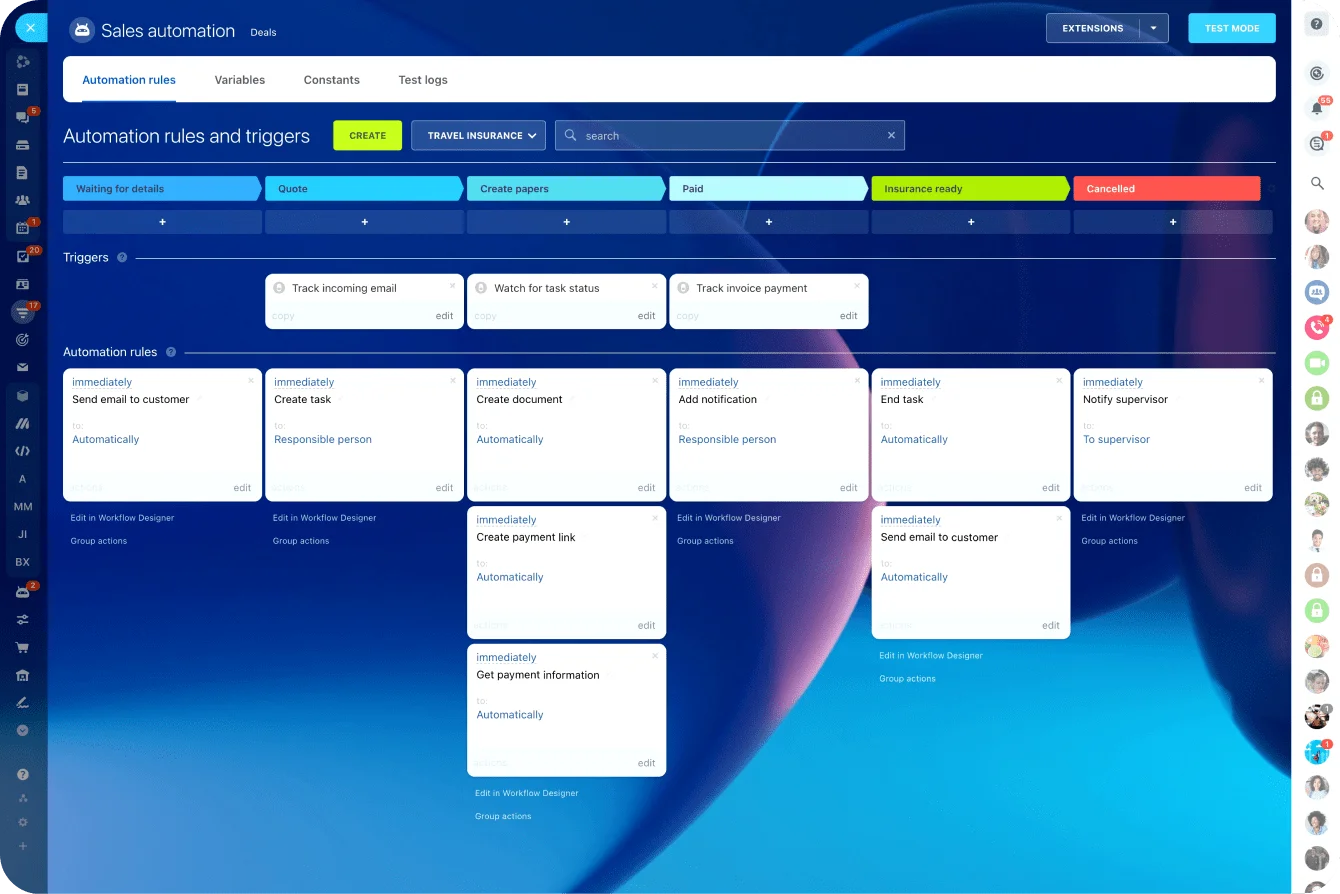
Leads are 21 times more likely to convert if contacted within 5 minutes. When systems stay disconnected, those 5 minutes slip away. An interested buyer fills out a form, but the rep doesn't know for hours. CRM marketing automation closes that gap — triggering instant alerts and providing context so follow-up is immediate and relevant.
Alignment between marketing and sales
Marketing and sales often agree that handoffs matter, but friction shows up in the details: when does a lead become sales-ready? What context does a rep see? Should marketing keep messaging active? How is account priority determined?
78% of marketers report that integrating CRM with marketing automation improves campaign effectiveness. That alignment cuts two expensive problems: lead leakage (interested buyers not followed up in time) and duplicate outreach (marketing and sales hitting the same person with conflicting messages).
Revenue attribution that actually works
Engagement metrics on their own are easy to produce and hard to trust. CRM marketing makes attribution more credible because campaign influence can be tied to opportunity creation, deal stage movement, closed-won revenue, and customer expansion.
How CRM marketing works across the customer lifecycle
The operating logic is simple: data in, decision rules, coordinated outreach, and outcome tracking. Campaign responses update CRM records. CRM changes trigger new actions. Over time, the system adjusts based on what people do and where accounts sit in the lifecycle.
The motion through each stage
Lead capture: A person fills out a form, registers for an event, or replies to outreach. The CRM classifies the record using source, company, geography, and interest area.
Segmentation: Some records stay in marketing-led programs because they're early stage. Others route to sales because intent is high or the account is strategic. Messaging isn't isolated from ownership.
Nurture: Campaign content builds interest based on role, need, and where someone is in their decision cycle.
Sales engagement: Reps receive context and tasks when qualification thresholds are met. They see the full engagement history, not just a name.
Opportunity progression: Campaigns support active deals by stage. Content might address evaluation, stakeholder education, or objection handling depending on where the deal sits.
Post-sale follow-up: Onboarding, adoption, and renewal communication continue using the same logic.
Reactivation: Inactive leads, stalled deals, or dormant customers re-enter targeted programs based on account history and product context.
Rather than a series of unrelated sends, CRM marketing works like a connected system where timing, relevance, and owner actions change according to account context.
Campaign-to-Follow-Up Workflow Templates for CRM Teams
Enter your email address to get a comprehensive, step-by-step guide

Core Components: What you actually need
CRM marketing depends on a few building blocks:
Data: Contact and account records, engagement history, lead source, lifecycle stage, opportunity status, and customer activity after purchase. Without these fields being current and complete, segmentation becomes blunt and automation unreliable.
Segmentation: Useful segmentation is based on signals that mean something commercially. Industry, deal size, product interest, inactivity windows, renewal timing, buying committee role, and sales stage all help teams decide what communication makes sense and what should be suppressed.
Automation: This is more than message scheduling. It's the use of rules to decide when campaigns fire, when reps are alerted, when records update, and when someone should be excluded. Good automation reduces delay and inconsistency. Bad automation scales confusion fast.
Sales signals: CRM marketing works best when sales acts on meaningful intent, not raw activity noise. A single email open is weak. Multiple visits to pricing pages from an account with an open deal is much stronger. The system should separate casual engagement from signals that deserve action.
Here's what each component delivers:
|
Component |
What It Does |
Business Outcome |
|---|---|---|
|
Lead source and campaign history |
Preserves acquisition context inside the CRM |
Clearer reporting on what creates qualified demand |
|
Lifecycle stage segmentation |
Adjusts messaging by buyer stage |
Higher relevance, fewer mistimed campaigns |
|
Automated follow-up triggers |
Creates outreach or tasks after key actions |
Faster speed-to-lead, less missed intent |
|
Opportunity-stage messaging |
Supports active deals with stage-specific content |
Better sales enablement and deal progression |
|
Post-sale activity tracking |
Uses usage or account behavior after purchase |
Improved upsell timing and churn prevention |
|
Suppression and ownership logic |
Prevents conflicting outreach |
Less friction and better customer experience |
Common mistakes that kill CRM marketing
Treating the CRM like a static database
If teams only use the CRM to store names and notes, they miss its value. The CRM should function as a decision engine that informs campaign targeting, prioritizes follow-up, and tracks outcomes.
Over-automating before basics are solid.
Automation can look efficient until data is incomplete, ownership is unclear, or suppression logic is missing. Then it scales confusion fast. Contacts get duplicate messages, reps lose trust in alerts, and personalization feels fake because fields are wrong.
Start with clean data and clear definitions. Automation comes after.
Assuming personalization always works.
Inserting a company name into an email isn't meaningful if the message ignores the buyer's stage or product interest. Personalization only helps when it reflects real customer context.
Getting attribution wrong.
Opens, clicks, and form fills are signals, not outcomes. When organizations optimize reporting around top-of-funnel engagement only, they overvalue activity and undervalue programs that influence opportunity creation or expansion. Measure campaign effectiveness across influenced pipeline, opportunity progression, and conversion rates by segment, not single-touch attribution.
Weak sales adoption
If reps don't trust lifecycle definitions, if alerts are noisy, or if campaign context is missing, they route around the system. Marketing thinks follow-up is happening, sales thinks lead quality is poor, and data gets worse.
Warning signs to watch for:
- Records enriched inconsistently; key fields often blank
- Marketing and sales contact the same lead without coordination
- Automated programs keep running after opportunities open
- Dashboards emphasize engagement but not pipeline movement
- Sales teams ignore alerts because too many are low quality
Most CRM marketing problems don't come from the concept itself. They come from weak data discipline, poor operational design, or assuming automation fixes broken processes.

Real-world use cases for SMBs
CRM marketing becomes concrete when you see it in practice.
Lead nurture tied to sales readiness
A mid-market software company keeps early-stage leads in an educational sequence. Once a contact from a target account visits the pricing page twice and attends a product webinar, the system flags them, assigns a rep, logs the campaign history, and shifts the messaging toward evaluation. The rep opens the record and sees the full engagement trail, not just a name.
Leads reach sales faster, reps spend their time on the warm ones, and nobody gets contacted twice.
Abandoned demo-request follow-up
A prospect starts a demo form and doesn't finish. A standard email tool catches only half the story. In a connected setup, that drop-off links to account ownership, existing opportunity status, and prior engagement—which determines whether the right next move is a nurture email, a rep task, or both.
Fewer prospects fall through the cracks, because the context behind the half-finished form never disappears.
Webinar routing by account value
Not every webinar attendee should go to sales. But an attendee from an account already in the pipeline, or one matching a high-value segment, gets handled differently from a general top-of-funnel registrant.
Routing rules sort it automatically, so a strategic account never sits in a nurture track when it should be on a rep's desk that afternoon.
Post-sale expansion and retention
Renewal reminders, onboarding sequences, adoption prompts, and win-back campaigns all sharpen when they're tied to customer records. A customer with low usage 90 days out from renewal shouldn't get the same message as one actively adding seats.
Tying the campaign to account behavior means the at-risk customer gets an intervention and the growing one gets an expansion offer, instead of both getting the same generic email.
Scaling CRM marketing: Governance, execution, and limits
As CRM marketing grows, it changes how teams operate. Shared definitions become essential: what counts as marketing-qualified, when ownership moves to sales, how lifecycle stages are named, how campaigns are labeled.
Operational dependencies increase
As you scale, you need:
- Aligned definitions across marketing ops, sales ops, demand generation, and customer teams
- Clearer ownership rules (which team acts at each stage)
- Consistent data entry and field standards
- Regular feedback loops between teams on lead quality and campaign performance
The upside is meaningful. Forecasting gets better because buyer signals are more structured. Follow-ups become consistent because ownership and timing are clear. Reporting becomes useful because campaigns tie to lifecycle movement, not isolated responses.
But scaling also increases dependency on execution quality. Integration failures break workflows. Poor field hygiene corrupts segmentation. Inconsistent data entry weakens routing. Process discipline matters more as triggers, audiences, and owners multiply — this is the part teams often underestimate.
Real limitations to expect
Even with solid CRM marketing, you'll hit some walls:
- Incomplete data (common in SMB environments where field hygiene is imperfect)
- Long B2B sales cycles make attribution difficult because many touches happen over time
- Multi-touch attribution remains partly ambiguous even with structured CRM data
- Privacy rules can restrict how much behavior is tracked or used for targeting
- Sometimes available insight simply isn't deep enough to justify heavy personalization
Useful reality check: CRM marketing can improve coordination and measurement, but it doesn't remove uncertainty. It works best when companies treat it as an operating model that needs governance, not software that runs itself.
Using Bitrix24 for CRM marketing
The reason this is hard for most teams is that the campaign tools and the CRM are separate products, so the connection has to be rebuilt by hand every time. Bitrix24 keeps both in one place, which is what makes the shared-context model practical rather than aspirational.
Campaigns and website forms feed customer records directly, so a form fill or an email open enriches the account the moment it happens — no export, no overnight sync, no lost context. Marketing and sales read the same engagement history because there's only one copy of it.
From there, the automation does the sorting. You can segment by lifecycle stage, opportunity status, or engagement level; route a high-intent lead to a rep task the instant it crosses a threshold; and suppress contacts who shouldn't get a given message, so marketing and sales stop hitting the same person with conflicting outreach. Because communication lives in the same workspace, the rep acting on that lead sees the full history without switching tools to find it.
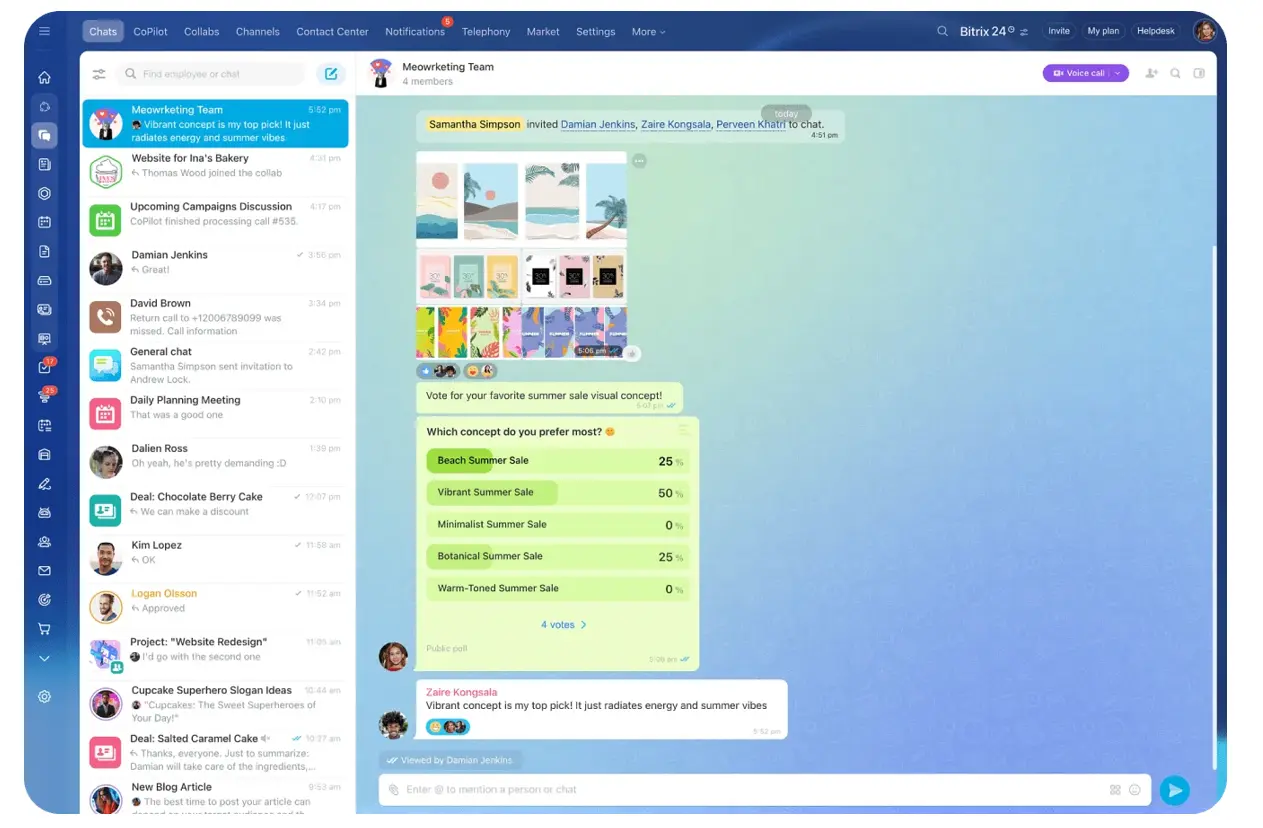
And because the campaign activity and the pipeline sit in one system, reporting can tie them together — which campaigns actually influenced deal creation and progression, not just which ones got opens and clicks. That's the attribution problem the rest of this article describes, solved by the data living in one place instead of two.
Marketing and sales were never really separate
CRM marketing isn't a feature inside a database or an email platform. It's a way of running revenue: campaigns, sales data, and follow-ups connected so every team acts on the same context and measures what actually moves a deal.
When it works, marketing stops being a separate traffic source and becomes part of the revenue system. Sales gets better timing and better context. Leadership gets reporting it can trust. Customers get communication that matches where they actually are, not where one disconnected tool guessed they might be.
The gap between marketing and sales never closed because the tools got better. It closed when teams stopped treating the two as separate problems with separate data.
That's the whole idea: one customer history, one set of definitions, one system both sides act on — so the handoff stops being where deals quietly disappear.
Unify campaigns and sales follow-up
Bitrix24 connects campaigns, CRM, automation, and pipeline data so teams act faster, personalize outreach, and track revenue impact.
Get Started NowFAQ
Does CRM marketing only work with large contact databases?
No. It often helps smaller databases more because every lead matters. The value comes from connecting context and follow-up, not list size.
How does CRM marketing apply to long-cycle B2B sales?
It's especially useful there. Long cycles create more touchpoints, more stakeholders, and more chances for context to get lost. CRM marketing preserves account history and aligns messaging with deal stage over time.
When does a team need CRM marketing instead of just an email tool?
Usually when messaging decisions depend on sales status, account ownership, opportunity data, or post-sale activity. If campaigns need to react to revenue context, email tools alone rarely suffice.
What if sales doesn't adopt the system?
Then CRM marketing underperforms quickly. Reps need quality alerts, visible campaign context, and clear ownership rules. Without sales participation, the system becomes a reporting layer instead of a revenue workflow.
Can CRM marketing include offline touchpoints?
Yes. Calls, events, partner referrals, direct mail, and field meetings can all be logged in the CRM and used for segmentation, routing, and attribution. It's not limited to digital behavior.
How do you measure success when several campaigns influence one deal?
Avoid forcing a single-touch view. Look at influenced pipeline, opportunity progression, conversion rates by segment, sales response speed, expansion outcomes, and retention metrics alongside engagement. The point is understanding contribution, not pretending every deal has one cause.